

- Top Pick: fanxiang 1TB NVMe Internal Gaming SSD for PS5 with Heatsink, Up to 7000MB/s M.2 SSD PCIe Gen 4 SSD Storage Expansion Compatible with PS5, Internal Solid State Drive for Gamers, Professionals, Creators
- Best Value: Atdcoek 5 Pack SSD Heat Sink Cooler for 2280 SSD, nvme Heatsink with Thermal Silicone Pad for for Desktop PC/Workstation (5 Pack Black)
- Premium Choice: SIX NVME M.2 SSD PCIe 4.0-1TB m.2 2280 ssd, Read UP to 7350MB/s 1TB for Gaming PS5 Memory Storage Expansion with Heatsink, Internal Solid State Hard Drive PCIe gen 4×4 Nvme for Laptop Desktop pc
If you have spent any time chasing the last few frames per second out of a modern gaming rig, you already know the bottleneck has quietly shifted. CPUs and GPUs get all the attention, but with Microsoft DirectStorage now baked into a growing library of PC titles and the PlayStation 5 leaning hard on its custom I/O pipeline, storage speed and, crucially, sustained storage speed have become a real performance variable. A fast NVMe drive that throttles itself into oblivion after ninety seconds of asset streaming is worse than useless during a long open-world session. That is exactly the problem a good heatsink solves.
- Best Heatsink Gaming SSDs in 2026: Quick Comparison
- Why Heatsinks Matter for Gaming SSD Thermals
- Gen4 vs Gen5 SSDs: Which Should Gamers Buy?
- PS5 SSD Compatibility and Heatsink Requirements
- SSD Capacity Guide: 1TB, 2TB, or 4TB?
- Verdict: The Best Heatsink SSD for Your Setup
- Related Guides
- Frequently Asked Questions
- Related Articles
Heatsink SSDs are no longer a niche enthusiast toy. Between PCIe Gen4 drives pushing 7,000+ MB/s and the newest PCIe Gen5 monsters clearing 14,000 MB/s, the raw bandwidth on tap generates real heat, and NAND flash plus the controller both hate running hot. Without adequate cooling, a drive hits its thermal limit and deliberately slows down (thermal throttling) to protect itself. For gamers loading enormous texture packs, and especially for PS5 owners who are required to install an M.2 SSD with a heatsink in the console’s expansion slot, thermals are not optional. They are the whole ballgame.
As an Amazon Associate we earn from qualifying purchases at no extra cost to you.


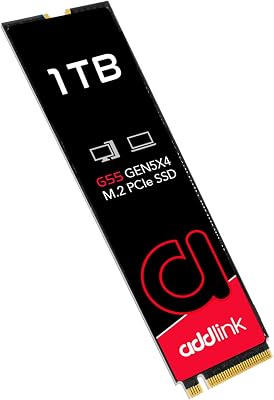


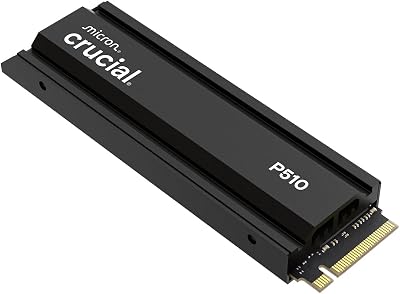
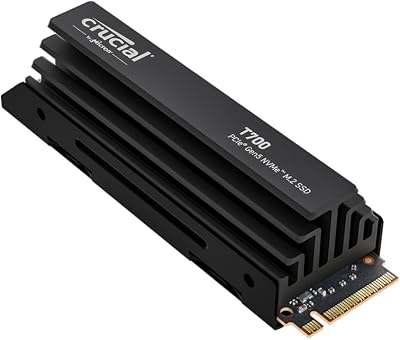
In this guide we break down the best gaming SSDs with heatsinks you can buy in 2026, when Gen4 is plenty and when Gen5 is worth the premium, how PS5 compatibility actually works, and how much capacity you really need. If you are still assembling the rest of your parts list, our complete gaming PC build guide pairs nicely with everything below.
As an Amazon Associate we earn from qualifying purchases. Prices and availability shown are approximate and change frequently; always confirm the current listing before buying.
🛒 Best Price Today on Amazon
Prime members get fast, free shipping on everything above, plus member-only deals. New members get a 30-day free trial — cancel anytime.
Best Heatsink Gaming SSDs in 2026: Quick Comparison
Here are our five top picks across Gen4 and Gen5, chosen for a blend of sustained real-world speed, thermal behavior under load, PS5 friendliness, and price-to-performance. All prices are approximate US street prices for 2026 and reflect the 2TB tier unless noted.
| SSD | Interface | Capacity | Best For | Approx Price |
|---|---|---|---|---|
| Samsung 990 Pro with Heatsink | PCIe Gen4 x4 | 1TB / 2TB / 4TB | Best all-around Gen4 pick and PS5 | $169 (2TB) |
| WD Black SN850X with Heatsink | PCIe Gen4 x4 | 1TB / 2TB / 4TB | Best value PS5 and gaming desktop | $159 (2TB) |
| Crucial T705 with Heatsink | PCIe Gen5 x4 | 1TB / 2TB / 4TB | Fastest Gen5 for DirectStorage rigs | $279 (2TB) |
| Crucial T700 with Heatsink | PCIe Gen5 x4 | 1TB / 2TB / 4TB | Mature Gen5 at a lower price | $229 (2TB) |
| Seagate FireCuda 540 with Heatsink | PCIe Gen5 x4 | 1TB / 2TB | Endurance-focused Gen5 workhorse | $259 (2TB) |
Why Heatsinks Matter for Gaming SSD Thermals
The core issue is thermal throttling. Every NVMe SSD has a controller and NAND flash packages that produce heat proportional to how hard you push them. Modern controllers are rated to run at high temperatures, but once the drive crosses roughly 75-80 degrees Celsius, its firmware starts dialing back performance to avoid damage. On a bare (naked) Gen5 drive under sustained load, that can happen in under a minute, dropping sequential speeds by half or more.
A heatsink attacks this in two ways. First, it dramatically increases surface area so heat dissipates into the surrounding case airflow instead of soaking into the PCB. Second, better heatsinks use a thermal pad on both the controller and the NAND, spreading the load evenly. The practical payoff for gamers is consistency: instead of a drive that benchmarks beautifully for ten seconds and then crawls, you get flat, predictable performance through an entire level load, shader compilation pass, or DirectStorage asset stream.
There is an important caveat. Not every motherboard needs you to buy a drive with a heatsink attached. Many mid-range and high-end boards ship with their own M.2 thermal armor. If your board already has a chunky M.2 heatsink, a bare drive plus that armor often cools as well as, or better than, a factory heatsink and avoids clearance conflicts with your GPU. Buy the pre-installed heatsink version when your board lacks one, when you are installing into a PS5, or when you simply want a guaranteed-good solution. Our guide to choosing a gaming motherboard covers which chipsets include M.2 cooling.
Gen4 vs Gen5 SSDs: Which Should Gamers Buy?
This is the question that trips up most buyers, so let us be blunt: for pure gaming in 2026, PCIe Gen4 is still the sweet spot for the vast majority of people. Games are largely bound by random read performance and by how quickly small chunks of data can be delivered, not by peak sequential bandwidth. A quality Gen4 drive like the Samsung 990 Pro or WD Black SN850X delivers roughly 7,000 MB/s sequential reads and excellent random performance, and in real game-load benchmarks it sits within a hair of Gen5 drives that cost far more.
Gen5 earns its keep in specific scenarios. If you routinely move massive files, do content creation, run heavy DirectStorage workloads, or you simply want the fastest possible numbers and future headroom, drives like the Crucial T705 and Seagate FireCuda 540 push 12,000-14,000 MB/s. The trade-offs are real, though: Gen5 drives run hotter, demand more robust cooling (hence larger heatsinks), cost more per gigabyte, and require a motherboard with a Gen5-capable M.2 slot. If your board is Gen4 only, a Gen5 drive will simply run at Gen4 speeds.
- Choose Gen4 if you primarily game, want the best value, or are buying for a PS5.
- Choose Gen5 if you have a Gen5 slot, run creator or DirectStorage-heavy workloads, and want maximum sequential throughput.
- Cooling scales with speed: the faster the drive, the more a good heatsink matters. Gen5 without cooling is a bad idea.
PS5 SSD Compatibility and Heatsink Requirements
The PlayStation 5 accepts one M.2 NVMe SSD in its internal expansion bay, and Sony’s requirements are specific. You need a PCIe Gen4 x4 M.2 drive (the 2280 form factor is the common fit, though the slot supports several lengths), Sony recommends read speeds of at least 5,500 MB/s, and critically the drive must have a heatsink or you must add one yourself. The console’s bay has limited vertical clearance, so an oversized aftermarket heatsink may not let the cover close.
This is why factory-heatsink versions of the Samsung 990 Pro and WD Black SN850X are so popular with PS5 owners: they are designed to the correct low-profile height and are effectively plug-and-play. A Gen5 drive will physically work in a PS5 but is wasted there, since the console tops out at Gen4 speeds. For a step-by-step on capacities and installation, see our PS5 storage upgrade walkthrough. Stick to a proven Gen4 drive with a slim heatsink and you cannot go wrong.
SSD Capacity Guide: 1TB, 2TB, or 4TB?
Game install sizes have ballooned, with flagship titles now regularly demanding 100-150GB each, so capacity planning matters more than it used to. Here is how we think about the tiers for gaming in 2026:
- 1TB is the practical minimum. It holds your OS plus a handful of large modern games. Fine for a budget build or a PS5 owner who rotates a small library, but you will manage installs constantly.
- 2TB is the sweet spot for most gamers, and where price-per-gigabyte is most attractive. It comfortably fits a large active library without the daily juggling act, and it is our default recommendation.
- 4TB is for enthusiasts, streamers, and creators who keep dozens of AAA titles installed alongside capture footage. It costs a premium per gigabyte but buys real peace of mind.
One performance note: larger-capacity drives frequently post higher sustained write speeds because they have more NAND to parallelize across and a larger SLC cache. If you are torn between two tiers, the bigger drive is usually the better long-term buy. If you want to slot storage into the wider picture, our best gaming PC upgrades guide ranks where storage sits against RAM and GPU spending.
Verdict: The Best Heatsink SSD for Your Setup
For the largest number of gamers and for PS5 owners, the WD Black SN850X with Heatsink is the smart-money pick: excellent sustained Gen4 performance, a slim PS5-friendly heatsink, and aggressive pricing at the 2TB tier. If you want the polished all-rounder with best-in-class software and don’t mind paying a little more, the Samsung 990 Pro with Heatsink is the drive to beat.
If you have built a current-generation platform with a Gen5 M.2 slot and you want the fastest storage available or you run DirectStorage-heavy and creator workloads, the Crucial T705 is the performance king, with the Crucial T700 and Seagate FireCuda 540 offering strong, slightly cheaper Gen5 alternatives. Whatever you choose, buy the capacity you will actually grow into, make sure the drive is cooled, and you will never think about your storage again, which is exactly the point.
Frequently Asked Questions
Do I really need a heatsink on my gaming SSD?
It depends on the drive and your motherboard. Fast Gen5 drives generate enough heat that they will thermal-throttle within a minute under sustained load without cooling, so a heatsink is strongly recommended. Many Gen4 drives are fine with the M.2 heatsink built into modern motherboards. If your board has no M.2 cooling, or you are installing into a PS5, buy the version with a heatsink pre-installed.
Can I use a PCIe Gen5 SSD in my PS5?
Physically yes, but there is no benefit. The PS5’s expansion slot runs at PCIe Gen4 speeds, so a Gen5 drive will simply operate at Gen4 rates while costing you more and running hotter. For a PS5 you should buy a proven Gen4 x4 drive that meets Sony’s 5,500 MB/s read recommendation and has a low-profile heatsink that fits under the console’s cover.
Is Gen5 storage worth it for gaming in 2026?
For most gamers, no. Games are limited more by random read performance than by peak sequential bandwidth, so a top Gen4 drive loads levels almost as fast as a Gen5 drive at a much lower price. Gen5 is worth it if you have a Gen5 slot and run DirectStorage-heavy titles, do content creation, or simply want maximum future headroom and the highest benchmark numbers.
What capacity SSD should I get for gaming?
2TB is the recommended sweet spot for most gamers in 2026, balancing price-per-gigabyte with enough room for a large library of modern 100GB-plus games. Choose 1TB only for budget builds or light libraries, and step up to 4TB if you are a streamer or creator keeping many AAA titles and capture footage installed at once.

















