

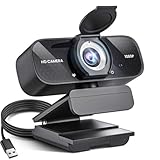
- Top Pick: XOCLON 1080P HD Webcam, USB Plug & Play Computer Camera, Auto Low-Light Streaming Camera, Noise-Canceling Microphone Web cam – for Video on Laptop & Desktop
- Best Value: Xweiryn Webcam for PC, HD 1080P USB Plug-and-Play Computer Web Camera, High Definition Webcam for Desktop Laptop, Ideal for Online Class, Video Conference, Live Streaming & Gaming
- Premium Choice: Diccik 1080P Webcam with Microphone, Full HD Video Calling Web Camera, HD Light Correction Streaming Webcam for Zoom/Skype/Teams, Plug and Play PC Camera Web cam for Windows & Mac
You don’t need to spend a fortune to look good on stream. A cheap webcam that nails 1080p, handles imperfect lighting, and includes a usable microphone can get a new streamer up and running for a fraction of the cost of a flagship camera. The trick is knowing which affordable features actually matter and which marketing terms to ignore.
This review focuses on budget-friendly streaming webcams, including plug-and-play 1080p options from XOCLON, Xweiryn, Diccik, and Shcngqio, plus the trusted Logitech Brio 101 and an AOC 4K pick for those who want to stretch a little further. We’ll cover build, image quality, and who each camera suits.
As an Amazon Associate we earn from qualifying purchases at no extra cost to you.





🎮 Get More From Your Setup — Free
Prime Gaming gives you free PC games every month, in-game loot, and a free Twitch channel sub — plus fast free shipping on all the gear above. New members get a 30-day free trial.
Watch: Cheap Webcam For Streaming: Review & Buyer’s Guide — Video Review
Design & Build
Cheap doesn’t have to mean flimsy. Most of these cameras use lightweight plastic housings with adjustable clips that grip a monitor or sit on a desk stand. The Shcngqio 1080p and XOCLON models add privacy covers, a welcome touch at this price, while the Diccik and Xweiryn cameras keep things minimal with straightforward USB plug-and-play designs.
The Logitech Brio 101 feels a step above in fit and finish, with a built-in privacy shutter and a mount that stays put during long sessions. The AOC 4K camera is the most substantial of the group, reflecting its higher resolution and noise-canceling mic. Across the board, setup is painless: plug in over USB and you’re live in seconds.
Performance
For streaming, clean 1080p is the sweet spot, and these cameras deliver it well. The XOCLON and Shcngqio models stand out for automatic low-light correction, which keeps you visible in a dim room without extra lighting. Their noise-canceling microphones aren’t studio-grade, but they’re perfectly usable for casual streams and chats.
The Logitech Brio 101 offers dependable 1080p with light correction and a built-in mic, plus broad compatibility with Teams, Zoom, Meet, and consoles. If you want a resolution bump, the AOC 4K camera captures noticeably sharper detail and pairs it with a noise-canceling mic, making it the pick for streamers who plan to grow. The Diccik and Xweiryn cameras cover the essentials for online classes, calls, and entry-level streaming at the lowest cost.
Pros & Cons
- Genuinely affordable: Solid 1080p streaming without a premium price.
- Plug-and-play simplicity: USB setup means no drivers or fuss.
- Low-light correction: Several models keep you visible in dim rooms.
- Privacy covers included: Handy on the XOCLON and Shcngqio picks.
- Basic microphones: Fine for casual use, but a dedicated mic sounds better.
- Fixed focus on some: Budget cameras may lack autofocus for moving shots.
- 1080p ceiling on most: Only the AOC option reaches 4K here.
Alternatives to Consider
If your budget stretches a bit, mid-range cameras with autofocus and 2K capture offer a smoother look for a modest premium. Alternatively, if you already own a recent smartphone, apps that turn it into a webcam can rival cheap dedicated cameras in image quality, though they tie up your phone during streams. For pure audio quality, pairing any budget webcam with an inexpensive USB microphone is often a bigger upgrade than a pricier camera.
Frequently Asked Questions
Is 1080p good enough for streaming?
Yes. Most streaming platforms display at 1080p or lower, so a sharp 1080p webcam looks great to your audience. Save 4K for high-detail content creation where the extra resolution is truly visible.
Do cheap webcams work well in low light?
Many budget models now include automatic light correction, like the XOCLON and Shcngqio picks, which helps in dim rooms. Adding even a small ring light dramatically improves any inexpensive camera’s image.
Are the built-in microphones good enough?
For casual streaming and calls, yes. If you want fuller, clearer audio for a growing channel, a separate USB microphone is an affordable and worthwhile upgrade.
Will these cameras work with my streaming software?
Almost certainly. USB plug-and-play webcams are recognized by OBS, Streamlabs, Zoom, Teams, and similar apps without special drivers, so setup is quick and hassle-free.
Verdict
A cheap webcam for streaming can absolutely get the job done. For the best budget balance of image and low-light performance, the XOCLON and Shcngqio 1080p cameras are strong picks, while the Logitech Brio 101 offers trusted reliability. If you can spend a little more, the AOC 4K adds real sharpness. Add a light and, eventually, a dedicated mic, and you’ll look far more polished than the price suggests.
















