

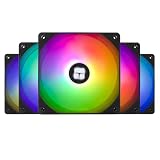
- Top Pick: Thermalright 5 Pack TL-C12C-S CPU Fan 120mm ARGB Case Cooler Fan, 4pin PWM Silent Computer Fan with S-FDB Bearing Included, up to 1550RPM Cooling Fan(5 Quantities)
- Best Value: Thermalright TL-C12C-S X5 CPU Fan 120mm ARGB Case Cooler Fan, 4pin PWM Silent Computer Fan with S-FDB Bearing, up to 1550RPM (5 Pack)
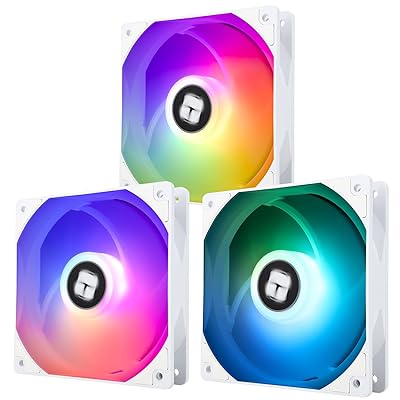
- Premium Choice: RGB Fans 120mm 5 Pack with Hub,ARGB 120mm PWM Fans,Forward,Black
Addressable RGB case fans have quietly become one of the most-shopped upgrades in the entire PC hardware aisle, and 2026 is the year the category finally grew up. What used to be a novelty light show is now a genuine performance decision: the fan you bolt to your radiator or intake shroud dictates your CPU and GPU temperatures, your acoustic floor at idle, and whether your build sounds like a gaming rig or a leaf blower under load. The good news is that the best ARGB case fans in 2026 no longer force you to choose between looks and airflow. Corsair, Lian Li, Arctic, Cooler Master, Thermalright, and be quiet! all ship models that push real static pressure and CFM while lighting up per-LED addressable rings that sync to whatever software you already run.
- Airflow vs. Static Pressure: The Decision That Sets Your Temps
- 120mm vs. 140mm: Bigger Blades, Quieter Air
- Daisy-Chain and Hub Systems: The Cable-Management Revolution
- Software and Control: iCUE, L-Connect, and PWM Fundamentals
- The Best ARGB Case Fans in 2026: Comparison Table
- Verdict: Which ARGB Fans Should You Buy?
- Related Guides
- Frequently Asked Questions
- Related Guides
- Related Articles
- Related Guides
The catch is that the market is confusing on purpose. One brand sells you a $12 workhorse; another sells you a $35 fan that only works inside its own daisy-chain rail. Some fans are tuned for open airflow across a mesh front panel, others for shoving air through the dense fin stack of a 360mm AIO. Pick wrong and you either strangle your thermals or pay triple for lighting you can’t sync. This guide breaks down the buying decisions that actually matter — airflow versus static pressure, 120mm versus 140mm, daisy-chain hub ecosystems, PWM control, and the software that ties it together — then names the specific fans worth your money this year.
As an Amazon Associate we earn from qualifying purchases at no extra cost to you.







Whether you are finishing a first build or swapping out the anemic stock fans that shipped with your case, the framework below will keep you from overspending on lighting while underspending on airflow. If you are still choosing a chassis to hang these in, cross-reference our companion guide to best airflow PC cases for 2026 before you commit to a fan layout.
As an Amazon Associate we earn from qualifying purchases…
🛒 Best Price Today on Amazon
Prime members get fast, free shipping on everything above, plus member-only deals. New members get a 30-day free trial — cancel anytime.
Airflow vs. Static Pressure: The Decision That Sets Your Temps
Every fan recommendation collapses into one question: is the air moving through open space or through a restriction? Airflow-optimized fans have wider, spaced blades and are tuned to move a high volume of air (measured in CFM) across unobstructed paths — the front intake of a mesh case, the top exhaust, the rear. Static-pressure fans use tighter blade geometry and a smaller gap to the frame so they can force air through dense obstacles: radiator fins, restrictive dust filters, and packed heatsinks. Bolt an airflow fan to a 360mm radiator and it will stall out; the fins create backpressure the blade design was never meant to overcome.
The practical rule for 2026 builds: use static-pressure fans anywhere air has to punch through something (AIO and custom-loop radiators, tower cooler stacks, thick front filters) and airflow fans everywhere it doesn’t (open intake and exhaust). Many modern ARGB models — Corsair’s RS line, Arctic’s P-series — are deliberately balanced hybrids that lean pressure-ward, which is why they’ve become the safe default. If you only remember one thing: a great airflow fan on a radiator is a bad fan, and a pricey pressure fan on an open exhaust is wasted money. Match the tool to the job. For a deeper dive into moving heat out of a hot rig, see our breakdown of how to lower CPU and GPU temperatures.
120mm vs. 140mm: Bigger Blades, Quieter Air
The physics is simple and it favors the big fan. A 140mm fan moves more air per rotation than a 120mm, which means it can hit the same CFM at a lower RPM — and lower RPM means less noise. If your case brackets and radiator support 140mm, you almost always want it for intake and exhaust duty, where the extra quiet is free performance. Arctic’s P14 and be quiet!’s Silent Wings lineup are the poster children here: near-silent at idle, genuinely capable under load.
120mm still dominates for a reason, though. The vast majority of AIO radiators, most tower coolers, and countless mid-tower mounting points are built around the 120mm standard, and the ecosystem of 240/360mm radiators assumes it. 120mm fans also tend to spin up faster for burst cooling and pack more densely into tight layouts. The honest 2026 recommendation: buy 140mm where your case allows it for the acoustic win, and standardize on quality 120mm static-pressure fans for anything radiator-mounted. Do not mix random sizes across a daisy-chain if you want uniform lighting and matched RPM curves.
Daisy-Chain and Hub Systems: The Cable-Management Revolution
The single biggest quality-of-life leap in ARGB fans is the daisy-chain design pioneered by Lian Li’s Uni Fan series and now copied across the industry. Instead of running two cables (PWM + ARGB) from every fan to a hub, daisy-chain fans click together edge-to-edge and share a single contact rail, so a bank of three fans exits your case with one cable instead of six. The result is a spotless back panel and a build that takes half the time to wire.
The trade-off is lock-in. Lian Li Uni Fan SL, SL-Infinity, and TL fans only chain with other Uni Fans and require Lian Li’s own controller. Corsair’s iCUE LINK does the same thing — brilliant single-cable simplicity, but every device has to live in the iCUE LINK ecosystem via its hub. If you go this route, budget for the controller up front and commit to the brand. Traditional fans that split into a generic ARGB hub (3-pin 5V ARGB) and a PWM fan hub are cheaper and mix-and-match freely across brands, at the cost of more cables. For most builders chasing clean aesthetics, the packs-with-controller bundles are worth it; for budget builds, a $10 generic ARGB+PWM hub and a set of Arctic fans delivers 90% of the tidiness for a third of the price.
Software and Control: iCUE, L-Connect, and PWM Fundamentals
Lighting sync lives and dies by software. Corsair iCUE remains the most feature-complete ecosystem — deep per-LED effects, temperature-linked fan curves, and integration with the widest range of peripherals — but it is a heavy background application some builders dislike. Lian Li’s L-Connect 3 is lighter and has improved dramatically, driving Uni Fan effects and RPM. Cooler Master’s MasterPlus, Thermalright’s simpler bundled controllers, and open-source options like OpenRGB round out the field, and most 5V 3-pin ARGB fans will also sync to motherboard software (ASUS Aura Sync, MSI Mystic Light, Gigabyte RGB Fusion) if you’d rather skip vendor apps entirely.
Separate from lighting is fan control itself, and this is where PWM matters. A true 4-pin PWM fan lets the motherboard vary its speed precisely across the whole range, so you can build a curve that keeps fans near-silent at idle and ramps only under load. Cheaper 3-pin (DC/voltage-controlled) fans offer coarser control and usually can’t idle as low. In 2026, insist on PWM for any fan doing serious cooling — the acoustic difference between a flat 100% fan and a well-tuned PWM curve is night and day. Set your curve once in BIOS or software and forget it.
The Best ARGB Case Fans in 2026: Comparison Table
| Fan | Size | Type | Best For | Approx Price (2026 USD) |
|---|---|---|---|---|
| Lian Li Uni Fan TL LCD | 120mm | Balanced / Pressure | Daisy-chain showpiece builds | $39 (single) |
| Corsair RS120 ARGB | 120mm | Balanced | All-round intake + radiator | $30 (3-pack) |
| Arctic P12 PST A-RGB | 120mm | Static Pressure | Best value radiator fan | $13 (single) |
| Arctic P14 PST A-RGB | 140mm | Static Pressure | Quiet high-volume intake | $16 (single) |
| be quiet! Light Wings 140 | 140mm | Airflow | Near-silent premium exhaust | $25 (single) |
A few notes on the picks. The Lian Li Uni Fan TL is the enthusiast’s answer when budget is no object and a flawless single-cable build with reverse-blade options is the goal — the LCD variant adds a screen but plain TL fans deliver the same airflow for less. Corsair’s RS120 is the pragmatic all-rounder that works in any case with generic hubs, not just iCUE LINK. The two Arctic P-series fans remain the value benchmark nobody has dethroned: genuinely strong static pressure, real PWM, PST daisy-chain of the fan-power cable, and A-RGB, for a fraction of premium pricing. be quiet! Light Wings is the choice when silence is the priority and you’ll pay for it. Cooler Master’s MasterFan MF120 Halo² and Thermalright’s TL-C12C-S round out honorable mentions for mid-range builders.
Verdict: Which ARGB Fans Should You Buy?
For most people building a gaming PC in 2026, the smart money is on Arctic P12 or P14 PST A-RGB packs. They deliver the airflow and static pressure that actually protect your temps, they take real PWM curves for quiet operation, and their A-RGB syncs to your motherboard software without a proprietary controller — all at a price that leaves budget for the components that matter more. Buy the 140mm P14 for open intake and exhaust, the 120mm P12 for your radiator.
Step up to Corsair RS ARGB if you want a slightly more premium finish with broad ecosystem support, or commit fully to Lian Li Uni Fan TL or Corsair iCUE LINK if a immaculate single-cable, uniformly-lit showcase build is the entire point and you’re happy to pay the ecosystem tax. Choose be quiet! Light Wings when acoustics outrank everything. Whatever you pick, match fan type to job, prioritize PWM, and don’t buy more lighting than your software can sync. For the parts these fans keep cool, see our current best gaming PC build guide.
Frequently Asked Questions
Do ARGB fans improve cooling performance or just add lighting?
The RGB lighting itself does nothing for temperatures — it’s the underlying fan design that matters. Modern ARGB fans like the Arctic P-series and Corsair RS line are engineered with strong airflow and static pressure, so they cool as well as their non-lit counterparts. Just make sure you’re buying a fan chosen for performance, not a cheap model where the LEDs are the only selling point.
Can I mix ARGB fans from different brands in one build?
Yes, as long as they share the standard 5V 3-pin ARGB connector, which most non-proprietary fans use. You can sync mixed-brand fans through motherboard software like Aura Sync or Mystic Light, or a generic ARGB hub. The exception is closed ecosystems — Lian Li Uni Fan and Corsair iCUE LINK only chain with their own kind, so you can’t daisy-chain them alongside other brands.
How many case fans do I actually need for a gaming PC?
A solid baseline is three intake fans in the front and one or two exhaust fans (rear plus optional top), which creates positive pressure that reduces dust buildup. If you’re running a 240mm or 360mm AIO, those radiator fans count toward the total. Six fans is plenty for the vast majority of gaming builds; more matters less than correct placement and a tuned PWM curve.
Is 120mm or 140mm better for quiet operation?
140mm is quieter for the same airflow because its larger blades move more air per rotation, letting it spin slower to hit the same CFM. If your case supports 140mm for intake and exhaust, choose it for the acoustic advantage. Stick with 120mm for radiators and tight mounting spots where the larger size won’t fit — and always run PWM fans so you can idle them low.
Related Guides
- Best CPU Cooler Canada 2026: AIO Liquid Picks
- Best CPU Cooler UK 2026: AIO Liquid Picks
- How Many Watts Does a Gaming PC Use?

















