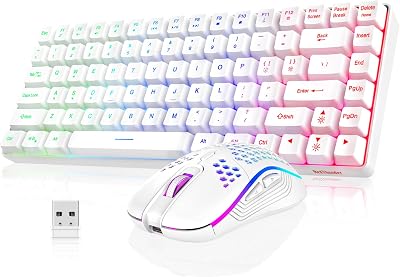
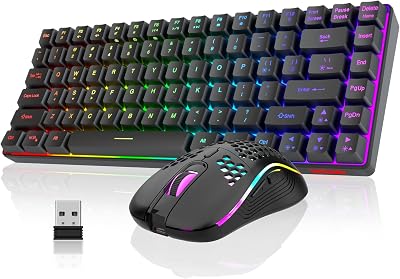
- Top Pick: Redragon S101-3 PRO Gaming Keyboard and Mouse, RGB Backlit Programmable Keyboard Mouse with Software, Independent Macro Record Keys, Value Combo Set, New Update Version
- Best Value: AULA Gaming Keyboard and Mouse,Wired 104-Key Mouse and Keyboard Combo Metal
- Premium Choice: Redragon S101M-KS Gaming Keyboard and Mouse Wireless with Tri-Mode, RGB Keyboard and 4800 DPI Gaming Mouse, 10 Independent Multimedia Keys for Wins, PC, Computer, Wireless S101 Ideal for Gamer
Buying a gaming keyboard and mouse as a matched set is one of the smartest moves a value-focused PC gamer can make in 2026. Instead of hunting down two separate peripherals, mixing brands, and hoping the aesthetics line up, a combo bundles a keyboard and mouse that were designed to look, feel, and perform together. For newcomers building a first battlestation, for parents outfitting a kid’s setup, and for anyone rebuilding after an upgrade, a good combo delivers 80% of the flagship experience for a fraction of the flagship price.
The combo market has matured dramatically. A few years ago “combo” was a warning label that meant mushy keys and a mouse with a bargain-bin sensor. Today you can find genuinely competitive mechanical sets, low-latency wireless bundles, and per-key RGB kits under $70 that would have cost triple in 2021. The trick is knowing which specs actually matter for your games and which are just marketing paint on the box.
As an Amazon Associate we earn from qualifying purchases at no extra cost to you.






![Redragon Updated S107 Gaming Keyboard and Mouse, RGB Gaming Keyboard and 10000 DPI Mouse Combo with 25-Key Anti-Ghosting, 1K Hz Programmable Mice with Software, Plug & Play to PC, Laptop [Upgrade]](https://m.media-amazon.com/images/I/41g0DeahAqL._SL160_.jpg)

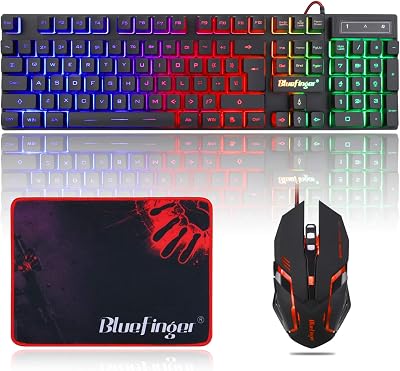
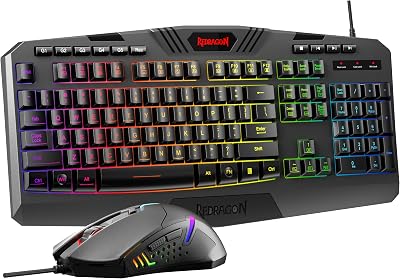
In this guide we break down wired versus wireless combos, mechanical versus membrane switches, RGB lighting that is worth paying for, console and Mac compatibility, and a clear verdict on which sets earn your money. Whether you are chasing esports responsiveness on a budget or a premium desk-candy centerpiece, there is a matched set here for you.
As an Amazon Associate we earn from qualifying purchases…
🛒 Best Price Today on Amazon
Prime members get fast, free shipping on everything above, plus member-only deals. New members get a 30-day free trial — cancel anytime.
Wired vs Wireless Gaming Keyboard and Mouse Combos
The wired-versus-wireless question drives the biggest split in the combo market, and it is the first decision you should make. Wired combos remain the value champions. With no batteries, no dongles, and no charging routine, a wired set like the Redragon S101 delivers plug-and-play reliability for well under $50. Latency is effectively zero, there is nothing to lose or forget to charge before a ranked session, and the price you save can go straight into a better GPU or monitor.
Wireless combos have closed the performance gap that once made competitive players sneer. Modern 2.4GHz dongles from Logitech and Razer push polling rates that rival wired connections, so the input delay is imperceptible for the vast majority of players. The trade-off is price and upkeep: you pay a premium for the freedom of a clean, cable-free desk, and you accept the reality of charging or swapping AA batteries. Bluetooth-only combos are cheaper but introduce noticeable lag, so treat Bluetooth as a convenience mode for productivity, not your primary gaming link.
- Choose wired if you want maximum value, zero maintenance, and rock-solid input for FPS and fighting games.
- Choose wireless if desk cleanliness, portability, and dual-device switching matter more than saving $30-$50.
- Hybrid combos that offer both 2.4GHz and Bluetooth give you the best of both worlds if the budget stretches.
If you are still deciding on the rest of your rig, our gaming desk setup guide pairs nicely with either connection type.
Mechanical vs Membrane: Switches and Feel
Switch type is where the feel of a combo lives or dies. Membrane keyboards use a rubber-dome layer under the keys, giving a soft, quiet, cushioned press. They are cheap to produce, splash-resistant, and perfectly serviceable for casual play and everyday typing. Many budget combos, including a lot of RGB “gaming” sets sold under $30, are membrane boards dressed up with backlighting.
Mechanical keyboards use individual spring-loaded switches under every key. The payoff is a crisp, tactile actuation, faster and more consistent registration, satisfying sound, and switches rated for 50 million or more presses. Blue switches click loud and tactile, brown switches offer a quieter tactile bump, and red switches provide a smooth linear feel prized by FPS players. A growing category of “mecha-membrane” boards (Razer’s Membrane and similar designs) tries to split the difference with a mechanical-like feel at a membrane price.
For 2026, the sweet spot for value seekers is a genuine mechanical combo in the $50-$80 range. Redragon and other direct brands have made hot-swappable and outemu-switch mechanical sets shockingly affordable. If your budget is tight or noise is a concern (shared rooms, streaming with an open mic), a quality membrane combo is nothing to be ashamed of. Want to go deeper on switches before you buy? Our mechanical switch comparison explains the color codes in plain English.
RGB Lighting: Which Combos Are Worth It
RGB is the most oversold feature in the peripheral world, so spend on it wisely. Cheap combos advertise “RGB” but really mean a handful of fixed rainbow zones you cannot customize. Mid-tier and premium sets offer per-key backlighting, onboard effect profiles, and software-driven syncing so your keyboard, mouse, and even case fans breathe in unison.
What actually adds value: brightness that stays readable in a lit room, effects saved to onboard memory so lighting survives a reboot without software, and lighting that syncs across the keyboard and mouse in the set. Corsair’s iCUE, Razer’s Chroma, and Logitech’s G HUB ecosystems all let a matched combo light up as one coordinated system, which is the real reason to buy from a single brand. If you only care about a warm static glow to find your keys at night, do not overpay for a full 16.8-million-color extravaganza you will set once and forget.
Console and Mac Compatibility (PS5, Xbox, Mac)
Compatibility is where matched combos get tricky, so check before you buy. On PC and Mac, nearly every USB combo works for navigation and typing the moment you plug it in, though RGB and macro software is usually Windows-only. Mac users get full mouse and keyboard function but should expect to remap the Windows/Command keys and live without the vendor tuning app.
Consoles are stricter. The PS5 supports keyboard and mouse at the system level and in a limited but growing list of games (Fortnite, some MMOs and shooters), so a plug-and-play wired combo often just works for menus and supported titles. Xbox is more restrictive and only enables keyboard and mouse in specifically enabled games, so do not assume your combo grants an advantage in every shooter. Wireless combos that rely on a proprietary 2.4GHz dongle are generally the most console-friendly because the console reads them as a standard USB device. For a full breakdown of console input rules, see our PS5 keyboard and mouse compatibility guide.
Comparison Table: Top Gaming Combos for 2026
| Combo | Type | Switch / Feel | Best For | Approx Price (USD) |
|---|---|---|---|---|
| Redragon S101 | Wired | Mecha-membrane, cushioned | Best budget starter set | |
| HyperX Alloy Core + Pulsefire | Wired | Membrane, quiet | Quiet dorm / shared rooms | |
| Corsair K55 + Katar Pro | Wired | Membrane, per-zone RGB | RGB on a budget | |
| Redragon K552 Mech Combo | Wired | Mechanical (red/blue) | Best value mechanical | |
| Logitech G515 + G305 Wireless | Wireless | Low-profile tactile | Premium clean-desk setup |
Budget vs Premium: The Final Verdict
For most gamers, the value verdict is clear: a $40-$75 wired combo delivers the overwhelming majority of what you need. The Redragon S101 is the go-to first-timer pick, an unbeatable price for a full RGB keyboard-and-mouse set that just works out of the box. Step up to the Redragon K552 mechanical combo if you want real switches and faster actuation without breaking $80, or the Corsair K55 pairing if coordinated RGB is your priority.
Premium wireless sets like the Logitech G515 and G305 pairing justify their higher cost only if a cable-free desk, portability, and multi-device switching genuinely matter to you. The performance difference in-game is marginal for all but the most competitive players. Our advice: buy a matched set from a single brand so lighting and software play nicely together, spend on switch type and connection first, and treat elaborate RGB as a bonus rather than a buying reason. Before you check out, glance at our best gaming mouse pads of 2026 to complete the matched-set look and give that mouse the surface it deserves.
Frequently Asked Questions
Are gaming keyboard and mouse combos worth it in 2026?
Yes, for most players a combo is excellent value. Buying a matched set is cheaper than two separate quality peripherals, guarantees the keyboard and mouse look and light up together, and modern budget combos like the Redragon S101 offer performance that was flagship-tier just a few years ago.
Do I need a mechanical combo or is membrane fine?
Membrane is perfectly fine for casual play, quiet rooms, and typing, and it costs less. Choose a mechanical combo if you want crisper, faster, more consistent key actuation and greater durability. The $50-$80 mechanical range now offers the best balance of price and performance for competitive gamers.
Will a gaming keyboard and mouse combo work on PS5 or Xbox?
A wired USB combo usually works on PS5 for menus and the growing list of supported games, since the PS5 handles keyboard and mouse at the system level. Xbox only enables mouse and keyboard in specific titles. Always confirm your target game supports keyboard and mouse before expecting an advantage.
Is wireless worth the extra cost over a wired combo?
Only if a clean, cable-free desk, portability, or dual-device switching matters to you. Modern 2.4GHz wireless is fast enough that in-game latency is imperceptible for most players, but you pay a premium and take on charging duties. For pure value, a wired combo wins every time.