

- Top Pick: Gaming Wireless TKL Keyboard Mouse Combo Rechargeable LED Backlit Tenkeyless Compact 87 Keys 6 Button for Computer Laptop PS4 PS5 Switch Compatible with Windows XP/7/8/10 iMac MacBook Xbox one X
- Best Value: HyperX Alloy Core RGB LED Xbox PlayStation PC Gaming Keyboard Full Size Backlit Wired Tactile Anti-Ghosting Silent Quiet Keys English Layout Durable Frame for Gamer Computer Setup – Black (Renewed)
- Premium Choice: HyperX Alloy Origins 65 – Mechanical Gaming Keyboard – Compact 65% Form Factor – Linear Red Switch – Double Shot PBT Keycaps – RGB LED Backlit – NGENUITY Software Compatible,Black
Plugging a keyboard into a PS5 or an Xbox Series X sounds simple, and physically it is — but the moment you press a key in an actual game, you discover the real story is far more complicated. Sony and Microsoft both build keyboard support into their consoles at the system level, yet whether that keyboard does anything useful inside a given game is entirely up to the developer. That gap between “the console sees my keyboard” and “the game responds to my keyboard” is where most console keyboard shoppers get burned. This guide cuts through the confusion: which games and apps actually accept keyboard input on each console, how wired and wireless connections behave differently on PS5 versus Xbox Series X|S, whether Bluetooth is a viable path, when a keyboard-and-mouse adapter is the only route, and which specific keyboards are worth buying for couch and desk use in 2026.
- The Reality of Console Keyboard Support in 2026
- Wired USB vs 2.4GHz Wireless Dongle: What Actually Connects
- Keyboard + Mouse Adapters for Unsupported Games (XIM Matrix, ReaSnow S1)
- TKL and Compact Sizing for Couch and Lap Use
- Top Gaming Keyboard Picks for PS5 and Xbox Series X|S
- Related Guides
- Frequently Asked Questions
- Related Articles
- Related Guides
As an Amazon Associate we earn from qualifying purchases. Prices and availability are accurate as of the date/time indicated and are subject to change.
As an Amazon Associate we earn from qualifying purchases at no extra cost to you.


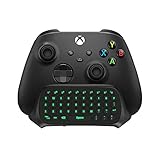




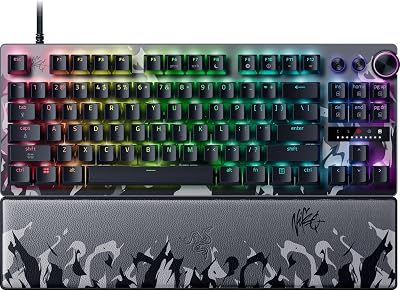


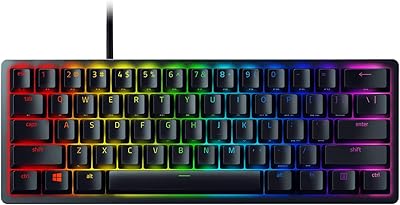
🛒 Best Price Today on Amazon
Prime members get fast, free shipping on everything above, plus member-only deals. New members get a 30-day free trial — cancel anytime.
The Reality of Console Keyboard Support in 2026
Here is the truth nobody tells you before you buy: on both PS5 and Xbox Series X|S, keyboards work everywhere except most games. At the operating-system level, a keyboard is fully functional. You can type search queries into Netflix, YouTube, and the console store; fill in passwords; navigate the web browser (Xbox has one, PS5 hides a limited one); type messages in party chat and private messages; and rename profiles or edit settings without pecking at an on-screen grid with a thumbstick. For that alone, a cheap keyboard pays for itself if you type on your console regularly.
The catch is in-game support. A game only reads keyboard (and mouse) input if its developer specifically coded for it. On PS5, native keyboard-and-mouse titles include Fortnite, Call of Duty: Warzone and the mainline Call of Duty entries, Final Fantasy XIV (which is genuinely built around a keyboard for its hotbars and chat), War Thrust-style sims, DayZ, Neverwinter, and a scattering of survival and MMO titles. Xbox Series X|S has a similar but not identical list — Microsoft has pushed native keyboard-and-mouse support harder in places, so Fortnite, Warzone, Halo Infinite, Sea of Thieves, Minecraft, Bright Memory, and several strategy and survival games accept it directly. The vast majority of AAA single-player blockbusters — think God of War, Spider-Man, Starfield, Elden Ring — ignore the keyboard entirely and expect a controller. There is no master toggle that forces support; if the game didn’t build it, plugging in a mechanical keyboard changes nothing but the menus.
So before spending money, decide which camp you are in. If you mostly want faster typing, chat, and browsing, any console-compatible keyboard works and you can stop reading at the picks. If you want keyboard-and-mouse aiming in a shooter that doesn’t natively support it, you’ll need an adapter — covered below — and you should understand the fair-play implications first.
Wired USB vs 2.4GHz Wireless Dongle: What Actually Connects
Connection type is where PS5 and Xbox Series X diverge most, and getting this wrong means buying a keyboard that literally won’t register.
Wired USB — the safe universal choice
A plain wired USB keyboard is the most reliable option on both consoles. Plug it into a front or rear USB-A port and it’s recognized instantly, with no pairing, no battery, and zero input lag. Every keyboard on our list works wired. If you want a guaranteed-compatible, no-drama setup for either console, buy wired. USB-C keyboards work too as long as you have the right cable, since both consoles expose standard USB.
2.4GHz wireless dongles — mostly yes on PS5, hit-or-miss on Xbox
Most “wireless” gaming keyboards use a tiny 2.4GHz USB dongle that presents itself as a standard USB HID device. PS5 is generally friendly to these — plug the dongle in and the keyboard behaves like a wired one for typing, menus, chat, and any native keyboard game. Xbox Series X|S is stricter. Microsoft’s console can be picky about unlicensed wireless USB receivers, and some dongle keyboards that work flawlessly on PS5 do nothing on Xbox. Logitech’s Lightspeed dongles have a strong track record on both, but it is not universal. If you’re buying wireless specifically for an Xbox, favor a keyboard with a documented history of Xbox compatibility, or plan to run it in wired mode as a fallback.
Does Bluetooth work?
This trips up almost everyone: neither the PS5 nor the Xbox Series X|S will pair with a standard Bluetooth keyboard. Both consoles reserve Bluetooth almost exclusively for their own controllers and audio accessories, and they refuse generic Bluetooth HID keyboards. So a keyboard whose only wireless mode is Bluetooth is useless for gaming input on these consoles — you’d have to fall back to its USB cable or dongle. When shopping, ignore the Bluetooth spec entirely and look only at wired USB and 2.4GHz dongle support.
Keyboard + Mouse Adapters for Unsupported Games (XIM Matrix, ReaSnow S1)
What if you want keyboard-and-mouse control in a game that has no native support — say, a shooter that only accepts a controller? That’s the job of a converter adapter. Devices like the XIM Matrix and the ReaSnow S1 sit between your keyboard/mouse and the console, translating your key presses and mouse movements into controller signals the game accepts. To the console, it looks like you’re holding a gamepad, so every game “works,” including ones that never intended keyboard support. These adapters offer deep tuning of aim curves, sensitivity, and button mapping, and enthusiasts swear by them for competitive feel.
Two important caveats. First, setup is not plug-and-play — you typically pair the adapter with an authentication controller, install companion software or a phone app to build profiles, and spend real time tuning before it feels right. Second, and more importantly, the fair-play question. Because these adapters disguise keyboard-and-mouse as a controller, they can place a mouse-aiming player into controller-only or mixed lobbies, and some also enable aim-assist behavior the developer never intended. Many competitive games and anti-cheat systems treat converter hardware as a bannable form of cheating, and enforcement has grown more aggressive. Using an adapter in a game that does support keyboard-and-mouse natively is pointless; using it to sidestep matchmaking or gain an edge in one that doesn’t can get your account suspended. Buy an adapter only for single-player or casual use where you understand and accept the risk, and never assume it’s sanctioned by the game you’re playing.
TKL and Compact Sizing for Couch and Lap Use
Console gaming often happens from a sofa, not a desk, and a full-size 104-key keyboard with a number pad is awkward on your lap. This is why tenkeyless (TKL) and compact 60%/65% layouts dominate console keyboard recommendations. A TKL board drops the number pad, shifting the mouse closer to your body for better ergonomics if you’re also using a mouse. A 60% board goes further, stripping the function row and navigation cluster for an ultra-portable slab that’s easy to balance on your knees. If you plan to use a mouse too, a lapboard — a rigid tray that holds a compact keyboard and a mouse pad as one unit — is the single most comfortable couch solution, letting you play at the TV with a proper mouse surface. Match the size to where you sit: desk players can go full-size, but couch players should lean TKL, compact, or lapboard.
Top Gaming Keyboard Picks for PS5 and Xbox Series X|S
Every keyboard below works over wired USB on both consoles for menus, chat, and native keyboard games; wireless behavior is noted where relevant. Prices are ranges and shift with sales.
| Keyboard | Best for | Connection | Price range | Rating |
|---|---|---|---|---|
| Razer BlackWidow V4 TKL — Best Overall | Reliable wired console typing + native KBM games | Wired USB | $100–$140 | 4.8 / 5 |
| Corsair K70 CORE / K65 TKL | Durable desk setup, tactile switches | Wired USB | $110–$160 | 4.7 / 5 |
| Logitech G515 Lightspeed TKL | Wireless dongle use (strong on PS5, good Xbox record) | 2.4GHz dongle + wired | $120–$170 | 4.6 / 5 |
| Razer Huntsman Mini (60%) | Compact lap play, portability | Wired USB-C | $70–$120 | 4.5 / 5 |
| Redragon K552 / lapboard combo | Budget pick + couch keyboard-and-mouse tray | Wired USB | $30–$80 | 4.4 / 5 |
The Razer BlackWidow V4 TKL takes Best Overall because it nails the fundamentals every console user needs: instant wired recognition on both PS5 and Xbox Series X, a compact-enough footprint for lap use, and quality switches that hold up over years. It has no wireless quirks to troubleshoot because it doesn’t rely on a dongle. The Corsair K70/K65 family is the alternative for players who want a slightly different switch feel and rock-solid build. If wireless is a must, the Logitech G515 Lightspeed is the safest dongle-based bet given Logitech’s compatibility history — but keep the cable handy for Xbox. The Razer Huntsman Mini is the pick for pure portability and couch comfort, while the Redragon budget board (or a lapboard bundle) gets you typing and native-game input for the price of a couple of games.
For deeper buying context, see our companion guides linked throughout: our breakdown of wired vs wireless gaming keyboards and input lag, the full best TKL and compact keyboards roundup for lap-friendly layouts, a dedicated look at keyboard-and-mouse adapters for consoles and the fair-play rules, and our best gaming mice for PS5 and Xbox guide to complete a couch keyboard-and-mouse setup.
Frequently Asked Questions
Can you use a keyboard on PS5 and Xbox Series X?
Yes. Both consoles fully support keyboards at the system level over wired USB, so you can type in menus, search boxes, web browsers, passwords, and party or private chat immediately after plugging one in. A 2.4GHz wireless dongle keyboard also works on PS5 and often on Xbox. The limitation is in-game: a keyboard only controls gameplay in titles that were specifically built to accept keyboard input.
Do all games support keyboard input on console?
No, and this is the biggest misconception. Only games whose developers added native keyboard-and-mouse support will respond to a keyboard during play — examples include Fortnite, Call of Duty: Warzone, Final Fantasy XIV, Halo Infinite, and various MMOs and survival games. Most single-player AAA blockbusters ignore the keyboard entirely and require a controller. There is no console setting that forces unsupported games to accept keyboard input.
Do you need a special “console” keyboard?
No. There is no special console certification for keyboards — any standard wired USB gaming keyboard works on both PS5 and Xbox Series X|S for supported functions. The only real compatibility variable is the connection type: wired USB is universal, 2.4GHz dongles are reliable on PS5 and hit-or-miss on Xbox, and plain Bluetooth keyboards do not pair with either console. Choose based on connection and layout, not marketing claims of console support.
Does a wireless keyboard work on PS5?
A wireless keyboard that uses a 2.4GHz USB dongle generally works on PS5 — plug the receiver into a USB port and it behaves like a wired keyboard. However, a keyboard that connects only via Bluetooth will not work, because the PS5 does not pair with generic Bluetooth keyboards. If you want wireless on PS5, buy a dongle-based model, and keep a USB cable available as a guaranteed fallback.
















