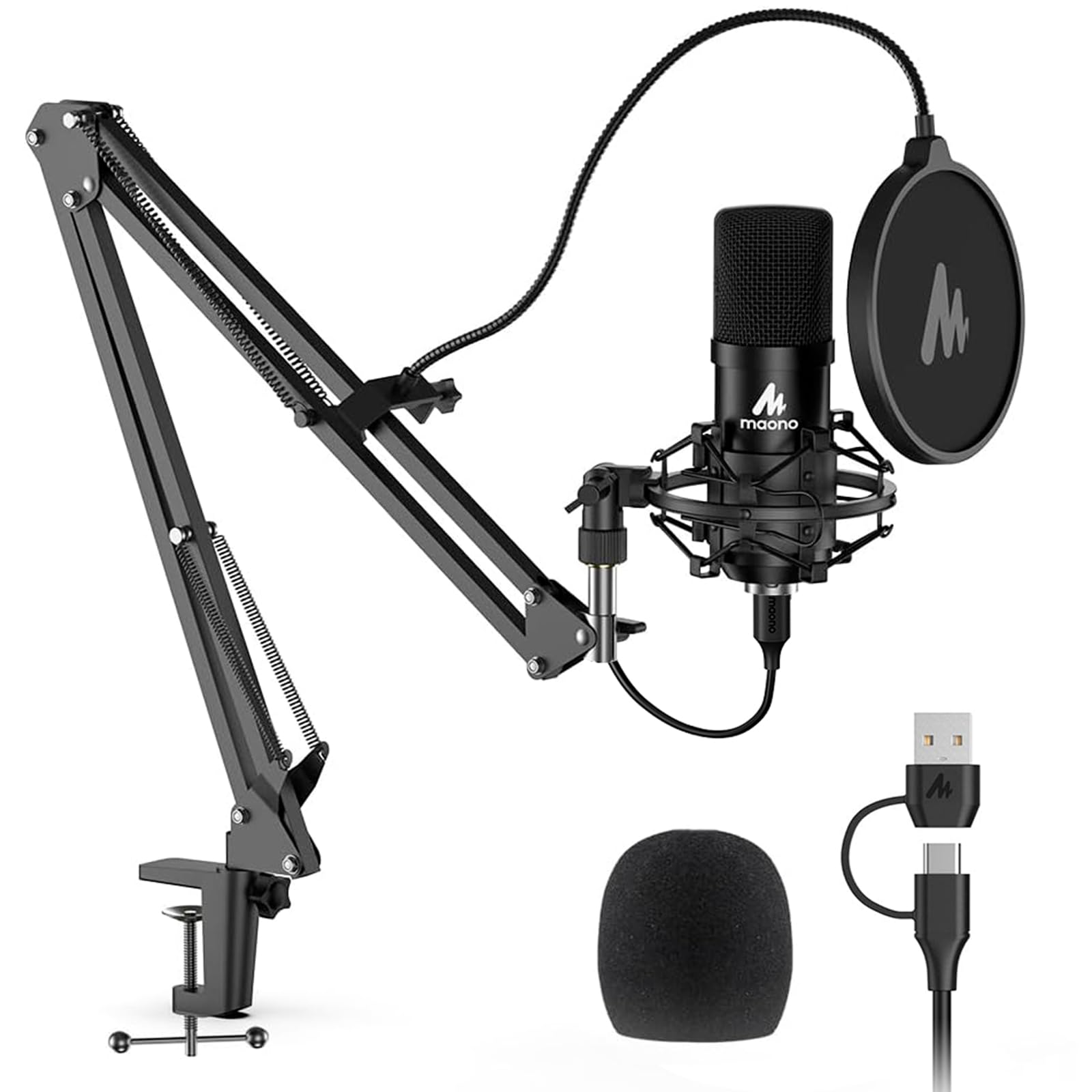
- Top Pick: Gaming Microphone for PC: USB Mic for Podcasts Videos & Streaming – Condenser Mic with Quick Mute & Pop Filter – RGB Microphone Gift for Gamer boys – Compatible with PS4/5 & Computer & Laptop
- Best Value: FIFINE AmpliGame AM8 USB/XLR Dynamic Microphone for Gaming Streaming
- Premium Choice: TONOR Gaming Microphone Set with Boom Arm, Vocal Condenser Microphone for Content Creators, USB Mic for PC with Stand, RGB, Tap Mute, Gain Control, Gaming Equipemnt, Twitch, Streaming, TC310+
Affiliate disclosure: As an Amazon Associate we earn from qualifying purchases. This post contains affiliate links — if you buy through them we may earn a small commission at no extra cost to you. This never affects our recommendations.
As an Amazon Associate we earn from qualifying purchases at no extra cost to you.






If you are serious about streaming, content creation, or just sounding professional on Discord, your headset microphone is holding you back. Built-in headset mics compress audio, pick up controller clicks and keyboard noise, and deliver that unmistakable “gaming headset” sound that signals amateur to every viewer and teammate who hears it.
A dedicated USB microphone fixes that immediately. No audio interface required, no drivers to wrestle with — plug it in and your voice quality jumps a full tier. The question is which one to buy.
This guide covers the five best USB gaming microphones in 2026 across every budget. We break down polar patterns, specs, software ecosystems, and real-world fit so you can make a decision without second-guessing it.
In a hurry? See the top-rated USB Gaming Microphone deals available right now:
🛒 Check Usb Gaming Microphone Prices on Amazon →🛒 Best Price Today on Amazon
Prime members get fast, free shipping on everything above, plus member-only deals. New members get a 30-day free trial — cancel anytime.
Start 30-Day Prime Free Trial →See Today’s Amazon DealsWhy USB Over a Headset Mic?
Headset microphones use electret capsules positioned inches from your mouth with no isolation, minimal preamp quality, and aggressive noise gating that chops the tail off every word. The result sounds fine for casual gaming but falls apart the moment anyone is actually listening — a Twitch stream, a podcast, a Discord call with a client.
USB microphones use larger capsule designs with dedicated analog-to-digital converters built into the mic body. The preamp quality is orders of magnitude better, the capsule surface area captures more frequency detail, and you have physical control over gain, monitoring, and pattern selection right on the device.
Polar Patterns: What They Mean for Gamers
A polar pattern describes which directions a microphone captures sound from.
- Cardioid — picks up sound from the front, rejects sides and rear. This is the right choice for 90% of streaming and gaming setups. It captures your voice clearly and rejects keyboard, fan noise, and room echo behind the mic.
- Bidirectional (Figure-8) — captures front and back equally, rejects sides. Useful for two-person interviews at one desk.
- Omnidirectional — captures sound equally from all directions. Good for room ambience or group calls, poor for solo gaming where you want to reject background noise.
- Stereo — captures a left/right image. Useful for instrument recording, rarely relevant for streaming.
For gaming and streaming, cardioid is almost always correct. Multi-pattern mics give you flexibility, but if your setup is a single person at a desk, you will use cardioid 100% of the time. Budget accordingly.
Quick Comparison Table
| Mic | Polar Pattern | Sample Rate | RGB | Software | Est. Price |
|---|---|---|---|---|---|
| Blue Yeti X | Cardioid / Bidirectional / Omni / Stereo | 48 kHz / 24-bit | LED meter (no RGB) | Blue VO!CE | ~$130 |
| Elgato Wave 3 | Cardioid only | 96 kHz / 24-bit | None | Wave Link | ~$150 |
| HyperX QuadCast S | Cardioid / Bidirectional / Omni / Stereo | 48 kHz / 16-bit | Full RGB | NGENUITY | ~$160 |
| Razer Seiren V3 Chroma | Cardioid only | 48 kHz / 24-bit | Chroma RGB | Synapse 3 | ~$100 |
| FIFINE Ampligame AM8 | Cardioid only | 48 kHz / 24-bit | RGB | FIFINE Studio | ~$50 |
Top 5 USB Gaming Microphones Reviewed
1. Blue Yeti X — Best for Streamers Who Want Studio-Grade Flexibility
The Blue Yeti X is the professional standard for a reason. It has been the go-to recommendation for streamers, podcasters, and content creators for years, and the X revision adds a real-time LED audio meter and the full Blue VO!CE software suite that pushed it firmly into studio territory without leaving USB simplicity behind.
Specs at a Glance
- Polar patterns: Cardioid, Bidirectional, Omnidirectional, Stereo
- Sample rate: 48 kHz / 24-bit
- Frequency response: 20 Hz – 20 kHz
- Connectivity: USB-A
- Controls: Gain knob, mute button, headphone volume, pattern selector
- Weight: 1.47 lbs
What Makes It Stand Out
The Blue VO!CE software is the differentiator here. It gives you real-time vocal effects, equalizer presets, compressors, noise gates, and de-essers — processing that normally requires dedicated hardware or a DAW. Streamers can dial in a broadcast-ready vocal sound without owning a single additional piece of gear.
The four-capsule array and four polar patterns make the Yeti X genuinely versatile. Running a two-person podcast? Switch to bidirectional. Recording acoustic guitar? Stereo. Solo streaming? Cardioid with a tight gain setting and you are done.
The LED meter on the front is not a gimmick — it gives you real-time visual feedback on your input level so you can adjust gain on the fly without tabbing out of your game.
Pros
- Four polar patterns cover every use case
- Blue VO!CE software is genuinely useful, not bloatware
- Real-time LED input meter
- Solid build quality with a metal body
- Strong community of presets and tutorials
Cons
- Bulky and heavy compared to newer competitors
- USB-A only (no USB-C)
- Default stand sits low; a boom arm is recommended
- No RGB (just the LED meter)
Who It Is For: Streamers who want the most capable mic under $150 and plan to grow their channel. If you want to stop thinking about your microphone and focus on content, buy this.
2. Elgato Wave 3 — Best for Twitch Streamers in the Elgato Ecosystem
The Elgato Wave 3 was designed specifically for streamers, and it shows in every design decision. It does fewer things than the Yeti X by design — cardioid only, no RGB, no multi-pattern — but what it does, it does at a higher technical standard than almost anything else at this price.
Specs at a Glance
- Polar patterns: Cardioid only
- Sample rate: 96 kHz / 24-bit
- Frequency response: 70 Hz – 20 kHz
- Connectivity: USB-C
- Controls: Capacitive mute, gain knob, mix knob (mic/PC blend for monitoring)
- Weight: 0.55 lbs
What Makes It Stand Out
The Clipguard system is the Wave 3’s headline feature and it is legitimately clever. A second internal capsule runs at a lower gain level simultaneously. If your primary capsule clips — someone shouts, you celebrate a win too hard — the Wave 3 automatically blends in the secondary capsule to prevent the distortion. You will never have a blown-out clip ruin a highlight again.
The 96 kHz / 24-bit sample rate is the highest in this lineup and gives audio editors more headroom when post-processing. Coupled with the Wave Link software, which functions as a full software mixer letting you route game audio, Discord, music, and mic onto separate tracks for OBS, this is the most streaming-optimized mic in this guide.
Stream Deck integration is native. If you already own a Stream Deck, the Wave 3 can be muted, unmuted, and monitored directly from your deck without extra setup.
Pros
- Clipguard dual-capsule prevents audio distortion on loud moments
- 96 kHz / 24-bit is the best sample rate in this class
- Wave Link software is excellent for streaming audio routing
- USB-C connection
- Compact, clean design that looks good on camera
Cons
- Cardioid only — no flexibility for other recording scenarios
- No RGB (may matter for aesthetic-focused setups)
- Higher price relative to its single-pattern limitation
- Software is Elgato-centric; less useful outside that ecosystem
Who It Is For: Twitch streamers who already use or plan to use Elgato gear (Stream Deck, Facecam, capture cards). The ecosystem integration is the real value here. Also ideal for anyone who screams at their monitor and is tired of clipping their audio.
3. HyperX QuadCast S — Best for Gaming Aesthetics with Real Capability
The HyperX QuadCast S is the mic that looks exactly like what a gaming microphone should look like — built-in shock mount, full RGB lighting, and a bold form factor — but it backs the aesthetic with genuine audio capability. It is the rare case where the visually flashiest option is also technically competent.
Specs at a Glance
- Polar patterns: Cardioid, Bidirectional, Omnidirectional, Stereo
- Sample rate: 48 kHz / 16-bit
- Frequency response: 20 Hz – 20 kHz
- Connectivity: USB-A and USB-C (dual connection)
- Controls: Tap-to-mute on top, gain dial on bottom, pattern selector
- Weight: 0.71 lbs (without stand arm)
- Built-in shock mount and pop filter
What Makes It Stand Out
The integrated shock mount is the QuadCast S’s most practical feature. Shock mounts decouple the microphone from desk vibrations — keyboard rumble, desk bumps, mouse clicks — and they typically cost $20–$40 as a standalone accessory. HyperX built one in, which is a meaningful value-add that gets overlooked in spec comparisons.
The tap-to-mute on top is satisfying and instant. A red indicator light shows mute status clearly at a glance. The gain dial at the bottom lets you adjust input sensitivity without software.
RGB customization via NGENUITY software covers the full spectrum and syncs with other HyperX peripherals.
Pros
- Built-in shock mount (saves $20–$40 separately)
- Four polar patterns
- Tap-to-mute with clear visual indicator
- RGB syncs with HyperX ecosystem
- Dual USB-A and USB-C connectivity
Cons
- 16-bit sample rate is the lowest in this lineup (most listeners will not notice)
- NGENUITY software is functional but not as polished as Blue VO!CE or Wave Link
- Large footprint; the included stand is wide
- The aesthetic will not suit minimalist setups
Who It Is For: Gamers who want their setup to look as good on camera as it performs on stream. Also excellent for HyperX peripheral owners who want RGB sync across their desk.

4. Razer Seiren V3 Chroma — Best Compact Option with AI Voice Isolation
The Razer Seiren V3 Chroma is Razer’s most refined microphone to date. Where previous Seiren models competed on RGB spectacle, the V3 Chroma adds AI-powered voice isolation that actively separates your voice from background noise — a feature set that competes with software solutions that normally cost money separately.
Specs at a Glance
- Polar patterns: Cardioid only
- Sample rate: 48 kHz / 24-bit
- Frequency response: 20 Hz – 20 kHz
- Connectivity: USB-A
- Controls: Mute button, volume knob, gain knob
- Weight: 0.55 lbs
What Makes It Stand Out
The AI voice isolation in Razer Synapse 3 uses machine learning to distinguish your voice from ambient noise — mechanical keyboard clicks, case fans, AC units, street noise. This is not basic noise gating that cuts off quiet sounds; it actively identifies non-voice signals and removes them in real time. For streamers gaming in a noisy room without acoustic treatment, this is a meaningful quality upgrade.
The compact footprint is genuinely compact. The Seiren V3 Chroma is small enough to sit on a desk without dominating it, and the included stand has a small base diameter. For setups where desk space is limited or the camera frame needs to stay clean, size matters.
Chroma RGB runs through Synapse 3 with the full ecosystem sync available across Razer peripherals.
Pros
- AI voice isolation removes background noise effectively
- Compact form factor with small desk footprint
- Chroma RGB ecosystem sync
- Clean, modern industrial design
- Competitive price point
Cons
- Cardioid only — no pattern flexibility
- Razer Synapse required for AI features (software-dependent)
- USB-A only
- Synapse 3 can be resource-heavy on lower-spec systems
Who It Is For: Streamers who game in less-than-ideal acoustic environments (apartment with street noise, shared spaces, rooms without acoustic treatment) and need software to do the noise-rejection work. Also well-suited to Razer peripheral ecosystems.
5. FIFINE Ampligame AM8 — Best Budget Pick Under $60
The FIFINE Ampligame AM8 has no business sounding as good as it does at $50. Budget USB microphones used to mean compromised audio, plasticky builds, and software that barely functions. The AM8 breaks that pattern with a 24-bit converter, USB-C connectivity, and RGB lighting at a price point that is half or less of every other mic in this guide.
Specs at a Glance
- Polar patterns: Cardioid only
- Sample rate: 48 kHz / 24-bit
- Frequency response: 40 Hz – 16 kHz
- Connectivity: USB-C
- Controls: Touch mute, gain knob, headphone volume knob
- Weight: 0.64 lbs
What Makes It Stand Out
The USB-C connection is notable at this price — most budget competitors still use micro-USB. The 24-bit converter delivers clean audio that punches above the price category when levels are set correctly.
The frequency response tops out at 16 kHz versus the 20 kHz ceiling of the premium options, which means it captures slightly less upper-frequency air and sparkle. For streaming and Discord, this is functionally inaudible to most listeners. For music recording or critical podcast production, you would notice.
FIFINE Studio software provides basic EQ, compression, and noise gate controls that are simple enough for new streamers to use without audio engineering knowledge.
Pros

- Exceptional value at the price point
- USB-C connection
- 24-bit / 48 kHz — real specs, not budget compromises
- Touch mute with RGB mute indicator
- Compatible with standard boom arms and mic stands
Cons
- Frequency response ceiling at 16 kHz (not ideal for music)
- Cardioid only
- FIFINE Studio software is limited compared to premium options
- Build quality is plastic; less durable than metal-body competitors
- Brand has less community support and fewer tutorials
Who It Is For: New streamers who want to upgrade from a headset mic without spending $100+. Also a solid secondary mic for a guest setup, a travel mic, or anyone who needs decent audio quality on a strict budget.
How to Choose a USB Gaming Microphone
Cardioid vs Multi-Pattern
Buy a cardioid-only microphone if you are a solo streamer. Multi-pattern flexibility sounds appealing but if your setup never changes — one person, one desk — you are paying for patterns you will never use. The Elgato Wave 3 and Razer Seiren V3 Chroma demonstrate that cardioid-focused design often means a better cardioid capsule for the money.
Buy a multi-pattern mic if you co-host a podcast from one desk, record instruments occasionally, or genuinely need flexibility. The Blue Yeti X and HyperX QuadCast S cover those scenarios well.
Bit Depth and Sample Rate
- 16-bit / 44.1 kHz — CD quality. Adequate but the floor for any new purchase.
- 24-bit / 48 kHz — the standard for streaming and voice recording. This is what you want.
- 24-bit / 96 kHz — broadcast/pro standard. The Wave 3 hits this tier. Gives audio editors more headroom for post-processing, though the difference is not audible to casual viewers.
For streaming, 24-bit / 48 kHz is sufficient. The jump to 96 kHz matters more if you record content that gets heavily edited after the fact.
Pop Filters and Shock Mounts
A pop filter cuts plosives — the burst of air from P and B sounds that overloads the capsule. Most USB mics have basic built-in high-pass filters but a physical pop filter ($10–$15) makes a real difference if you have a tendency to eat the mic.
A shock mount decouples the mic from vibrations travelling through your desk. If you type loudly, have a mechanical keyboard, or your desk is on a wooden floor, a shock mount prevents the low-frequency rumble from appearing in your audio. The HyperX QuadCast S includes one; the others require a separate purchase if needed.
Boom Arm Compatibility
All five microphones in this guide use a standard 5/8-inch thread mount and are compatible with any generic boom arm. A boom arm lets you position the mic at mouth level without using desk space, and the flexibility to move it out of frame during breaks is worth the $25–$40 investment for any serious streamer. Check weight limits — the Blue Yeti X at 1.47 lbs requires a heavier-duty arm than the lighter Elgato or Razer options.
Software Features
Software matters more than most buyers realize before they own a mic. Real-time noise gating, equalization, and compression are the difference between sounding like a radio host and sounding like someone gaming in a basement. Evaluate the software ecosystem before buying:
- Blue VO!CE (Yeti X) — most powerful, most presets, best community resources
- Wave Link (Elgato Wave 3) — best for multi-track streaming routing in OBS
- NGENUITY (HyperX) — functional, best for RGB management
- Synapse 3 (Razer) — best AI noise isolation, heaviest system footprint
- FIFINE Studio — simplest to use, fewest features
Final Verdict
Top Pick: Blue Yeti X
The most capable, most versatile USB microphone at a price that makes sense for anyone serious about streaming. The four polar patterns, Blue VO!CE software suite, and real-time LED meter give you studio-grade tools in a single device. If you can only buy one mic and you want to stop thinking about audio, this is it.
Runner-Up: Elgato Wave 3
For Twitch streamers who are already in the Elgato ecosystem, the Wave 3’s Clipguard technology, 96 kHz sample rate, and Wave Link software make it the technically superior choice for pure streaming use. Narrower in scope than the Yeti X but deeper in the capabilities that matter most for live content.
Best Budget: FIFINE Ampligame AM8
At half the price of the competition, the AM8 delivers audio quality that will surprise anyone expecting budget-tier performance. For new streamers, anyone upgrading from a headset mic, or setups where budget is the primary constraint, the AM8 makes the decision simple.
Frequently Asked Questions
Why use a USB microphone for gaming and streaming?
USB mics are plug-and-play, needing no audio interface, and deliver far clearer voice than a headset mic. They are the easy upgrade for streamers and anyone wanting professional-sounding comms.
USB or XLR microphone for streaming?
USB mics are simpler and cheaper, ideal for most streamers. XLR mics offer a higher quality ceiling and flexibility but need an audio interface. Start with USB unless you want a pro audio chain.
What pickup pattern is best for a gaming microphone?
Cardioid, which captures sound from the front and rejects background noise, is ideal for solo streaming and gaming. It keeps keyboard and room noise out of your stream.
Do I need a boom arm with a USB microphone?
A boom arm is not required but highly recommended. It positions the mic close to your mouth for the best sound, frees desk space, and reduces vibration noise from typing.
Related Articles
Looking for more on this topic? Browse the hand-picked guides below — each one applies the same scoring rubric used in this review.