- Top Pick: FIFINE AmpliGame A6V USB Gaming Microphone, Condenser RGB Mic for Streaming
- Best Value: TONOR Gaming Microphone Set with Boom Arm, Vocal Condenser Microphone for Content Creators, USB Mic for PC with Stand, RGB, Tap Mute, Gain Control, Gaming Equipemnt, Twitch, Streaming, TC310+
- Premium Choice: FIFINE AmpliGame A6T USB Gaming Microphone Kit, Condenser Mic for Streaming
Affiliate disclosure: As an Amazon Associate we earn from qualifying purchases. This post contains affiliate links — if you buy through them we may earn a small commission at no extra cost to you. This never affects our recommendations.
As an Amazon Associate we earn from qualifying purchases at no extra cost to you.






If you have ever switched from a gaming headset mic to a dedicated condenser microphone, you already know the difference is immediate and dramatic. Condenser mics use a thin electrically charged diaphragm that responds to even the subtlest pressure changes in the air — capturing vocal nuance, consonant detail, and room tone that dynamic mics simply compress away. For streamers and content creators where voice is the primary product, that difference translates directly to viewer retention and channel credibility.
The condenser vs. dynamic debate comes down to sensitivity. Dynamic microphones reject off-axis noise aggressively, making them forgiving in acoustically untreated rooms. Condensers pick up everything — which is either a feature or a flaw depending on your setup. If your streaming desk sits in a carpeted bedroom with a boom arm and a reflection filter, a condenser will make your voice sound like a broadcast studio. If you stream from a hard-floored living room with air conditioning running, a dynamic may serve you better.
On the connection side, USB condensers collapsed the barrier to entry. A USB-C condenser in 2026 is genuinely plug-and-play: no audio interface, no phantom power supply, no driver headaches. XLR condensers require an interface but reward you with lower noise floors, higher headroom, and a signal chain you can upgrade incrementally. Most streamers starting out choose USB; most who stick with it for two years eventually want XLR.
The five microphones below represent the best condenser options across five distinct buyer profiles — from the serious streamer who needs professional polish to the newcomer who wants to sound better without breaking the bank.
In a hurry? See the top-rated Condenser Microphone for Gaming and Streaming deals available right now:
🛒 Check Condenser Microphone For Gaming And Streaming Prices on Amazon →🛒 Best Price Today on Amazon
Prime members get fast, free shipping on everything above, plus member-only deals. New members get a 30-day free trial — cancel anytime.
Start 30-Day Prime Free Trial →See Today’s Amazon DealsQuick Comparison Table
| Mic | Polar Pattern | Connection | Sample Rate |
|---|---|---|---|
| Elgato Wave 3 | Cardioid | USB-C | 96kHz / 24-bit |
| Blue Yeti X | Cardioid / Bidirectional / Omnidirectional / Stereo | USB-A | 48kHz / 24-bit |
| Rode NT-USB Mini | Cardioid | USB-C | 48kHz / 24-bit |
| HyperX QuadCast S | Cardioid / Bidirectional / Omnidirectional / Stereo | USB-A | 48kHz / 16-bit |
| Fifine K669B | Cardioid | USB-A | 16kHz / 16-bit |
Our Top Picks
1. Elgato Wave 3 — Best Overall
The Elgato Wave 3 is the microphone most streamers will be happiest with after six months of daily use. It records at 96kHz/24-bit — the highest resolution of any mic in this roundup — which means audio editors have real headroom to EQ, de-noise, and compress without introducing artifacts. The USB-C connection is reversible and robust; the cable does not work loose mid-stream.
What separates the Wave 3 from the competition is Clipguard. This dual-capsule anti-distortion system runs a second, quieter capsule in parallel with the primary. When you get excited mid-game and shout, the Wave 3 instantly blends in the secondary capsule’s cleaner signal, preventing the clipped, blown-out transients that ruin highlight clips. For gaming streamers whose volume swings unpredictably, this is not a gimmick — it is essential insurance.
Wave Link, Elgato’s companion software, adds a virtual mixer that lets you route game audio, Discord, music, and your mic to separate channels — then balance them independently for your stream output versus your headphone monitor. Streamers who previously ran OBS audio routing will find Wave Link does the same job with a fraction of the configuration pain.
The cardioid polar pattern is tight and well-defined. Background noise from mechanical keyboards, case fans, and nearby conversations is attenuated substantially without post-processing. The integrated capacitive mute button responds instantly with a satisfying haptic click and displays mute status via the ring LED — no hunting through software mid-stream to confirm you are live.
Pros
- Clipguard dual-capsule prevents distortion on loud transients
- 96kHz/24-bit is the highest resolution in this category
- Wave Link software is one of the best companion apps available
- USB-C is the current-standard connection
- Tight cardioid pattern rejects side and rear noise effectively
Cons
- Single polar pattern only — no omnidirectional or stereo mode
- Premium price compared to competitors with more polar options
- Requires Wave Link software to unlock full feature set
2. Blue Yeti X — Best Multi-Pattern
The Blue Yeti X has been the benchmark USB condenser for streamers since its release, and the 2026 market has done little to dethrone it for users who need flexibility. Four selectable polar patterns — cardioid, bidirectional, omnidirectional, and stereo — make the Yeti X the correct answer for any recording scenario: solo commentary, two-person desk podcasts, room ambience capture, and stereo instrument recording.
The LED level meters on the front panel are genuinely useful. Rather than navigating software to confirm your gain is set correctly, you can glance at the mic body and know immediately whether you are too quiet, in the green, or approaching clip. For streamers who run lean desktop setups without a second monitor, this tactile feedback matters.
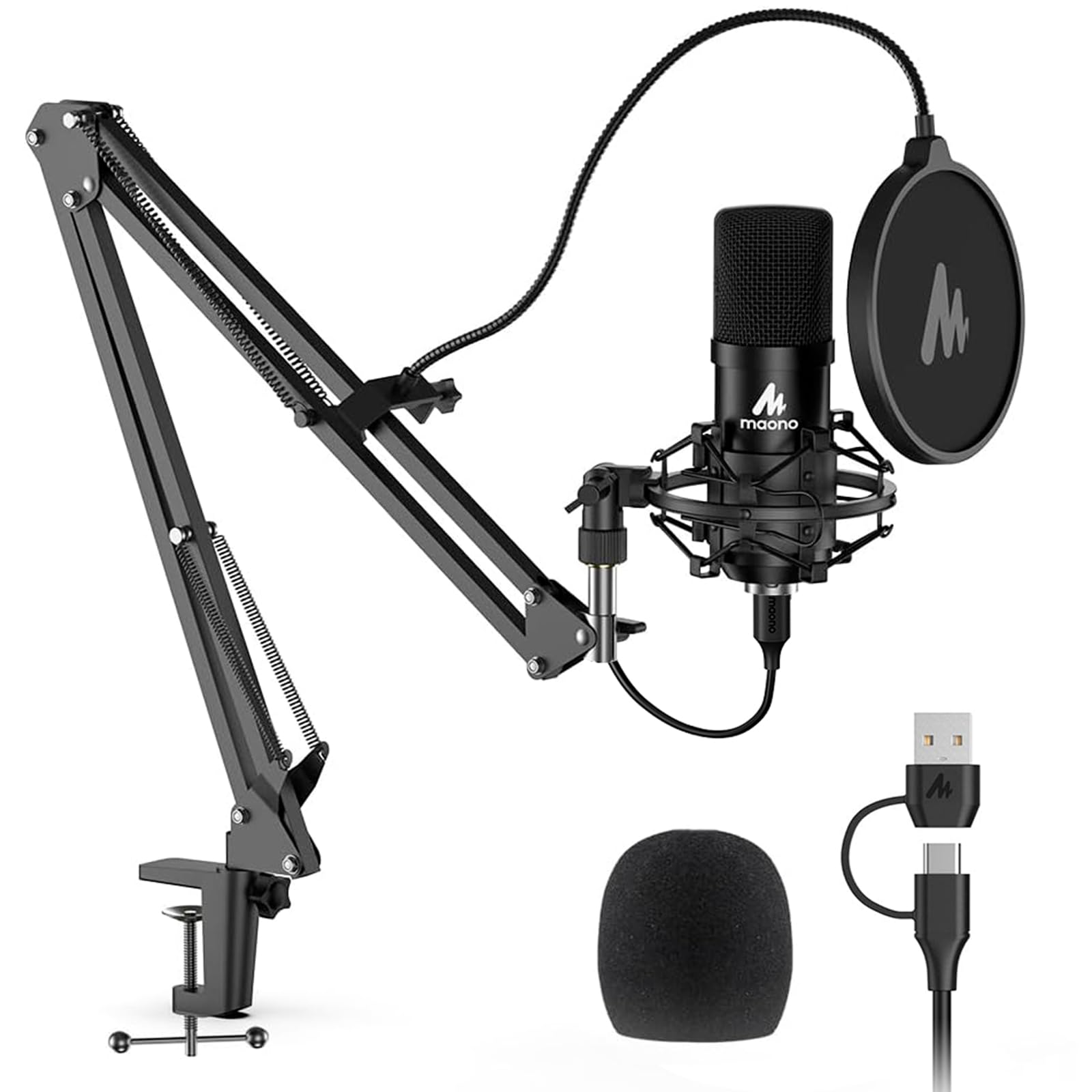
Blue VO!CE software ships with the Yeti X and provides real-time voice modulation, broadcast EQ presets, and de-essing. The presets are not subtle DSP sugar — several of them legitimately transform a mediocre room recording into something broadcast-adjacent. Blue updates VO!CE with new presets periodically, which extends the value of the hardware over time.
The 48kHz/24-bit sample rate is the standard for streaming and podcast distribution. The limitation is the USB-A connector — not a dealbreaker, but USB-C is now the preferred standard, and the Yeti X’s cable is a proprietary design that requires a Blue-specific replacement if lost. Build quality is otherwise excellent: the all-metal body feels substantially more premium than its price suggests, and the integrated desk stand is stable enough for light desktop use without a boom arm.
Pros
- Four polar patterns cover every recording use case
- Front-facing LED meters provide instant visual gain feedback
- Blue VO!CE software is genuinely capable, not just cosmetic
- All-metal construction is durable and broadcast-aesthetic
- Large condenser capsule captures warm, full vocal tone
Cons
- USB-A connector is a dated choice in 2026
- 48kHz sample rate trails the Elgato Wave 3
- The desk stand wobbles on the footprint end — a boom arm is recommended
- VO!CE software interface feels dated compared to Wave Link
3. Rode NT-USB Mini — Best Compact Studio
The Rode NT-USB Mini is what happens when a company that manufactures professional studio condensers applies that engineering discipline to a USB form factor. The capsule in the NT-USB Mini is derived from Rode’s professional XLR range — not a commodity condenser element repackaged in a gamer-adjacent body. The result is a vocal character that sounds noticeably richer and more three-dimensional than the price implies.
The integrated pop filter is flush with the body and genuinely functional. Most USB mics ship pop filters as an afterthought — pieces of mesh that reduce plosives by perhaps 40%. Rode’s integrated design targets plosives more aggressively, which means you can position closer to the mic (typically 6–8 inches) and capture more low-frequency warmth without the thump of P and B sounds overwhelming the recording.
Size is the NT-USB Mini’s defining advantage for streamers with cluttered desks. The body is roughly half the footprint of the Yeti X, and the USB-C cable routes neatly behind a monitor without creating a cable-management problem. The integrated desk stand has a small footprint but is not appropriate for high-vibration surfaces — if your desk transmits mechanical keyboard thump, a boom arm adapter is included and worthwhile.
The 48kHz/24-bit recording spec matches the Yeti X and is more than sufficient for streaming and podcasting. The cardioid-only pattern is appropriate for most solo streaming setups. Rode’s companion app is minimal compared to Wave Link or VO!CE — if you want heavy software processing, the NT-USB Mini assumes you will handle that in your streaming software or a DAW.
Pros
- Studio-pedigree capsule from a professional microphone manufacturer
- Integrated pop filter is genuinely effective, not decorative
- Compact body is ideal for space-constrained streaming desks
- USB-C connection with reversible cable
- Clean, uncolored sound character — accurate to source
Cons
- Single cardioid pattern only
- Companion app is minimal — processing must happen in OBS or external software
- No onboard headphone monitoring with zero-latency output
- Price-to-feature ratio trails Yeti X for multi-pattern users
4. HyperX QuadCast S — Best RGB
The HyperX QuadCast S is the microphone for streamers whose brand aesthetic matters as much as audio quality. The RGB underglow cycles through customizable colors and lighting effects controllable through HyperX NGENUITY software, and it is legitimately striking on camera — the kind of peripheral that prompts viewers to ask “what mic is that?” in chat.
Beyond the aesthetic, the QuadCast S is a capable four-pattern condenser. The shock mount is integrated into the base — a meaningful quality-of-life feature that competing mics charge extra for. Desk vibration and mechanical keyboard thump that would transmit directly to the capsule on a standard stand are absorbed by the QuadCast S’s built-in isolation. The tap-to-mute sensor on top of the body is satisfying and reliable; the LED dims immediately on mute activation, giving on-screen confirmation without a dedicated software panel.

The 48kHz/16-bit recording spec is slightly behind the competition — the 16-bit depth rather than 24-bit reduces theoretical dynamic range. In practice, for speech recording and streaming distribution (which is compressed at the delivery end anyway), most listeners will not perceive this difference. The gap matters more for music recording and post-production than for live gaming commentary.
The QuadCast S uses USB-A, which is consistent with its main competitor the Yeti X. NGENUITY software handles lighting customization and polar pattern selection from software rather than requiring a physical dial switch, which streamers who frequently change recording scenarios may find convenient or inconvenient depending on workflow preference.
Pros
- RGB lighting is customizable and visually striking on camera
- Built-in shock mount eliminates need for a separate accessory
- Tap-to-mute sensor with LED status is intuitive mid-stream
- Four polar patterns provide full recording flexibility
- Compatible with HyperX ecosystem (headsets, NGENUITY app)
Cons
- 16-bit depth rather than 24-bit trails competitors at similar price points
- USB-A is the dated connection standard
- NGENUITY software is functional but not as polished as Wave Link
- RGB adds cost without contributing to audio performance
5. Fifine K669B — Best Ultra-Budget
At under $35, the Fifine K669B has no business sounding as acceptable as it does. The cardioid condenser element captures vocal frequencies in the 80Hz–15kHz range with reasonable fidelity — not studio quality, but dramatically better than the microphone embedded in any gaming headset under $100. For a first-time streamer testing the waters before committing to a serious audio investment, the K669B is the correct starting point.
Plug-and-play USB-A connectivity means zero driver installation. Windows, macOS, and Linux all recognize the K669B as a standard USB audio device within seconds of connection. The side-address cardioid pickup is correct for streaming — you speak into the front face, not the top of the mic — and the integrated volume knob provides analog gain control without software dependency.
The 16kHz sample rate is the specification that reveals the price point. Voice intelligibility at 16kHz is entirely adequate for Discord, Twitch, and YouTube streaming. The compression at streaming platforms’ delivery endpoints (Twitch at 160kbps, YouTube at similar rates) discards much of the benefit of higher sample rates anyway. Where 16kHz falls short is in post-production — if you want to EQ, de-noise, or process recordings extensively, you need higher resolution to work with. The K669B is a streaming tool, not a production tool.
Build quality is plastic throughout, and the desk stand is functional but light. A boom arm adapter is not included but the standard 5/8-inch thread is compatible with most aftermarket arms. For the price, these are expected compromises.
Pros
- Under $35 — lowest barrier to entry in this category
- Genuine plug-and-play with no driver installation required
- Sounds substantially better than built-in headset mics
- Side-address cardioid pattern is correct for desk streaming setups
- Onboard volume knob provides hardware-level gain control
Cons
- 16kHz sample rate limits post-production flexibility
- All-plastic construction feels budget-tier
- No companion software for EQ or enhancement
- No zero-latency headphone monitoring output
- Single polar pattern with no upgrade path short of buying a different mic
USB vs XLR Condenser Mics: Which Is Right for Streamers?
USB condensers win on simplicity. You plug them in and they work — no interface, no phantom power, no gain staging knowledge required. For streamers whose priority is getting live fast without an audio engineering education, USB is the correct answer in 2026. The best USB condensers in this roundup record at quality levels that were professionally acceptable on XLR hardware five years ago.

XLR condensers win on scalability. Once you have an audio interface (entry-level options like the Focusrite Scarlett Solo start around $120), an XLR condenser delivers a lower noise floor, more precise gain control, and a signal chain you can upgrade one component at a time. The microphone becomes a long-term investment rather than a USB peripheral tied to the current generation of connectivity standards.
The practical answer for most streamers: start USB, move to XLR when your audience and budget justify it. A USB condenser from this list will serve a channel through its first 50,000 subscribers without audio quality ever being the limiting factor on growth.
How to Choose a Condenser Mic for Gaming
Polar Patterns: Cardioid vs. Multi-Pattern
Cardioid is the correct pattern for solo streaming in 99% of setups. It captures sound from directly in front of the mic and rejects sound from behind and to the sides. For gaming, this means your voice is captured clearly while your mechanical keyboard, desk fan, and monitor bezel reflections are attenuated.
Multi-pattern mics (Yeti X, QuadCast S) add value if you co-stream with a guest at the same desk (bidirectional), record room ambience for ASMR or music content (omnidirectional), or capture stereo instrument performances. If none of those scenarios apply to your current content, the extra patterns are cost you are paying for optionality you will rarely use.
Background Noise Rejection
Condenser sensitivity is a double-edged specification. High sensitivity mics capture vocal detail — they also capture air conditioning, street noise, and keyboard clatter with equal enthusiasm. For noisy environments, choose a mic with a tighter cardioid pattern (the Elgato Wave 3 is notably tight), position the mic 6–10 inches from your mouth at a slight angle to reduce plosives, and use software noise suppression (NVIDIA RTX Voice, Krisp, or OBS’s built-in noise suppression filter) as a secondary layer.
Acoustic treatment — even a simple foam panel behind the mic — dramatically reduces room reflections that condensers pick up. A $20 foam panel behind your monitor can do more for condenser mic performance than upgrading from one $100 mic to a $200 mic.
Desk Setup: Boom Arm vs. Desk Stand
Desk stands are convenient but transmit vibration directly from the desk surface to the capsule. Every wrist movement, keyboard press, and bass-heavy game audio thump through your desk becomes potential noise in the recording. A boom arm — whether a basic $25 scissor arm or a premium Elgato Wave Arm — elevates the microphone off the desk surface entirely, eliminating contact vibration and allowing precise positioning close to the mouth for maximum sensitivity and noise rejection.
For condensers specifically, a boom arm is not optional equipment — it is the difference between a condenser mic that sounds great and one that sounds great except for the constant low-frequency rumble underneath every sentence. Budget for the arm when you budget for the mic.
Final Verdict
The Elgato Wave 3 is the right choice for most streamers in 2026. Its 96kHz/24-bit recording resolution, Clipguard anti-distortion system, and Wave Link software combine into a package that is genuinely professional at a mainstream price. It will not need to be replaced as your channel grows.
The Blue Yeti X earns the recommendation for any streamer who hosts guests, records in stereo, or wants maximum flexibility in a single USB microphone. The four polar patterns and Blue VO!CE software make it the most versatile option in the category.
The Rode NT-USB Mini is the choice for streaming desk minimalists and anyone who values sonic accuracy over feature count. The studio-grade capsule and integrated pop filter represent genuine engineering — not marketing premium.
The HyperX QuadCast S wins for streamers building a visually cohesive brand on-camera where the microphone is part of the aesthetic package.
The Fifine K669B is the honest answer for anyone who wants to start streaming today for under $35 and upgrade later with knowledge rather than assumptions.
Frequently Asked Questions
Q: Is a condenser mic or dynamic mic better for gaming?
It depends entirely on your room. Condenser mics capture more vocal detail and sound more professional in acoustically treated or quiet spaces. Dynamic mics reject background noise more aggressively and are more forgiving in untreated rooms with hard surfaces. If you can minimize background noise — even with a foam panel and closed doors — a condenser will sound better. If you stream from a noisy environment you cannot control, a dynamic mic like the Shure SM7B will serve you more reliably.
Q: Do I need an audio interface for a USB condenser microphone?
No. USB condenser mics have the analog-to-digital conversion built into the microphone body. You plug directly into a USB port on your PC or Mac, and the operating system recognizes it as a standard audio device. An audio interface is only required for XLR condenser microphones, which output an analog signal that requires external conversion and phantom power.
Q: What sample rate do I actually need for streaming?
For live streaming to Twitch, YouTube, or Kick, 48kHz/24-bit is sufficient and is the standard that all platforms are optimized for. The 96kHz/24-bit capability of the Elgato Wave 3 provides headroom for post-production if you record VODs or podcasts alongside streaming — the extra resolution gives audio editors more data to work with when applying EQ and noise reduction. For streaming-only use, the difference between 48kHz and 96kHz is inaudible after platform compression.
Related Articles
Looking for more on this topic? Browse the hand-picked guides below — each one applies the same scoring rubric used in this review.
Ready to decide? Our #1 pick for 2026 is the Mic.
Live price & availability on Amazon.