- Top Pick: Guermok Video Capture Card, 4K USB3.0 HDMI to USB C, 1080P 60FPS & 2K 30FPS
- Best Value: Capture Card, 4K HDMI Video Capture Card, Game Capture Card, 1080P 60FPS Video Capture Device, HDMI to USB 3.0 Capture Card for Streaming, Work with Camera/Xbox/PS4/PS5/PC/OBS
- Premium Choice: Capture Card 4K HDMI Video Streaming to USB 3.0 1080P 60FPS Capture Device
Affiliate disclosure: As an Amazon Associate we earn from qualifying purchases. This post contains affiliate links — if you buy through them we may earn a small commission at no extra cost to you. This never affects our recommendations.
As an Amazon Associate we earn from qualifying purchases at no extra cost to you.




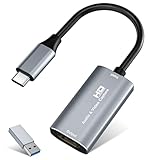


If you’re serious about streaming or recording gameplay, your capture card is the bottleneck you can’t afford to ignore. The market splits cleanly between internal PCIe cards and external USB devices — and for most streamers, the USB route wins on sheer practicality.
In a hurry? See the top-rated USB Capture Card for Gaming deals available right now:
🛒 Check Usb Capture Card For Gaming Prices on Amazon →🛒 Best Price Today on Amazon
Prime members get fast, free shipping on everything above, plus member-only deals. New members get a 30-day free trial — cancel anytime.
Start 30-Day Prime Free Trial →See Today’s Amazon DealsUSB vs. PCIe Capture Cards: Which Do You Actually Need?
Internal PCIe capture cards (AVerMedia Live Gamer 4K, Elgato 4K X) offer raw bandwidth advantages and ultra-low latency. They’re the right call if you’re running a dedicated streaming PC with a permanent desk setup and need uncompressed 4K60 HDR capture.
External USB cards trade a slice of bandwidth for everything else: zero installation, one cable, works on any laptop, moves between rigs in seconds. For the vast majority of streamers — console players, tournament travelers, laptop-based creators — USB is not a compromise. It’s the right tool.
When USB is enough:
- Console streaming at 1080p60 or 4K30
- Laptop-based recording setups
- Dual-PC streaming with a travel rig
- Beginners who want plug-and-play without opening a case
When to go PCIe instead:
- Uncompressed 4K60 capture with HDR
- Broadcast production requiring sub-10ms latency
- Permanent desktop-only setups where portability is irrelevant
Quick Comparison Table
| Card | Max Capture | Passthrough | USB Version | Standalone Recording | Est. Price |
|---|---|---|---|---|---|
| Elgato HD60 X | 4K30 / 1080p60 | 4K60 HDR VRR | USB 3.0 | No | ~$150 |
| AVerMedia Live Gamer Portable 2 Plus | 1080p60 | 4K30 | USB 3.0 | Yes (SD card) | ~$130 |
| Razer Ripsaw HD | 1080p60 | 1080p60 | USB 3.0 | No | ~$80 |
| Magewell USB Capture HDMI Gen 2 | 1080p60 / 4K30 | None | USB 3.0 | No | ~$400 |
| NZXT Signal HD60 | 1080p60 | 4K30 | USB-C 3.1 | No | ~$130 |
Top 5 USB Capture Cards Reviewed
1. Elgato HD60 X — Best Overall USB Capture Card
The HD60 X is the benchmark every other USB capture card gets measured against. Elgato refined what was already a dominant product and added VRR passthrough support, making it the first external capture card that doesn’t interfere with variable refresh rate on modern consoles.
Key Specs:
- Capture: up to 4K30 or 1080p60
- Passthrough: 4K60 HDR10+ with VRR (FreeSync/G-Sync)
- Interface: USB 3.0
- Compatibility: PS5, Xbox Series X|S, Nintendo Switch, PC
- Software: 4K Capture Utility, OBS, XSplit, Streamlabs
What makes it stand out is the VRR passthrough. If you’re on a PS5 or Xbox Series X running at 120fps with VRR enabled, the HD60 X passes that signal to your display without degrading it — something its predecessor couldn’t do. You play at full fidelity; the card handles capture in parallel.
Latency in passthrough mode is virtually imperceptible. Capture delay in OBS sits around 60-70ms, which is standard for USB-class cards and perfectly acceptable for commentary-style streaming.
Pros:
- VRR passthrough is a genuine differentiator
- HDR10+ support on both capture and passthrough
- Rock-solid OBS integration
- No driver installation needed on modern systems
- Compact, well-built hardware
Cons:
- 4K capture is 30fps only (4K60 requires PCIe)
- Premium price for USB tier
- No standalone recording without a PC
Who it’s for: Console streamers on PS5 or Xbox Series X who want the best external card available without buying a second PCIe-equipped desktop.
2. AVerMedia Live Gamer Portable 2 Plus — Best for Standalone Recording
The Live Gamer Portable 2 Plus is the only card on this list that works completely without a PC. Drop in a microSD card, connect your console, and it captures locally — no streaming PC, no software, no dependencies. That single feature makes it irreplaceable for a specific type of creator.
Key Specs:
- Capture: 1080p60 (USB mode), 1080p60 (standalone)
- Passthrough: 4K30
- Interface: USB 3.0
- Standalone Recording: Yes, via microSD (up to 128GB)
- Compatibility: PS5, Xbox, Switch, PC, mobile via USB-C adapter
In USB mode, it performs on par with competitors at this price — clean 1080p60 capture, solid OBS integration, minimal setup. AVerMedia’s RECentral software is functional but optional; OBS users will skip it entirely.

Standalone mode is where the LGP2 Plus earns its spot. Recording quality in standalone mode caps at 1080p60 and uses H.264 compression. Files are immediately usable in editing software. For tournament players, travel vloggers, or anyone who can’t lug a laptop, this is the feature that seals the deal.
The 4K30 passthrough is adequate for Switch and older console content but won’t satisfy PS5 users who want full 4K60.
Pros:
- Standalone microSD recording — no PC required
- Solid 1080p60 capture in USB mode
- Dual-mode flexibility (USB + standalone)
- USB-C to USB-A adapter included
- Good value for the feature set
Cons:
- Passthrough limited to 4K30 (no HDR passthrough)
- Standalone mode limited to H.264, no HDR
- RECentral software feels dated
- Bulkier than Elgato or Razer alternatives
Who it’s for: Creators who record at events, tournaments, or travel setups where a dedicated PC isn’t always available.
3. Razer Ripsaw HD — Best for Beginners
The Ripsaw HD exists to remove every possible barrier between a new streamer and their first broadcast. There is no software to install. There are no drivers to configure. Plug it into USB, connect your console or PC via HDMI, open OBS, and you’re live.
Key Specs:
- Capture: 1080p60
- Passthrough: 1080p60
- Interface: USB 3.0
- Standalone Recording: No
- Compatibility: PS4/PS5, Xbox, Switch, PC, Mac
The plug-and-play experience is genuinely flawless. Windows and macOS recognize the Ripsaw HD as a standard UVC (USB Video Class) device — no Razer software required, no account creation, no activation. It just works, which is rarer than it should be at any price point.
Capture quality at 1080p60 is clean and competitive with anything else in the under-$100 range. Color reproduction is accurate. Audio passthrough handles both HDMI audio and a 3.5mm headphone jack for monitoring. The hardware itself is slim, flat, and easy to velcro behind a monitor.
The ceiling is low — there’s no 4K passthrough, no HDR, no standalone recording. But beginners don’t need those things yet. The Ripsaw HD is about getting started without friction.
Pros:
- True plug-and-play — zero software required
- 3.5mm headphone jack for zero-latency monitoring
- Universal compatibility (UVC standard)
- Slim, minimal design
- Budget-friendly entry point
Cons:
- 1080p cap on both capture and passthrough
- No HDR support
- No 4K passthrough — will feel limiting as you upgrade your console setup
- No companion software if you want guided features
Who it’s for: New streamers who want to start immediately without a learning curve, and anyone who values simplicity over ceiling specs.
Buy on Amazon
4. Magewell USB Capture HDMI Gen 2 — Best Professional-Grade USB Card
The Magewell USB Capture HDMI Gen 2 is not for casual streamers. It’s a broadcast-grade device that costs as much as three Razer Ripsaws, and it earns that price through industrial reliability and format support that consumer cards can’t match.
Key Specs:

- Capture: 1080p60 (up to 2K60), limited 4K30 support
- Passthrough: None (loop-through via separate signal split)
- Interface: USB 3.0
- Standalone Recording: No
- Multi-format Support: HDMI, DVI (with adapter), SDI (separate model)
- Compatibility: Windows, macOS, Linux — driver-based, SDK available
What sets Magewell apart is hardware-level reliability and signal flexibility. The card handles a wide range of input signals including interlaced formats, handles EDIDs properly, and works without the consumer-level quirks that cause capture cards to drop frames or misidentify signal formats. It’s used in broadcast studios, medical imaging, and conference production precisely because it doesn’t fail unpredictably.
For streamers: this is the right card if you’re doing professional production — multi-camera switching, broadcast mixing software (vMix, Wirecast), or corporate live events. OBS and XSplit work too, but that’s not the intended audience.
Note: there is no video passthrough. Signal management is handled externally via a splitter. That’s a conscious design decision for a card targeting professional integration, not consumer convenience.
Pros:
- Broadcast-grade reliability and signal handling
- Linux support with full SDK
- Handles interlaced and unusual input formats
- Long product lifespan and firmware support
- Works with professional production software (vMix, Wirecast, Tricaster)
Cons:
- No video passthrough
- Price is 3-5x consumer alternatives
- Overkill for home streaming setups
- No plug-and-play — requires driver installation and configuration
Who it’s for: Professional streamers, broadcast technicians, corporate AV teams, and anyone running production software who needs a card that never fails on air.
5. NZXT Signal HD60 — Best Value with USB-C
The NZXT Signal HD60 targets the same audience as the Elgato HD60 X but undercuts it by $20-30 while offering USB-C connectivity — a meaningful advantage for newer laptops that have dropped legacy USB-A ports.
Key Specs:
- Capture: 1080p60
- Passthrough: 4K30
- Interface: USB-C 3.1 Gen 1 (USB-A adapter included)
- Standalone Recording: No
- Software: NZXT Capture (Windows), OBS compatible
The USB-C connection is the primary differentiator here. If your streaming laptop is a modern MacBook, a thin-and-light Windows machine, or anything released in the last two years, you likely have more USB-C ports than USB-A. The Signal HD60 plugs straight in without a hub or adapter.
Capture quality at 1080p60 is solid — on par with the Ripsaw HD and competitive with the Elgato at its price tier. NZXT’s companion software (NZXT Capture) adds scene management and overlay tools if you want a guided experience, but OBS integration is clean and many users will skip the proprietary software entirely.
The 4K30 passthrough handles Switch and older console output fine. PS5 and Xbox Series X users who want 4K60 will find this limiting, but for the price, the tradeoff is reasonable.
Pros:
- USB-C native — ideal for modern laptops
- 4K30 passthrough at sub-$130 price
- Clean companion software (optional)
- USB-A adapter included for backward compatibility
- Compact, NZXT’s signature clean aesthetic
Cons:
- 1080p60 capture cap (no 4K capture)
- Passthrough limited to 4K30, no HDR
- NZXT Capture software is Windows-only
- Less ecosystem maturity than Elgato
Who it’s for: USB-C laptop users who want a step up from entry-level without paying Elgato HD60 X prices.
Buy on Amazon

How to Choose a USB Capture Card
Capture Resolution vs. Passthrough Resolution
These are two different numbers and the distinction matters. Passthrough resolution is what your TV or monitor receives — what you play on. Capture resolution is what gets recorded or streamed. You always want passthrough to match your display’s native output. Capture resolution only needs to match your stream settings.
Most Twitch and YouTube streams run at 1080p60 or 1080p30. A card that captures 1080p60 is sufficient for virtually every streaming scenario. Cards with 4K capture are useful for local recording at higher quality, but you’ll typically stream a downscaled version regardless.
USB 3.0 Bandwidth Requirement
Every card on this list requires USB 3.0 (also labeled USB 3.1 Gen 1 or USB 3.2 Gen 1 — same 5Gbps spec). Do not use a USB 2.0 port. The bandwidth is insufficient and will cause dropped frames, degraded color, or failed signal detection.
Verify your laptop or hub port speed before buying. On Windows, check Device Manager. On macOS, hold Option and click the Apple menu > System Information > USB.
Software Compatibility
All five cards on this list work with OBS Studio — the standard for free streaming software. Compatibility with XSplit, Streamlabs, and vMix varies by card but is broadly supported for consumer models.
If you’re on macOS, verify compatibility specifically. The Elgato HD60 X and Razer Ripsaw HD both support macOS natively. The NZXT Signal HD60’s companion software is Windows-only, though OBS itself works cross-platform.
Console vs. PC Capture
For console capture (PS5, Xbox Series X, Switch), the capture card sits between your console and TV. HDMI out from console → capture card → HDMI passthrough to TV. You play on your TV with zero added latency from the passthrough signal.
For PC capture, you need a second output from your GPU — either via dual-monitor output or an HDMI splitter. Some streamers run a dual-PC setup where the gaming PC’s output feeds into the streaming PC via capture card. USB cards handle this well since they don’t require the streaming PC to have a PCIe slot.
Final Verdict
Top Pick: Elgato HD60 X
The VRR passthrough, HDR10+ support, and OBS reliability make this the best all-around USB capture card in 2026. Console streamers on PS5 or Xbox Series X should start here and stop looking.
Runner-Up: AVerMedia Live Gamer Portable 2 Plus
If you ever need to record without a PC, the standalone microSD mode is invaluable. For dual-mode flexibility at a lower price, it’s the smarter buy over the Elgato for creators who travel.
Best Budget: Razer Ripsaw HD
For anyone starting out, the Ripsaw HD’s plug-and-play simplicity and under-$80 price removes every reason to delay getting started. Upgrade when your audience grows and your needs exceed 1080p.
Related Articles
Looking for more on this topic? Browse the hand-picked guides below — each one applies the same scoring rubric used in this review.
Frequently Asked Questions
What is the best gaming capture card usb in 2026?
The best gaming capture card usb depends on your budget and how you plan to use it. The options compared above are our top-rated picks based on real customer ratings, build quality, and overall value — start with the highest-rated model that fits your budget.
How much should I expect to spend on a gaming capture card usb?
Prices vary by brand and features. Budget options cover the essentials, while mid-range and premium models add durability, performance, and extra features. Compare the prices in the list above to find the best value for your needs.
What should I look for when buying a gaming capture card usb?
Focus on what matters most for your use case — build quality, compatibility, performance, warranty, and verified customer reviews. Every pick above is selected to balance these factors.
Are budget gaming capture card usb options worth it?
Yes. For most people a well-reviewed budget or mid-range gaming capture card usb delivers excellent value. You only need to spend more if you specifically require premium materials or top-tier performance.
How did we choose these gaming capture card usb picks?
We compare current Amazon ratings, review counts, key features, and price to surface the options with the best real-world value. The list is refreshed as ratings and availability change.