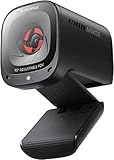
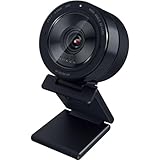
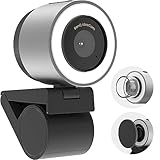
BenQ has carved out a distinctive niche in the webcam market by focusing on something most competitors ignore: the demonstration and document-camera use case. Rather than chasing the crowded streaming space, BenQ’s ideaCam lineup targets educators, remote workers, and product demonstrators who need to show physical objects clearly on camera.
This review examines BenQ’s webcam offerings, centered on the versatile ideaCam S1 series, and puts them in context alongside a few popular mainstream alternatives. We’ll explore what makes BenQ’s approach unique, how the ideaCam performs, and whether it’s the right camera for your needs.
As an Amazon Associate we earn from qualifying purchases.



Design & Build
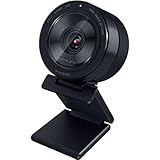
BenQ’s ideaCam webcams stand apart with a design built around flexibility. The ideaCam S1 Pro and S1 Plus feature a handheld, articulating form factor with a 15x zoom lens, letting you lift the camera off its mount to inspect and demonstrate objects up close, something a fixed webcam simply can’t do. The S1 Pro adds a built-in ring light for even illumination during demos. Build quality feels solid and purpose-driven, with a sturdy stand and smooth adjustment. There’s even a dedicated webcam accessory for BenQ’s ScreenBar Halo lighting system. Compared to conventional webcams like the Logitech Brio 101, BenQ’s designs prioritize versatility and demonstration over simple face-forward video, which is exactly their appeal.
Performance
The ideaCam’s performance shines in its intended use. The S1 Pro delivers 8-megapixel capture with EnSpire auto focus, a 15x zoom, and a noise-cancelling microphone, making it excellent for detailed live demonstrations, document sharing, and product inspection during remote meetings. The macro capability and handheld design let teachers and presenters show textures, small parts, and documents with a clarity that standard webcams can’t match. For conventional video calls, the S1 series works well too, though buyers wanting a pure meeting or streaming camera might also consider the alternatives here. The Logitech Brio 101 offers reliable full HD with auto light correction, while the OBSBOT Meet 2 brings a large sensor with AI framing and autofocus that follows you around the frame. Each serves a different priority, but for anyone who needs to demonstrate physical objects, BenQ’s ideaCam is genuinely in a class of its own.
Pros & Cons
- Unique demonstration ability: Handheld design and 15x zoom excel at showing objects and documents.
- Built-in ring light: The S1 Pro provides even illumination for clear demos.
- High-resolution capture: 8-megapixel sensor with auto focus delivers sharp detail.
- Noise-cancelling mic: Clear audio for meetings and presentations.
- Niche focus: Best for demos and documents rather than pure streaming.
- Premium pricing: The specialized design costs more than a basic webcam.
- Overkill for simple calls: Casual users may not need the zoom and macro features.
Alternatives to Consider
If your main goal is demonstrating objects, sharing documents, or teaching, the BenQ ideaCam S1 Pro is the clear choice thanks to its zoom, ring light, and handheld flexibility. For standard video meetings, the Logitech Brio 101 offers dependable full HD quality at a lower price. If you want smart AI framing that keeps you centered during calls and streams, the OBSBOT Meet 2 with its large sensor is an excellent modern alternative.
Frequently Asked Questions
What makes the BenQ ideaCam different?
Its handheld, articulating design with 15x zoom lets you lift the camera to demonstrate objects and documents up close, a capability standard fixed webcams can’t offer.
Is the BenQ ideaCam good for regular video calls?
Yes, it works well for meetings with sharp video and clear audio. But its real strength is demonstration and document sharing, so it’s best if you need those features.
Does the ideaCam have a built-in light?
The S1 Pro includes a built-in ring light for even illumination during demos. BenQ also offers a webcam accessory for its ScreenBar Halo lighting system.
Should I buy a BenQ or a regular webcam?
Choose BenQ if you teach, present, or demonstrate physical objects. For simple video calls, a conventional webcam like the Logitech Brio 101 offers great value and quality.
Verdict
The BenQ ideaCam is a standout for a specific but valuable use case, demonstrating objects and documents with clarity that ordinary webcams can’t touch. The ideaCam S1 Pro is our top pick for educators and presenters, thanks to its zoom, ring light, and macro versatility. If you only need standard video calls, though, a mainstream option like the Logitech Brio 101 or OBSBOT Meet 2 may serve you better for less.