- Top Pick: ASUS Chromebook Vibe CX34 Flip Cloud Gaming Laptop with Stylus, 14" 144 Hz Touch Display (1920×1200), Intel® Core™ i5-1235U Processor, 256GB SSD, 8GB RAM, ChromeOS, Pearl White, CX3401FBA-DH586T-S
- Best Value: Lenovo IP 5 16IAU7 16" Gaming Chromebook 2.5K i3-1215U 8GB 128GB eMMC Chrome OS
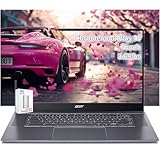
- Premium Choice: Acer Chromebook Plus 515 Touchscreen Laptop – 15inch FHD Touch -Intel Core i3-1305U -8GB RAM -256GB SSD +128GB SSD Card -Gaming Chromebook -Students School 2025
Affiliate disclosure: As an Amazon Associate we earn from qualifying purchases. This post contains affiliate links — if you buy through them we may earn a small commission at no extra cost to you. This never affects our recommendations.
- Quick Comparison: Top 5 Gaming Chromebooks
- 1. Acer Chromebook 516 GE — Best Overall Gaming Chromebook
- 2. ASUS Chromebook Vibe CX55 Flip — Best 2-in-1 Gaming Chromebook
- 3. Lenovo IdeaPad Gaming Chromebook 16 — Best Display
- 4. HP Chromebook x360 14c — Best Build Quality
- 5. Acer Chromebook Spin 514 — Best Budget Gaming Chromebook
- What to Look for in a Gaming Chromebook
- Frequently Asked Questions
- Conclusion
- Related Articles
- Related Articles
As an Amazon Associate we earn from qualifying purchases at no extra cost to you.




Gaming on a Chromebook used to be a punchline. In 2026, it is a legitimate strategy. Cloud gaming services like GeForce Now and Xbox Cloud Gaming have matured to the point where a well-specced Chromebook can deliver a convincing gaming experience at a fraction of the cost of a gaming laptop. If you have a solid internet connection and you are willing to embrace the cloud-first model, a gaming Chromebook makes a compelling case for itself.
That said, not every Chromebook is cut out for gaming. You need a high-refresh display to actually see the difference on GeForce Now, enough RAM to keep Chrome and a game stream running without stuttering, and ideally Linux app support for native titles like Steam. This guide covers the five best gaming Chromebooks available in 2026, ranked by real-world gaming value.
In a hurry? See the top-rated Gaming Chromebook deals available right now:
🛒 Check Gaming Chromebook Prices on Amazon →🛒 Best Price Today on Amazon
Prime members get fast, free shipping on everything above, plus member-only deals. New members get a 30-day free trial — cancel anytime.
Start 30-Day Prime Free Trial →See Today’s Amazon DealsQuick Comparison: Top 5 Gaming Chromebooks
| Model | Display | Refresh Rate | RAM |
|---|---|---|---|
| Acer Chromebook 516 GE | 16″ 2560×1600 | 120Hz | 8GB |
| ASUS Chromebook Vibe CX55 Flip | 15.6″ FHD | 144Hz | 8GB |
| Lenovo IdeaPad Gaming Chromebook 16 | 16″ 2560×1600 | 120Hz | 8GB |
| HP Chromebook x360 14c | 14″ FHD IPS Touch | 60Hz | 16GB |
| Acer Chromebook Spin 514 | 14″ FHD IPS | 60Hz | 8GB |
1. Acer Chromebook 516 GE — Best Overall Gaming Chromebook
The Acer Chromebook 516 GE is the most purpose-built gaming Chromebook on the market. Acer designed it with GeForce Now specifically in mind — and it shows. The 16-inch 2560×1600 IPS display running at 120Hz is arguably the best screen on any Chromebook in this price range, and the Intel Core i5-1235U handles multitasking without breaking a sweat. This is the one to get if cloud gaming is your primary use case and you want the full visual benefit of high-bandwidth streaming.
GeForce Now performance on the 516 GE is excellent. The 120Hz display makes a tangible difference when streaming at RTX 3080 tier — games like Cyberpunk 2077 and Control look sharp and fluid. Xbox Cloud Gaming runs smoothly at 1080p60 as well. Wi-Fi 6E support keeps latency low on compatible routers, which is critical for cloud gaming quality.
Pros
- Best-in-class display for a gaming Chromebook
- GeForce Now certified with optimized performance
- Wi-Fi 6E for low-latency cloud streaming
- Solid build quality for the price
Cons
- 8GB RAM is adequate but not expandable
- No discrete GPU for native Linux gaming workloads
- Heavier than ultrabook-style Chromebooks at 4.4 lbs
2. ASUS Chromebook Vibe CX55 Flip — Best 2-in-1 Gaming Chromebook
The ASUS Chromebook Vibe CX55 Flip earns its spot by offering the highest display refresh rate of any Chromebook on this list — 144Hz on a 15.6-inch FHD panel — in a versatile 2-in-1 form factor. The Intel Core i5-1135G7 handles cloud gaming streams and Linux apps without hesitation. If you want flexibility between laptop and tablet mode for couch gaming sessions, nothing here competes with it.

The 144Hz panel is the headline here, and GeForce Now’s RTX 3080 tier at 1080p looks genuinely smooth on this display. For fast-paced shooters and racing games, that extra refresh rate makes a real difference. The touchscreen adds a fun dimension for controller-optional games in tablet mode, and the 360-degree hinge is sturdy.
Pros
- 144Hz display — highest refresh rate on this list
- 2-in-1 design adds flexibility for different gaming postures
- Solid Intel Iris Xe graphics for light native workloads
- Touchscreen works well for casual gaming
Cons
- 1080p resolution means less visual fidelity than QHD options
- Slightly bulkier due to 2-in-1 hinge mechanism
- 8GB RAM limits heavy multitasking with Linux apps open
3. Lenovo IdeaPad Gaming Chromebook 16 — Best Display
Lenovo’s IdeaPad Gaming Chromebook 16 is built around one proposition: the best screen quality for the money. Its 16-inch IPS display at 2560×1600 and 120Hz is on par with the Acer 516 GE, but Lenovo’s panel tuning edges ahead in color accuracy — it covers a wider color gamut and calibrates better out of the box. For gamers who care about visual fidelity in RPGs, open-world titles, or visually rich streaming games, this is the pick.
GeForce Now at maximum quality settings looks outstanding on this panel. Color-rich games like Genshin Impact and Forza Horizon 5 genuinely pop. Linux app support is solid — Steam runs, and lighter native Linux titles perform reasonably on Intel Iris Xe. At $449, it undercuts the Acer 516 GE by $50 while offering comparable visual quality.
Pros
- Excellent color accuracy and calibration out of the box
- Slightly longer battery life than comparable models
- Competitive pricing for a QHD 120Hz display
- Good Linux app compatibility
Cons

- Same 8GB RAM ceiling as competitors
- No Wi-Fi 6E (Wi-Fi 6 only)
- Keyboard feel is workmanlike rather than premium
4. HP Chromebook x360 14c — Best Build Quality
The HP Chromebook x360 14c is the premium pick on this list — and the only model here shipping with 16GB of RAM. That spec bump matters. When you are running a GeForce Now stream in one window, Discord in another, and have a Linux app environment running in the background, 16GB provides meaningful headroom that 8GB alternatives simply cannot match. The aluminum chassis feels genuinely premium, and the 14-inch form factor keeps it portable.
The trade-off is the 60Hz display. For slower-paced games — strategy titles, RPGs, adventure games — this is a non-issue on GeForce Now or Xbox Cloud Gaming. For competitive FPS titles, the 60Hz ceiling will frustrate you. That honest limitation aside, the 16GB RAM makes this the most capable multitasking machine here, and the battery life approaches 14 hours of mixed use.
Pros
- Only model here with 16GB RAM
- Premium aluminum build feels genuinely high-end
- Outstanding battery life
- Touchscreen adds versatility
Cons
- 60Hz display is a real limitation for fast-paced gaming
- Most expensive option on this list
- FHD resolution only
5. Acer Chromebook Spin 514 — Best Budget Gaming Chromebook
The Acer Chromebook Spin 514 makes a strong case that you do not need to spend $450+ to game on a Chromebook. Powered by an AMD Ryzen 3 5300U — a rarity in the ChromeOS space — it brings AMD’s efficient Zen 3 architecture with surprisingly capable integrated Radeon graphics. Battery life regularly exceeds 12 hours in real-world use, and the 2-in-1 design adds flexibility without a premium price tag.
At $349, you are making compromises. The 60Hz display means you will not see the motion benefits that make GeForce Now compelling at premium tiers. But the AMD Radeon integrated graphics actually outperform Intel Iris Xe on some native Linux titles — a genuine advantage if you dabble in Steam for Linux. For casual cloud gamers on a tight budget, the Spin 514 over-delivers for its price.

Pros
- Best price on this list at ~$349
- AMD Ryzen integrated graphics beat Intel Iris Xe for Linux gaming
- Exceptional battery life
- 2-in-1 design at a budget price
Cons
- 60Hz display limits competitive gaming potential
- Smaller 14″ screen vs. top-tier picks
- Ryzen 3 shows its limits in heavy multitasking
What to Look for in a Gaming Chromebook
Display Refresh Rate
This is the single most important spec for gaming Chromebooks. GeForce Now’s RTX tiers support up to 120fps streaming — if your display caps at 60Hz, you are leaving half that performance on the table. Prioritize 120Hz or 144Hz displays. Resolution matters too, but refresh rate has a more direct impact on how gaming feels.
RAM
Eight gigabytes is the baseline for ChromeOS gaming in 2026, and it works — but it is tight. ChromeOS, a game stream, Discord, and background Linux processes compete for that 8GB. If you can stretch to a 16GB model, your experience will be noticeably smoother.
Linux App Support
Most current Chromebooks support Linux (Crostini) app environments. Linux support unlocks Steam, Heroic Games Launcher for Epic and GOG titles, and a range of emulators. Check that your target Chromebook has a confirmed, stable Linux environment before buying if native gaming is part of your plan.
Cloud Gaming Compatibility
Not all Chromebooks are equal in cloud gaming terms. GeForce Now certifies specific devices — the Acer 516 GE is explicitly certified and optimized. Beyond certification, Wi-Fi 6 or Wi-Fi 6E support is critical for low-latency streaming.
Frequently Asked Questions
Can Chromebooks Run Steam?
Yes — with a caveat. ChromeOS supports Steam through Linux app integration (Crostini). Performance on native Linux titles depends on the game and your hardware. Lighter indie titles and older games run well; AAA titles are hit-or-miss. GeForce Now is the more reliable path to AAA gaming on a Chromebook.
What Is the Best Cloud Gaming Service for Chromebooks?
GeForce Now is the top pick in 2026. It offers the widest library via your existing Steam, Epic, and GOG accounts, the best streaming quality at the RTX 3080 tier, and native ChromeOS app support. Xbox Cloud Gaming is an excellent second option — particularly if you are already a Game Pass subscriber.
Is 8GB RAM Enough for Gaming on a Chromebook?
For cloud-only gaming, 8GB is workable. The moment you add Linux apps, multiple Chrome windows, or background tasks, 8GB starts to strain. If your budget allows, the HP x360 14c’s 16GB configuration is meaningfully better.
Do Gaming Chromebooks Support Controllers?
Yes. Modern Chromebooks support Bluetooth and USB controllers broadly. Xbox Wireless Controllers connect via Bluetooth and work natively with Xbox Cloud Gaming. DualSense and DualShock 4 controllers work via Bluetooth for GeForce Now and Linux titles.
Conclusion
Gaming Chromebooks have earned a real place in the budget portable market in 2026. The best option overall is the Acer Chromebook 516 GE — its GeForce Now certification, 16-inch QHD 120Hz display, and Wi-Fi 6E make it the most complete cloud gaming machine here. For the highest refresh rate in a flexible form factor, the ASUS Chromebook Vibe CX55 Flip at 144Hz is the pick. The Lenovo IdeaPad Gaming Chromebook 16 offers the best visual fidelity at a slight discount. The HP Chromebook x360 14c is for gamers who need 16GB RAM to multitask without friction. And for anyone watching their budget, the Acer Chromebook Spin 514 at $349 proves you do not have to overspend to get into cloud gaming.
Related Articles
Looking for more on this topic? Browse the hand-picked guides below — each one applies the same scoring rubric used in this review.