

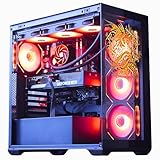
- Top Pick: The Horizon Autherium Dragon RGB I9 RTX Gaming PC || 64GB RAM || 5TB Storage || Core I9 Upto 5.4Ghz || RTX 5070 OC || Windows 11 PRO || 360MM AIO || 2.4GB/s WiFi, VR, Gaming Ready Desktop Computer
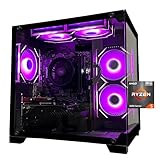
- Best Value: MINISFORUM G1 Pro Mini PC AMD Ryzen 9 8945HX(16C/32T, up to 5.4GHz) 32GB DDR5 1TB PCIe4.0 SSD Desktop Computer, 2xHDMI|2xDP2.1|DP1.4 Outputs, 5G LAN, WiFi7, BT5.4, RTX 5060 Graphics Gaming PC
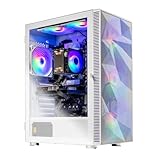
- Premium Choice: Skytech Gaming Archangel 5 Gaming PC, Intel i5 14400F 2.5GHz, NVIDIA RTX 5060, 1TB NVMe SSD, 16GB DDR5 RAM 6000, 750W Gold PSU, Wi-Fi, Win 11, Desktop
Affiliate disclosure: As an Amazon Associate we earn from qualifying purchases. This post contains affiliate links — if you buy through them we may earn a small commission at no extra cost to you. This never affects our recommendations.
- How to Tell if Your PC Can Actually Run a Game
- 2026’s Biggest Releases — Minimum Specs at a Glance
- Can Your PC Actually Play These Games?
- Upgrade Path Recommendations Based on Your Current Hardware
- 2026 Gaming PC Spec Comparison Table
- The Bottom Line — What a Gaming PC Can Run in 2026
- Frequently Asked Questions
- Related Articles
- Related Articles

🛒 Best Price Today on Amazon
Prime members get fast, free shipping on everything above, plus member-only deals. New members get a 30-day free trial — cancel anytime.
Start 30-Day Prime Free Trial →See Today’s Amazon DealsHow to Tell if Your PC Can Actually Run a Game
Every PC release ships with two spec sheets — minimum and recommended — and they describe two very different experiences. Knowing what those numbers really translate to in-game saves you from refund requests and lets you set realistic expectations before you drop money on a new title (or a new GPU).Minimum vs. Recommended Specs Explained
Minimum specs are the floor: the bare hardware needed to launch the game at low settings, usually targeting 30 fps at 1080p. That target sounds playable on paper, but in modern AAA titles with stutter, traversal hitches, and shader compilation, it often feels rough. Recommended specs aim higher — typically 60 fps at 1080p or 1440p with a mix of medium and high settings, which is closer to how the developers intended the game to look. Want Ultra settings, ray tracing, or 144 Hz competitive frame rates? You’ll need to budget hardware well above the recommended tier. For a deeper walkthrough on choosing parts that fit those tiers, our complete guide on how to build a gaming PC breaks it down step by step.How to Check Your PC’s Specs in 60 Seconds
On Windows 11, hit Windows+R, type dxdiag, and press Enter — the System tab shows your CPU, motherboard, and RAM totals, while the Display tab lists your GPU model and VRAM. For more detailed GPU info (memory bus, driver version, PCIe generation), grab the free GPU-Z utility from TechPowerUp. Once you have those numbers, pull up the game’s Steam page or the developer’s site and compare. If you’re shopping for a new build to match a specific title, our budget gaming PC build guide for 2026 shows what each price tier actually delivers.2026’s Biggest Releases — Minimum Specs at a Glance
The minimum specs below describe the lowest hardware that lets each game boot and run at 1080p low settings, usually around 30 fps. Texture quality drops, shadow distance shrinks, and post-processing gets stripped down to keep frames moving — but the games are at least playable.Cyberpunk 2077 — 2026 Phantom Liberty Update
Minimum: GTX 1060 6GB or RX 580 8GB, Intel Core i7-6700 or Ryzen 5 1600, 12GB RAM, 70GB SSD. Recommended (1080p High): RTX 3070 or RX 6800 XT, Intel Core i7-12700 or Ryzen 7 5800X, 16GB RAM. For Ultra settings with path tracing at 1440p, you’re realistically looking at an RTX 5070 or RX 9070 as the entry point — anything less and you’re leaning hard on DLSS Performance mode just to maintain 60 fps. The latest Phantom Liberty patch added FSR 4 support, which gives AMD owners a real boost in dense Dogtown firefights.Black Myth: Wukong — 2026 Update
Minimum: RTX 2060 or RX 5700, Intel Core i7-9700 or Ryzen 5 5500, 16GB RAM, 130GB NVMe. Recommended (1080p High): RTX 3080 or RX 6900 XT, Intel Core i7-9700K or Ryzen 5 5500, 16GB RAM. Wukong is still one of the heaviest games on PC thanks to Unreal Engine 5’s Nanite and Lumen, and Ultra settings demand high-end hardware even with upscaling enabled at both 1440p and 4K. Pair it with a fast NVMe — the game shuffles a ton of streamed assets and benefits noticeably from a PCIe 5.0 NVMe SSD.Fortnite Chapter 6
Minimum: Intel HD 4000 or AMD Radeon Vega 8, Intel Core i3-3225 or equivalent, 8GB RAM. Recommended (1080p Epic): RTX 3070 or RX 6700 XT, Intel Core i5-10600K or Ryzen 5 5600X, 16GB RAM. Fortnite’s broad hardware compatibility makes it one of the most accessible competitive games on PC — it’ll run on integrated graphics that choke on every other 2026 release, and it scales all the way up to 240+ Hz on high-end hardware for serious ranked play. If you’re chasing those frames, it’s worth pairing with one of the best affordable gaming monitors of 2026.GTA 6 (PC Edition)
Minimum: RTX 3080 or RX 6900 XT, Intel Core i9-10900K or Ryzen 9 5900X, 16GB RAM, 200GB NVMe. Recommended (1440p High): RTX 5070 or RX 9070, Ryzen 7 9700X or Core Ultra 7 265K, 32GB DDR5. GTA 6 is the most demanding PC title of 2026, full stop. Rockstar’s RAGE 9 engine pushes draw distances, NPC density, and weather simulation harder than anything else on the market, and it’s a real test of whether your current rig has another year or two left in it. If you’re bumping into stutter, swapping in a fast 32GB DDR5 kit often helps more than people expect.Can Your PC Actually Play These Games?
Lining up your current hardware against the requirements above gives you a clear picture of which 2026 titles run great, which need a few sliders dropped, and which are simply out of reach without an upgrade. Below are the three GPU tiers most readers fall into.GTX 1060 / RX 580 Tier — 8GB VRAM or Less
Hardware in the GTX 1060 / RX 580 range can still handle older catalog games and lighter 2026 releases at low-to-medium 1080p. Cyberpunk 2077 boots and runs at low settings with FSR Performance, but it doesn’t look great. GTA 6 and Black Myth: Wukong are effectively unplayable at acceptable settings on this hardware — they mark the practical end of useful gaming life for 8GB-and-under GPUs in the 2026 library. If your budget is tight but you want a clean upgrade path, our budget gaming PC build for 2026 shows the cheapest route to a no-compromise 1080p rig.RTX 3070 / RX 6800 XT Tier — Strong Mid-Range
RTX 3070 and RX 6800 XT-class cards handle most 2026 releases at 1080p High to Ultra with FSR or DLSS enabled. GTA 6 runs at Medium-to-High at 1080p with upscaling. For 1440p High gaming, these cards start to struggle with the heaviest titles, and they’re a logical upgrade point for gamers primarily targeting 1440p in 2026 releases. Pair them with a roomy chassis like one of the best mid-tower cases of 2026 and you’ve got a build that easily lasts another two GPU generations.RTX 4080 / RX 7900 XTX Tier — High-End Capable
RTX 4080 and RX 7900 XTX cards handle every 2026 release at 1440p Ultra and can tackle GTA 6 and Black Myth: Wukong at 1440p High without leaning on upscaling. 4K gaming is feasible on most titles at medium-to-high settings with DLSS or FSR enabled, though the most demanding 2026 releases still exceed even this hardware at native 4K Ultra without frame generation help. To keep these chips happy under load, a quality cooler matters — see our picks for the best air CPU coolers for gaming in 2026.Upgrade Path Recommendations Based on Your Current Hardware
Knowing which upgrade actually moves the needle saves you from wasting cash on parts that don’t change your real-world frame rate. The right answer depends entirely on what’s bottlenecking your current build.If You Have 8GB VRAM or Less
Prioritize the GPU above every other component change. The RTX 5060 Ti with 12GB GDDR7 is the minimum recommended upgrade target for 2026 gaming across the current library. This single swap transforms your experience in every demanding 2026 title more than any other upgrade you could make to your current rig — including a CPU swap or a jump to DDR5.If You Have 12-16GB VRAM but a Slow CPU
If your GPU is a recently released mid-range card but your CPU is more than four years old — think Intel Core i7-9700K, Ryzen 5 3600, or similar — upgrading to a Ryzen 5 9600X or Core Ultra 5 245K can deliver meaningful gains in CPU-limited titles and competitive games where 1% lows matter more than peak frame rate. While you’re at it, jumping to a fast DDR5-6000 kit often unlocks another 5-10% in CPU-bound scenarios.If You’re Still on Windows 10 or HDD-Only Storage
Modern 2026 titles increasingly assume DirectStorage support, which requires Windows 11 plus an NVMe Gen4 SSD. If you’re still booting from a SATA drive or HDD, that’s likely your worst bottleneck — texture pop-in, traversal stutter, and slow loading screens all trace back to storage. Combine an NVMe upgrade with a fresh OS install (see our 2026 gaming OS picks) for the biggest perceived performance jump per dollar.- Check your specs: Press Windows+R → dxdiag for CPU and RAM, or Device Manager / GPU-Z for GPU details.
- 8GB VRAM or less: Time to upgrade the GPU — RTX 5060 Ti is the recommended floor for 2026.
- RTX 3070 / RX 6800 XT: Handles most 2026 games at 1080p High with upscaling enabled.
- RTX 4080 / RX 7900 XTX: Smooth 1440p Ultra in every 2026 title with DLSS or FSR.
- RTX 5070 and up: No-compromise 1440p and strong 4K performance across the entire 2026 catalog.
2026 Gaming PC Spec Comparison Table
The table below maps the most popular 2026 releases against three PC tiers — minimum, recommended for 1440p High, and the GPU you want for 4K Ultra. Use it as a quick sanity check before pulling the trigger on a game or an upgrade.| Game | Minimum GPU | 1440p High GPU | 4K Ultra GPU | Recommended CPU | RAM | Storage |
|---|---|---|---|---|---|---|
| Fortnite Chapter 6 | Intel HD 4000 | RTX 3070 | RTX 5060 Ti | Ryzen 5 5600 / i5-12400 | 16GB DDR4 | 50GB SSD |
| Cyberpunk 2077 (Phantom Liberty) | GTX 1060 6GB | RTX 5060 Ti | RTX 5070 Ti | Ryzen 7 7700 / i5-14600K | 16-32GB DDR5 | 70GB NVMe |
| Black Myth: Wukong | RTX 2060 | RTX 5070 | RTX 5080 | Ryzen 7 7700X / i7-14700K | 32GB DDR5 | 130GB NVMe Gen4 |
| GTA 6 | RTX 3080 | RTX 5070 Ti | RTX 5090 | Ryzen 9 7950X3D / Core Ultra 9 285K | 32-64GB DDR5 | 200GB NVMe Gen4 |
| Call of Duty: Black Ops 7 | RTX 2060 Super | RTX 5060 Ti | RTX 5080 | Ryzen 7 7700 / i7-13700K | 16-32GB DDR5 | 175GB NVMe |
| Helldivers 2 | GTX 1050 Ti | RTX 4070 | RTX 5070 | Ryzen 5 7600 / i5-13600K | 16GB DDR5 | 100GB SSD |
| Marvel Rivals | GTX 1060 6GB | RTX 4070 Super | RTX 5070 Ti | Ryzen 5 7600X / i5-13600K | 16GB DDR5 | 70GB SSD |
The Bottom Line — What a Gaming PC Can Run in 2026
Whether your current PC can handle 2026’s biggest games comes down primarily to GPU VRAM capacity and raw rasterization performance. Hardware with less than 12GB VRAM is increasingly squeezed by the most demanding 2026 titles, and that’s a clear upgrade signal for any performance-conscious gamer. Our recommended starting build, beginning around $600 with an RX 7600 XT or RTX 5060, hits the floor for enjoying every 2026 release at acceptable settings. Step up to a $1,200 RTX 5070-class build and you can crank quality to Ultra at 1440p across the entire 2026 catalog without compromise — and you’ll have plenty of headroom for whatever 2027 throws at you next.In a hurry? See the top-rated What Gaming PC Can Run deals available right now:
🛒 Check What Gaming Pc Can Run Prices on Amazon →Frequently Asked Questions
Are prebuilt gaming PCs worth it in 2026?
Yes for first-time buyers — bundled OS, warranty, and assembly labor often offset the parts markup, especially when GPUs are scarce.
Do prebuilts come with quality components?
Mostly yes from major brands (NZXT, iBUYPOWER, Skytech). Watch for proprietary motherboards or low-watt PSUs in the budget tier.
Can I upgrade a prebuilt later?
Most ATX-based prebuilts upgrade fine. Avoid SFF / proprietary cases — they may block swapping the GPU or PSU later.
Should I custom-build instead?
Build custom if you want exact parts, full warranties on each component, and the cleanest cable management. Buy prebuilt for time-to-game and bundled support.
As an Amazon Associate we earn from qualifying purchases at no extra cost to you.





Related Articles
Looking for more on this topic? Browse the hand-picked guides below — each one applies the same scoring rubric used in this review.
Ready to decide? Our #1 pick for 2026 is the Fortnite Chapter 6.
Live price & availability on Amazon.








