Updated November 2026 – Is a gaming desk worth it? Only if it solves a real problem: a desk that is wide and deep enough for your monitors, strong enough for your gear and tidy enough to manage cables is worth having, but a plain sturdy desk, including a budget flat-pack one, does the same job as a branded gaming desk for far less.
Is a Gaming Desk Worth It? The Direct Answer
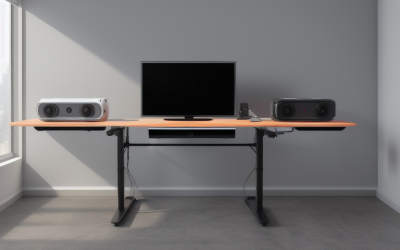
A gaming desk is a normal desk with gaming-focused features: a larger surface, cable routing holes or trays, a mouse-friendly top, headphone hooks, cup holders and sometimes RGB lighting or a built-in monitor shelf. The useful ones address space, stability and cable control. The decorative ones add cost without improving play.
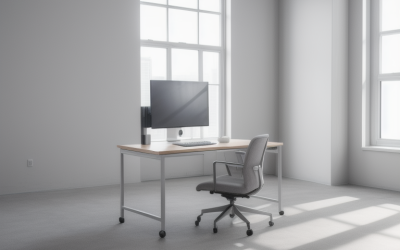
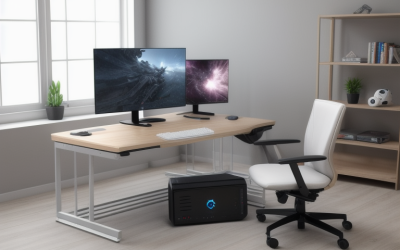
If you use one monitor, a keyboard and a mouse, almost any solid desk works. If you run two or three monitors, a tower, speakers, a console and a streaming mic, the size, depth and strength of the desk matter far more, and that is where a purpose-built model pays off.
Quick Reference: Which Desk for Which Setup
| Use case | Verdict | What to pair it with |
|---|---|---|
| One monitor, small room | Compact desk is enough | Narrow desk about 100 to 120 cm wide, monitor arm |
| Dual monitors | Worth a wider desk | 140 to 160 cm wide, monitor arms |
| Triple monitors or ultrawide plus extras | Worth a large or L-shaped desk | 160 to 200 cm wide, strong frame |
| Work and play on the same desk | Standing desk is worth considering | Electric height-adjustable frame |
| Console and PC shared | Choose a desk with a shelf | Cable tray and power strip mount |
What Is a Good Gaming Desk? Features That Matter
When people ask what a good gaming desk is, the answer is a stable, correctly sized surface. These are the features to compare on the maker’s specification page:
- Width: enough for your monitors, speakers and a mouse movement area.
- Depth: 60 cm is a minimum; 70 to 80 cm keeps a 27 inch or larger screen at a comfortable viewing distance.
- Height: a fixed height around 72 to 75 cm suits many adults; adjustable frames cover a wider range of users.
- Load capacity: the maker lists a maximum weight. Add up the monitors, tower, speakers and accessories and keep well under the limit.
- Stability: a thick frame, cross brace and adjustable feet reduce wobble during fast mouse movements.
- Surface: matte surfaces or large desk mats suit optical mice; glossy tops can show fingerprints.
- Cable management: grommet holes, a rear tray or an under-desk basket.
Desk Size for One, Two or Three Monitors
| Setup | Suggested width | Suggested depth | Notes |
|---|---|---|---|
| One 24 to 27 inch monitor | 100 to 140 cm | 60 to 70 cm | Leave room for the mouse and keyboard |
| One 34 inch ultrawide | 120 to 160 cm | 70 to 80 cm | Check the monitor width listed by the maker |
| Two 27 inch monitors | 140 to 180 cm | 70 to 80 cm | Use arms to free surface space |
| Three monitors | 180 cm or more, or L-shape | 80 cm or more | Check load rating and arm mounting |
A simple method is to measure each monitor’s width from its spec sheet, add the gaps between them, then add room for speakers or a lamp. The desk should be at least that wide. For depth, sit with your eyes roughly an arm’s length from the screen, which is typically 50 to 80 cm.
How Much Does a Gaming Desk Cost?
Prices change often, so think in tiers rather than amounts. The budget tier includes basic flat-pack desks and simple branded gaming desks, which are fine for light loads. The mid-range tier adds thicker tops, better frames, cable features and some adjustability. The premium tier covers electric standing desks, large L-shaped models and desks with integrated lighting or monitor mounts. Spend more on stability, size and load capacity than on lighting.
Best Gaming Computer Desk Setup: Layout Tips
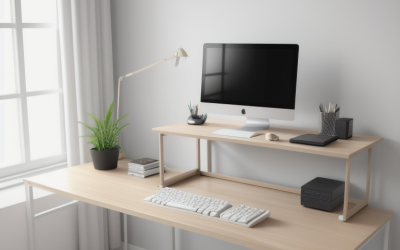
- Place the main monitor directly in front of you with the top edge at or just below eye level.
- Use a monitor arm to save desk depth and adjust height without stacking books under the stand.
- Put the tower on the floor or a shelf with space for airflow; avoid enclosed cabinets that trap heat.
- Keep the keyboard and mouse low enough that your elbows rest near a right angle.
- Use a large desk mat for a consistent mouse surface.
- Mount a power strip under the desk and route cables along the back edge.
Best Budget Flat-Pack Desks for Gaming
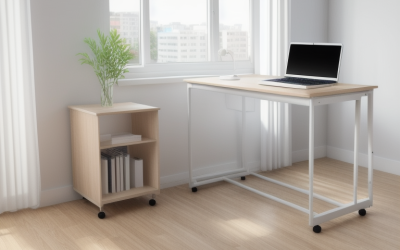
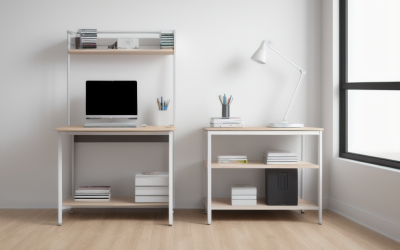
Searches for budget flat-pack desks and gaming setups from large furniture chains are common because they are a popular, affordable base. What makes them work is a simple formula: a long worktop, adjustable-height or fixed legs, and add-on cable trays or shelves. Reviewers and setup guides often describe pairing a wide worktop with sturdy legs and then adding monitor arms, a cable tray and a shelf unit. Check the maker’s stated weight limit, make sure the tabletop is thick enough for monitor arm clamps, and note that thin boards may need a reinforcement plate. A flat-pack desk will do the job for many players without gaming branding.
Best Tools for Gaming Desk Setup in a Small Room
For a small room, the best tools are the ones that save space and keep cables neat:
| Item | What it does | Small-room benefit |
|---|---|---|
| Monitor arm | Lifts screens off the desk | Frees surface and allows tilt |
| Under-desk cable tray | Holds power strip and adapters | Hides clutter |
| Cable sleeves and ties | Bundles wires | Cleaner look, easier cleaning |
| Headset hook | Hangs headphones from the side | Saves desk space |
| Large desk mat | Covers keyboard and mouse area | Defines the play area |
| Corner or L-shaped desk | Uses corner space | More area from a small footprint |
How to Assemble a Gaming Desk
- Clear a large floor area and unpack all parts on a blanket or the carton to avoid scratches.
- Check the parts list against the manual and sort screws and fittings into labelled containers.
- Read the whole manual first, then build following the order given by the maker.
- Attach the legs or frame loosely first, and fully tighten everything only when the frame is square.
- Ask someone to help lift the top onto the frame; large tops are heavy and awkward.
- Fit cable trays, grommets and monitor arms before placing equipment.
- Level the desk using adjustable feet and test for wobble before loading.
- Re-tighten fittings after a week, as some screws settle with use.
For electric standing desks, follow the maker’s wiring instructions, keep cables clear of moving parts and do not exceed the stated load. Contact the maker if the motor or controller behaves unexpectedly.
Standing Desks: Are They Worth It for Gaming?
Electric height-adjustable desks suit people who work and game at the same desk or share the space. Reviewers describe the main benefits as the ability to change posture and fit different users, and the main drawbacks as higher cost and the need to manage cable slack. Check the maker’s lowest and highest height, lift capacity, and whether the frame wobbles at standing height, which is a common review point.
Are Dell Gaming Desktops Good? The Alienware Aurora
Because many people pair a desk with a tower, readers also ask about prebuilts. Reviewers describe Dell and Alienware desktops as well-built mainstream choices with solid cooling designs and a recognisable case. The older Alienware Aurora R16 used 13th and 14th Gen Intel Core processors and NVIDIA GeForce RTX 40-series graphics, and Dell now lists it as discontinued. Its replacement is the 2025 Alienware Aurora, which the maker lists with Intel Core Ultra processors and RTX 50-series graphics. Reviewers have noted that some Dell and Alienware systems use proprietary parts that limit upgrades, so check the power supply, motherboard and RAM details before buying. For a full comparison of prebuilt brands, see the dedicated prebuilt guide on this site.
Ergonomics: Height, Posture and Eye Distance
A desk that is too high or too low causes tension long before it affects your aim. Sit with your feet flat, knees near a right angle and forearms level with the keyboard. Your eyes should sit near the top third of the screen, about an arm’s length away. If a fixed desk is too tall, a footrest or adjustable chair helps; if it is too low, desk risers or adjustable legs are a simple fix. Persistent pain in the wrists, neck or back is a reason to speak to a doctor or physiotherapist rather than buy another accessory.
Common Desk Mistakes to Avoid
- Buying on width alone and ignoring depth, which pushes large monitors too close to your eyes.
- Ignoring the load rating when mounting heavy monitor arms on a thin top.
- Placing the tower where carpet or walls block its vents.
- Choosing a glossy surface that reflects screen light and shows dust.
- Skipping cable planning, which makes later upgrades awkward.
Pick This Desk If
| Pick this | If |
|---|---|
| Standard sturdy desk with monitor arms | You use one or two monitors and want the best value |
| Wide gaming desk with cable management | You have two or three monitors and several accessories |
| Electric standing desk | You work and play at the same station |
| L-shaped corner desk | You have a corner and need extra surface |
Frequently Asked Questions
Is a gaming desk better than a normal desk?
Not automatically. A gaming desk is better if it offers more space, stability and cable management than your current desk. A solid regular desk does the same job.
What size gaming desk do I need for two monitors?
About 140 to 180 cm wide and 70 to 80 cm deep suits two 27 inch monitors. Measure your monitors and add room for speakers.
How much weight can a gaming desk hold?
It depends on the model; the maker lists a maximum load. Add the weight of monitors, the tower and accessories and stay well under the limit.
Are standing desks good for gaming?
They are useful for people who also work at the desk and want to change posture. They cost more and need good cable slack.
How do I stop my desk from wobbling?
Tighten all fittings, adjust the levelling feet, add a cross brace if the maker offers one, and check that the floor is even.
Where should the PC tower go?
Place it on the floor or a shelf with clear airflow, away from carpet fibres and heat sources. Avoid sealed cabinets.