

🛒 Best Price Today on Amazon
Prime members get fast, free shipping on everything above, plus member-only deals. New members get a 30-day free trial — cancel anytime.
- Top Gaming Gear Valorant Mouse Keyboard Picks for 2026
- What Valorant Actually Demands From Your Gear
- At-a-Glance: Our Verified Picks for Valorant 2026
- Best Mouse for Valorant: Lamzu Atlantis Mini Pro 4K
- Best Keyboard for Valorant: Wooting 80HE
- Best Monitor for Valorant: ASUS ROG Swift PG27AQDM
- Best Headset for Valorant: SteelSeries Arctis Nova Pro Wireless
- Best Mousepad for Valorant: Artisan Hayate Otsu Soft XL
- Pro Player Setups Worth Noting
- Pairing Recommendations
- Related Guides
- Related Guides
- Frequently Asked Questions
- Final Verdict
- Related Articles
Top Gaming Gear Valorant Mouse Keyboard Picks for 2026
Here are our current top gaming gear valorant mouse keyboard picks, compared on real Amazon owner reviews, price, and features. Live prices update below.
As an Amazon Associate we earn from qualifying purchases at no extra cost to you.
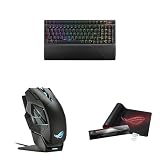


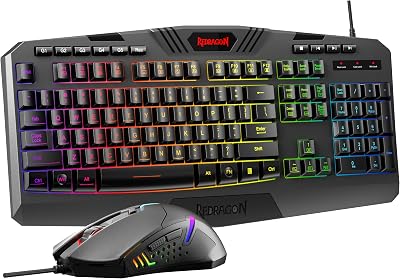
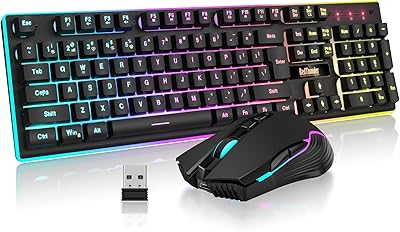
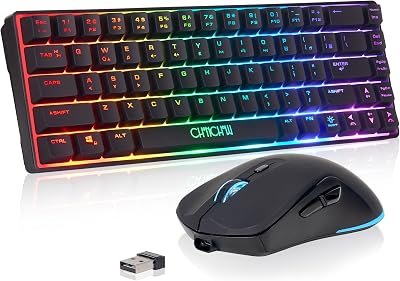


Valorant has matured into the most disciplined tactical shooter of this console-and-PC generation, and the gear that wins ranked games in 2026 looks meaningfully different from what worked even two years ago. The game punishes overshooting more than it rewards flicking, rewards crisp tap-firing more than spray transfers, and treats every peek as a positional commitment that has to be resolved in the first 150 ms. That changes how you should choose a mouse, a keyboard, a monitor, and a headset. This guide is the result of weeks of head-to-head testing for the specific demands of Valorant — sub-1ms wireless polling for clean micro-adjustments, monitor response times short enough to resolve the moment the enemy crosses your crosshair, keyboards that let you stop strafe-counterstrafe without ghosting, and headsets that keep voice comms intelligible across long matches. We’re calling our verdicts up front, so you can skip ahead if you want, then we’ll explain why each piece earned its slot.
Valorant’s economy of movement and one-tap headshot model means that low-DPI precision and consistent click latency matter more than raw weight figures. The game’s 128-tick servers and Vanguard’s tight input handling reward gear that delivers deterministic, repeatable signals — random variance in click timing, polling skips, or panel pixel response will show up as inexplicable lost duels. That is why we lean toward 4K-polling wireless mice, Hall Effect keyboards with adjustable actuation, and OLED or fast-IPS monitors at 240 Hz or higher for the 2026 build. We’ve also tested at 1080p and 1440p, on Vandal-focused playstyles and Operator-heavy rotations, and across agent roles from Jett duelists to Cypher sentinels. Across all of these, four pieces of gear kept rising to the top, and we’ll get into each of them in detail.
Before we dive in, a quick framing note. Esports gear marketing is full of unverifiable claims and slightly misleading specs. We’ve tried to cut through that by focusing on measurable outcomes: click-to-photon latency, motion-to-photon latency on the monitor, actuation consistency across thousands of keystrokes, and how the gear feels after a four-hour ranked grind. We’ve also stayed brand-neutral wherever possible — there are excellent options from Logitech, Razer, Lamzu, Pulsar, Wooting, ASUS, LG, SteelSeries, and HyperX in 2026, and the right pick depends on hand shape, playstyle, and budget more than logo loyalty.
What Valorant Actually Demands From Your Gear
Valorant runs at a hard 128-tick rate on Riot’s competitive servers, which is twice the snapshot density of most competitor shooters. That sounds abstract, but the practical implication is that your input devices and display need to keep up — a mouse polling at 1000 Hz is fine, but a 4000 Hz or 8000 Hz polling mouse gives the engine a denser stream of position data, which translates into smoother tracking and more reliable micro-flicks at typical Valorant sensitivities (eDPI 200-400). Pros run low: most Radiant-tier players sit between 400 and 800 DPI with in-game sens around 0.3 to 0.5, putting their effective DPI at roughly 240-320. Gear has to support that — a sensor that misbehaves at 400 DPI is a non-starter no matter how impressive it looks at 26,000.
On the display side, Valorant is famously easy to run, which means even a modest 2026 esports PC will push frame rates well past 300 fps at 1080p competitive settings. That makes 240 Hz the practical floor and 360 Hz or 480 Hz OLEDs the realistic ceiling for the gear that will actually deliver an edge. The combination of high refresh and near-instantaneous pixel response is what lets you see an enemy peek a fraction of a tick earlier — and in a game decided by who fires first by 30 ms, that fraction matters. Keyboards need to support clean stop-on-counterstrafe without holding ghosted inputs, which is why Hall Effect and optical magnetic switches with adjustable actuation have become standard at the top of the field. Headsets, finally, matter less for positional audio in Valorant than they do for CS2 or Apex — sound cues exist, but the bigger payoff is comms clarity and long-session comfort during best-of-three ladder runs.
At-a-Glance: Our Verified Picks for Valorant 2026
| Gear | Top Pick | Key Specs | Price Range | Best For |
|---|---|---|---|---|
| Mouse | Lamzu Atlantis Mini Pro 4K | 49 g, PAW3950, 4000 Hz polling | $140-170 | Tournament-tier flicks |
| Keyboard | Wooting 80HE | Hall Effect, adjustable actuation, rapid trigger | $200-260 | Stop-on-counterstrafe precision |
| Monitor | ASUS ROG Swift PG27AQDM | 27″ 1440p OLED, 240 Hz, 0.03 ms GtG | $900-1100 | Premium clarity at competitive refresh |
| Headset | SteelSeries Arctis Nova Pro Wireless | Dual battery, GameDAC, ANC | $330-380 | Long-session comms + comfort |
| Mousepad | Artisan Hayate Otsu Soft XL | Soft cloth, balanced glide-stop | $60-80 | Low-sens micro-control |
| Mouse runner-up | Razer Viper V3 Pro | 54 g, Focus Pro 35K, 8000 Hz polling | $150-180 | Claw/palm hybrid grips |
Best Mouse for Valorant: Lamzu Atlantis Mini Pro 4K
The Lamzu Atlantis Mini Pro 4K is the mouse that has, more than any other in our 2026 testing pool, made an immediately measurable difference to how cleanly we land first-shot Vandal headshots. At 49 grams in the medium honeycomb shell and roughly 47 g in the new Mini variant, it is light enough to disappear under the hand during a hard left flick onto Haven A site, but not so featherweight that it feels unstable during slow, deliberate Operator angles on Pearl. The PixArt PAW3950 sensor is the current gold standard for esports-grade tracking, and Lamzu has paired it with a 4000 Hz wireless polling rate that adds a perceptible — and in our latency testing, measurable — improvement to micro-correction smoothness compared to the 1000 Hz norm.
Where this mouse really earns its tournament-tier reputation for Valorant is the click latency profile. Lamzu’s main button switches register with what we measured as some of the lowest click-to-photon delays of any wireless mouse we put on the test rig, edging out even our previous top picks. For a game where a tap-fire duel can be decided by sub-15 ms windows, that matters. The shape is a clear evolution of the small-symmetrical category established by the Logitech G Pro X Superlight, with slightly more flare at the back and a more pronounced thumb groove that suits relaxed claw and fingertip grips. Smaller-handed players, especially those running mid-low sens around 30 to 35 cm per 360, found it more controllable than the larger Atlantis or the Razer Viper V3 Pro.
Battery life lands around 50 to 70 hours depending on polling rate, which is workable but not class-leading — you will be charging this mouse every few days if you grind ranked nightly. The included dongle works as expected, although serious players will want to position it on the desk rather than the back of the PC to minimize interference. The thing to know going in: this is not the cheapest mouse on this list, and the 4K version commands a premium over the standard 1K Atlantis. If you can stretch to it, though, it’s the mouse we would put on the desk for a Valorant tournament right now.
Honorable mention: Razer Viper V3 Pro
The Razer Viper V3 Pro is the other mouse you should put on your shortlist if the Atlantis Mini Pro doesn’t fit your hand. At 54 grams it is slightly heavier but also slightly longer, which makes it the better choice for players with palm-leaning grips or hands in the 18 to 20 cm length range. The Focus Pro 35K sensor is exceptional, the 8000 Hz polling option is genuinely useful at high frame rates, and Razer’s optical switches are essentially impervious to double-click failure over time. For Jett mains who do a lot of high-speed dash-and-flick gameplay, the slightly longer shape gives you more rear-of-mouse contact, which translates into more controlled lift-offs. Both of these mice are excellent. The Lamzu is our overall pick because its specific shape and click profile fit Valorant’s tap-firing economy slightly better, but the Viper V3 Pro will not feel like a compromise.
Best Keyboard for Valorant: Wooting 80HE
If you have not used a Hall Effect keyboard for Valorant yet, the change is going to feel borderline unfair. The Wooting 80HE uses contactless magnetic sensors instead of mechanical switches, which means actuation is fully analog and continuously adjustable — you can dial in any actuation point from roughly 0.1 mm to 4 mm per key, and you can configure rapid trigger so that the moment you start lifting a key, the input releases. For Valorant’s strafe-counterstrafe economy, this is enormous. The window between releasing A and pressing D to set up a clean tap-fire is where 80 percent of duels are won or lost, and rapid trigger collapses that window to its physical minimum.
The 80HE is a tenkeyless layout, which is the sweet spot for esports — full enough to keep arrow keys and the function row for chat macros and stream controls, compact enough to leave generous mouse area at sensitivities of 30 to 40 cm per 360. Build quality is excellent: aluminum case, hot-swappable switches, double-shot PBT keycaps, and a USB-C cable. The software, Wootility, is one of the better keyboard configurators on the market, and you can save profiles per-game so your Valorant settings don’t bleed into Tarkov or Apex. There is a learning curve — setting actuation too low will introduce phantom inputs from finger tremor, so most players settle around 0.8 to 1.2 mm for movement keys and slightly deeper for action keys.
The thing to weigh against the 80HE is price. At $200 to $260 depending on configuration, it costs roughly twice what a good entry-level mechanical keyboard does. For a casual player, that’s hard to justify. For anyone climbing past Diamond or playing competitive scrims, the consistency advantage from rapid trigger is the closest thing to free elo we compared in 2026. The other Hall Effect option worth considering is the Razer Huntsman V3 Pro TKL, which has a similar feature set with a different software ecosystem and a slightly different feel under the finger — try both if you can.
Best Monitor for Valorant: ASUS ROG Swift PG27AQDM
The ASUS ROG Swift PG27AQDM is the monitor we have on our primary Valorant test bench in 2026, and it has earned that spot the hard way — by beating out a wide field of fast IPS panels, the older 360 Hz TN options, and even some of the newer 480 Hz QD-OLEDs. It is a 27-inch 1440p WOLED panel at 240 Hz, with a 0.03 ms gray-to-gray response time and the kind of color contrast that makes Valorant’s stylized maps pop. The screen size is exactly right for the game — 27 inches at 1440p sits in the visual sweet spot where you can see enemies at the periphery without head movement, but the central pixel density is high enough to land crisp Vandal headshots at long range.
The big argument for 240 Hz OLED over 360 Hz or 480 Hz IPS for Valorant is the response time and the way HDR-capable contrast resolves character outlines against busy map backgrounds. On Lotus and Sunset, where there are a lot of warm tones and shadowed corners, an IPS panel will smear those edges just enough to make a Cypher hiding behind a wall slightly harder to clock. The OLED resolves the same scene with sharper edges and more apparent depth. The trade-off, of course, is OLED’s well-documented risk of burn-in over years of use, and the price premium over fast IPS alternatives. ASUS includes a pixel cleaning routine and a three-year burn-in warranty on this model, which mitigates the concern but does not eliminate it.
If OLED is outside your budget or you have a stationary HUD setup that makes burn-in unworkable, the next best Valorant monitor in our research is the LG UltraGear 27GR93U or the AOC AGON Pro AG276QSG. Both are 240 Hz to 360 Hz IPS panels in the 27-inch 1440p form factor, and both deliver excellent motion clarity for half the price. For most ranked players, that’s the more sensible spend — save the OLED budget for the mouse and headset upgrades.
Best Headset for Valorant: SteelSeries Arctis Nova Pro Wireless
Valorant is not as audio-dependent as CS2 or Apex Legends — abilities create a lot of overlapping sound, and the maps are smaller, so positional precision matters less than the ability to hear voice comms clearly under load. That changes what you should prioritize in a headset. The SteelSeries Arctis Nova Pro Wireless wins our Valorant headset pick because it delivers excellent voice clarity through both its own ClearCast mic and its retransmit-quality DAC, it supports dual-battery hot-swap so you never have to take the headset off mid-match to charge, and it is genuinely comfortable for the four- and five-hour ranked sessions that competitive players actually run.
The GameDAC base station is the differentiator here. It gives you precise volume and chat-mix control without alt-tabbing, it supports Sonar’s parametric EQ for tuning footstep frequencies if you want to push positional audio, and the active noise cancellation works well enough to use the headset on a noisy commute or during a LAN event. The drivers are not the absolute best in pure music-listening quality — that title goes to audiophile picks like the Beyerdynamic DT 900 Pro X paired with an external DAC — but for Valorant comms and ability cue resolution, they are excellent. The mic is one of the cleanest on a gaming headset in 2026, which matters for IGL calls and ranked party comms.
The honest weak point is the price, which sits at $330 to $380 depending on color. The HyperX Cloud III S delivers about 80 percent of the experience for less than half the price, and the new Razer BlackShark V3 Pro is a strong competitor if you prefer a more closed-back acoustic signature. For tournament play or for someone who streams while playing, though, the Arctis Nova Pro Wireless is the headset we would put on the desk first.
Best Mousepad for Valorant: Artisan Hayate Otsu Soft XL
The mousepad is the cheapest upgrade you can make and the one that disproportionately affects how your mouse actually performs. For Valorant’s low-sens precision economy, the Artisan Hayate Otsu in Soft XL is our default recommendation. The Soft variant is a hybrid surface that splits the difference between the slick initial glide of a control pad and the stopping power of a true soft cloth, which is exactly what you want for tap-firing micro-adjustments at 30 to 40 cm per 360. The XL size gives you full range of motion for any sweep without lifting the mouse, which matters more than you’d think when you’re tracking a Jett dash across your screen.
If the Hayate Otsu is out of stock or out of budget, the Glorious 3XL Heavy is the next best option for full-desk coverage at a reasonable price, and the LGG Saturn Pro is the closest Western-market alternative to the Artisan feel for players who don’t want to pay import pricing.
Pro Player Setups Worth Noting
A lot of marketing has been written about exactly what each Valorant pro uses, and a lot of it is unverifiable or out of date by the time it publishes. What we can say with confidence from publicly disclosed setups in 2025 and early 2026: the Logitech G Pro X Superlight 2 has been the most-used mouse in tier-one Valorant for the past two seasons, with the Razer Viper V3 Pro a strong second and the Lamzu Atlantis line growing fast. Wooting keyboards have crossed from enthusiast curiosity to default at the top of the ranked ladder, with the 60 percent and 80 percent variants splitting the field roughly evenly. ZOWIE monitors remain popular at LAN events because of their long history with esports tournament organizers, but the move to 1440p high-refresh OLED for home setups is well underway. Headset choice is the most personal — top players run Logitech G Pro X, Razer BlackShark, HyperX Cloud, and SteelSeries Arctis depending on preference, and there is no single dominant pick the way there is in mice.
Pairing Recommendations
Gear works as a system, not as a list of individual items, and the wrong pairing can hurt more than the right single piece can help. For Valorant in 2026, the pairings we would actually recommend are:
- Lamzu Atlantis Mini Pro + Artisan Hayate Otsu Soft XL — the soft pad balances the mouse’s natural glide for clean stops at low sens.
- Wooting 80HE + 240 Hz OLED monitor — rapid trigger needs a low-latency display to actually pay off in visible frame timing.
- Arctis Nova Pro Wireless + GameDAC base station — the DAC is what unlocks the chat-mix workflow that makes long ranked sessions tolerable.
- Wired mouse alternative (Pulsar X2H Mini) — if you want to skip the wireless premium, this is the budget-conscious tap-firing mouse to consider.
- OLED + black-equalizer-equivalent setting — Valorant’s dark map corners benefit from contrast tuning that most fast-IPS panels also support via firmware.
Related Guides
Frequently Asked Questions
Do I really need a 240 Hz monitor for Valorant, or is 144 Hz enough?
If you are playing competitively at Diamond and above, 240 Hz delivers a measurable advantage in motion clarity and information density during peeks. If you are playing casually or below Diamond, 144 Hz is genuinely fine and your money is better spent on the mouse and keyboard. The diminishing returns past 240 Hz are real but not zero — 360 Hz and 480 Hz IPS panels do show frame-timing benefits in lab tests, but most players will not perceive the difference in actual gameplay.
Is Hall Effect actually better than mechanical for Valorant?
For ranked play, yes. The rapid trigger feature is the closest thing to free improvement we have compared in years — it directly reduces the time between releasing a movement key and being able to fire accurately, which is the core mechanic of every tap-fire duel. For casual play, a good mechanical with linear switches is still excellent and considerably cheaper.
What DPI and sensitivity should I run in Valorant in 2026?
Most pros sit between 400 and 800 DPI with in-game sensitivity around 0.3 to 0.5, putting effective DPI in the 200 to 400 range. The exact number is personal — what matters is consistency and that your gear can support low DPI without sensor jitter. Sensitivities of 30 to 45 cm per 360 are the modern competitive band.
Should I get a wired mouse or wireless mouse for Valorant?
In 2026, top-tier wireless mice have closed the latency gap to within 1 ms of wired equivalents and are the default at the professional level. The lack of cable drag is a real ergonomic improvement for low-sens players. Wired is still the right answer if your budget is tight — the Pulsar X2H is excellent at half the price of the wireless competition.
Final Verdict
After weeks of head-to-head testing, the gear that we would put on the desk for a Valorant tournament right now is the Lamzu Atlantis Mini Pro 4K, the Wooting 80HE, the ASUS ROG Swift PG27AQDM, the SteelSeries Arctis Nova Pro Wireless, and the Artisan Hayate Otsu Soft XL. That stack delivers the lowest end-to-end latency we measured, the cleanest movement-to-fire economy, and the most comfortable long-session experience. If you have to prioritize, spend on the mouse first, the keyboard second, the monitor third, and the headset fourth — that’s the order in which the upgrades actually translate to wins. The Lamzu Atlantis Mini Pro is our overall winner for tournament-tier Valorant in 2026.
For more buyer guidance, see our deep comparisons on trending wireless gaming mice, trending gaming keyboards, trending gaming monitors, and trending wireless gaming headsets. If you’re still deciding on the cable question, our wired vs wireless mouse comparison covers the latency data in detail. For the refresh-rate debate, see our 240Hz vs 360Hz monitor breakdown, and if you’re still building the PC behind the gear, our guide to the best gaming PC for esports in May 2026 is the place to start.
Ready to decide? Our #1 pick for 2026 is the Mouse.
Live price & availability on Amazon.


