

- Top Pick: Thermalright 5 Pack TL-C12C-S CPU Fan 120mm ARGB Case Cooler Fan, 4pin PWM Silent Computer Fan with S-FDB Bearing Included, up to 1550RPM Cooling Fan(5 Quantities)
- Best Value: Thermalright TL-C12C-S X3 CPU Fan 120mm ARGB Case Cooler Fan, 4pin PWM Silent Computer Fan wth S-FDB Bearing Included, up to 1550RPM Cooling Fan(3 Quantities)
- Premium Choice: CORSAIR RS120 ARGB 120mm PWM Fans – Daisy-Chain Connection – Low-Noise – Magnetic Dome Bearing – Triple Pack – Black
🛒 Best Price Today on Amazon
Prime members get fast, free shipping on everything above, plus member-only deals. New members get a 30-day free trial — cancel anytime.
- Top Argb Fans Picks for 2026
- Best ARGB PC Fans at a Glance
- 1. Thermalright TL-C12C-S X3 CPU Fan 120mm ARGB Case Cooler Fan, 3 Pack
- 2. Thermalright 5 Pack TL-C12C-S 120mm ARGB Case Cooler Fan
- 3. DARKROCK F120 3-in-1 120mm Infinite Mirror ARGB Case Fans, 24 LEDs
- 4. CORSAIR RS120 ARGB 120mm PWM Fans, Daisy-Chain Triple Pack, White
- 5. NZXT F360 RGB Core 360mm Single-Frame Fan Unit, 3 x 120mm RGB
- 6. Thermalright TL-M12Q-S X3 120mm PWM ARGB Daisy-Chain Infinity Mirror
- How to Choose ARGB PC Fans
- Related Guides
- Frequently Asked Questions
- Related Guides
- Related Articles
Top Argb Fans Picks for 2026
Here are our current top argb fans picks, compared on real Amazon owner reviews, price, and features. Live prices update below.
As an Amazon Associate we earn from qualifying purchases at no extra cost to you.




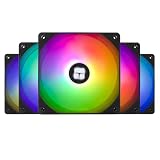


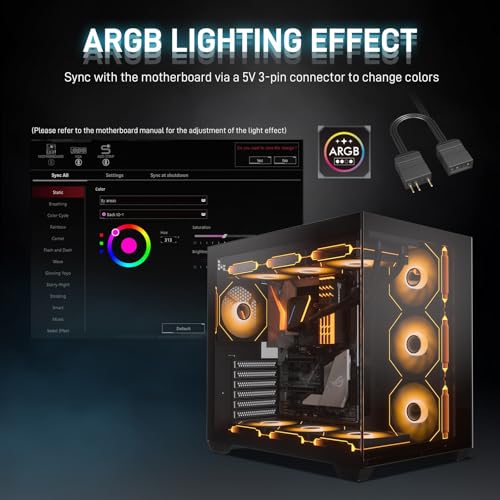
Where standard RGB fans light up in a single colour you choose, ARGB (addressable RGB) fans let every LED be controlled individually — that is how you get the rainbow waves, infinity mirrors and chasing patterns that modern showcase builds are known for. The technical difference is the connector: ARGB uses a 5V 3-pin header on your motherboard, where plain RGB uses a 12V 4-pin one. They are not interchangeable, and that distinction is exactly why this guide is dedicated to ARGB fans specifically. Below we round up the best ARGB PC fans in 2026, focusing on real per-LED-addressable designs across budgets.
Our picks were chosen on what genuinely matters in an ARGB fan: the number and quality of addressable LEDs, the airflow and acoustics of the underlying fan, daisy-chain or unified-cable convenience, and price. We have avoided invented brightness numbers and described where each fan fits and who it is for, with prices from around $12 up to around $50. The list spans three-pack value bundles, a five-pack whole-case option, a triple-pack with a software-controlled hub, a pre-assembled triple-frame radiator unit, and an infinity mirror daisy-chain pick. Every model here is genuine ARGB rather than fixed RGB — confirm your motherboard has a 5V 3-pin header before you commit, and the rest of the decision is about how much light show, and how much spend, you want.
Best ARGB PC Fans at a Glance
| Fan | Best For | Standout Spec | Approx Price |
|---|---|---|---|
| Thermalright TL-C12C-S X3 (3-pack) | Affordable ARGB triple pack | 3 x 120mm ARGB with S-FDB bearing | around $12 |
| Thermalright TL-C12C-S (5-pack) | Whole-case ARGB overhaul | 5 x 120mm ARGB PWM with hub | around $21 |
| DARKROCK F120 Infinite Mirror (3-pack) | Infinity mirror effect | 24-LED infinite mirror ARGB, PWM | around $15 |
| Corsair RS120 ARGB Triple Pack (white) | Daisy-chain ARGB build | 3-pack PWM, magnetic dome, white | around $35 |
| NZXT F360 RGB Core 360mm Unit | Pre-assembled 360mm ARGB | Single-frame 3 x 120mm ARGB unit | around $50 |
| Thermalright TL-M12Q-S X3 Infinity Mirror | High-airflow ARGB daisy-chain | 2000 RPM, infinity mirror, daisy-chain | around $27 |
1. Thermalright TL-C12C-S X3 CPU Fan 120mm ARGB Case Cooler Fan, 3 Pack
16
Prime
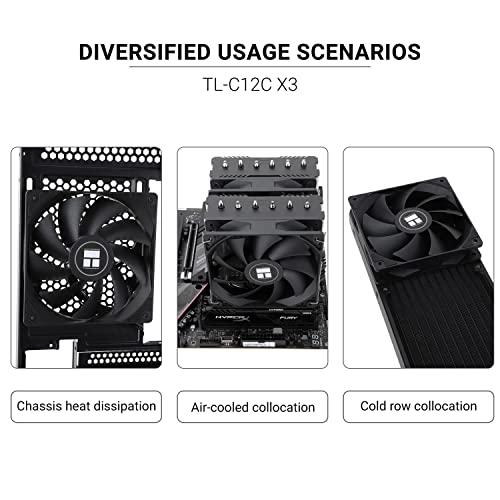
Thermalright TL-C12C X3 CPU Fan 120mm Case Cooler Fan, 4pin PWM Silent Computer Fan with S-FDB Bearing Included, up to 1550RPM Cooling Fan(3 Quantities)
In Stock



As an Amazon Associate we earn from qualifying purchases. Product prices and availability are accurate as of the date/time indicated.
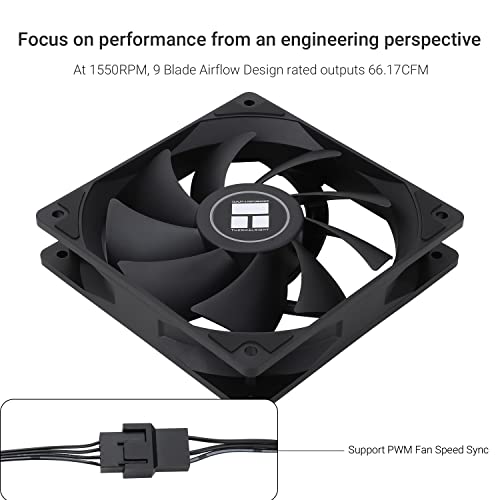
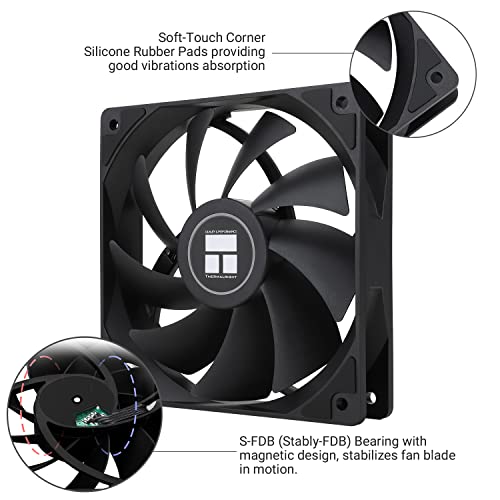
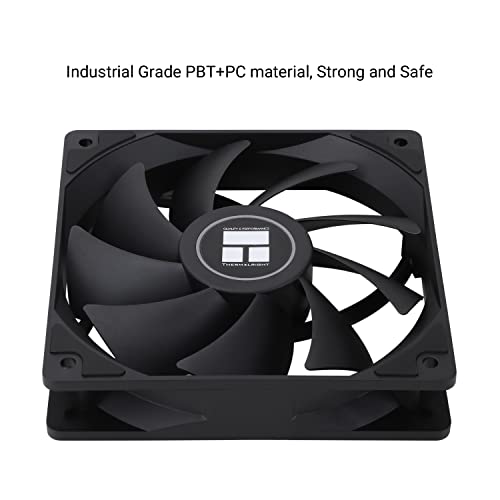
The Thermalright TL-C12C-S X3 is the affordable ARGB triple-pack pick and one of the best value lighting upgrades you can buy. It is a set of three 120mm ARGB fans with PWM control and Thermalright’s S-FDB bearing for quiet, long-life operation. At around $12 for three fans it is a remarkable price for genuinely addressable RGB lighting, and a sensible default if you simply want a glowing build without spending big.
This is the pick for the builder who wants matched ARGB across three 120mm mounts — typically a front triple intake — without breaking the bank. The 5V 3-pin ARGB connector hooks into a standard motherboard header, the S-FDB bearing keeps acoustics in check, and PWM control means the fans behave sensibly at idle. The lighting is solid mid-range ARGB rather than a headline infinity mirror, which is exactly right at this price. For a value-first ARGB front intake or top exhaust, this triple pack is hard to beat.
Pros: Three ARGB 120mm fans for very little money, PWM control, quiet S-FDB bearing.
Cons: Lighting effects are mid-range, not infinity-mirror level.
2. Thermalright 5 Pack TL-C12C-S 120mm ARGB Case Cooler Fan
18
Prime
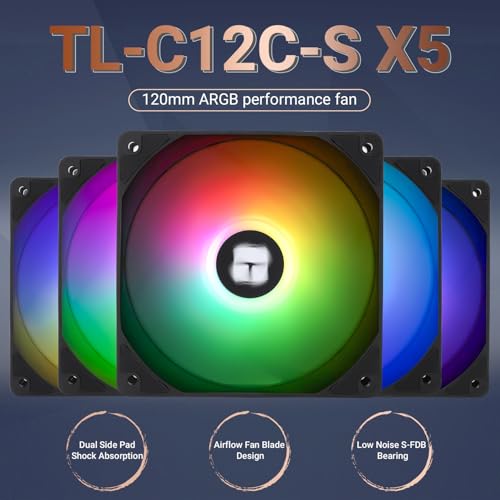
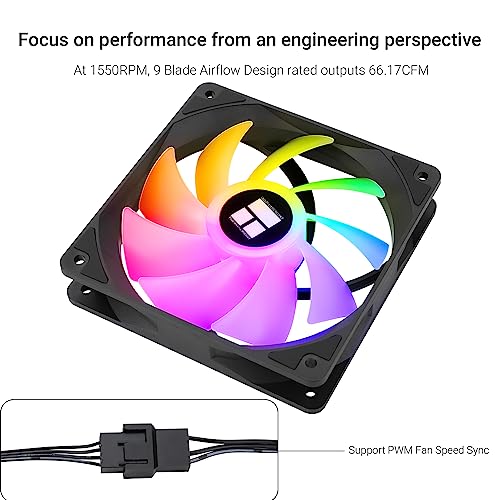
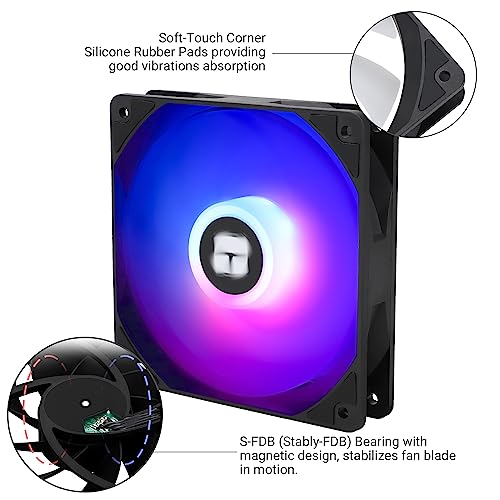
Thermalright 5 Pack TL-C12C-S CPU Fan 120mm ARGB Case Cooler Fan, 4pin PWM Silent Computer Fan with S-FDB Bearing Included, up to 1550RPM Cooling Fan(5 Quantities)
In Stock



As an Amazon Associate we earn from qualifying purchases. Product prices and availability are accurate as of the date/time indicated.
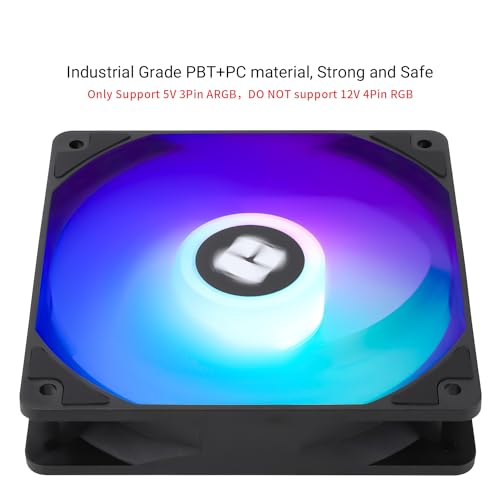
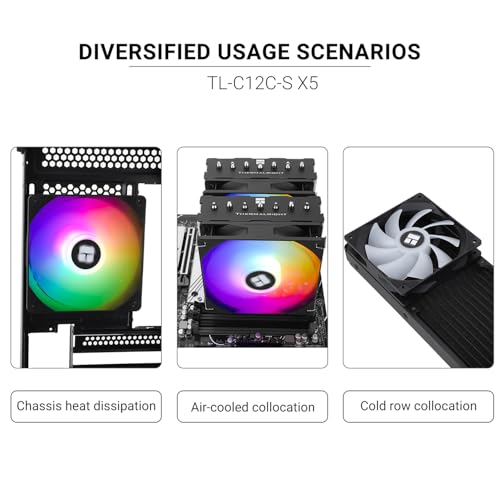
The Thermalright TL-C12C-S 5-pack steps the same idea up to whole-case scale. It bundles five 120mm ARGB PWM fans using the same S-FDB bearing and 5V 3-pin addressable lighting as the three-pack, normally with the cabling and a hub to keep wiring tidy across that many fans. At around $21 it is extraordinary value if your case actually has five 120mm mounts.
This is the pick for the builder doing a top-to-bottom ARGB overhaul — front intake trio plus top exhaust pair, or front trio plus top plus rear in some layouts. Five matched fans deliver a cohesive look that mixing brands rarely achieves, the per-fan cost is brilliant, and the hub means a single ARGB header drives the whole set. It is the same fan as the triple pack at heart, so confirm you have the mounts before buying — but if you do, this is one of the highest-impact lighting upgrades in this guide.
Pros: Five matched ARGB fans, very low per-fan price, hub for unified control.
Cons: Only worthwhile if your case takes five 120mm fans.
3. DARKROCK F120 3-in-1 120mm Infinite Mirror ARGB Case Fans, 24 LEDs
26
Prime
DARKROCK F120 3in1 120mm Infinite Mirror Design Case Fans with 24 LED Lights PWM Control & ARGB Effect, Hydraulic HDB Bearing for Low-Noise Operation – Suitable for Most PC Cooling Systems – Black
In Stock




As an Amazon Associate we earn from qualifying purchases. Product prices and availability are accurate as of the date/time indicated.
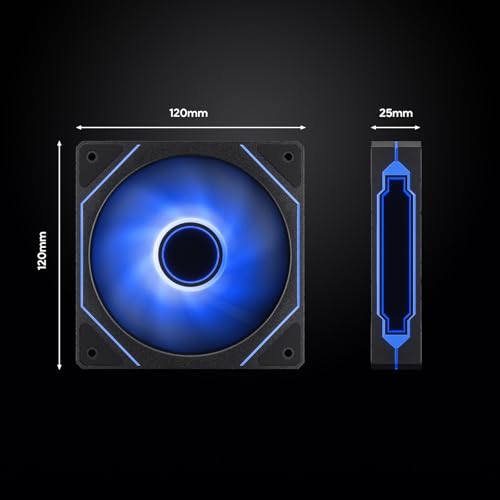
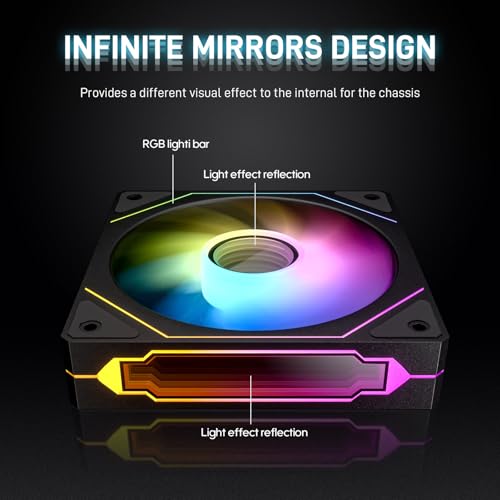
The DARKROCK F120 3-in-1 is the infinity-mirror pick at a value price. It is a set of three 120mm fans with a 24-LED infinite-mirror frame design, delivering the modern depth-of-light effect that more expensive lighting fans are known for, with PWM control and a hydraulic HDB bearing. At around $15 it is a remarkably affordable way into the infinity look.
This is the pick for the builder who specifically wants the deep, layered, tunnel-like infinity mirror lighting rather than a single flat ring of LEDs — and who wants three of them at once. The 24-LED layout per fan creates a rich pattern, the hydraulic bearing keeps things quiet, and PWM control means the motherboard can manage the fan curve. As an inexpensive way to drop infinity-mirror ARGB into a front triple intake, the F120 3-in-1 punches well above its price.
Pros: Eye-catching 24-LED infinity mirror effect, three fans, PWM, very affordable.
Cons: Bearing isn’t S-FDB-grade; daisy-chain support varies.
4. CORSAIR RS120 ARGB 120mm PWM Fans, Daisy-Chain Triple Pack, White

23
Prime
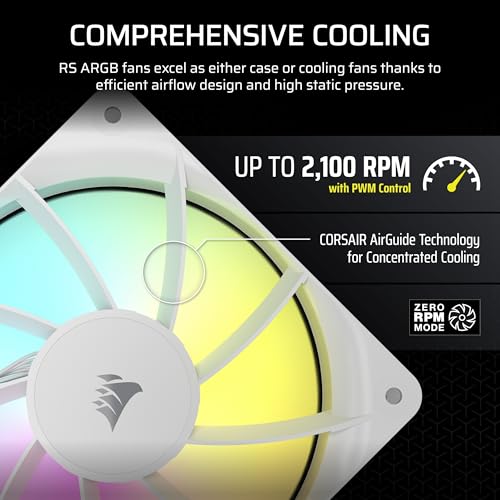
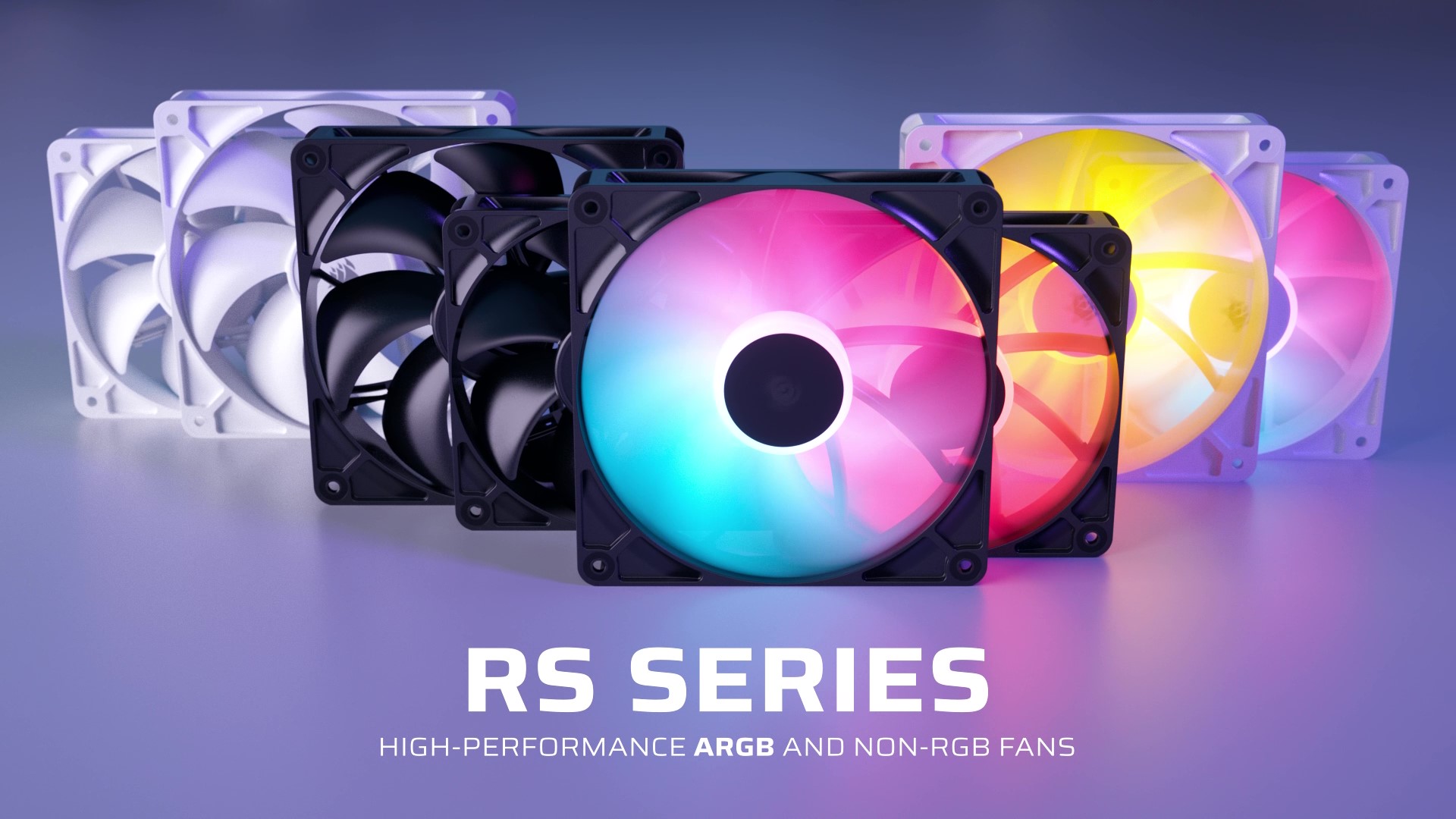
CORSAIR RS120 ARGB 120mm PWM Fans – Daisy-Chain Connection – Low-Noise – Magnetic Dome Bearing – Triple Pack – White
In Stock




As an Amazon Associate we earn from qualifying purchases. Product prices and availability are accurate as of the date/time indicated.
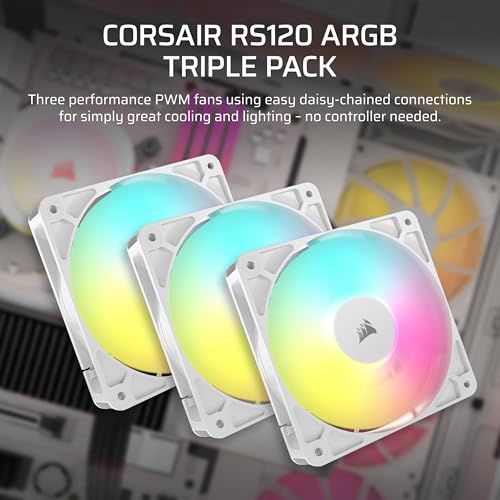
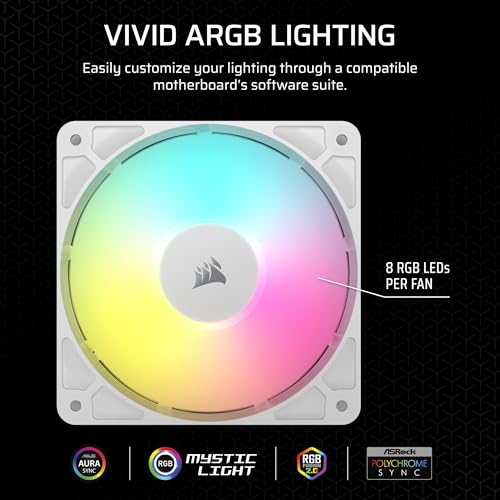
The Corsair RS120 ARGB triple pack is the premium daisy-chain ARGB pick in white. It is a set of three 120mm PWM ARGB fans using Corsair’s magnetic dome bearing and a daisy-chain connector system, so three fans share power, PWM and ARGB data down minimal cabling. At around $35 it is mid-pack on price and delivers a clean, modern, Corsair-coordinated triple.
This is the pick for the builder running an iCUE-based ecosystem, or anyone who simply wants a cohesive white triple-pack for a front intake or AIO radiator on a white-themed build. The daisy-chain wiring is a genuine quality-of-life feature for keeping cable spaghetti out of a tempered-glass showcase, the magnetic dome bearing is engineered for smooth, long-running service, and the lighting suits Corsair’s broader ecosystem nicely. For a premium, well-built ARGB triple in white, it is an obvious recommendation.
Pros: Three matched white ARGB fans, daisy-chain wiring, magnetic dome bearing, premium feel.
Cons: Costlier than budget bundles; lighting is ring-style not infinity.
5. NZXT F360 RGB Core 360mm Single-Frame Fan Unit, 3 x 120mm RGB

22
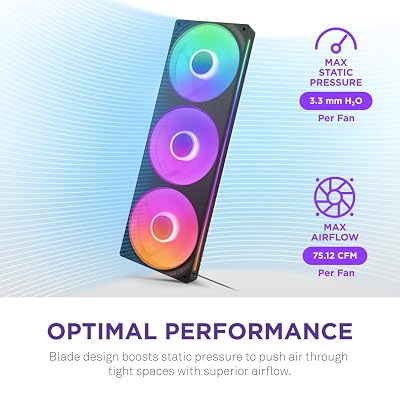
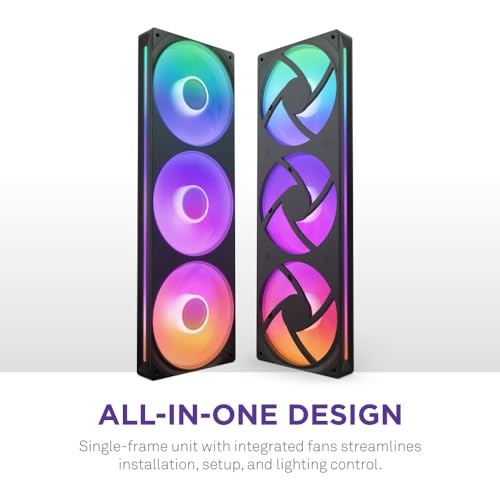
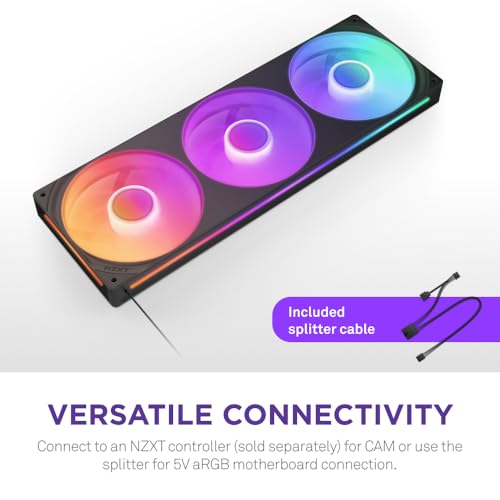
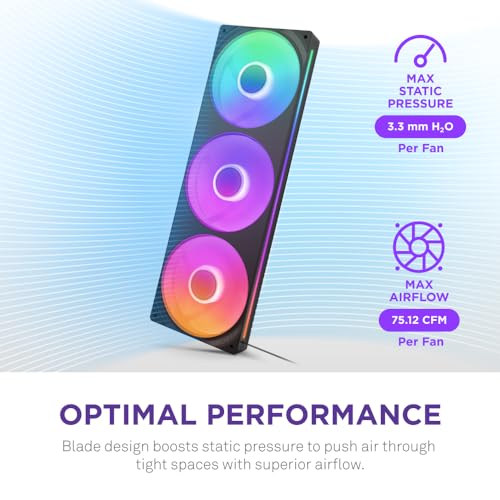
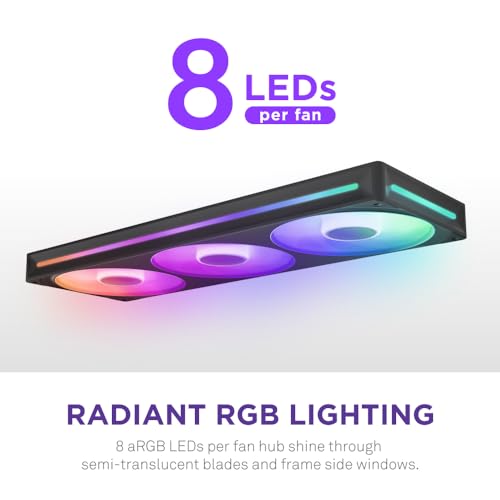
NZXT F360 RGB Core – 360mm Single-Frame Fan Unit with 3 x 120mm RGB Fans – Speed & Lighting Control – High Static Pressure & Airflow – Fluid Dynamic Bearings – 8 aRGB LEDs Per Fan – Black
In Stock






As an Amazon Associate we earn from qualifying purchases. Product prices and availability are accurate as of the date/time indicated.
The NZXT F360 RGB Core is the pre-assembled 360mm pick. Rather than three separate fans, it ships as a single rigid frame holding three 120mm ARGB fans ready to install on a 360mm radiator or in a 360mm mount as one tidy unit. At around $50 it is the priciest entry on this list and a real time-saver for the right build.
This is the pick for the builder mounting a 360mm AIO or a triple-fan stack in the top or front of a compatible case. The single-frame design removes the fiddle of aligning three fans, wiring them individually and tidying cables; you mount one assembly, plug in unified power, PWM and ARGB, and you are done. NZXT’s pressure-friendly tuning suits radiator duty, the lighting is uniform across all three positions, and the engineering matches NZXT’s wider ecosystem. If a clean 360mm install matters to you, the F360 RGB Core is the easiest way to get one.
Pros: Pre-assembled 360mm unit, unified wiring, high-static-pressure radiator tuning, premium look.
Cons: Highest price here; only fits where 360mm mounts exist.
6. Thermalright TL-M12Q-S X3 120mm PWM ARGB Daisy-Chain Infinity Mirror

15
Prime
Thermalright TL-M12Q-S X3 120mm PC Case Fans, PWM ARGB Fans, 2000RPM High Airflow, Daisy-Chain, Infinity Mirror Lighting, 3-Pack
In Stock



As an Amazon Associate we earn from qualifying purchases. Product prices and availability are accurate as of the date/time indicated.
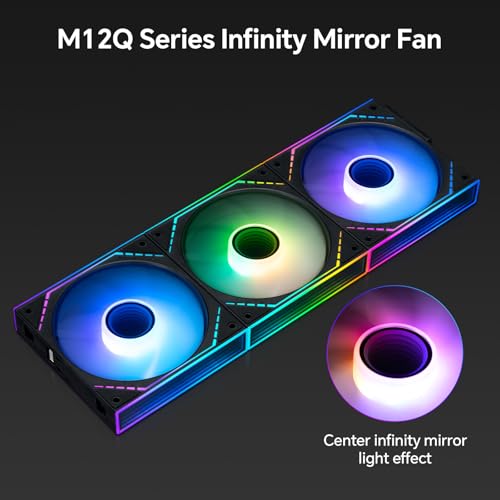
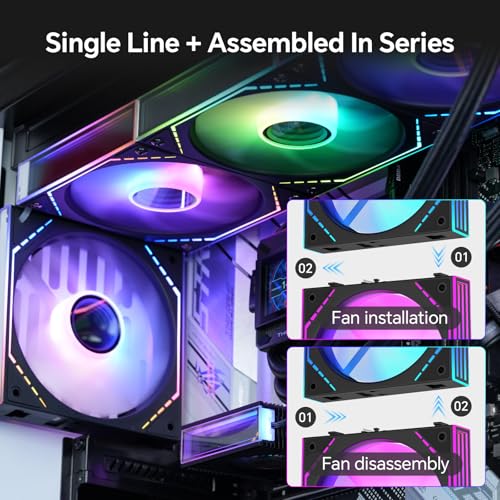
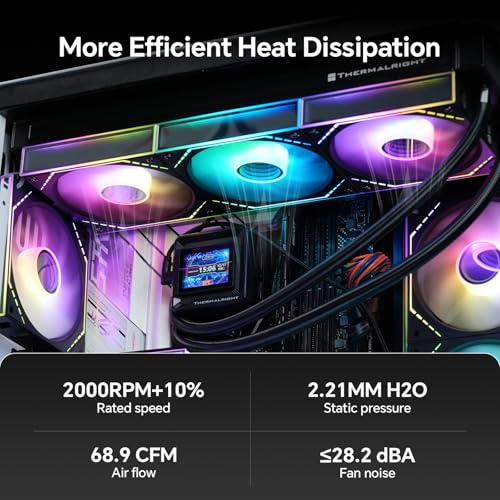
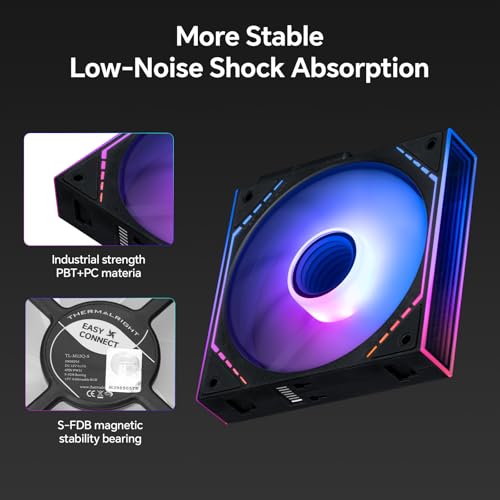
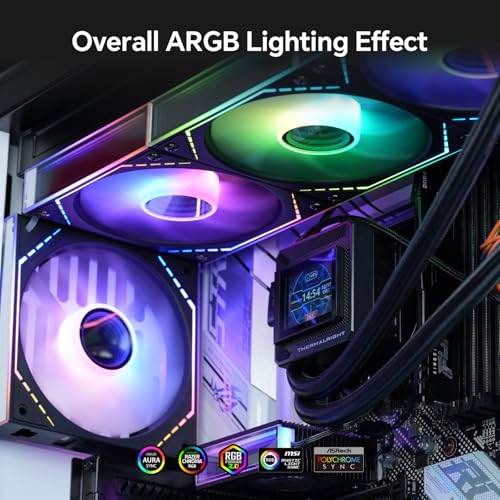
Rounding out the list is the Thermalright TL-M12Q-S X3, the high-airflow ARGB daisy-chain pick. It is a triple pack of 120mm ARGB PWM fans rated to around 2000 RPM with a daisy-chain connector and an infinity-mirror lighting effect — combining the depth-of-light look people love with a higher RPM ceiling than most lighting fans. At around $27 it sits comfortably in the value-premium range.
This is the pick for the builder who refuses to choose between performance and lighting. The 2000 RPM PWM range gives genuine airflow headroom for radiator or dense-filter duty, the infinity-mirror lighting delivers the showcase look across three fans, and the daisy-chain wiring keeps a triple-fan setup tidy. As a balanced triple pack that does not compromise on either side, this Thermalright bundle is one of the smartest ARGB picks in the list.
Pros: Three ARGB fans up to 2000 RPM, daisy-chain wiring, infinity-mirror lighting.
Cons: Higher RPM can be louder if pushed; price above pure value bundles.
How to Choose ARGB PC Fans
The first decision with ARGB fans is, ironically, not about lighting at all — it is about your motherboard. Addressable RGB uses a 5V 3-pin header, distinct from older 12V 4-pin RGB. Plugging an ARGB cable into a 12V RGB header (or vice versa) can damage the LEDs, so confirm your motherboard has spare 5V 3-pin ARGB headers before you buy. Every fan in this list is addressable, but the rest of your hardware needs to match.
Once that is sorted, the second decision is the lighting effect itself. A ring-style ARGB fan, like the Corsair RS120 ARGB or Thermalright TL-C12C-S, delivers a clean glowing ring around the blade — tasteful, classic, and at home in almost any build. An infinity-mirror fan, like the DARKROCK F120 3-in-1 or Thermalright TL-M12Q-S X3, layers LEDs against a mirrored frame to produce a deep, tunnel-like glow that looks more dramatic through a tempered-glass side panel. Decide which look you want before you compare prices.
Quantity and bundling are the third concern, and they decide the per-fan cost. ARGB lighting looks far more cohesive when the fans match, so a triple pack like the RS120 ARGB or the Thermalright TL-C12C-S X3 is almost always better than mixing brands. If your case has five mounts, a five-pack such as the Thermalright TL-C12C-S 5-pack delivers serious value, and a pre-assembled 360mm unit like the NZXT F360 RGB Core is unbeatable for radiator duty. Match the bundle to the mounts.
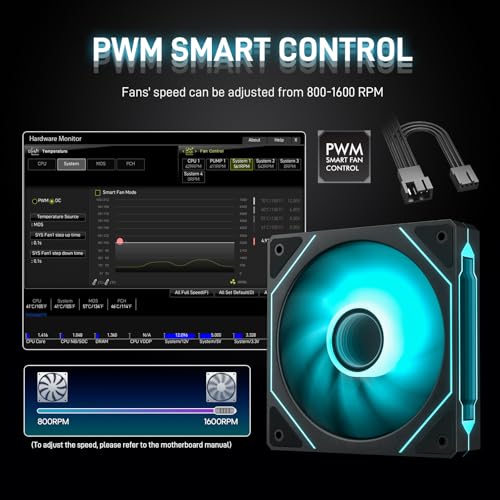
Finally, do not forget the fan itself. ARGB looks great, but a quiet, well-engineered fan that just happens to glow is far better than a cheap blower with bright LEDs. Look for PWM control (so the motherboard can ramp speed by load), good bearings such as Thermalright’s S-FDB or Corsair’s magnetic dome, and a sensible RPM range for the duty you have in mind. The best ARGB pick is the one whose lighting matches your taste and whose airflow matches its mount — not just the brightest blade in the case.
Frequently Asked Questions
What is the difference between ARGB and RGB fans?
ARGB (addressable RGB) fans use a 5V 3-pin header and can light each LED individually, which is how you get rainbow waves, infinity-mirror gradients and chasing patterns. Older RGB fans use a 12V 4-pin header and light all their LEDs in the single colour you select. ARGB is the modern standard for fancy effects, and every fan in this guide is ARGB.
Will ARGB fans work on any motherboard?
Only on motherboards with a 5V 3-pin ARGB header. Most boards from the last several generations include at least one, but some budget boards omit it. Check your motherboard’s manual or product page before buying. If your board has no 5V 3-pin header, you will need a separate ARGB controller or a fan kit that comes with its own hub.
Are infinity-mirror fans actually better than ring ARGB fans?
Not better — different. Infinity-mirror fans like the DARKROCK F120 and Thermalright TL-M12Q-S X3 layer LEDs against a mirrored frame for a deep, showcase look. Ring ARGB fans like the Corsair RS120 ARGB use a cleaner glowing ring that suits more understated builds. Choose based on the look you want; both are addressable and equally controllable in software.
Do I really need daisy-chain ARGB fans?
Daisy-chain wiring is not essential, but it is genuinely useful for triple or quintuple fan setups. Without it, each fan needs its own power, PWM and ARGB cable run, which gets messy fast behind a glass side panel. Daisy-chain fans like the Corsair RS120 ARGB and Thermalright TL-M12Q-S X3 share those lines down one neat run. For one or two fans it matters less; for three or more, it is a real quality-of-life feature.
Related Guides
- Best PC Case Fans
- Best 140mm PC Fans
- Best Quiet PC Case Fans
- Best High Static Pressure Fans
- Best PC Fan 3 Pack Bundles
- Best RGB PC Builds
- Best PC Cases for Showcase Builds
- Best AIO Coolers with ARGB
Affiliate Disclosure: As an Amazon Associate, we earn from qualifying purchases. If you click a link and make a purchase, we may earn a small commission at no extra cost to you. Prices and availability are accurate as of publication and may change.










