

🛒 Best Price Today on Amazon
Prime members get fast, free shipping on everything above, plus member-only deals. New members get a 30-day free trial — cancel anytime.
- Top Thermal Paste Beginners Picks for 2026
- Best Thermal Paste for Beginners at a Glance
- 1. ARCTIC MX-4 Premium Thermal Paste with Spatula, 4g
- 2. ARCTIC MX-4 Premium Performance Thermal Paste, 4g
- 3. Noctua NT-H1 Pro-Grade Thermal Compound, 3.5g
- 4. Corsair TM30 Performance Thermal Paste, Low Thermal Impedance
- 5. Thermal Grizzly Kryonaut Extreme High Performance Paste, 1g
- 6. Arctic Silver 5 AS5 Thermal Paste, 3.5g
- How to Choose Thermal Paste as a Beginner
- Frequently Asked Questions
- Related Guides
- Related Articles
- Related Guides
Top Thermal Paste Beginners Picks for 2026
Here are our current top thermal paste beginners picks, compared on real Amazon owner reviews, price, and features. Live prices update below.
As an Amazon Associate we earn from qualifying purchases at no extra cost to you.


If you are building or upgrading your first PC, thermal paste is one of the few parts that goes on by hand — and the good news is it is far easier and far less scary than the internet sometimes makes it sound. Thermal paste fills the microscopic gaps between your CPU and its cooler so heat transfers efficiently, and for a beginner the qualities that matter most are simple: a paste that is non-conductive (so a stray smear will not short anything out), easy to apply, and ideally supplied with a spatula or applicator. This guide rounds up the best thermal paste for beginners in 2026, prioritising forgiving, easy-to-use compounds over exotic performance.
Our picks were chosen on what genuinely helps a first-timer: how easy the paste is to apply, whether it is electrically non-conductive and therefore beginner-safe, whether it includes an applicator, and value. We have led with the most foolproof option and been completely honest about one popular paste that beginners should approach with extra care. Prices are low across the board — from around $5 up to around $15 — because good thermal paste is inexpensive. Below is an at-a-glance comparison of all six, then a closer look at each and a buyer’s guide built around being non-conductive, easy application, and what to avoid as a newcomer.
Best Thermal Paste for Beginners at a Glance
| Thermal Paste | Best For | Standout Spec | Approx Price |
|---|---|---|---|
| ARCTIC MX-4 (incl. Spatula, 4g) | Easiest first-timer choice | Non-conductive, includes spatula | around $5 |
| ARCTIC MX-4 (4g) | Beginner-safe value | Non-conductive, easy spread | around $5 |
| Noctua NT-H1 (3.5g) | Reliable forgiving paste | Non-conductive, pro-grade | around $9 |
| Corsair TM30 Performance | Budget non-conductive option | Low thermal impedance, non-conductive | around $8 |
| Thermal Grizzly Kryonaut (1g) | High performance, careful use | Top-tier non-conductive compound | around $9 |
| Arctic Silver 5 (3.5g) | Experienced users only | Silver-based, capacitive — caution | around $15 |
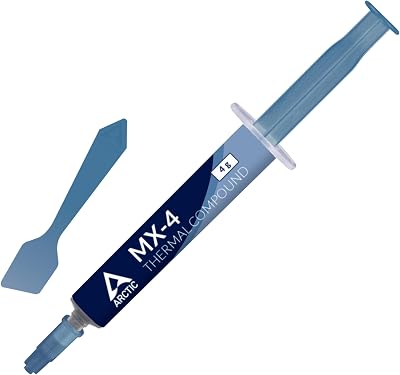
1. ARCTIC MX-4 Premium Thermal Paste with Spatula, 4g


As an Amazon Associate we earn from qualifying purchases. Product prices and availability are accurate as of the date/time indicated.
The ARCTIC MX-4 with included spatula is the single best thermal paste for a beginner, and it leads this list for one simple reason: it removes every obstacle a first-timer faces. It is a non-conductive, carbon-based compound that is genuinely easy to spread, comes in a generous 4g syringe, and includes a plastic spatula so you can apply an even layer if you prefer that method. At around $5 it is brilliant value.
This is the paste to buy for your first build, full stop. Being non-conductive means a stray smear near the socket will not short anything out, which takes the fear out of the job, and the included spatula gives you a foolproof way to spread a thin, even coat. MX-4 is also famous for not requiring a ‘cure’ time and for staying stable for years. For anyone applying thermal paste for the first time, the MX-4 with spatula is the most forgiving, beginner-friendly choice you can make.
Pros: Non-conductive and beginner-safe, very easy to apply, includes a spatula, excellent value.
Cons: Not the absolute coldest paste on the market, but the difference is minor for beginners.
2. ARCTIC MX-4 Premium Performance Thermal Paste, 4g

ARCTIC MX-4 (4 g) - Premium Performance Thermal Paste for All Processors

As an Amazon Associate we earn from qualifying purchases. Product prices and availability are accurate as of the date/time indicated.
The standard ARCTIC MX-4 is the same outstanding beginner paste as the pick above, just without the bundled spatula. It is a non-conductive, carbon-based compound in a 4g syringe, easy to apply and rightly one of the most popular thermal pastes in the world. At around $5 it is the value version for anyone happy to use the classic pea-sized-dot method.
This is the paste to choose if you want MX-4’s proven, beginner-safe formula and do not need a spatula — the standard way to apply paste is simply a small pea-sized dot in the centre of the CPU, letting cooler pressure spread it. Because MX-4 is non-conductive, you have nothing to fear from a little excess, and it needs no cure time. It performs identically to the spatula version, so if you are confident with the dot method or already own an applicator, this is the same great paste for the same low price.

Pros: Identical non-conductive MX-4 formula, easy dot application, trusted worldwide, great value.
Cons: No spatula included; you apply with the standard pea-sized-dot method.
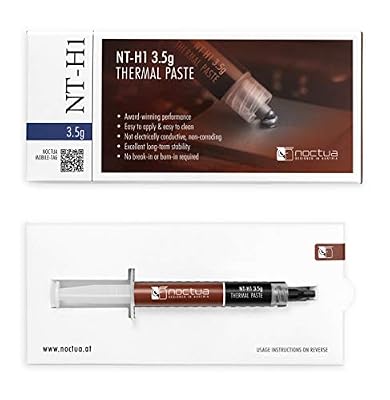
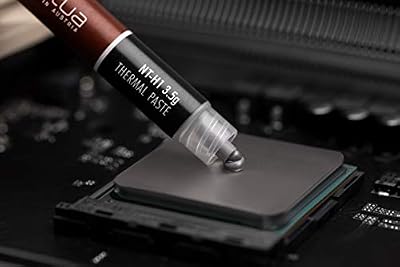
3. Noctua NT-H1 Pro-Grade Thermal Compound, 3.5g

Noctua NT-H1 3.5g, High-Performance Thermal Paste | High-Performance, Easy to Apply and Clean, Good Long-term Stability, for 3-20 Applications


As an Amazon Associate we earn from qualifying purchases. Product prices and availability are accurate as of the date/time indicated.
The Noctua NT-H1 is the reliable, forgiving pick from one of the most trusted names in PC cooling. It is a non-conductive, pro-grade compound that is easy to apply and notably tolerant of imperfect technique, supplied in a 3.5g syringe. At around $9 it is a modestly priced paste with an excellent reputation for consistency and longevity.
This is the paste for the beginner who wants a no-drama, set-and-forget compound from a company famous for cooling. NT-H1 is non-conductive, so it is safe around the socket, and it is well known for being forgiving — it performs well even if your application is not perfectly even, which is reassuring on a first attempt. It also requires no cure time and stays stable for years. For a dependable, easy-to-use paste with a stellar reputation and a sensible price, the NT-H1 is a superb beginner choice and a frequent recommendation.
Pros: Non-conductive and very forgiving, trusted Noctua quality, easy to apply, long-lasting.
Cons: Slightly pricier than MX-4; no spatula in the standard syringe.
4. Corsair TM30 Performance Thermal Paste, Low Thermal Impedance

Corsair TM30 Performance Thermal Paste | Ultra-Low Thermal Impedance CPU/GPU | 3 Grams|w/applicator, Silver for Desktop


As an Amazon Associate we earn from qualifying purchases. Product prices and availability are accurate as of the date/time indicated.
The Corsair TM30 is the budget non-conductive option for first-time builders. It is a performance compound formulated for low thermal impedance — meaning efficient heat transfer — and it is electrically non-conductive, making it beginner-safe. At around $8 it is an affordable, capable paste from a well-known PC brand.
This is the paste to choose if you want a non-conductive compound from a major name at a low price. The low-thermal-impedance formula transfers heat efficiently for everyday CPUs and coolers, and because it is non-conductive you do not have to worry about a stray smear causing harm. Applied with the standard pea-sized dot, it does its job cleanly. While MX-4 and NT-H1 have longer beginner track records, the TM30 is a perfectly sound, safe and affordable choice for a first build from a brand many newcomers already trust.
Pros: Non-conductive and beginner-safe, low thermal impedance, affordable, from a trusted brand.
Cons: Less of a long-standing beginner staple than MX-4 or NT-H1.
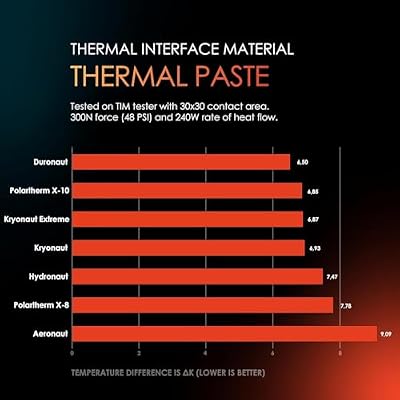
5. Thermal Grizzly Kryonaut Extreme High Performance Paste, 1g

Thermal Grizzly Kryonaut - 1 Gram Thermal Paste Extremely High Performance | Thermal Compound for Demanding Applications and Overclocking - Thermal Paste for CPU/GPU/PS4/PS5/Xbox




As an Amazon Associate we earn from qualifying purchases. Product prices and availability are accurate as of the date/time indicated.
The Thermal Grizzly Kryonaut is the high performance pick, a paste beloved by overclockers and enthusiasts for its excellent heat transfer. Importantly for this list, it is non-conductive, so it is safe to use even though it is aimed at performance users, and it comes in a 1g syringe. At around $9 it brings top-tier cooling to anyone willing to apply it with a little care.
This is the paste for the beginner who also wants enthusiast-grade performance and is happy to be a touch more careful. Kryonaut is non-conductive, so it shares the core safety beginners need, but it has a thicker consistency than MX-4, which makes spreading an even layer slightly more demanding — take your time with a clean dot and let cooler pressure do the work. The 1g size is also smaller, suited to one or two applications. If you want some of the best cooling available and do not mind a marginally fussier application, Kryonaut is an excellent, still beginner-safe choice.
Pros: Top-tier non-conductive performance, trusted by enthusiasts, safe around the socket.
Cons: Thicker consistency is slightly fussier to spread; small 1g syringe.
6. Arctic Silver 5 AS5 Thermal Paste, 3.5g

Arctic Silver 5 AS5-3.5G Thermal Paste,Black, Grey | NBR Material, 12mm Inner Diameter, 2mm Thickness, Spare Gasket


As an Amazon Associate we earn from qualifying purchases. Product prices and availability are accurate as of the date/time indicated.
Rounding out the list is Arctic Silver 5, a famous and long-running silver-based compound — and the one pick here that beginners should approach with real caution. It is a high-quality paste with strong heat transfer thanks to its micronized silver content, supplied in a 3.5g syringe. This listing is priced at around $15.
Here is the honest, important caveat: unlike every other paste on this list, Arctic Silver 5 is slightly electrically capacitive, meaning it can cause problems if it bridges nearby electrical contacts or pins. It is not the foolproof, smear-anywhere choice a first-timer ideally wants. It also traditionally needs a break-in period to reach its best performance. For an experienced builder who applies a careful, contained dot it is a fine, proven compound — but as a beginner you are far better served by the non-conductive MX-4, NT-H1 or Corsair TM30 above. We include it for completeness, with a clear recommendation to choose a non-conductive paste for your first build instead.
Pros: Proven silver-based compound, strong heat transfer, long-running reputation.
Cons: Electrically capacitive — not beginner-safe; needs care and a break-in period.
How to Choose Thermal Paste as a Beginner
The most important rule for a beginner is to choose a non-conductive paste. Electrically non-conductive compounds — which include the ARCTIC MX-4, Noctua NT-H1, Corsair TM30 and Thermal Grizzly Kryonaut on this list — will not cause an electrical short if a little smears onto the socket or surrounding components, which takes nearly all the risk out of the job. By contrast, a capacitive paste like Arctic Silver 5 can cause issues if it bridges contacts, so it is best left to experienced builders. When in doubt, pick non-conductive and apply with confidence.
Ease of application is the next thing to value, because as a first-timer you want a forgiving compound and a simple method. A paste that spreads easily, like MX-4 or NT-H1, is more pleasant to work with than a thick one, and a paste that does not require a ‘cure’ or break-in time gives you full performance straight away. The standard method could not be simpler: clean the old paste off, place a single pea-sized dot in the centre of the CPU, and let the cooler’s pressure spread it evenly when you mount it. There is no need to spread it by hand unless you want to.
An included applicator is a genuine bonus for newcomers. A bundled spatula, like the one supplied with the ARCTIC MX-4 spatula version, gives you a clean, controlled way to spread a thin, even layer if you prefer that to the dot method, and it saves hunting for something to use. It is not essential — the dot method needs no tools at all — but if you would feel more comfortable applying paste by hand on your first build, choosing a kit that includes a spatula makes the whole process more reassuring.
Finally, do not overthink performance or overpay. Thermal paste is cheap, and for a beginner the difference between a good non-conductive paste and an exotic enthusiast compound is small in real-world temperatures — far smaller than the difference a good cooler makes. A little goes a long way, so one syringe lasts several builds, and applying too much is more common than too little. Pick a beginner-safe, non-conductive paste like the MX-4, prioritise easy application and a sensible price, and remember that a clean, modest dot beats a thick, messy one every time. With the right paste, this is one of the easiest parts of a build.
Frequently Asked Questions
What does ‘non-conductive’ thermal paste mean and why does it matter for beginners?
Non-conductive (electrically non-conductive) paste will not carry electricity, so if a little accidentally smears onto the CPU socket or nearby components, it will not cause a short circuit. That makes it far safer and less stressful for a first-time builder. Most modern pastes, including the ARCTIC MX-4, Noctua NT-H1, Corsair TM30 and Thermal Grizzly Kryonaut here, are non-conductive — which is exactly why they are the beginner-friendly picks.
How much thermal paste should I apply?
Less than you might think. The standard, beginner-friendly method is a single pea-sized dot in the centre of the CPU; when you mount the cooler, its pressure spreads the paste into a thin, even layer. Applying too much is a more common mistake than too little, and excess just squeezes out the sides. A single 4g syringe like the MX-4 will last several builds, so there is no need to be generous.
Do I need to spread the paste myself or use the included spatula?
You do not have to. The simplest method is to place a pea-sized dot and let the cooler’s mounting pressure spread it — no tools required. A spatula, like the one bundled with the ARCTIC MX-4 spatula version, is handy if you would rather spread a thin, even layer by hand, which some beginners find reassuring. Either approach works well; choose whichever makes you more comfortable on your first build.
Why is Arctic Silver 5 not recommended for beginners?
Because, unlike the other pastes here, Arctic Silver 5 is slightly electrically capacitive — it can cause problems if it bridges nearby electrical contacts or pins, so a careless smear is riskier. It is a proven, high-quality compound in experienced hands, but a first-time builder is much better served by a non-conductive paste like the MX-4, NT-H1 or Corsair TM30, which are safe even if you are a little messy.
Related Guides
- Best CPU Air Coolers
- Best AIO Liquid Coolers
- Best CPU Coolers for Video Editing
- Best Beginner PC Build Guide
- Best PC Building Tools
- Best PC Cases for Airflow
Affiliate Disclosure: As an Amazon Associate, we earn from qualifying purchases. If you click a link and make a purchase, we may earn a small commission at no extra cost to you. Prices and availability are accurate as of publication and may change.
Ready to decide? Our #1 pick for 2026 is the ARCTIC MX-4 (incl. Spatula, 4g).
Live price & availability on Amazon.


