

- Top Pick: Cooler Master Hyper 212 Black CPU Air Cooler, 4 Heat Pipes, PWM Fan
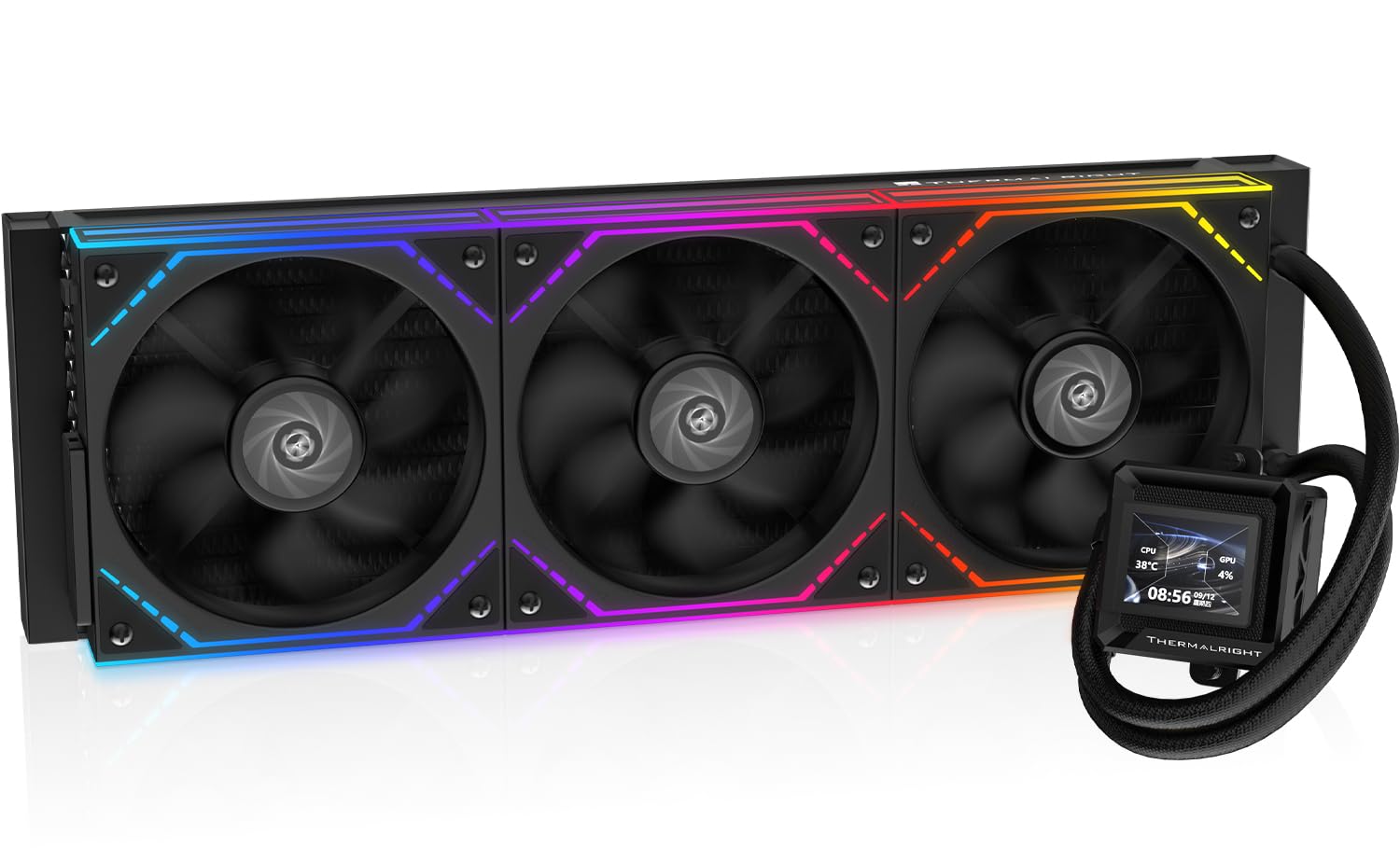
- Best Value: TR Thermalright Peerless Assassin 120 Vision MAX ARGB Black CPU Air Cooler,PC Heatsink Cooler with Dual PWM Fans,PC Display Screen Cooler of 5’’-Magnetic,480×854 Resolving,for LGA1851/1700,AM5
- Premium Choice: Cooler Master V4 Alpha 3DHP CPU Air Cooler, Single-Tower, Dual PWM Fans
🛒 Best Price Today on Amazon
Prime members get fast, free shipping on everything above, plus member-only deals. New members get a 30-day free trial — cancel anytime.
- Top Cpu Coolers Video Editing Picks for 2026
- Best CPU Coolers for Video Editing at a Glance
- 1. ARCTIC Liquid Freezer III Pro 360 A-RGB AIO CPU Cooler
- 2. Noctua NH-U12A Premium Quiet CPU Cooler
- 3. Cooler Master MasterLiquid ML240L RGB V2 AIO Liquid Cooler
- 4. Thermalright Peerless Assassin 120 SE Dual-Tower Air Cooler
- 5. Cooler Master Hyper 212 Black 120mm PWM Air Cooler
- 6. Thermaltake Gravity i2 95W Intel 92mm CPU Cooler
- How to Choose a CPU Cooler for Video Editing
- Frequently Asked Questions
- Related Guides
- Related Articles
- Related Guides
Top Cpu Coolers Video Editing Picks for 2026
Here are our current top cpu coolers video editing picks, compared on real Amazon owner reviews, price, and features. Live prices update below.
As an Amazon Associate we earn from qualifying purchases at no extra cost to you.


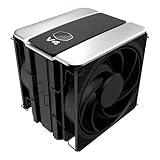


Video editing punishes a CPU differently than gaming does. A game loads the processor in bursts, but a render, an export or a long timeline scrub pins every core at full tilt for minutes or hours at a time. That sustained, all-core load is exactly what causes a weak cooler to let temperatures climb and clock speeds throttle, which slows your exports and fills the room with fan noise. The right cooler keeps the chip cool and quiet under continuous load so it can hold its boost clocks for the whole job. This guide rounds up the best CPU coolers for video editing in 2026, prioritising quiet, sustained performance for render and export workloads.
Our picks were chosen on what genuinely matters for an editing rig: cooling capacity under prolonged all-core load, acoustics (because a quiet room makes long edits bearable and lets you monitor audio), build quality, and socket compatibility. We have included a deliberate spread — from a roughly $17 budget air cooler to a roughly $115 premium tower and capable 240mm and 360mm AIO liquid coolers — with prices from around $17 up to around $115, and we are honest about which picks are built for marathon rendering and which are better suited to lighter machines. Below is an at-a-glance comparison of all six, then a closer look at each and a buyer’s guide built around sustained cooling, noise and fit.
Best CPU Coolers for Video Editing at a Glance
| Cooler | Best For | Standout Spec | Approx Price |
|---|---|---|---|
| ARCTIC Liquid Freezer III Pro 360 A-RGB | Marathon all-core renders | 360mm AIO, high capacity, A-RGB | around $93 |
| Noctua NH-U12A | Quiet high-end air cooling | NF-A12x25 fan, premium tower | around $115 |
| Cooler Master MasterLiquid ML240L RGB V2 | Compact 240mm liquid | 240mm AIO, Gen3 dual chamber | around $90 |
| Thermalright Peerless Assassin 120 SE | Value dual-tower air | 6 heat pipes, twin 120mm fans | around $35 |
| Cooler Master Hyper 212 Black | Mainstream air upgrade | 120mm PWM, single tower | around $26 |
| Thermaltake Gravity i2 95W | Light editing builds | 92mm, 95W class, Intel | around $17 |
1. ARCTIC Liquid Freezer III Pro 360 A-RGB AIO CPU Cooler




As an Amazon Associate we earn from qualifying purchases. Product prices and availability are accurate as of the date/time indicated.
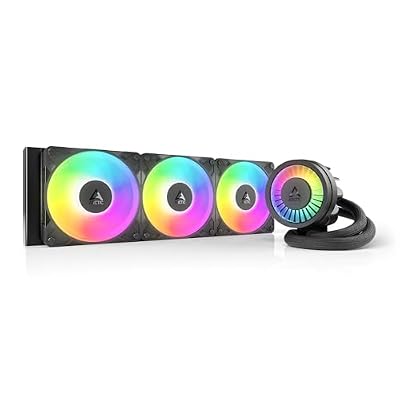
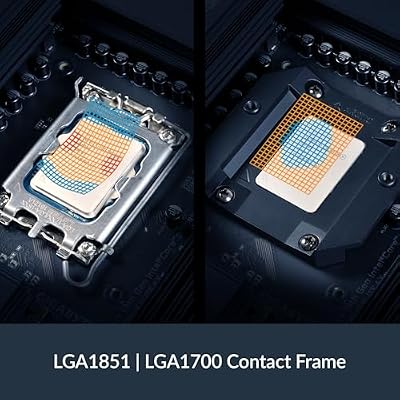
The ARCTIC Liquid Freezer III Pro 360 is the pick for serious, marathon rendering, and it leads this list because nothing else here matches its raw sustained capacity. It is a 360mm all-in-one liquid cooler with three 120mm fans, a thick radiator and ARCTIC’s well-regarded pump, finished with A-RGB lighting. At around $93 it delivers flagship-class cooling for a price that shames much of the competition.
For an editing workstation this is exactly the right tool. When you kick off a long export or a multi-hour render, all-core load generates a lot of heat for a long time, and a 360mm radiator has the surface area to dissipate it while letting the fans spin slower and quieter than a smaller cooler would. That keeps the CPU holding its boost clocks for the whole job and keeps your room calm enough to monitor audio. If your timelines are long and your renders are frequent, this is the cooler to build around.
Pros: Huge sustained cooling headroom, quiet under continuous load, excellent value for a 360mm AIO.
Cons: Needs a case with 360mm radiator support; AIOs carry a small long-term pump-failure risk.
2. Noctua NH-U12A Premium Quiet CPU Cooler

Noctua NH-U12A, Quiet High-Performance Single Tower CPU Cooler | 158mm Height, High-End Low-Noise Cooling, For Intel & AMD, Dual 120mm Fans, 100% RAM Compatibility, Rich Accessory Kit


As an Amazon Associate we earn from qualifying purchases. Product prices and availability are accurate as of the date/time indicated.
The Noctua NH-U12A is the quiet high-end air pick, and for editors wary of liquid cooling it is the standout. It is a compact 120mm-class tower built to Noctua’s exacting standards, equipped with the acclaimed NF-A12x25 fan that is widely regarded as one of the best-balanced fans for airflow and silence ever made. At around $115 it is the premium option here, and the engineering justifies it.
For video work the appeal is reliability and near-silence under sustained load. An air cooler has nothing to pump, leak or wear out, so it will keep your editing rig cool for years with zero maintenance, and the NF-A12x25 lets it hold long all-core renders quietly. Its 120mm-width tower also clears tall memory and fits more cases than a chunky 140mm cooler. If you want set-and-forget, whisper-quiet cooling for a workstation you trust completely, the NH-U12A is the connoisseur’s choice.

Pros: Outstanding NF-A12x25 fan, very quiet sustained cooling, zero-maintenance, superb build quality.
Cons: Premium price for an air cooler; a top 360mm AIO edges it on peak capacity.
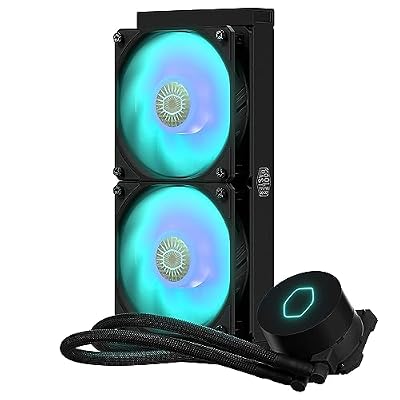
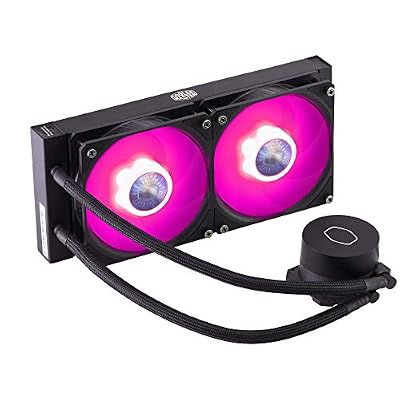
3. Cooler Master MasterLiquid ML240L RGB V2 AIO Liquid Cooler

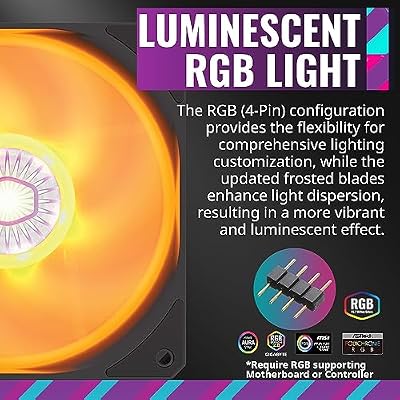
CoolerMaster MasterLiquid ML240L RGB V2, Close-Loop AIO CPU Liquid Cooler, Gen3 Dual Chamber Pump, 240mm Radiator, SickleFlow 120 PWM ARGB, AMD Ryzen AM5/AM4, Intel LGA1700/1200 (MLW-D24M-A18PC-R2)




As an Amazon Associate we earn from qualifying purchases. Product prices and availability are accurate as of the date/time indicated.
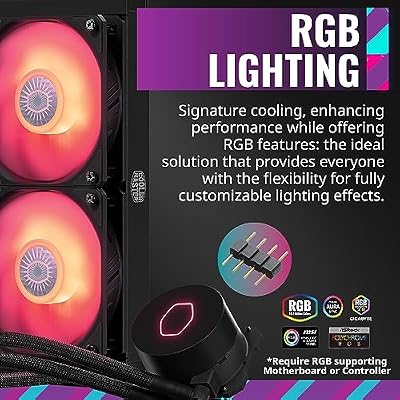
The Cooler Master MasterLiquid ML240L RGB V2 is the compact liquid pick for editors who want AIO cooling without a giant radiator. It is a 240mm all-in-one with Cooler Master’s third-generation dual-chamber pump, two RGB fans and a tidy, easy-to-route loop. At around $90 it brings capable liquid cooling to mainstream and mid-tower editing builds.
For sustained editing work a 240mm radiator handles mainstream and many high-core processors comfortably, soaking up the heat of long exports while keeping noise reasonable. The Gen3 pump improves coolant flow over earlier versions for steadier temperatures, and the smaller radiator fits cases that cannot take a 360mm unit. If your workstation uses a mid-range or mid-tower platform and you prefer the look and clearance of liquid cooling, the ML240L V2 is a sensible, well-priced choice for editing duty.
Pros: Capable 240mm sustained cooling, improved Gen3 pump, fits mid-towers, attractive RGB.
Cons: 240mm has less headroom than a 360mm for the hottest chips; AIO maintenance applies.
4. Thermalright Peerless Assassin 120 SE Dual-Tower Air Cooler

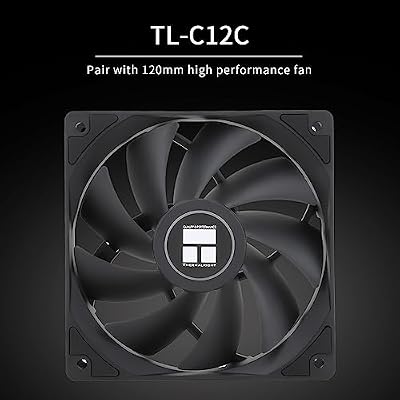
Thermalright Peerless Assassin 120 SE CPU Cooler, 6 Heat Pipes AGHP Technology, Dual 120mm PWM Fans, 1550RPM Speed, for AMD:AM4 AM5/Intel LGA 1700/1150/1151/1200/1851,PC Cooler



As an Amazon Associate we earn from qualifying purchases. Product prices and availability are accurate as of the date/time indicated.
The Thermalright Peerless Assassin 120 SE is the value air-cooling pick, and for the money it is remarkable. It is a dual-tower cooler with six heat pipes and twin 120mm PWM fans, a configuration usually reserved for far pricier models, finished in a clean look. At around $35 it offers a level of cooling that genuinely surprises people new to it.
For an editing build on a budget this is the smart way to get strong sustained cooling without paying flagship money. The dual-tower, six-pipe design pulls heat away effectively during long all-core renders, and the two fans share the load so each can spin slower and quieter. It is honestly the value standout for a workstation: it will not quite match a top 360mm AIO or the Noctua on absolute peak capacity, but it gets close enough that most editors will be delighted, and it does so for a fraction of the price.
Pros: Excellent dual-tower cooling for the price, six heat pipes, twin quiet fans, superb value.
Cons: Large dual-tower footprint can crowd RAM and smaller cases; check clearance first.
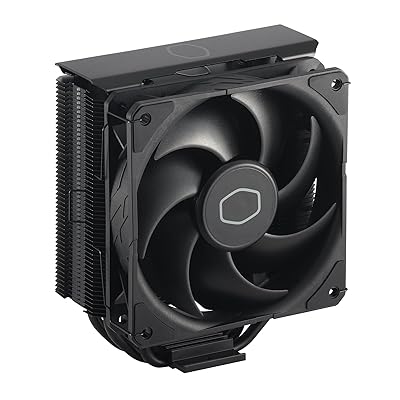
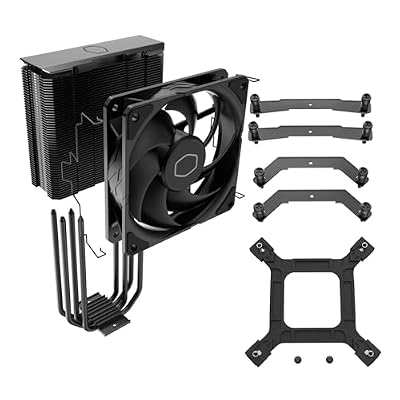
5. Cooler Master Hyper 212 Black 120mm PWM Air Cooler

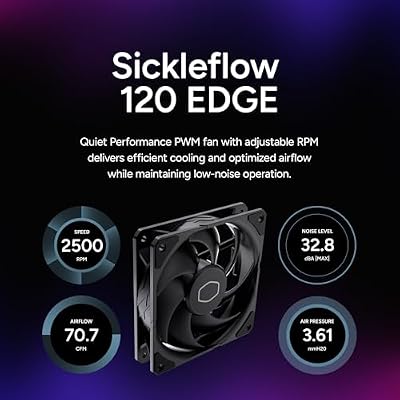
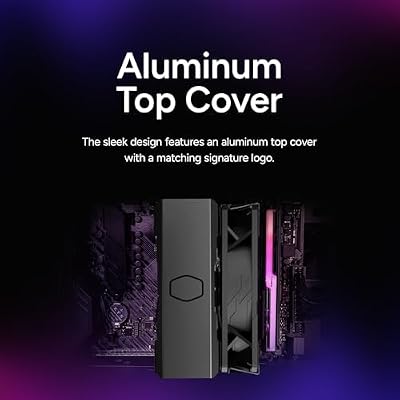
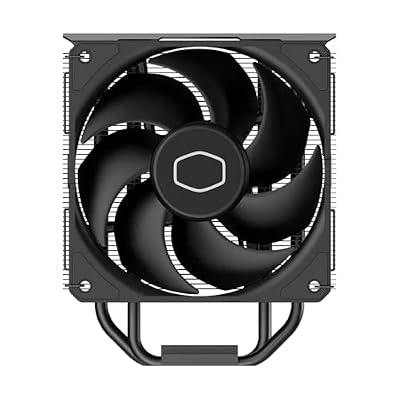
Cooler Master Hyper 212 Black CPU Air Cooler, 4 Heat Pipes, PWM Fan | AMD AM5/AM4 & Intel LGA1851/1700 Support Cooler, Quiet Cooling,120mm PWM Fan, 152mm, Easy Installation








As an Amazon Associate we earn from qualifying purchases. Product prices and availability are accurate as of the date/time indicated.
The Cooler Master Hyper 212 Black is the mainstream air-upgrade pick, a modern, blacked-out take on one of the most popular coolers ever sold. It is a single-tower design with four direct-contact heat pipes and a 120mm PWM fan, and at around $26 it is a dependable, affordable step up from a stock cooler.
For lighter or mid-range editing machines the Hyper 212 Black is a solid, honest upgrade. It cools mainstream processors well enough to keep clocks stable through everyday editing and shorter exports, runs reasonably quietly, and fits a very wide range of cases thanks to its slim single-tower profile. It is worth being clear: for the heaviest, longest all-core renders on a high-core chip, a dual-tower cooler or an AIO will hold up better. But as a low-cost, broadly compatible cooler for a mainstream editing rig, the 212 remains a classic recommendation.
Pros: Affordable, broadly compatible, single 120mm PWM fan, reliable mainstream upgrade.
Cons: Single-tower capacity is modest; not ideal for the hottest high-core render rigs.
6. Thermaltake Gravity i2 95W Intel 92mm CPU Cooler
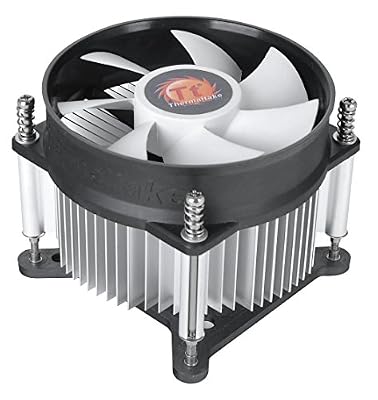
Thermaltake Gravity i2 95W Intel LGA 1200/1156/1155/1150/1151 92mm CPU Cooler CLP0556-D, Compatible with Desktop


As an Amazon Associate we earn from qualifying purchases. Product prices and availability are accurate as of the date/time indicated.
Rounding out the list is the Thermaltake Gravity i2, the entry-level pick for light editing builds. It is a compact 92mm tower cooler rated for a 95W class of Intel processors across LGA 1200/115x sockets, and at around $17 it is by far the cheapest cooler here. It is a modest unit, and it is important to be honest about that.
This is the cooler to choose for a light-duty or budget editing machine — a lower-power Intel CPU handling 1080p projects, cuts-only edits or occasional short exports rather than constant heavy rendering. The 92mm fan and compact tower keep temperatures in check for that kind of intermittent load and fit small cases easily, and the price is hard to argue with. For sustained, all-core rendering on a powerful processor it will run out of headroom — that is what the AIOs and dual-tower air coolers above are for — but as an inexpensive cooler for a modest Intel editing build, it does its job.
Pros: Very low price, compact 92mm tower, broad Intel LGA 115x/1200 fit, fine for light loads.
Cons: Limited 95W-class capacity; Intel-only and not suited to heavy sustained rendering.
How to Choose a CPU Cooler for Video Editing
Choosing a cooler for editing starts with sustained capacity rather than peak numbers. A render or export holds every core at full load for a long time, so what matters is how much heat the cooler can shed continuously without letting temperatures creep up and force the CPU to throttle. That is why a large 360mm AIO like the ARCTIC Liquid Freezer III Pro, a premium air tower like the Noctua NH-U12A, or a dual-tower cooler like the Peerless Assassin sit at the top: they have the surface area and airflow to handle marathon all-core loads. Smaller single-tower and 92mm coolers are fine for lighter, intermittent work but run out of headroom on long, heavy jobs.
Noise is the second priority, and it matters more for editing than for almost any other use. You often work for hours, frequently need to monitor audio, and a screaming cooler ruins both. A cooler with extra capacity runs its fans slower to shed the same heat, so it stays quieter under load — another reason larger radiators and well-engineered fans like Noctua’s NF-A12x25 pay off. If silence is your top concern, favour a high-quality air cooler or an oversized AIO and let it loaf rather than a small cooler working flat out.
Air versus liquid is the next decision, and both are valid. Air coolers like the Noctua, Peerless Assassin and Hyper 212 have nothing to pump or leak, require no maintenance, and last for years — ideal for a workstation you want to set and forget. AIO liquid coolers like the ARCTIC and Cooler Master units offer higher peak capacity and a cleaner look around the socket, at the cost of a pump that can eventually wear out. Pick air for ultimate reliability or liquid for maximum capacity and clearance for tall memory.
Finally, confirm fit and match the cooler to your CPU’s real demands. Check your socket is supported, that a tall air tower clears your RAM and case panel, and that your case can mount a 240mm or 360mm radiator before you buy. Then be honest about your workload: a high-core chip running constant heavy renders deserves a 360mm AIO or top-tier air cooler, while a modest Intel chip doing light edits is well served by something smaller and cheaper. Match sustained capacity and noise to how hard and how long you actually push the processor, and pick the cooler on this list that fits your build.
Frequently Asked Questions
Do I need liquid cooling for video editing, or is air enough?
Air cooling is more than enough for most editing rigs, and a top air cooler like the Noctua NH-U12A or the dual-tower Peerless Assassin handles long all-core renders quietly with zero maintenance. Liquid AIOs like the ARCTIC Liquid Freezer III Pro 360 pull ahead on peak capacity and clearance, which helps the hottest high-core processors, but air is the more reliable, set-and-forget choice. Pick based on your CPU’s heat output and whether you prefer maximum capacity or zero maintenance.
Why does my CPU get so hot during exports but not while gaming?
Because rendering and exporting load every core at full tilt continuously, while games typically load the CPU in shorter bursts. That sustained all-core load generates far more total heat over time, which is what makes a cooler with strong continuous capacity — a large AIO or a high-capacity air tower — so important for editing. A cooler that copes fine with gaming can still let temperatures climb during a long export.
How quiet a cooler do I really need for an editing workstation?
Quiet matters a lot for editing because you work for long stretches and often monitor audio, and a loud cooler is distracting and intrusive. The trick is headroom: a cooler with more capacity than you strictly need, like a 360mm AIO or a premium air tower, runs its fans slower to shed the same heat and therefore stays quieter under load. Prioritise a well-reviewed fan, such as Noctua’s NF-A12x25, and a cooler sized above your minimum.
Will a cheap cooler bottleneck my render times?
It can. If a cooler cannot shed heat fast enough during a long render, the CPU throttles its clock speed to stay safe, which lengthens export times. A modest 92mm or single-tower cooler like the Gravity i2 or Hyper 212 is fine for light or intermittent editing, but for constant heavy rendering on a powerful processor a larger air or liquid cooler keeps clocks stable and your exports as fast as the chip allows.
Related Guides
- Best CPU Air Coolers
- Best AIO Liquid Coolers
- Best CPUs for Video Editing
- Best PC Case Fans for Airflow
- Best Thermal Paste for Beginners
- Best PC Cases for Airflow
Affiliate Disclosure: As an Amazon Associate, we earn from qualifying purchases. If you click a link and make a purchase, we may earn a small commission at no extra cost to you. Prices and availability are accurate as of publication and may change.
Ready to decide? Our #1 pick for 2026 is the ARCTIC Liquid Freezer III Pro 360 A-RGB.
Live price & availability on Amazon.


