

- Top Pick: Asus ROG Strix B550-F Gaming WiFi II AMD AM4 (3rd Gen Ryzen) ATX DDR4 Gaming Motherboard (PCIe 4.0,WiFi 6E, 2.5Gb LAN, BIOS Flashback, HDMI 2.1, Addressable Gen 2 RGB Header and Aura Sync)
- Best Value: GIGABYTE B550 Eagle WIFI6 AMD AM4 ATX Motherboard, Supports Ryzen 5000/4000/3000 Processors, DDR4, 10+3 Power Phase, 2X M.2, PCIe 4.0, USB-C, WIFI6, GbE LAN, PCIe EZ-Latch, EZ-Latch, RGB Fusion
- Premium Choice: MSI PRO B550M-P Motherboard, mATX – Supports AMD Ryzen 5000/5000 G-Series, 4000 G-Series, 3000/3000 G-Series Desktop Processors, AM4 – DDR4 Memory Boost (up to 4400+ MT/s OC), PCIe 4.0 x16, M.2 Gen4
🛒 Best Price Today on Amazon
Prime members get fast, free shipping on everything above, plus member-only deals. New members get a 30-day free trial — cancel anytime.
- Top Quiet Motherboards Picks for 2026
- Best Quiet Motherboards at a Glance
- 1. MSI MAG B550 Tomahawk Gaming Motherboard (AMD Ryzen 5000, AM4, DDR4)
- 2. GIGABYTE B650 AORUS Elite AX AMD AM5 ATX Motherboard (Ryzen 9000/8000/7000)
- 3. GIGABYTE Z790 AORUS Elite AX LGA 1700 ATX Motherboard (Intel 14th/13th Gen)
- 4. GIGABYTE B550 AORUS Elite AX V2 AMD AM4 ATX Motherboard (Ryzen 5000/4000)
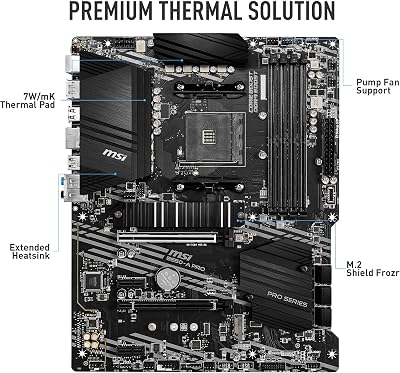
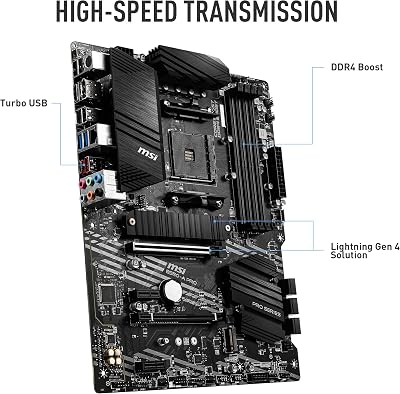
- 5. MSI B550-A PRO ProSeries Motherboard (AMD Ryzen 5000, AM4, DDR4, PCIe 4.0)
- 6. MSI PRO B550M-VC WiFi ProSeries Motherboard (AMD Ryzen 5000, AM4, DDR4, mATX)
- How to Choose a Quiet Motherboard
- Related Guides
- Frequently Asked Questions
- Related Guides
- Related Articles
Top Quiet Motherboards Picks for 2026
Here are our current top quiet motherboards picks, compared on real Amazon owner reviews, price, and features. Live prices update below.
As an Amazon Associate we earn from qualifying purchases at no extra cost to you.


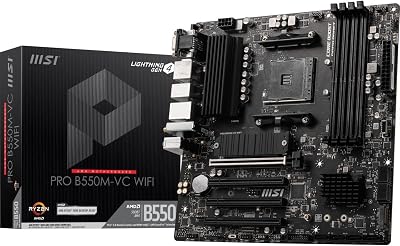


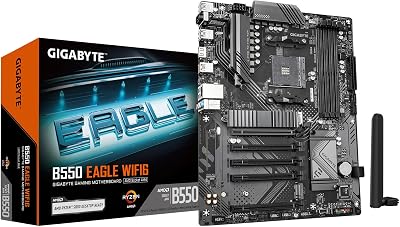

Let us be honest up front: a motherboard does not make any noise of its own. There is no fan on a quality board, no moving parts to whir or click, so when people search for the best quiet motherboards in 2026 what they really want is a board that helps the rest of the system run silently. That comes down to two things — robust passive VRM heatsinks that keep the power delivery cool enough to never need active cooling, and a flexible, well-implemented fan-control header layout that lets you tune your case and CPU fans to spin slowly and quietly. This guide rounds up boards that do both jobs well.
Our picks were chosen on that low-noise-build basis: the size and quality of the passive heatsinks over the VRM and chipset, the number and granularity of the fan and pump headers, BIOS fan-curve flexibility, and overall value. We have spread the list across AM4, AM5 and Intel LGA 1700, with prices from around $79 to around $189, because the quietest build is the one whose board matches your CPU and your budget. We will not pretend any of these boards are ‘silent’ — they are passively cooled by design — but they are the foundations that make a genuinely quiet PC easy to assemble. Below is an at-a-glance comparison, then a closer look at each and a buyer’s guide to fan control and passive cooling.
Best Quiet Motherboards at a Glance
| Motherboard | Best For | Standout Spec (low-noise) | Approx Price |
|---|---|---|---|
| MSI MAG B550 Tomahawk | AM4 quiet-build mainstay | Heavy VRM heatsinks, 6 fan/pump headers | around $159 |
| GIGABYTE B650 AORUS Elite AX | AM5 fan-control flexibility | Large passive heatsinks, multi-zone hybrid fan headers | around $137 |
| GIGABYTE Z790 AORUS Elite AX | Intel high-power, cool VRM | Big passive VRM armor, many smart fan headers | around $189 |
| GIGABYTE B550 AORUS Elite AX V2 | AM4 cool-running mid-range | Direct-touch VRM heatsinks, hybrid fan headers | around $139 |
| MSI B550-A PRO | Plain, no-frills quiet base | Extended VRM heatsink, basic fan headers | around $114 |
| MSI PRO B550M-VC WiFi | Compact mATX silent SFF | Passive heatsinks, mATX fan headers | around $79 |
1. MSI MAG B550 Tomahawk Gaming Motherboard (AMD Ryzen 5000, AM4, DDR4)
27
Prime
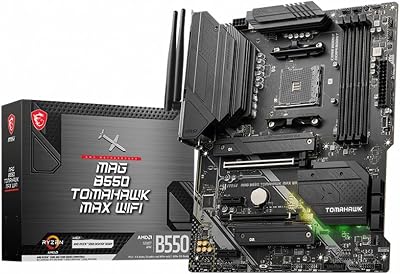
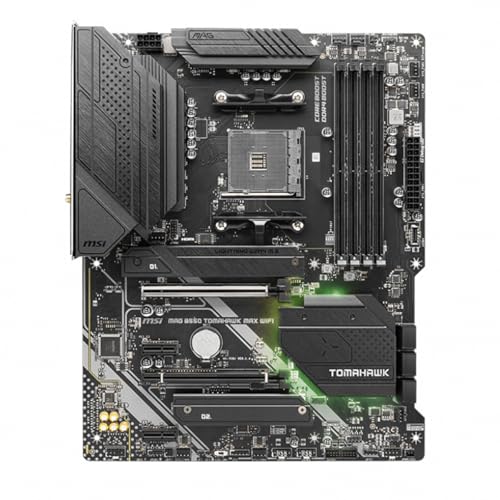
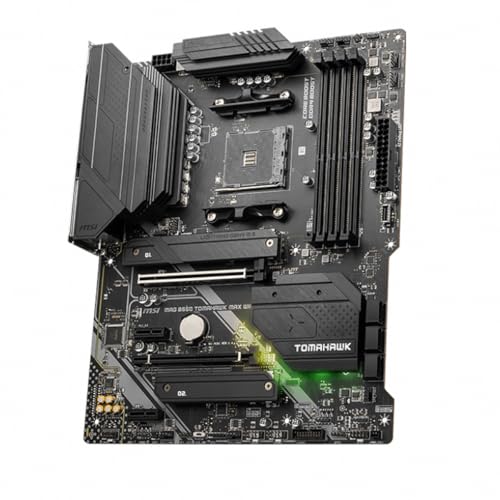
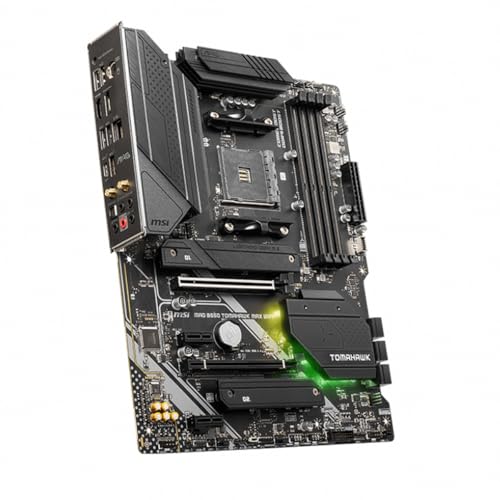
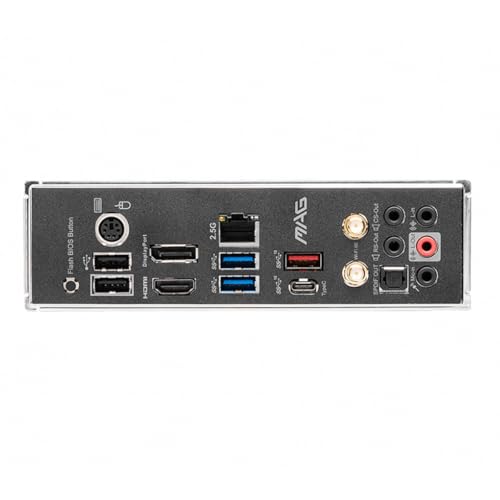
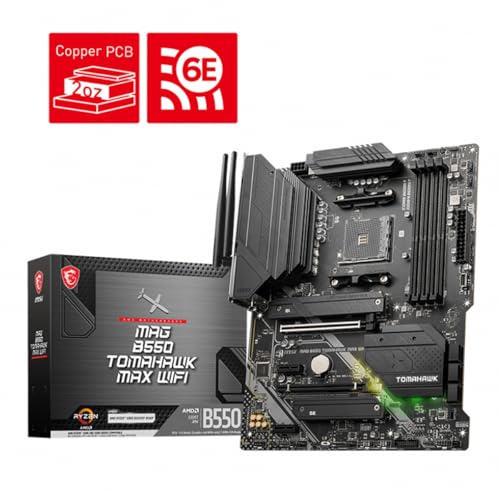
MSI MAG B550 Tomahawk MAX WiFi Gaming Motherboard (AMD Ryzen 5000 Series, AM4, DDR4, PCIe 4.0, SATA 6Gb/s, M.2, USB 3.2 Gen 2, HDMI/DP, Wi-Fi 6E, Bluetooth 5.2, 2.5Gbps LAN, ATX)
In Stock


As an Amazon Associate we earn from qualifying purchases. Product prices and availability are accurate as of the date/time indicated.
The MSI MAG B550 Tomahawk earns the top spot for a quiet AM4 build because it pairs genuinely heavy passive VRM heatsinks with one of the more generous fan-header layouts in its class. Nothing on the board spins; the chunky aluminium armor over the power delivery is sized to keep a Ryzen 5000 CPU’s VRM cool under sustained load with no airflow drama, which is exactly what you want when you are deliberately running everything else slowly and quietly. At around $159 it is the priciest AM4 option here and the most reassuring.
For a low-noise build the Tomahawk’s value is its control. Multiple system-fan and pump headers with full BIOS fan-curve tuning let you set every case fan and your CPU cooler to ramp gently, holding low RPM until temperatures genuinely demand more. Because the VRM stays cool passively, you are never forced to add a noisy VRM fan or crank case airflow to compensate. If you are building a quiet AM4 system around a Ryzen 5 or Ryzen 7, this board gives you the thermal headroom and the fan flexibility to keep it whisper-quiet.
Pros: Heavy passive VRM heatsinks, generous fan/pump headers, excellent BIOS fan tuning, rock-solid AM4 base.
Cons: Most expensive AM4 board here; DDR4-only as an AM4 platform.
2. GIGABYTE B650 AORUS Elite AX AMD AM5 ATX Motherboard (Ryzen 9000/8000/7000)

15
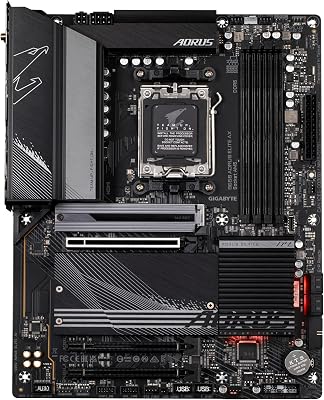
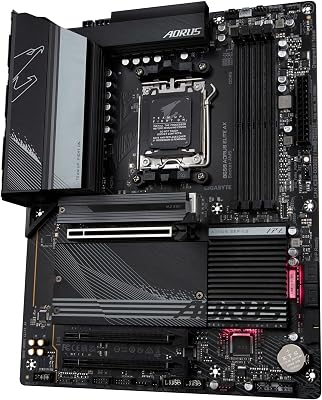
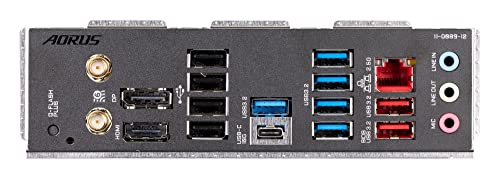
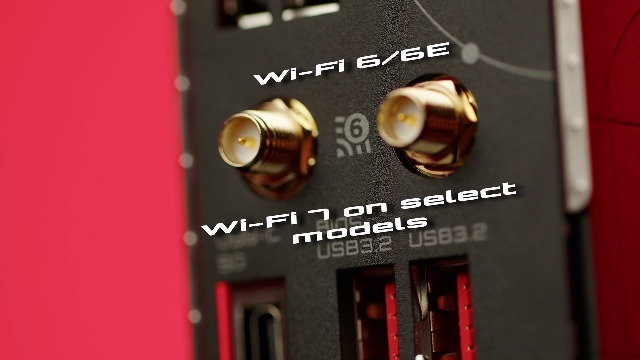
GIGABYTE B650 AORUS Elite AX AMD AM5 ATX Motherboard, Support Ryzen 9000/8000/7000 Series, DDR5, 14+2+1 Power Phase, PCIe 5.0 M.2, USB-C 3.2 Gen 2, WIFI6E, 2.5GbE, EZ-Latch, Q-Flash, RGB Fusion
In Stock



As an Amazon Associate we earn from qualifying purchases. Product prices and availability are accurate as of the date/time indicated.
The GIGABYTE B650 AORUS Elite AX is the pick for a quiet next-gen AM5 build. It carries large low-profile passive heatsinks across the VRM and chipset — no active chipset fan to add a high-pitched whine, which matters because some early X670 boards used one — and backs them with GIGABYTE’s flexible hybrid fan headers that each accept PWM or voltage-controlled fans. At around $137 it is a well-priced gateway to the AM5 platform for a low-noise system.
What makes this board suit a silent build is the combination of headroom and control on a modern socket. The passive VRM cooling comfortably feeds Ryzen 7000, 8000 and 9000 chips without needing forced airflow, while the per-header hybrid fan logic and Smart Fan tuning let you build gentle, temperature-aware curves for slow, quiet operation. DDR5 support and built-in Wi-Fi round out a future-proof base. If your quiet build is on the current AM5 platform, this is the flexible, cool-running starting point to choose.
Pros: Large passive VRM/chipset heatsinks (no chipset fan), per-header hybrid fan control, modern AM5/DDR5 base.
Cons: Mid-range B650 power delivery, not aimed at flagship overclocking.
3. GIGABYTE Z790 AORUS Elite AX LGA 1700 ATX Motherboard (Intel 14th/13th Gen)

14
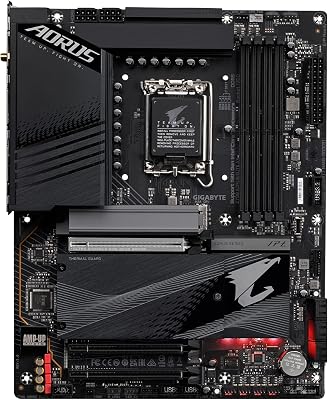
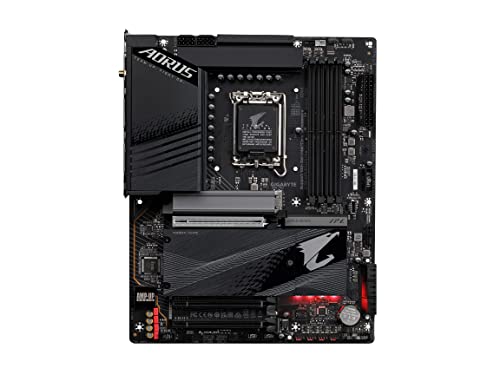
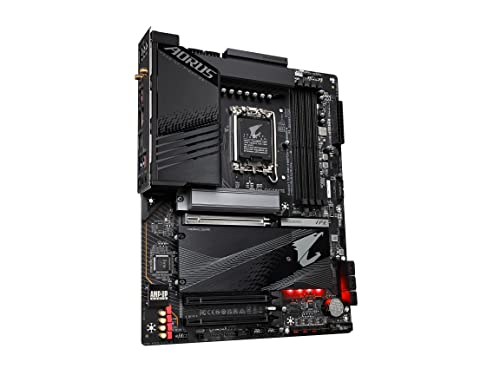
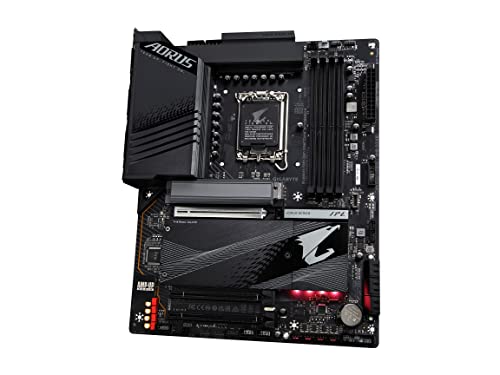
GIGABYTE Z790 AORUS Elite AX LGA 1700 ATX Motherboard, Support Intel Core 14th/13th/12th Gen, DDR5, 16+1+2 Power Phase, 4X M.2, PCIe 5.0, USB-C 3.2, WIFI6E, 2.5GbE, Q-Flash, EZ-Latch, RGB Fusion
In Stock
View on Amazon.com


As an Amazon Associate we earn from qualifying purchases. Product prices and availability are accurate as of the date/time indicated.
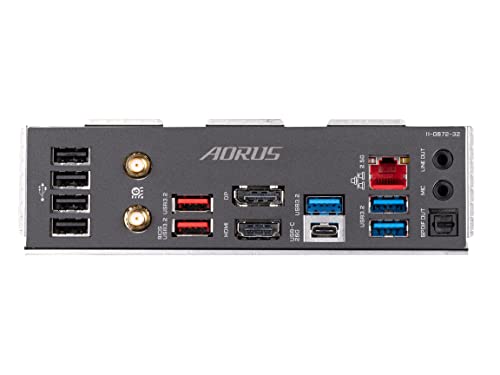
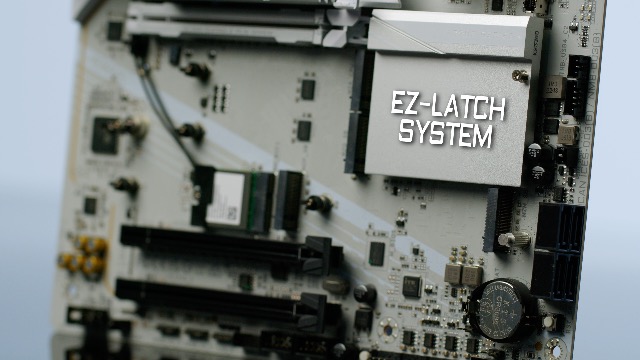
The GIGABYTE Z790 AORUS Elite AX is the choice for a quiet high-power Intel build. Intel’s 13th and 14th Gen chips draw a lot of power, so keeping the VRM cool without a fan is the whole challenge — and this board answers it with large, heavy passive VRM armor and thermal pads engineered to dissipate that heat silently. At around $189 it is the most expensive board on the list, and the robust cooling is a big part of why.
For a low-noise Intel system the Z790 Elite AX delivers both the thermal capacity and the fan flexibility you need. The substantial passive heatsinks let a hungry Core i7 or i9 run at sustained load without the VRM ever getting hot enough to warrant active cooling, and the generous bank of smart fan and pump headers gives you precise, temperature-aware control over every fan in the case. Combined with DDR5 support and Wi-Fi, it is the board to pick when you want a powerful Intel rig that still stays quiet under pressure.
Pros: Big passive VRM armor for hot Intel chips, many smart fan/pump headers, DDR5 and Wi-Fi, strong power delivery.
Cons: Highest price here; pairs with power-hungry CPUs that demand good case airflow.
4. GIGABYTE B550 AORUS Elite AX V2 AMD AM4 ATX Motherboard (Ryzen 5000/4000)

5
GIGABYTE B550 AORUS Elite AX V2 AMD AM4 ATX Motherboard, Supports Ryzen 5000/4000/3000 Processors, DDR4, 12+2 Power Phase, 2X M.2, PCIe 4.0, Front USB-C, WIFI6, 2.5 GbE LAN, Q-Flash Plus, RGB Fusion
In Stock


As an Amazon Associate we earn from qualifying purchases. Product prices and availability are accurate as of the date/time indicated.
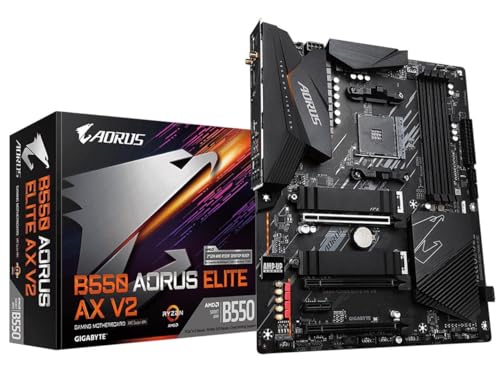
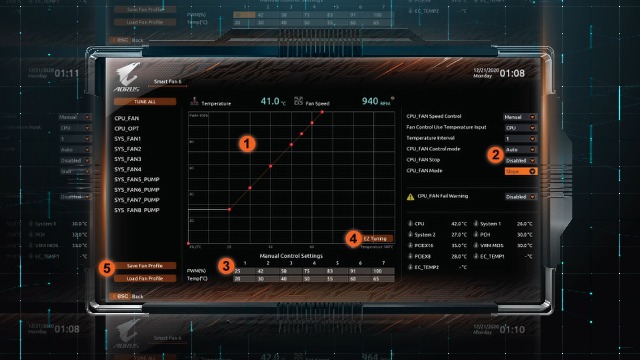
The GIGABYTE B550 AORUS Elite AX V2 is the cool-running AM4 mid-ranger for a quiet build. It uses direct-touch passive VRM heatsinks designed to pull heat straight off the power stages and shed it without any fan, paired with GIGABYTE’s hybrid fan headers and Smart Fan tuning. At around $139 it sits just below the Tomahawk and offers a very similar low-noise recipe on the AM4 platform.
This board fits a quiet build because it keeps the power delivery comfortably cool while giving you the fan-curve control to run everything slowly. The direct-touch heatsink design improves passive heat transfer over the VRM, so a Ryzen 5000 chip stays stable under load without forced VRM airflow, and the per-header hybrid fan logic lets you set gentle, near-silent curves for case and CPU fans alike. With Wi-Fi included, it is a well-rounded, cool-running AM4 foundation for anyone prioritising low noise on a sensible budget.
Pros: Direct-touch passive VRM heatsinks, hybrid per-header fan control, Wi-Fi, strong AM4 value.
Cons: AM4/DDR4 is a mature platform; not a path to DDR5 or newer CPUs.
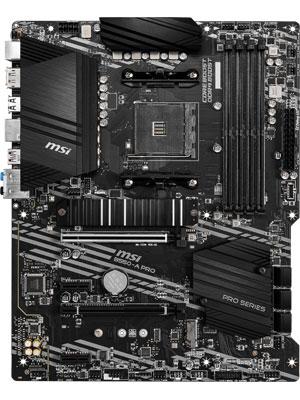
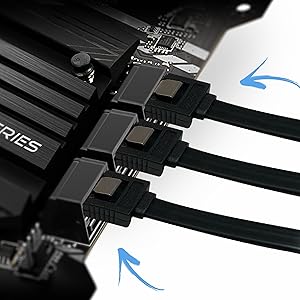
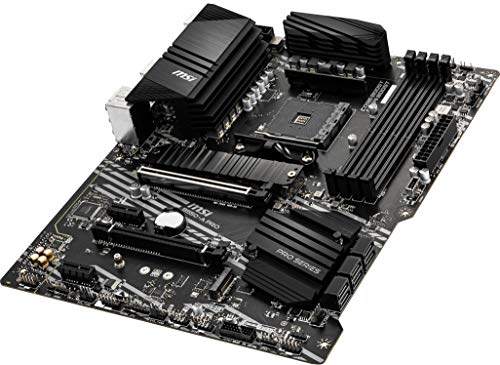
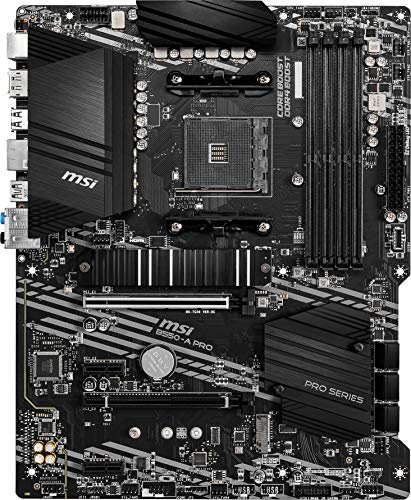
5. MSI B550-A PRO ProSeries Motherboard (AMD Ryzen 5000, AM4, DDR4, PCIe 4.0)

29
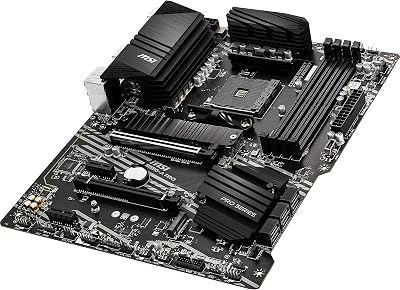
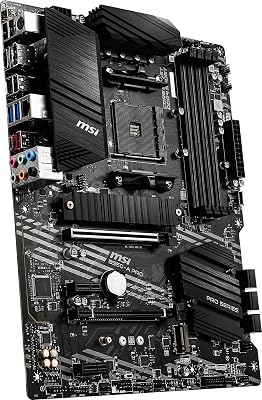
MSI B550-A PRO ProSeries Motherboard (AMD Ryzen 5000, AM4, DDR4, PCIe 4.0, SATA 6Gb/s, M.2, USB 3.2 Gen 2, HDMI/DP, ATX)
In Stock
View on Amazon.com











As an Amazon Associate we earn from qualifying purchases. Product prices and availability are accurate as of the date/time indicated.
The MSI B550-A PRO is the plain, no-frills base for a quiet AM4 build. It skips RGB and flashy armor in favour of a straightforward extended passive VRM heatsink and a clean ProSeries layout. There is nothing on it that spins or buzzes, and at around $114 it is an affordable, dependable platform when your goal is a tidy, low-noise system rather than a showpiece.
For a quiet build the appeal here is simplicity done right. The extended VRM heatsink keeps a mainstream Ryzen 5000 chip’s power delivery cool enough to stay passive, and the BIOS provides standard fan-curve control so you can dial your case and CPU fans down to low, quiet RPM. The fan-header count is more basic than the AORUS and Tomahawk boards, so a fan-heavy case may need a splitter or hub, but for a clean build with a modest fan count it is a sensible, cost-effective quiet foundation.
Pros: Affordable, simple passive VRM heatsink, clean ProSeries layout, standard BIOS fan curves.
Cons: Fewer fan headers than rivals; basic feature set and no Wi-Fi.
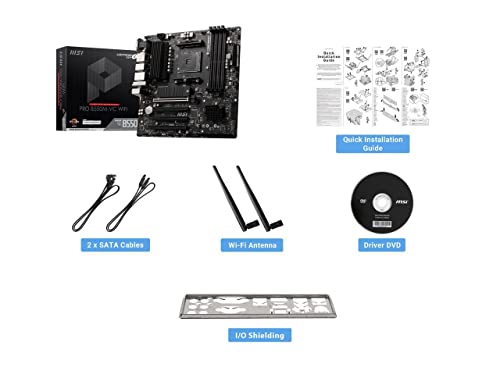
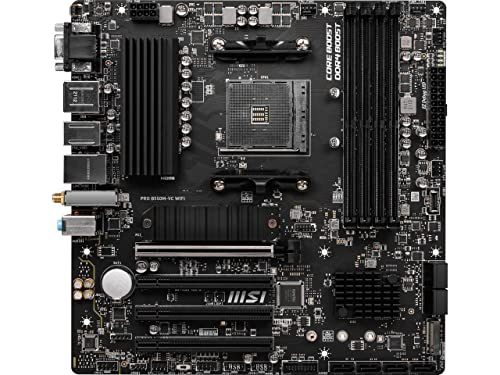
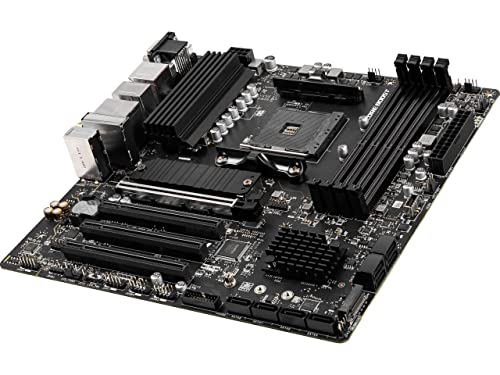
6. MSI PRO B550M-VC WiFi ProSeries Motherboard (AMD Ryzen 5000, AM4, DDR4, mATX)
23
MSI PRO B550M-VC WiFi ProSeries Motherboard (AMD Ryzen 5000 Series, AM4, DDR4, PCIe 4.0, SATA 6Gb/s, M.2, USB 3.2 Gen 2, HDMI/DP, Wi-Fi 6E, Bluetooth 5.2, mATX)
In Stock


As an Amazon Associate we earn from qualifying purchases. Product prices and availability are accurate as of the date/time indicated.
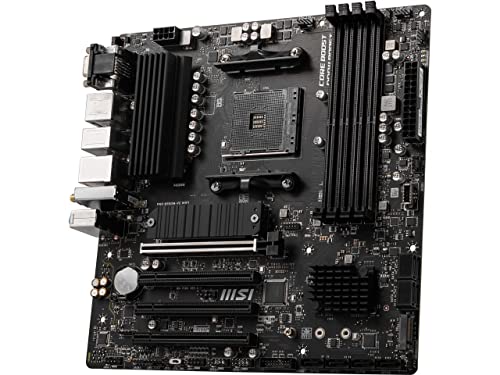
Rounding out the list is the MSI PRO B550M-VC WiFi, the compact micro-ATX pick for a quiet small-form-factor build. It brings passive VRM heatsinks and built-in Wi-Fi to a smaller mATX footprint, and at around $79 it is the most affordable board here. Like the others it has no moving parts of its own — the low-noise job is all about its cooling and fan control in a tighter space.
Small builds are where airflow and noise are hardest to balance, so a board that cools its VRM passively and still offers usable fan control is genuinely valuable. The PRO B550M-VC keeps a Ryzen 5000 chip’s power delivery cool without a fan, and its BIOS fan curves let you run the handful of fans a compact case holds at low, quiet speeds. Header count is naturally limited by the mATX size, so plan your fan layout accordingly, but for an affordable, Wi-Fi-equipped foundation for a quiet SFF or budget system, it is a smart choice that closes out the list.
Pros: Compact mATX, passive VRM heatsinks, built-in Wi-Fi, lowest price, fine for small quiet builds.
Cons: Limited fan headers and expansion due to mATX size; entry-level VRM.
How to Choose a Quiet Motherboard
Start by resetting the expectation: the board itself is silent, so ‘quiet motherboard’ really means a board that makes a quiet build easy. The two features that matter are passive cooling and fan control. First, look at the VRM heatsinks — the metal armor over the power delivery beside the CPU socket. Larger, heavier, well-finned passive heatsinks (as on the Tomahawk, the AORUS boards and the Z790) keep the VRM cool under load without ever needing a small, high-pitched VRM fan, which is the single most important thing for silence.
Second, scrutinise the fan and pump headers, because they are how you actually make the system quiet. Count them and check the BIOS: you want enough headers for every case fan and your CPU cooler, ideally hybrid headers that handle both PWM and voltage-controlled fans, plus flexible fan-curve tuning. Boards like the GIGABYTE AORUS models and the MSI Tomahawk let you build gentle, temperature-aware curves that hold low RPM until heat genuinely rises — that is what turns a pile of fans into a near-silent system. Cheaper boards with few headers may force you into splitters or a separate fan hub.
Third, watch for an active chipset fan, which is the one thing that can make a board itself audible. It is most relevant on high-end AMD X670/X670E boards; every board on this list uses passive chipset cooling instead, so none adds that whine. If you are shopping beyond this guide, confirm the chipset is passively cooled, especially on premium AM5 boards, because a tiny chipset fan is exactly the kind of noise a quiet build is trying to avoid.
Finally, match the board to your CPU and platform, then let the cooling and control do their work. Pick AM4 (the Tomahawk, B550-A PRO, AORUS Elite AX V2 or PRO B550M-VC) for Ryzen 5000, AM5 (the B650 AORUS Elite AX) for current Ryzen 7000/9000, or LGA 1700 (the Z790 AORUS Elite AX) for 13th/14th Gen Intel. Hotter, higher-power CPUs benefit most from the largest passive VRM heatsinks. Set your platform, prioritise generous passive cooling and plentiful fan headers, and the board will give you everything you need to build a genuinely quiet PC around it.
Frequently Asked Questions
Does a motherboard make any noise on its own?
Generally no. A motherboard has no fan and no moving parts, so it is silent by itself — every board in this guide is passively cooled. The one exception in the wider market is some high-end AMD X670/X670E boards that include a small chipset fan, which can whine. None of our picks use one, so when people ask for a ‘quiet motherboard’ they really mean a board that helps the rest of the system stay quiet.
What actually makes a motherboard good for a quiet build?
Two things: passive cooling and fan control. Large passive VRM heatsinks keep the power delivery cool without needing an active VRM fan, and a generous set of fan and pump headers with flexible BIOS fan curves lets you run your case and CPU fans slowly and quietly. Boards like the MSI MAG B550 Tomahawk and the GIGABYTE AORUS models do both well, which is why they suit low-noise systems.
Do I need a board with lots of fan headers for a silent PC?
It helps a great deal. Each case fan and your CPU cooler ideally gets its own header so you can tune individual fan curves for low, quiet RPM. A board with only two or three headers, like the more basic MSI B550-A PRO, can still work if you add a fan splitter or hub, but boards with six or more headers and per-header control, such as the GIGABYTE AORUS Elite AX, make a quiet, fan-heavy build much easier to dial in.
Will a better motherboard let my CPU cooler run quieter?
Indirectly, yes. The board does not cool the CPU, but its fan-curve control and cool, passively cooled VRM let your existing cooler ramp gently rather than aggressively. With good BIOS fan tuning you can hold the CPU and case fans at low speed until temperatures genuinely climb, so a capable board like the GIGABYTE Z790 AORUS Elite AX helps your whole cooling setup run more quietly than a board with crude fan control would.
Related Guides
- Best Motherboards
- Best AM5 Motherboards
- Best Low Noise PSUs
- Best All-in-One CPU Coolers
- Best PC Cases with Good Cable Management
- Best Gaming PC Builds
Affiliate Disclosure: As an Amazon Associate, we earn from qualifying purchases. If you click a link and make a purchase, we may earn a small commission at no extra cost to you. Prices and availability are accurate as of publication and may change.










