

Game development asks three things of a headset at once. You wear it for marathon coding, art and design sessions, so it has to be comfortable enough to forget about. You collaborate constantly — stand-ups, voice chat, playtesting with the team — so the microphone has to be clear. And you need to hear your own game properly, including positional cues, so spatial or surround audio that helps you judge footsteps, panning and mix balance during playtests is a real plus. This guide rounds up the best headsets for game development in 2026, ranked for that blend of all-day comfort, clear comms and useful positional audio.
- Best Headsets for Game Development at a Glance
- 1. HyperX Cloud II Gaming Headset, 7.1 Surround, Memory Foam Ear Pads
- 2. Razer Kraken Gaming Headset, Aluminum Frame, 7.1 Surround
- 3. Audio-Technica ATH-M50X Professional Studio Monitor Headphones
- 4. OneOdio Wired Over-Ear Headphones, Hi-Res Studio Monitor & Mixing
- 5. Turtle Beach Recon 50 Wired Gaming Headset, Multiplatform
- 6. BENGOO G9000 Stereo Gaming Headset, Noise-Cancelling Mic
- How to Choose a Headset for Game Development
- Frequently Asked Questions
- Related Guides
- Related Articles
- Related Guides
Our picks were chosen on exactly those criteria: long-session comfort first, microphone clarity for team communication second, and positional or surround audio for playtesting third, with value throughout. We have ordered the list to lead with the most comfortable, best-communicating options, with prices spanning from around $27 to around $159. The range runs from affordable wired team headsets to a premium studio monitor for developers who also need to judge their game’s audio mix accurately. Below is an at-a-glance comparison of all six, then a closer look at each through a game-dev lens, and a buyer’s guide built around comfort, comms and spatial sound.
As an Amazon Associate we earn from qualifying purchases at no extra cost to you.


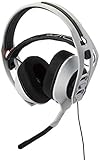

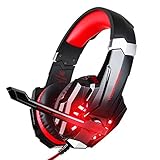
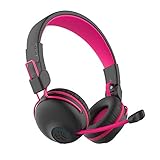
🛒 Best Price Today on Amazon
Prime members get fast, free shipping on everything above, plus member-only deals. New members get a 30-day free trial — cancel anytime.
Best Headsets for Game Development at a Glance
| Headset | Best For | Standout Spec | Approx Price |
|---|---|---|---|
| HyperX Cloud II | Comfort + comms + 7.1 testing | Memory foam, 7.1 virtual, clear mic | around $59.99 |
| Razer Kraken | Marathon comfort + positional | Cooling-gel cushions, 7.1 surround | around $119.95 |
| Audio-Technica ATH-M50X | Accurate audio-mix checking | Pro studio monitor tuning | around $159.00 |
| OneOdio Wired Over-Ear | Detailed sound on a budget | Studio-tuned 50mm drivers | around $31.99 |
| Turtle Beach Recon 50 | Budget team headset | Tough wired build, clear mic | around $27.88 |
| BENGOO G9000 Stereo | Cheap all-day comms | Padded over-ear, isolating mic | around $29.99 |
1. HyperX Cloud II Gaming Headset, 7.1 Surround, Memory Foam Ear Pads

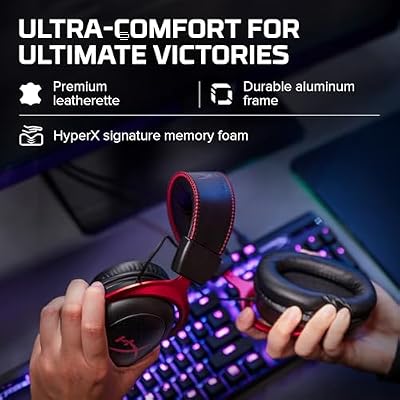
HyperX Cloud II Gaming Headset - 7.1 Surround Sound - Memory Foam Ear Pads - Durable Aluminum Frame - Multi Platform Headset - Works with PC, PS4, PS4 PRO, Xbox One, Xbox One S - Red (KHX-HSCP-RD)




As an Amazon Associate we earn from qualifying purchases. Product prices and availability are accurate as of the date/time indicated.
The HyperX Cloud II is the best all-round pick for game development because it nails all three jobs at a sensible price. Its memory-foam ear pads and padded headband keep it comfortable through marathon dev sessions, the detachable noise-cancelling microphone is genuinely clear for team voice chat and stand-ups, and the included USB sound card adds virtual 7.1 surround that is handy for sanity-checking positional audio during playtests. At around $59.99 it is the complete package.
For a developer who codes or makes art all day, talks to the team constantly, and needs to hear how their game’s audio behaves, this is the headset that covers every base. The comfort holds up over long stretches, the clear mic keeps voice chat and pair-programming intelligible, and the virtual 7.1 lets you check that footsteps, panning and directional cues land where they should when you playtest a build. It is a gaming headset doing exactly what game dev needs, which is why it leads this list.
Pros: Comfortable memory foam, clear detachable mic, useful virtual 7.1 for playtesting, great value.
Cons: Closed cups warm up over very long days; virtual surround is not a true mix reference.
2. Razer Kraken Gaming Headset, Aluminum Frame, 7.1 Surround

Razer Kraken Gaming Headset: Lightweight Aluminum Frame - Retractable Noise Isolating Microphone - for PC, PS4, PS5, Switch, Xbox One, Xbox Series X & S, Mobile - 3.5 mm Headphone Jack - Black/Blue



As an Amazon Associate we earn from qualifying purchases. Product prices and availability are accurate as of the date/time indicated.
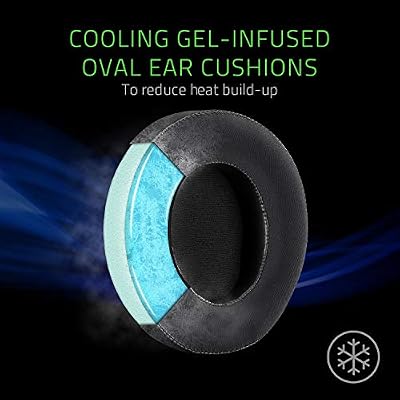
The Razer Kraken is the marathon-comfort pick with strong positional audio. Its standout feature is cooling-gel-infused ear cushions that resist heat build-up during very long sessions, paired with a lightweight aluminium frame and large 50mm drivers. With 7.1 surround support, it is well suited to judging directional audio while playtesting. At around $119.95 it is a premium choice focused on staying comfortable for hours.
This is the headset for the developer whose sessions stretch late and whose ears overheat in ordinary cushions. The cooling-gel pads genuinely help on long days, the aluminium frame adds durability without much weight, and the retractable noise-isolating microphone keeps team comms clear while tucking away when not needed. The 7.1 surround makes it easy to assess footsteps, panning and spatial cues when you test a level. For long, comfortable dev days with capable positional audio for playtesting, the Kraken is a strong pick.
Pros: Cooling-gel cushions for long sessions, durable light aluminium frame, retractable mic, 7.1 positional audio.
Cons: Pricey; virtual surround aids positioning but is not a flat mixing reference.
3. Audio-Technica ATH-M50X Professional Studio Monitor Headphones

Audio-Technica ATH-M50X Professional Studio Monitor Headphones, Black, Professional Grade, Critically Acclaimed, with Detachable Cable






As an Amazon Associate we earn from qualifying purchases. Product prices and availability are accurate as of the date/time indicated.
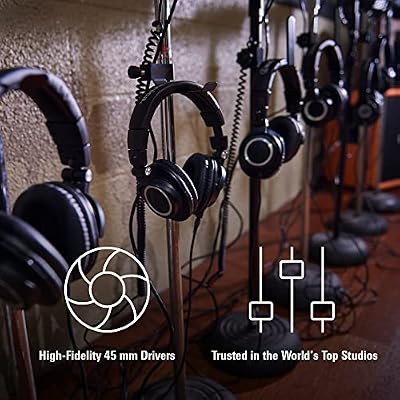
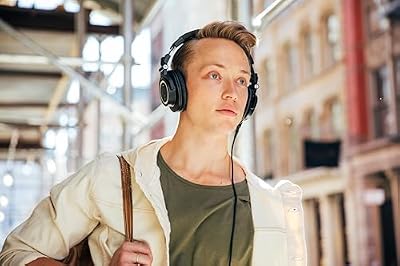
The Audio-Technica ATH-M50X is the pick for developers who need to judge their game’s audio accurately. It is a genuine professional studio monitor, tuned for a flat, honest, full-range response, so it reveals what is really in your game’s mix — not a flattering, bass-boosted version. Large 45mm drivers, closed-back isolation and a comfortable over-ear fit make it a serious audio tool. At around $159.00 it is the premium option here.
This is the headset for the audio-focused developer, the sound designer, or anyone responsible for how the game actually sounds. Where gaming headsets with virtual surround help you check direction, the M50X helps you check the mix itself — balance, dynamics, problem frequencies — because its tuning is honest rather than fun. It lacks a built-in microphone, so for team voice chat you would add a separate mic, but for accurately evaluating and tuning game audio it is the most capable pick on this list. Choose it when getting the sound right is part of your job.
Pros: Accurate studio tuning for judging game audio, detailed full range, strong isolation, comfortable.
Cons: No built-in mic for comms; premium price; tuned for accuracy, not gaming flash.
4. OneOdio Wired Over-Ear Headphones, Hi-Res Studio Monitor & Mixing

OneOdio Wired DJ Hi-Res Over-Ear Headphones for PC, Keyboard Guitar - Black

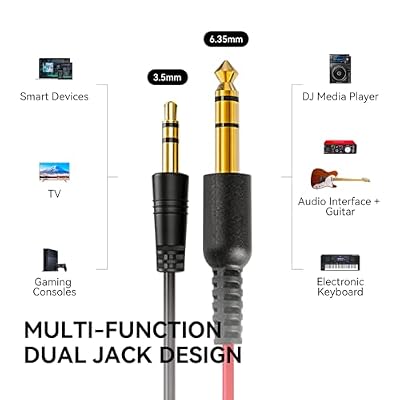


As an Amazon Associate we earn from qualifying purchases. Product prices and availability are accurate as of the date/time indicated.
The OneOdio over-ear pair is the detailed-sound-on-a-budget pick for game developers. These studio-styled headphones use large 50mm drivers tuned for a fuller, more detailed sound than a typical gaming headset, with a comfortable closed over-ear fit for long sessions. At around $31.99 they bring more honest audio to the dev desk for very little, which helps when you want to hear your game clearly without spending big.
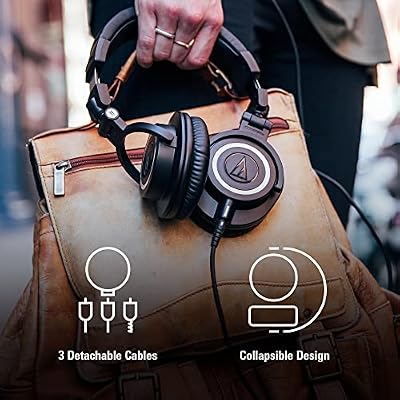
This is the headphone for the indie or solo developer who wants better sound than a cheap gaming headset but cannot justify a pro monitor like the M50X. The more detailed presentation makes it easier to judge your game’s audio and spot issues than a bass-heavy consumer headset would, the closed design isolates for focused work, and the detachable dual-jack cables are handy for sharing audio with a teammate. There is no boom mic, so add a separate one for voice chat. As an affordable step up in sound quality for game dev, it is excellent value.
Pros: Detailed studio-tuned 50mm sound, comfortable closed fit, dual-jack flexibility, strong budget value.
Cons: No boom mic for team comms; not as accurate as a true pro monitor.
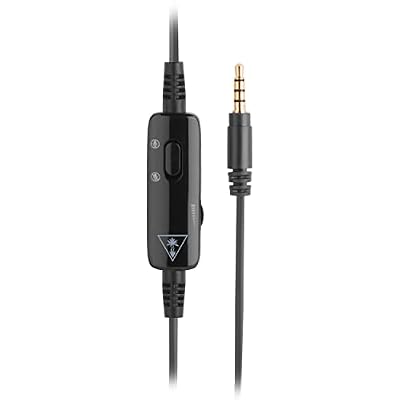
5. Turtle Beach Recon 50 Wired Gaming Headset, Multiplatform
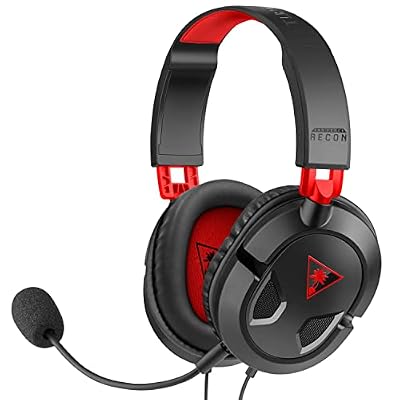
Turtle Beach Recon 50 Wired Multiplatform Gaming Headset for PC, PS5, Xbox



As an Amazon Associate we earn from qualifying purchases. Product prices and availability are accurate as of the date/time indicated.
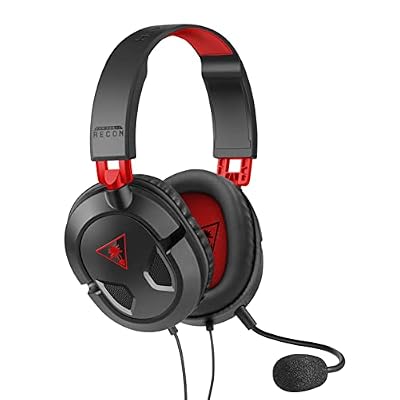
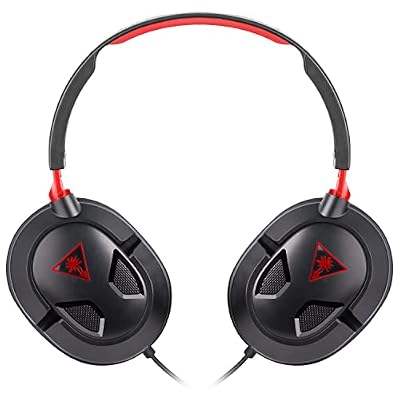
The Turtle Beach Recon 50 is the budget team-headset pick. It is a simple, durable wired headset with comfortable synthetic-leather cushions and a clear fixed microphone, connecting over a universal 3.5mm jack to whatever machine you develop and test on. At around $27.88 it is an inexpensive, dependable option for a developer or a whole team that needs reliable comms without spending much.
This is the headset to choose when you are equipping a small studio on a budget or want a no-fuss daily driver for coding and voice chat. The padded cushions are comfortable for long sessions, the mic is clear enough for stand-ups and team coordination, and the universal 3.5mm connection plugs into any dev machine or test console. It is a basic stereo headset rather than a surround tool, so it is less suited to detailed positional playtesting, but for affordable, reliable comfort and comms across a dev team, the Recon 50 does the job well.
Pros: Comfortable for long sessions, clear mic for team comms, durable, universal 3.5mm, very affordable.
Cons: Stereo only, so weaker for positional playtesting; fixed mic and basic features.
6. BENGOO G9000 Stereo Gaming Headset, Noise-Cancelling Mic

BENGOO G9000 Stereo Gaming Headset for PS4 PC Xbox One PS5 Controller, Noise Cancelling Over Ear Headphones with Mic, LED Light, 7.1 Surround Sound, Soft Memory Earmuffs for Nintendo Xbox Series X|S


As an Amazon Associate we earn from qualifying purchases. Product prices and availability are accurate as of the date/time indicated.
Rounding out the list is the BENGOO G9000, the cheap all-day comms pick and a long-running best-seller. It is a padded over-ear stereo headset with soft cushions, a flexible noise-isolating microphone and a simple wired connection that works across PC and consoles. At around $29.99 it covers the core game-dev needs of comfort and clear comms without complication.
This is the headset for a developer who spends the day in code and voice chat and just wants something comfortable and reliable on a budget. The generous padding keeps it comfortable through long sessions, the adjustable noise-isolating mic positions near your mouth for clear team communication, and the inline controls make muting quick during meetings. It is honestly a basic stereo headset, so it does not offer the surround that helps with positional playtesting, but for affordable, comfortable, all-day comms in a dev workflow, the G9000 is a sensible, low-cost choice.
Pros: Comfortable padding for long days, clear noise-isolating mic, inline controls, very affordable.
Cons: Stereo only, so limited for positional playtesting; build and sound are functional.
How to Choose a Headset for Game Development
For game development, comfort comes first, because dev sessions are long and relentless. You may wear a headset through hours of coding, art, design and voice chat, so memory-foam or cooling-gel ear cushions, a padded headband and a manageable weight matter more than any single audio feature. The HyperX Cloud II and the cooling-gel Razer Kraken lead this list precisely because they stay comfortable over marathon days, and the Kraken’s gel pads specifically target the heat build-up that ends long sessions early.
Microphone clarity is the second pillar, because game development is intensely collaborative. Stand-ups, design discussions, pair-programming and live playtesting with the team all depend on being heard clearly, so a good noise-isolating or retractable boom mic — like those on the HyperX, Razer, Turtle Beach and BENGOO picks — keeps your voice intelligible without broadcasting your keyboard to the channel. If you choose a microphone-free studio pair like the ATH-M50X or OneOdio for their sound, plan to add a separate mic for team comms.
Positional and reference audio is the third consideration, and the right answer depends on your role. If you playtest levels and need to judge footsteps, panning and directional cues, virtual surround like the 7.1 on the HyperX Cloud II and Razer Kraken genuinely helps you hear where sounds come from. If you are responsible for the game’s audio mix itself — a sound designer or audio programmer — a flat studio monitor like the ATH-M50X tells you the truth about balance and problem frequencies, which virtual surround cannot. Match the audio capability to whether you test positioning or tune the mix.
Finally, weigh connectivity, scale and budget. A simple wired 3.5mm or USB headset, like every pick here, is reliable for back-to-back team calls with nothing to charge — ideal for a workstation you sit at all day. If you are equipping a whole studio, an affordable, durable team headset like the Turtle Beach Recon 50 or BENGOO G9000 scales sensibly; if you need accurate audio evaluation, invest in the ATH-M50X for the people who tune the sound. Prioritise comfort first, clear comms second, and the right kind of audio third, then pick the headset on this list that matches your role and your team.
Frequently Asked Questions
What is the best headset for long game-development sessions?
For pure marathon comfort, the Razer Kraken stands out thanks to its cooling-gel-infused ear cushions that resist heat over long hours, while the HyperX Cloud II is close behind with excellent memory-foam padding and a lower price. Both also have clear microphones for team comms, which makes them strong all-round choices for the long, collaborative days that game development involves.
Do I need surround sound for game development?
It helps if you playtest. Virtual 7.1 surround, as on the HyperX Cloud II and Razer Kraken, makes it easier to judge footsteps, panning and directional cues when you test a level, which is useful for catching audio bugs and balance issues. If your role is tuning the actual audio mix rather than playtesting, a flat studio monitor like the ATH-M50X is more valuable than virtual surround.
Which headset is best for checking my game’s audio mix?
The Audio-Technica ATH-M50X, because it is a genuine studio monitor tuned for a flat, honest response that reveals what is really in your mix rather than flattering it. Sound designers and audio programmers benefit most from that accuracy. It has no built-in mic, so pair it with a separate microphone for team voice chat, and reserve it for the people responsible for how the game sounds.
Can a budget headset work for a small dev team?
Yes. For comfort and clear team comms on a budget, the Turtle Beach Recon 50 and BENGOO G9000 are dependable, affordable choices that scale well across a small studio. They are stereo rather than surround, so they are weaker for detailed positional playtesting, but for everyday coding and voice chat they deliver the comfort and clear microphone a dev team needs without a big spend.
Related Guides
- Best Gaming Headsets
- Best Microphones for Team Calls
- Best PCs for Game Development
- Best Mechanical Keyboards
- Best Gaming Monitors
- Best Wireless Gaming Mouse
Affiliate Disclosure: As an Amazon Associate, we earn from qualifying purchases. If you click a link and make a purchase, we may earn a small commission at no extra cost to you. Prices and availability are accurate as of publication and may change.
Ready to decide? Our #1 pick for 2026 is the HyperX Cloud II.
Live price & availability on Amazon.


