

- Top Pick: CORSAIR RS120 ARGB 120mm PWM Fans – Daisy-Chain Connection – Low-Noise – Magnetic Dome Bearing – Triple Pack – Black
- Best Value: DARKROCK 3-Pack 120mm Black Computer Case Fans
- Premium Choice: Thermalright 5 Pack TL-C12C-S CPU Fan 120mm ARGB Case Cooler Fan, 4pin PWM Silent Computer Fan with S-FDB Bearing Included, up to 1550RPM Cooling Fan(5 Quantities)
🛒 Best Price Today on Amazon
Prime members get fast, free shipping on everything above, plus member-only deals. New members get a 30-day free trial — cancel anytime.
- Top 140Mm Fans Picks for 2026
- Best 140mm PC Fans at a Glance
- 1. ARCTIC P14 Pro PST, 5 Pack 140 mm PWM Fan with Y-Cable Splitter
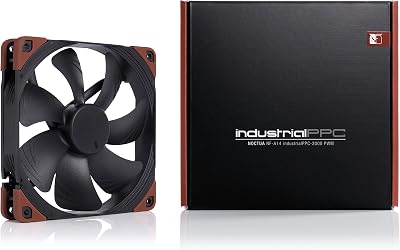
- 2. Noctua NF-A14 iPPC-3000 PWM, Heavy Duty 140mm Cooling Fan
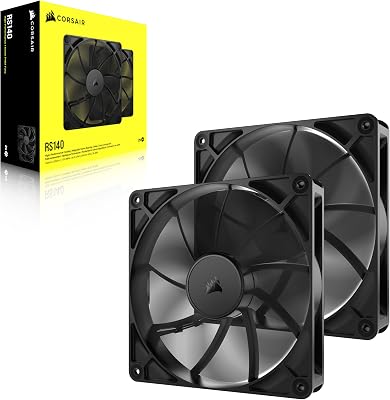
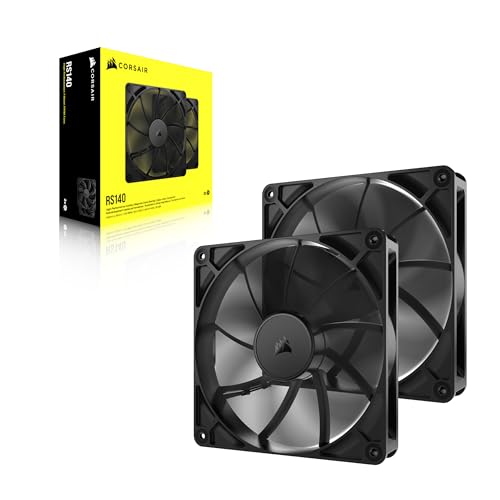
- 3. CORSAIR RS140 140mm PWM Fans, Daisy-Chain, Magnetic Dome Bearing, Dual Pack
- 4. be quiet! Pure Wings 3 140mm Quiet PWM Case Fan
- 5. Noctua NF-P14s redux-1500 PWM 140mm Cooling Fan
- 6. Thermalright TL-C14 140mm Fan, S-FDB Bearing PWM Control, 1500RPM
- How to Choose a 140mm PC Fan
- Related Guides
- Frequently Asked Questions
- Related Guides
- Related Articles
Top 140Mm Fans Picks for 2026
Here are our current top 140mm fans picks, compared on real Amazon owner reviews, price, and features. Live prices update below.
As an Amazon Associate we earn from qualifying purchases at no extra cost to you.






A 140mm fan is the quiet airflow upgrade most modern cases reward. Compared with a 120mm spinner, a 140mm blade can move similar or greater air at a lower RPM, which means a noticeably quieter system at the same cooling target — or the same noise level with more headroom. If your chassis supports the larger size in the front, top, or rear, populating those mounts with good 140mm fans is one of the highest-impact, lowest-fuss upgrades you can make to a gaming PC. This guide rounds up the best 140mm PC fans in 2026, focusing on case airflow, radiator duty, and quiet operation across a deliberately wide price spread.
Our picks were chosen on what genuinely matters with a larger case fan: airflow at sensible RPMs, static pressure for working through radiators or dust filters, bearing quality and acoustic behaviour, and overall value. We have avoided invented dBA or CFM numbers and instead describe where each fan fits and who it is for, with prices from around $7 up to around $33. The list covers a high-RPM industrial pick, a balanced premium daisy-chain design, a popular low-noise PWM, a multipack value bundle, and a ultra-affordable Thermalright option. Every fan listed is genuinely a 140mm frame — not a 120mm wearing a larger jacket. Below is the at-a-glance comparison, then a closer look at each pick and a buyer’s guide framed around the things that matter for 140mm airflow.
Best 140mm PC Fans at a Glance
| Fan | Best For | Standout Spec | Approx Price |
|---|---|---|---|
| ARCTIC P14 Pro PST (5-pack) | Whole-case 140mm overhaul | 5-pack PWM 140mm with Y-cable, 400-2500 RPM | around $32 |
| Noctua NF-A14 iPPC-3000 PWM | High-RPM industrial duty | 3000 RPM industrial PWM 140mm | around $33 |
| Corsair RS140 PWM (dual pack) | Daisy-chain 140mm builds | 2-pack PWM, magnetic dome bearing | around $35 |
| be quiet! Pure Wings 3 140mm PWM | Quiet 140mm case airflow | Low-noise 140mm with high top RPM | around $14 |
| Noctua NF-P14s redux-1500 PWM | Value premium 140mm | 1500 RPM PWM, Noctua quality, grey | around $18 |
| Thermalright TL-C14 140mm Fan | Ultra-affordable 140mm | S-FDB bearing 140mm at low price | around $7 |
1. ARCTIC P14 Pro PST, 5 Pack 140 mm PWM Fan with Y-Cable Splitter
25
Prime
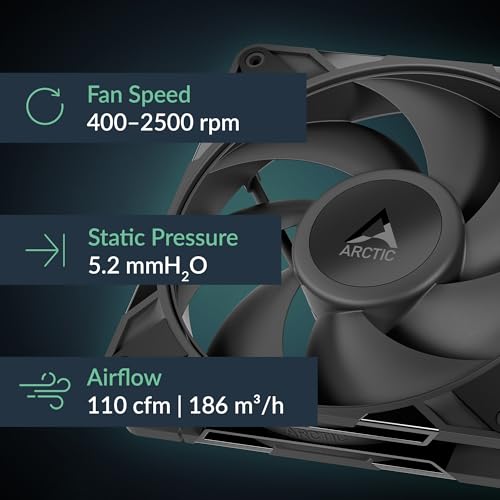
ARCTIC P14 Pro PST, 5 Pack – Powerful Premium Fan, 140 mm PWM Fan with Y-Cable Splitter, 400-2500 RPM, 0 RPM <5% PWM, Fluid Dynamic Bearing, 4-Pin – Black
In Stock


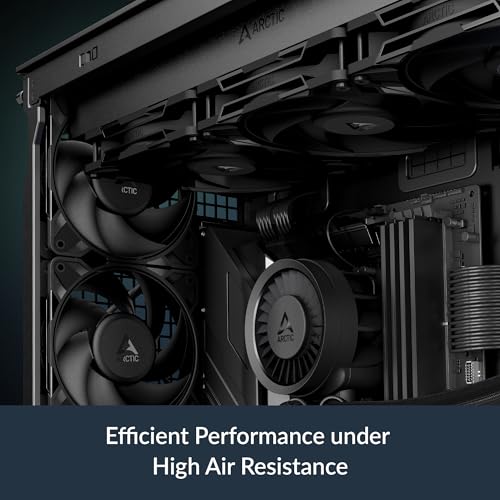
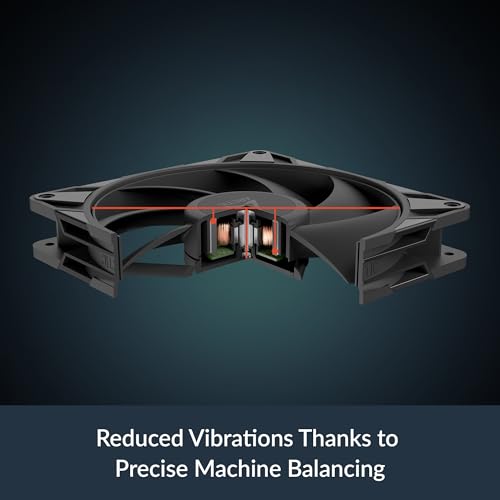
As an Amazon Associate we earn from qualifying purchases. Product prices and availability are accurate as of the date/time indicated.
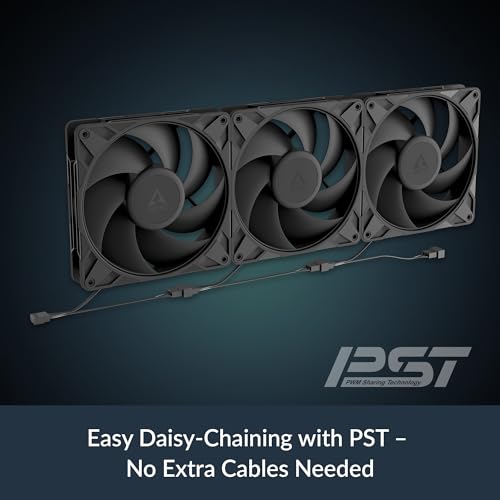
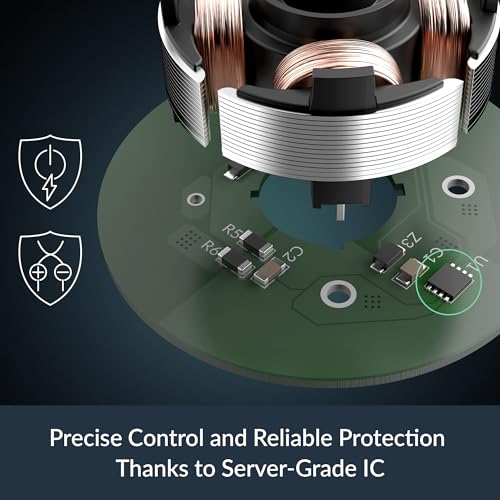
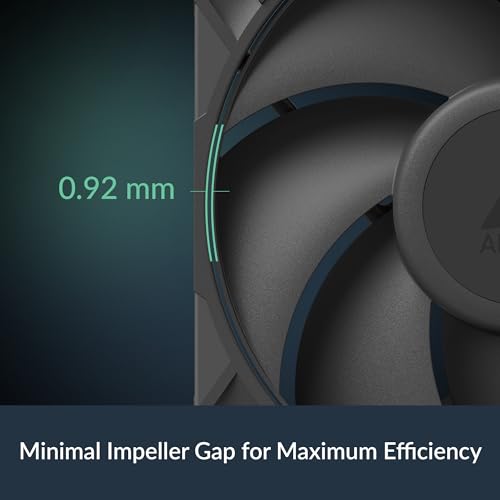
The ARCTIC P14 Pro PST 5-pack is the obvious starting point for anyone who wants to outfit an entire chassis with 140mm fans in one go. ARCTIC’s P-line is a pressure-optimised design, and the Pro variant brings a wider 400 to 2500 RPM PWM range with a Y-cable splitter system (the PST ‘PWM Sharing Technology’) so multiple fans share a single header. At around $32 for five 140mm fans it is one of the strongest value pickups on this list.
This is the pick for the builder who is replacing every case fan at once rather than swapping a single rear exhaust. The five-fan bundle covers the front intake, top exhaust, and rear with cohesive matching units, the 0-RPM-below-5%-PWM behaviour means they can sit silent when the system is idle, and the daisy-chain wiring keeps the cabling tidy. Per-fan specs are the same robust ARCTIC P14 Pro you would buy individually, so confirm the pack fits how many 140mm mounts your case actually has, and treat it as a whole-case overhaul in a single box.
Pros: Five 140mm PWM fans in one box, pressure-optimised, daisy-chain ready, strong value per fan.
Cons: Buying five only makes sense if you have the mounts; non-RGB design.
2. Noctua NF-A14 iPPC-3000 PWM, Heavy Duty 140mm Cooling Fan

22
Prime
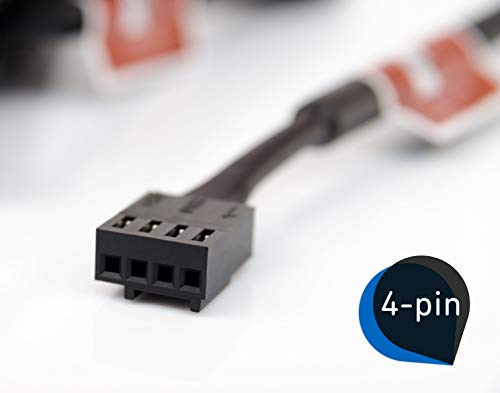
Noctua NF-A14 iPPC-3000 PWM, Heavy Duty Cooling Fan, 4-Pin, 3000 RPM (140mm, Black)
In Stock



As an Amazon Associate we earn from qualifying purchases. Product prices and availability are accurate as of the date/time indicated.
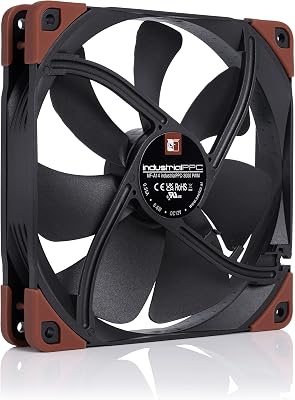
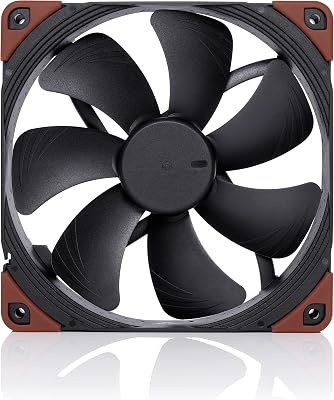
The Noctua NF-A14 iPPC-3000 is the high-RPM industrial pick. It is a 140mm PWM fan from Noctua’s industrial PPC line, rated up to a serious 3000 RPM — well above what mainstream case fans run — and built for heavy-duty cooling duty rather than quiet desktop life. At around $33 it is one of the priciest single fans here, and the engineering reflects it.
This is the pick for the builder who wants the absolute maximum air a 140mm frame can move, typically on a thick radiator, a dense dust filter or an industrial workstation where airflow trumps acoustics. PWM control means you can still run it slow and quiet for everyday loads, but pin it open and it shifts serious air. The all-black finish suits most builds, and the build quality is exactly what Noctua’s reputation suggests. If you have one demanding thermal job that a normal 140mm cannot finish, this is the fan to throw at it.
Pros: Noctua build quality, 3000 RPM industrial PWM, exceptional airflow when needed.
Cons: Loud at full speed; overkill for a quiet airflow case.
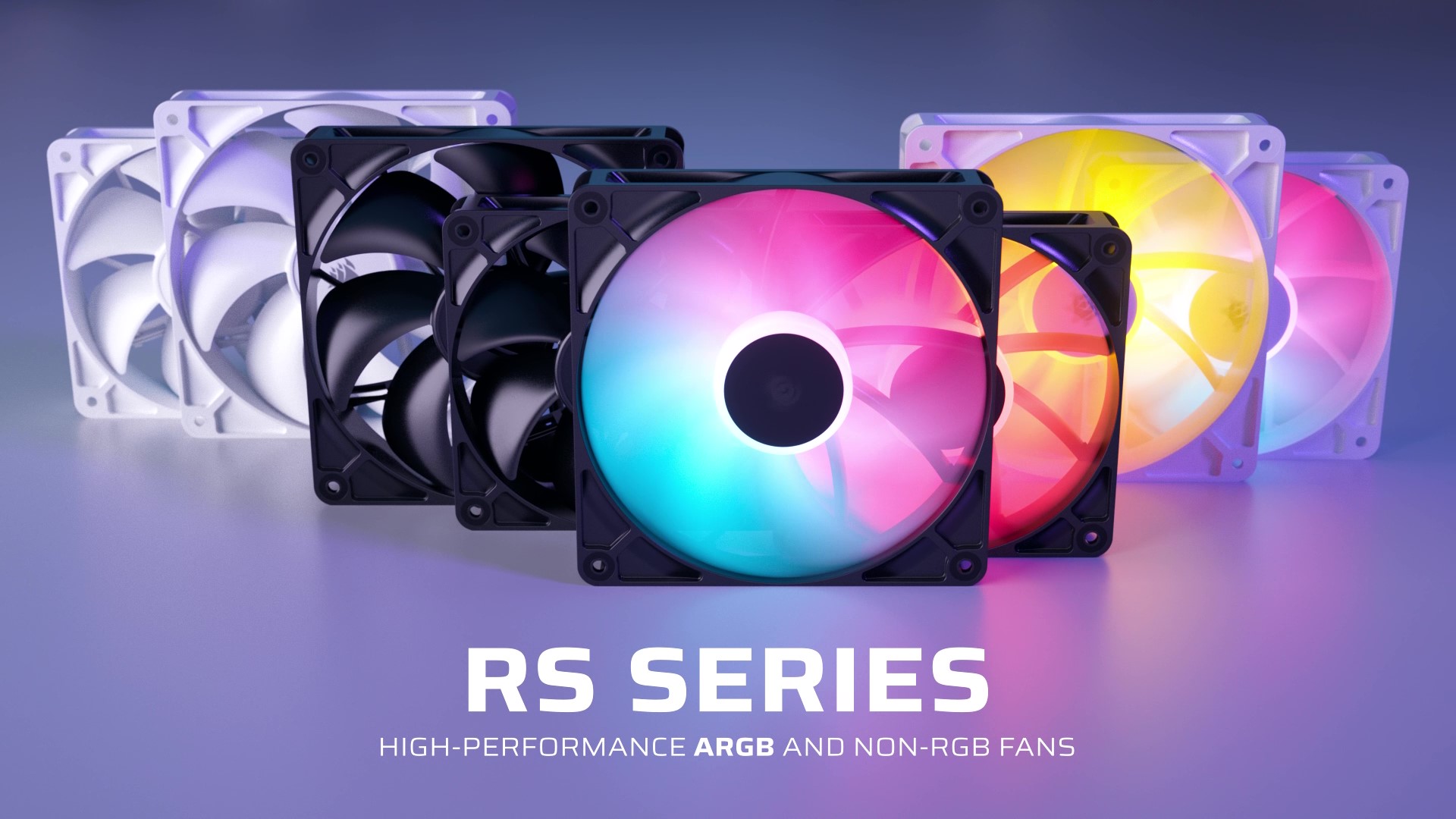
3. CORSAIR RS140 140mm PWM Fans, Daisy-Chain, Magnetic Dome Bearing, Dual Pack
19
Prime
CORSAIR RS140 140mm PWM Fans – Daisy-Chain Connection – Low-Noise – Magnetic Dome Bearing – Dual Pack – Black
In Stock




As an Amazon Associate we earn from qualifying purchases. Product prices and availability are accurate as of the date/time indicated.
The Corsair RS140 dual pack is the modern daisy-chain 140mm pick. It bundles two 140mm PWM fans using Corsair’s magnetic dome bearing and a daisy-chain connector system, so paired units share power and PWM down a single neat cable. At around $35 for the pair it is a clean, contemporary option for builders who value tidy wiring and Corsair’s ecosystem.
This is the pick for the builder who wants two matched 140mm fans for a front intake pair, a top exhaust pair, or paired 140mm radiator duty on an AIO. The daisy-chain wiring keeps cable routing simple, the magnetic dome bearing is engineered for long, smooth-running life, and the low-noise tuning favours a quiet build. Pricing per fan is reasonable for the feature set, and the design fits comfortably in modern airflow-first cases without looking out of place.
Pros: Two matched 140mm PWM fans, daisy-chain wiring, magnetic dome bearing, tidy build.
Cons: Only two fans per pack; not ARGB if you want lighting.
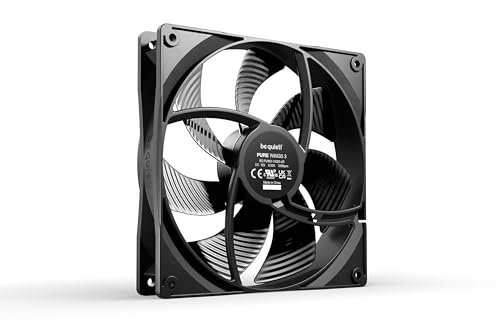
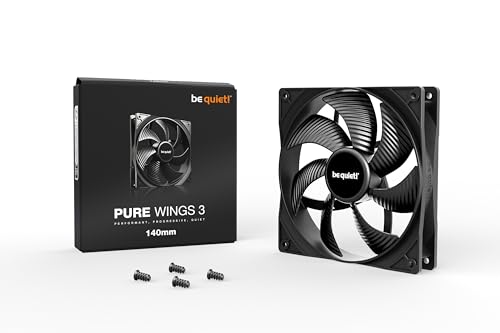
4. be quiet! Pure Wings 3 140mm Quiet PWM Case Fan
11
Prime
be quiet! Pure Wings 3 140mm Quiet Case Fan | High Top-end Speed with Low Minimum RPM |Extraordinary Air Pressure | BL107
In Stock



As an Amazon Associate we earn from qualifying purchases. Product prices and availability are accurate as of the date/time indicated.
The be quiet! Pure Wings 3 140mm is the value low-noise case fan pick. It is a 140mm PWM fan from be quiet!’s budget-friendly Pure Wings line, with a high top-end speed for when the system needs airflow and a low minimum RPM for calm idle behaviour. At around $14 it is one of the most affordable single 140mm fans here from a brand built around acoustics.
This is the pick for the builder who simply wants a quiet, dependable single 140mm fan from a trusted name. PWM control lets the motherboard slow it down to near-silence during light loads, the broad blade design moves a healthy amount of air at the moderate speeds most cases actually run, and the design fits cleanly into a stealth build. For a wide range of front intakes, top exhausts and rear exhausts where noise matters and over-the-top airflow does not, the Pure Wings 3 is an easy recommendation.
Pros: Low-noise tuning from be quiet!, PWM control, affordable, broad case suitability.
Cons: Non-RGB; single fan rather than a multipack.
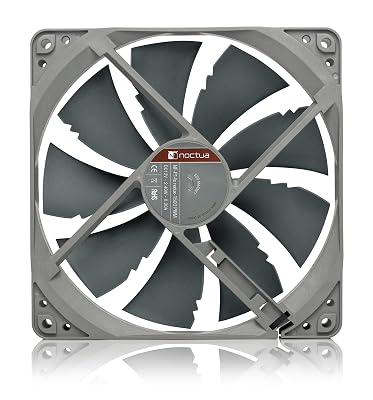
5. Noctua NF-P14s redux-1500 PWM 140mm Cooling Fan

27
Prime
Noctua NF-P14s redux-1500 PWM, High Performance Cooling Fan, 4-Pin, 1500 RPM (140mm, Grey)
In Stock





As an Amazon Associate we earn from qualifying purchases. Product prices and availability are accurate as of the date/time indicated.
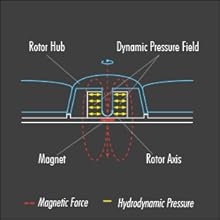
The Noctua NF-P14s redux-1500 is the value Noctua pick. It is a 140mm PWM fan from Noctua’s ‘redux’ line — the same engineering as the headline brown-and-beige models in a more affordable grey finish — rated to 1500 RPM with the calm, controlled behaviour Noctua is famous for. At around $18 it brings a premium fan brand within reach of mid-budget builds.
This is the pick for the builder who wants the Noctua experience — long life, low vibration, predictable PWM behaviour — without paying iconic-colours money. The 1500 RPM ceiling is more than enough for a normal airflow case fan, the pressure-optimised P14s blade design works well at front intakes and through dust filters, and PWM control keeps it tidy at idle. As a single high-quality 140mm fan to put on a rear exhaust or a top mount in a tasteful build, the NF-P14s redux-1500 is one of the smartest spends in this list.
Pros: Genuine Noctua engineering, 1500 RPM PWM, grey finish, premium quality at value price.
Cons: Single fan; lower top RPM than industrial models.
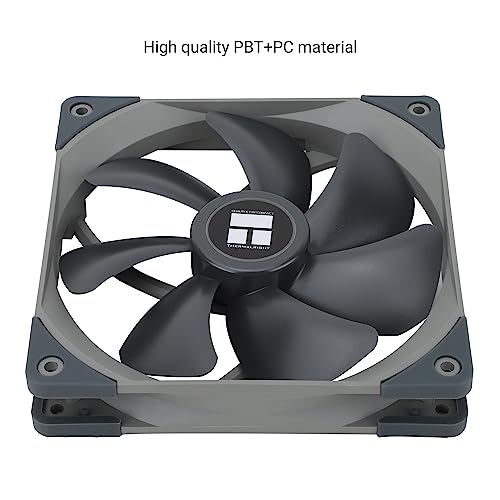
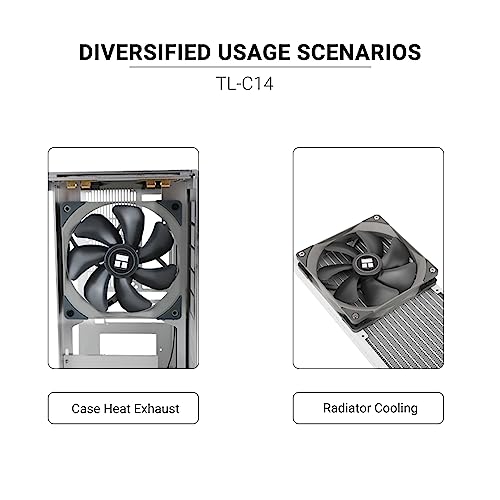
6. Thermalright TL-C14 140mm Fan, S-FDB Bearing PWM Control, 1500RPM

18
Prime
Thermalright TL-C14 140mm Fan, Quiet Operation, S-FDB Bearing, PWM Control, 1500RPM, Balance Performance Case Fan
In Stock



As an Amazon Associate we earn from qualifying purchases. Product prices and availability are accurate as of the date/time indicated.
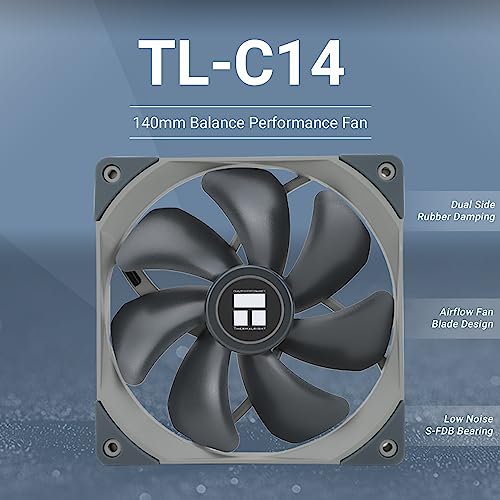
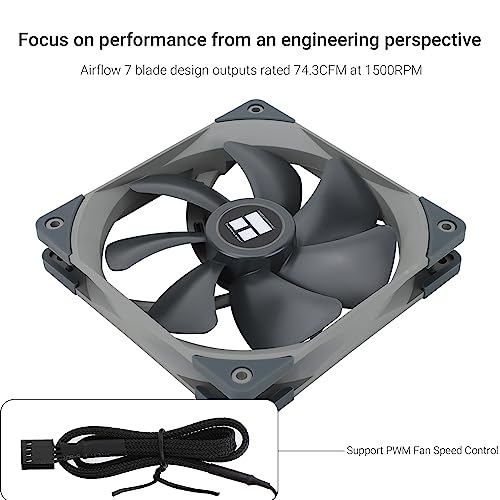
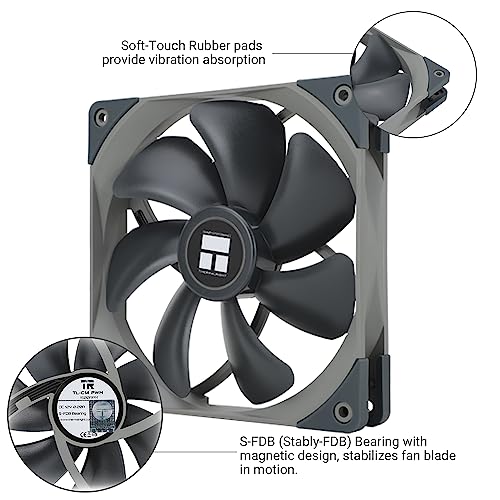
Rounding out the list is the Thermalright TL-C14, the ultra-affordable 140mm pick. It is a single 140mm PWM fan running at up to 1500 RPM, using Thermalright’s S-FDB (self-lubricating fluid dynamic bearing) for long, quiet service. At around $7 it is by some distance the cheapest fan on this list and a genuine bargain for a 140mm frame.
This is the pick for the builder on the tightest budget, or anyone who simply needs an inexpensive 140mm fan to fill a single empty mount. PWM control means the motherboard can ramp it sensibly, the S-FDB bearing is the same family of bearings Thermalright uses across its much more expensive coolers, and the 1500 RPM ceiling is appropriate for case duty. For an affordable, no-drama 140mm intake or exhaust fan, the TL-C14 is hard to beat and an obvious choice when every dollar matters.
Pros: Lowest price on this list, PWM control, S-FDB bearing, real 140mm frame.
Cons: Single fan; no RGB; understated branding rather than premium feel.
How to Choose a 140mm PC Fan
Choosing 140mm fans starts with confirming your case actually supports them. Most modern airflow chassis offer 140mm mounts in the front and top, often the rear, but cheaper or older cases may only accept 120mm. Check the spec sheet before you buy, because a 140mm fan in a 120mm bracket simply will not fit. Once you know how many 140mm mounts you have, the buying decision becomes far simpler — and a bundle like the ARCTIC P14 Pro PST 5-pack starts to make sense for cases that take four or five of them.
The next consideration is airflow versus static pressure. Open intakes and rear exhausts with little obstruction reward an airflow-tuned blade that shifts a lot of air at moderate RPMs, where pressure-optimised designs like the ARCTIC P14 Pro and Noctua NF-P14s redux excel by pushing through dust filters and dense mesh. For radiator duty, the priority is static pressure and the ability to keep working at higher speeds — territory where the Noctua iPPC-3000 lives. Match the fan’s strengths to the mount you are filling.
PWM control and bearing quality are the practical details that decide how the build behaves day to day. PWM fans like every PWM model here let the motherboard adjust speed by load, so the fans go quiet during light desktop work and ramp up under games — almost always preferable to fixed-RPM voltage control. Bearings such as Thermalright’s S-FDB, Corsair’s magnetic dome, and Noctua’s signature SSO bearings are all engineered for long life and low vibration, which is what you actually feel as ‘quiet’ in a real case.
Finally, set a budget that respects the rest of your build and resist the temptation to overspend in one place. A premium fan like the Noctua NF-A14 iPPC-3000 is a beautiful piece of engineering, but it is wasted on a casual build that will never push it. Conversely, do not stuff a quiet airflow case with the absolute cheapest blades. Pick the fan whose strengths match each mount — quiet for the intake, pressure for the radiator, value-bundle for the whole-case refresh — and your 140mm overhaul will feel coherent and just work.
Frequently Asked Questions
Are 140mm fans really quieter than 120mm fans?
Generally, yes. A 140mm blade can move the same amount of air as a 120mm fan at a lower RPM, and lower RPM means less motor noise, less blade noise and less vibration. That is why low-noise lines like be quiet!’s Pure Wings 3 and Noctua’s redux series favour the 140mm size for quiet airflow. The catch is that your case has to support 140mm mounts in the first place.
Do I need PWM 140mm fans or are 3-pin fans fine?
PWM is preferable if your motherboard headers support it, because the board can adjust the fan speed by temperature — silent at idle, ramped up under load. Every PWM fan in this guide takes advantage of that. Fixed-speed 3-pin fans work too, but you control them only by voltage and they tend to be either too quiet to cool or too loud at desktop. PWM is the modern default.
Can I use 140mm fans on an AIO radiator?
Yes, if your AIO uses a 280mm or 420mm radiator that takes 140mm fans rather than the more common 240mm or 360mm 120mm-fan radiators. A pressure-optimised or industrial 140mm fan like the Noctua NF-A14 iPPC-3000 is well suited to radiator duty because radiators benefit from static pressure and higher RPM headroom. Confirm the radiator’s fan size before pairing.
Is buying a multipack like the ARCTIC P14 Pro PST 5-pack a good idea?
It is excellent value if your case has four or five 140mm mounts and you want a coherent, matched fan setup. The per-fan cost is much lower than buying single 140mm fans of similar quality, and the daisy-chain wiring keeps cabling tidy. If you only need one or two fans, buy a single high-quality model instead — the bundle savings are only meaningful when you actually use all the fans.
Related Guides
- Best PC Case Fans
- Best ARGB PC Fans
- Best Quiet PC Case Fans
- Best High Static Pressure Fans
- Best PC Fan 3 Pack Bundles
- Best AIO Liquid Coolers
- Best PC Cases for Airflow
- Best Budget Gaming Setup
Affiliate Disclosure: As an Amazon Associate, we earn from qualifying purchases. If you click a link and make a purchase, we may earn a small commission at no extra cost to you. Prices and availability are accurate as of publication and may change.
Ready to decide? Our #1 pick for 2026 is the ARCTIC P14 Pro PST (5-pack).
Live price & availability on Amazon.


