

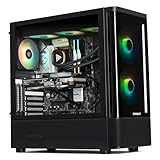
- Top Pick: KOTIN Prebuilt Gaming PC RTX 5070 12GB, Ryzen 7 9700X, 32GB DDR5, 1TB SSD
- Best Value: iBUYPOWER Element Gaming PC Desktop Computer AMD Ryzen 9 7900X CPU, NVIDIA GeForce RTX 5070 12GB GPU, 32GB DDR5 RAM, 1TB NVMe SSD, Windows 11 Home, Gamer Keyboard and Mouse – EWA9N5702
- Premium Choice: STORMCRAFT Falcon Prebuilt RTX 5070 Gaming PC,R7 7800X3D,32GB DDR5,1TB SSD
As the next generation of graphics cards, like the rumored NVIDIA RTX 5070, starts to become a reality, gamers are understandably excited. However, a common pitfall when upgrading your GPU is neglecting the impact your CPU has on overall performance. A powerful new graphics card paired with an underpowered processor can lead to a frustrating “bottleneck,” where your CPU can’t keep up, leaving your expensive GPU starved for data and underutilized. This guide will help you understand if an RTX 5070 will bottleneck your current or future CPU, ensuring you get the most out of your gaming rig in 2026 and beyond.
We’ll delve into the factors that contribute to CPU bottlenecks, analyze common CPU pairings with the RTX 5070, and provide actionable advice to help you make informed decisions. Whether you’re building a new PC or upgrading an existing one, this guide will equip you with the knowledge to achieve a balanced and high-performing gaming experience.
As an Amazon Associate we earn from qualifying purchases at no extra cost to you.






🎮 Get More From Your Setup — Free
Prime Gaming gives you free PC games every month, in-game loot, and a free Twitch sub — plus fast free shipping on the gear above. New members get a 30-day free trial.
Understanding CPU Bottlenecks
A CPU bottleneck occurs when your processor can’t process game logic, AI, physics, and draw calls fast enough to feed the graphics card. This results in lower frame rates than your GPU is capable of delivering, and often leads to inconsistent frame pacing, causing stuttering. The RTX 5070, expected to be a high-end card, will demand a powerful CPU to reach its full potential, especially at lower resolutions like 1080p where the CPU has a more significant impact.
Key Factors for RTX 5070 Performance
Several factors determine if your CPU will bottleneck an RTX 5070:
- CPU Clock Speed and Core Count: Higher clock speeds allow the CPU to perform more operations per second. More cores can handle more tasks simultaneously, which is increasingly important in modern, complex games.
- CPU Architecture: Newer CPU architectures are generally more efficient, delivering better performance per clock cycle.
- Game Optimization: Some games are more CPU-intensive than others. Esports titles often rely heavily on CPU performance for high frame rates, while graphically demanding AAA titles might lean more on the GPU.
- Resolution and Refresh Rate: At higher resolutions (1440p, 4K), the GPU becomes the primary limiting factor. At lower resolutions (1080p), the CPU plays a more crucial role in pushing high frame rates.
Analyzing Common CPU Pairings
For a card like the RTX 5070, aiming for a smooth 1440p or even 4K experience, a mid-range to high-end CPU from recent generations is recommended. CPUs like the AMD Ryzen 7 7800X3D, known for its exceptional gaming performance due to its 3D V-Cache technology, are excellent choices and are unlikely to bottleneck an RTX 5070. Similarly, processors such as the Intel Core i7 14700F or AMD Ryzen 7 9700X offer strong performance that should complement the RTX 5070 well. Even higher-end CPUs like the Ryzen 9 7900X or Ryzen 7 9800X3D (found in systems like the KOTIN Gaming PC Desktop, Ryzen 7 9800X3D, RTX 5070 12GB, 32GB DDR5, 1TB SSD and STORMCRAFT Falcon Prebuilt RTX 5070 Gaming PC,R7 7800X3D,32GB DDR5,1TB SSD) provide ample headroom.
When to Be Concerned
You’ll likely experience a bottleneck if you pair an RTX 5070 with older generation CPUs that have significantly lower clock speeds, fewer cores, or less efficient architectures. For example, a CPU from the Intel Core i5 9th generation or older, or an AMD Ryzen 5 2000 series or older, would almost certainly bottleneck the RTX 5070. Even mid-range CPUs from a few years ago might struggle in CPU-intensive titles at high refresh rates.
Checking Your Current System
The best way to determine if your current CPU is a bottleneck is to monitor its utilization while gaming. Use tools like MSI Afterburner with the RivaTuner Statistics Server overlay. If your CPU usage consistently hovers around 90-100% while your GPU usage is significantly lower (e.g., 60-70%), you have a CPU bottleneck. Frame rate fluctuations and stuttering are also strong indicators.
Tips
- Prioritize a Balanced Build: Aim for a CPU and GPU that are in a similar performance tier for the resolutions you play at.
- Future-Proofing: If you’re building new, consider a CPU that offers some headroom for future GPU upgrades.
- Resolution Matters: At 1440p and 4K, the GPU is usually the limiting factor. At 1080p, a stronger CPU becomes more critical.
- Research Specific Games: Some games are notoriously CPU-heavy; check benchmarks for those titles with your intended CPU and GPU combination.
Frequently Asked Questions
Will a Ryzen 5 5600X bottleneck an RTX 5070?
A Ryzen 5 5600X is a capable CPU, but it might show some bottlenecking in CPU-intensive games at 1080p. At 1440p and 4K, the bottleneck will be less pronounced, and it should still provide a good experience, though not necessarily the absolute maximum performance the RTX 5070 can offer.
Is the Intel i5 13600K good enough for an RTX 5070?
Yes, the Intel Core i5 13600K is generally considered a strong pairing for an RTX 5070. It offers excellent gaming performance and should provide a balanced experience across most titles and resolutions.
What about older Ryzen CPUs like the Ryzen 7 3700X?
A Ryzen 7 3700X would likely bottleneck an RTX 5070, especially in newer, demanding games and at lower resolutions. You’d be leaving significant performance on the table.
Should I upgrade my CPU if I buy an RTX 5070?
It depends entirely on your current CPU and the resolution you play at. If you have a high-end or mid-range CPU from the last 2-3 generations, you might be fine. If you have an older or lower-tier CPU, an upgrade is highly recommended to fully utilize the RTX 5070’s capabilities.
Conclusion
The NVIDIA RTX 5070 promises a significant leap in graphical fidelity and performance. To ensure you experience its full potential, a well-matched CPU is crucial. By understanding the factors contributing to bottlenecks and considering modern, capable processors, you can build or upgrade a gaming PC in 2026 that delivers a smooth, high-fidelity gaming experience without compromise.















