

- Top Pick: ASUS Dual GeForce RTX 4060 Ti EVO OC Edition 8GB GDDR6 (PCIe 4.0, 8GB GDDR6, DLSS 3, HDMI 2.1a, DisplayPort 1.4a, Axial-tech Fan Design, Auto-Extreme Technology), 3 Year Warranty
- Best Value: ASUS Dual GeForce RTX 4060 V2 OC Edition (PCIe 4.0, 8GB GDDR6, DLSS 3, HDMI 2.1a, DisplayPort 1.4a, 2-Slot Design, Axial-tech Fan Design, 0dB Technology), 3 Year Warranty
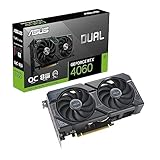
- Premium Choice: ASUS Dual GeForce RTX 4060 OC Edition 8GB GDDR6 (PCIe 4.0, 8GB GDDR6, DLSS 3, HDMI 2.1a, DisplayPort 1.4a, 2.5-Slot Design, Axial-tech Fan Design, 0dB Technology), 3 Year Warranty
Diablo II: Resurrected is not a demanding game by 2026 standards. It is a faithful remaster of a classic 2D action RPG — rebuilt with re-rendered characters, modern lighting and high-resolution textures, plus a new class and an overhauled endgame — but it still targets a very modest set of hardware. The official recommended GPU is a GeForce GTX 1060, and the minimum is a card from 2012. Any entry-level gaming PC built in the last several years will handle it at 1080p without strain, and 1440p or 4K is well within reach of modest mid-range hardware. You do not need a high-end CPU or GPU to enjoy it smoothly, even in eight-player games.
- Diablo II: Resurrected Official PC System Requirements
- Is Diablo II: Resurrected Hard to Run in 2026?
- Best GPU for Diablo II: Resurrected by Resolution
- CPU, RAM and Storage Notes for Diablo II: Resurrected
- Example PC Builds for Diablo II: Resurrected in 2026
- Laptop and Handheld Suitability: Steam Deck, ROG Ally and Others
- Settings That Raise FPS the Most in Diablo II: Resurrected
- Frequently Asked Questions
As an Amazon Associate we earn from qualifying purchases at no extra cost to you.



Diablo II: Resurrected Official PC System Requirements
| Component | Minimum (official) | Recommended (official) |
|---|---|---|
| OS | Windows® 10 | Windows® 10 |
| Processor | Intel® Core i3-3250/AMD FX-4350 | Intel® Core i5-9600k/AMD Ryzen 5 2600 |
| Memory | 8 GB RAM | 16 GB RAM |
| Graphics | Nvidia GTX 660/AMD Radeon HD 7850 | Nvidia GTX 1060/AMD Radeon RX 5500 XT |
| Storage | 43 GB available space | 43 GB available space |
Source: the official Diablo II: Resurrected – Infernal Edition Steam store listing (app 2536520), checked October 2026. Publishers can update these specs after patches.
Those are the publisher’s own figures, and they are refreshingly low. The minimum GPU, a GeForce GTX 660 or Radeon HD 7850, is a 2012-era card, and the recommended GeForce GTX 1060 / Radeon RX 5500 XT is entry-level gaming hardware by current standards. Both tiers list 43 GB of storage and a broadband connection — the network requirement applies because the game’s online modes and eight-player games need a persistent connection, even though the campaign can be played alone. Note that Windows 10 is the only operating system listed at either tier, and that no integrated GPU appears anywhere in the official specifications.
Is Diablo II: Resurrected Hard to Run in 2026?
No. This is a lightweight remaster of a decades-old game, not a cutting-edge AAA release. The official minimum calls for a GeForce GTX 660, and the recommended card is a GTX 1060 — hardware that a large share of existing gaming PCs already exceeds. The remastered renderer is layered over the original game’s logic rather than replacing it, which is why the bar stays so low and why the game scales down cleanly to older machines, laptops and handhelds.
The CPU side is light too. The simulation underneath is the classic Diablo II game logic, which was never built around large numbers of AI actors, physics objects or open terrain. The eight-player mode adds network traffic and more entities on screen rather than a heavy simulation cost, so a processor at the recommended Core i5-9600K / Ryzen 5 2600 level will not hold back a modern graphics card at any resolution. The game carries a Strategy tag on Steam because of build, skill and item planning, not because it runs large-scale simulation.
The result is a title that is effectively GPU-bound, and even then only mildly. It is also VRAM friendly: 4 GB is enough for 1080p at high settings, and 6–8 GB is comfortable for 1440p and 4K with high-resolution textures enabled. If your PC can run a modern esports title comfortably, it can run this one.
Best GPU for Diablo II: Resurrected by Resolution
The tiers below assume high or maximum settings with the remastered 3D visuals enabled. Because the official recommended card is a GTX 1060-class GPU, every tier listed here sits well above what the game actually asks for — treat them as guidance on what is comfortable rather than what is required.
1080p (Full HD) – 60 FPS and Beyond
1080p is exactly what the official recommended spec targets, and it is easily met. A GeForce GTX 1060 6GB, GTX 1650, RTX 3050, RTX 4060 or RTX 5060, or a Radeon RX 580, RX 5500 XT, RX 6600, RX 7600 or RX 9060 XT, will all hold high settings at 1080p without trouble, including in busy fights with many enemies and particle effects on screen. Cards at or below the official minimum — a GTX 660 or HD 7850 — will still run the game at 1080p, but you should expect to lower settings.
If you are targeting a 1080p high-refresh monitor, a modern entry-level card such as the GeForce RTX 5060, Radeon RX 9060 XT or Intel Arc B580 gives you plenty of headroom, and at this resolution the CPU and the game’s own frame handling are more likely to be the limit than the GPU.
1440p (QHD) – The Sweet Spot for Remastered Graphics
1440p adds noticeable clarity to the reworked textures and lighting, and this is where Resurrected looks its best on a desktop monitor. It stays affordable, because the game is light enough that mid-range cards are not stretched.
- Comfortable at 1440p high settings: GeForce RTX 3060, RTX 4060, RTX 5060, Radeon RX 6600 XT, RX 7600, RX 9060 XT, or Intel Arc B580.
- For high-refresh 1440p: GeForce RTX 4060 Ti, RTX 5060 Ti, RTX 5070, Radeon RX 7700 XT or RX 9070 will hold well above the 60 FPS target and leave headroom for higher shadow quality or a higher resolution scale.
VRAM usage at 1440p stays well under 8 GB in this game, so 8 GB cards have no issues at all.
4K (UHD) – For Large Screens and High-End Monitors
Diablo II: Resurrected scales surprisingly well to 4K because its remastered art assets were authored at very high resolution. You do not need a flagship GPU for 4K.
- For 4K at high settings: GeForce RTX 4060 Ti, RTX 5060 Ti, RTX 5070, Radeon RX 7700 XT or RX 9070 are comfortable choices.
- For 4K on a high-refresh display: GeForce RTX 5070 Ti, RTX 5080, or Radeon RX 9070 XT give you the extra headroom you want at this resolution.
At 4K, upscaling is the easiest way to buy additional headroom — enable DLSS, FSR or XeSS where the game and your card support it, and use the resolution scale option if your GPU does not. The clean, high-contrast art style hides the softer image very well.
CPU, RAM and Storage Notes for Diablo II: Resurrected
CPU
The recommended processor, a Core i5-9600K or Ryzen 5 2600, is a six-core part from 2018–2019, which tells you most of what you need to know. Anything modern — a Core i3-12100F, Core i5-12400F or Core i5-14400F, or an AMD Ryzen 5 5600 or Ryzen 5 7600 — clears the recommended bar comfortably and will not bottleneck a mid-range GPU at 1080p, 1440p or 4K in this title.
You do not need a high-end gaming CPU such as a Ryzen 7 7800X3D or Core i7-14700K for this game alone. Those parts earn their keep in simulation-heavy strategy and large open-world titles, which this is not. Even a recent 4-core processor or a current laptop chip paired with a dedicated GPU will keep the game running smoothly, and eight-player games do not change that picture much.
RAM
8 GB is the official minimum and 16 GB is the official recommendation. In practice the game uses only a few gigabytes of system memory, so 16 GB is really about leaving room for Windows, your game launcher and whatever else you keep open while farming. 32 GB offers no benefit for Diablo II: Resurrected itself, though it is worth considering if you multitask heavily or play other, heavier games on the same machine.
Storage
The install size is 43 GB, and the official spec asks only for that much available space — an SSD is not listed as a requirement. It is still the single biggest quality-of-life upgrade you can make. Act transitions, waypoint travel and town portals load noticeably faster from an SSD, and an NVMe drive avoids the brief texture-streaming hitches that mechanical drives can produce the first time you enter a new area. Any 500 GB or 1 TB NVMe SSD, which is standard in budget builds today, is more than enough room.
Example PC Builds for Diablo II: Resurrected in 2026
These are parts tiers rather than specific shopping lists, and regional availability varies. No specific store links are included.
Budget Build – 1080p / 1440p 60+ FPS
This class of PC already exceeds the official recommended specs by a wide margin.
- CPU: Intel Core i3-12100F / Core i5-12400F or AMD Ryzen 5 5600
- GPU: NVIDIA GeForce GTX 1650 / RTX 3050 / RTX 5060 or AMD Radeon RX 6600 / RX 7600 / RX 9060 XT
- RAM: 16GB DDR4 (2x8GB) 3200MHz
- Storage: 1TB NVMe SSD
What to expect: high settings at 1080p with headroom to spare, and a comfortable 1440p experience with shadows and effects trimmed slightly. The game runs cool and quiet on this class of hardware, with modest total system power draw.
Mid-Range Build – 1440p High Refresh / 4K
This is overkill for Diablo II: Resurrected alone, but it gives you headroom for more demanding modern titles at the same time.
- CPU: Intel Core i5-13400F / Core i5-14400F or AMD Ryzen 5 7600 / Ryzen 7 7700
- GPU: NVIDIA GeForce RTX 5060 Ti / RTX 5070 or AMD Radeon RX 9060 XT / RX 9070
- RAM: 16GB or 32GB DDR5
- Storage: 1TB NVMe PCIe 4.0 SSD
What to expect: 1440p at maximum settings with plenty of refresh-rate headroom, and 4K at high settings without compromise. You can enable every visual option the game offers — dynamic shadows, ambient occlusion and high-resolution textures — with no performance concerns.
Laptop and Handheld Suitability: Steam Deck, ROG Ally and Others
Diablo II: Resurrected is an excellent fit for portables. It supports controllers, its zones are short and session-friendly, and its hardware demands are low enough that even a modest gaming laptop comfortably clears the official recommended spec.
- Gaming Laptops: Any gaming laptop with a GeForce RTX 3050 Laptop, RTX 4050 Laptop, RTX 4060 Laptop or Radeon RX 7600S and a 16GB RAM configuration will run the game at 1080p high settings above the 60 FPS target. Even thin-and-light models stay cool, because GPU utilization in this title is rarely pushed to the limit.
- Steam Deck / Steam Deck OLED: Runs well under Proton. At 1280×800 the Deck sits comfortably above the official recommended spec, so medium-to-high settings are realistic. Using FSR and capping the frame rate to 40 or 45 FPS extends battery life considerably on longer farming sessions.
- ROG Ally, Legion Go and similar Windows handhelds: Similar or slightly better than the Deck thanks to higher TDP headroom. The AMD Ryzen Z1 Extreme class of chip handles 1080p at high settings well. Battery life depends heavily on the TDP preset and frame cap you choose.
On all handhelds, install the game to the internal SSD rather than a microSD card — the 43 GB install fits comfortably, and it avoids hitching when loading new zones.
Settings That Raise FPS the Most in Diablo II: Resurrected
The remaster does not have dozens of granular options, but a few settings matter more than the rest:
- Shadow Quality and Ambient Occlusion: These add depth to dungeons and outdoor lighting but are among the more expensive options in the game. Dropping shadows a notch or two, or turning ambient occlusion down, is the quickest way to recover performance on lower-end GPUs with minimal visual loss during fast-paced combat.
- Anti-Aliasing and Anisotropic Filtering: These carry a small cost. If you are just short of your target frame rate at 1440p or 4K, moving to a lighter anti-aliasing mode and reducing anisotropic filtering a step or two recovers a little performance without noticeable blur.
- Resolution Scale and Upscaling: The resolution scale slider, plus DLSS, FSR or XeSS where the game and your GPU support them, are the biggest performance levers at 1440p and 4K. Running at a slightly reduced scale, or with a quality-mode upscaler, looks nearly identical to native in this game because of its clean art style.
- V-Sync and Frame Rate Cap: The game benefits from capping the frame rate to your monitor’s refresh rate. An uncapped frame rate in menus can push GPU load and fan noise up unnecessarily, so enable V-Sync or a driver-level limiter.
- Classic Graphics Mode: If the remaster gives you the option to switch back to the original 2D presentation, use it as a troubleshooting or low-power fallback — it removes almost all of the 3D rendering load and will run on very old integrated graphics.
For most modern PCs, you can leave everything at high or maximum and adjust only shadows and resolution scale if you want more frames. Texture quality itself has almost no performance impact as long as you have enough VRAM.
Frequently Asked Questions
Do you need a good PC for Diablo II: Resurrected?
No. By 2026 standards it is a very accessible game. A PC with a 4-core CPU from the last several years, 8–16GB RAM and any entry-level dedicated GPU from the GTX 16 series or RX 6000 series onward will comfortably exceed the official recommended spec at 1080p.
Can you run it without a graphics card?
The official specifications list a dedicated GPU at both the minimum and recommended tiers, so integrated graphics is technically below the stated minimum. In practice, modern AMD Ryzen integrated graphics and Intel Iris Xe or Arc integrated graphics can run the game at reduced resolution and settings, but a dedicated GPU remains the safe choice if you want a smooth experience.
Does it need an SSD?
Not required — the official spec asks only for 43 GB of available space. It is strongly recommended, though: load times between areas are much shorter and you avoid the stutter that mechanical drives can cause when streaming in new textures for the first time.
Is the game CPU or GPU bound?
GPU bound. The CPU handles the classic game simulation, which is very light by modern standards, and even eight-player games do not change that significantly. Upgrading your graphics card will do far more for performance in this title than upgrading your processor.














