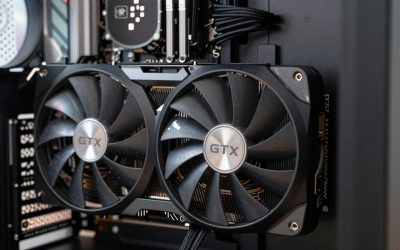
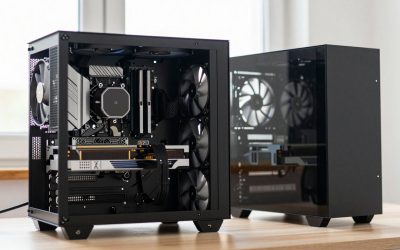
- Top Pick: Skytech Gaming PC Desktop, Ryzen 7 9800X3D, RTX 5070 Ti, 32GB RAM, 2TB SSD | Windows 11, Gen4 NVMe SSD, DDR5 6000, 850W GOLD ATX 3 PSU, 360 ARGB AIO , Wi-Fi 5, King 95 Series
- Best Value: ZOTAC MEK Gaming PC Desktop, Ryzen 7 9700X, NVIDIA GeForce RTX 5070 Ti 16GB | 32GB DDR5, 1TB NVMe SSD, 750W 80+ Gold PSU, WiFi 6E, Bluetooth 5.3, Windows 11 Pro, GDDR7, up to 5.5GHz
- Premium Choice: Skytech Gaming PC Desktop, Ryzen 7 9850X3D, RTX 5070 Ti, 32GB RAM, 1TB SSD | Windows 11, Gen4 NVMe SSD, DDR5 6000, 850W GOLD ATX 3 PSU, 360 ARGB AIO , Wi-Fi 5, King 95 Series
The best gaming PC under $2,500 is the one that keeps an RTX 5070 Ti-class card, 32GB of DDR5 and a sensible power supply while staying close to the budget, and in this set that points to the ZOTAC MEK with the Ryzen 7 9700X or the Stormcraft Valkyrie. Nearly all of these listings sit above $2,500, so settle first whether your cap is firm. Only the CyberPowerPC appeared under it when we built this list.
Quick comparison of all twelve
As an Amazon Associate we earn from qualifying purchases at no extra cost to you.




| Model | Key point | Price tier | Best for |
|---|---|---|---|
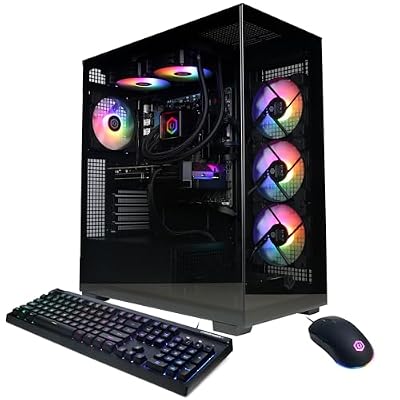
| Skytech King 95 (Ryzen 7 9800X3D) | 9800X3D, RTX 5070 Ti, 32GB DDR5, 2TB, 360 AIO | Premium | Spec-heavy buyers |
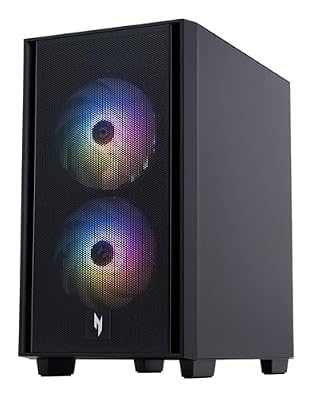
| ZOTAC MEK (Ryzen 7 9700X) | 9700X, RTX 5070 Ti 16GB, 1TB, Windows 11 Pro | Mid-range | Staying near the cap |
| Skytech King 95 (Ryzen 7 9850X3D) | 9850X3D, RTX 5070 Ti, 1TB, 850W Gold | Premium | Top-end gaming CPU |
| STORMCRAFT Skyhawk PRO | 9800X3D, 32GB DDR5, 2TB, B850, 360mm AIO | Premium | Storage and cooling |
| STORMCRAFT Valkyrie | 9800X3D, 32GB DDR5, 1TB, B850, 360 AIO | Mid-range | Lowest 9800X3D cost |
| ZOTAC MEK (Core Ultra 7 265KF) | Ultra 7 265KF, RTX 5070 Ti, 1TB | Mid-range | Intel preference |
| CyberPowerPC Gamer Xtreme | Ryzen 9 9900X, RTX 5070 12GB, 32GB DDR5, 1TB | Budget | Staying under $2,500 |
| Lenovo Legion Tower 5 | 9800X3D, RTX 5070 Ti, 32GB, 1TB, Game Pass | Premium | Brand support |
| Acer Nitro 60 | Ryzen 9 7900, RTX 5070 Ti, 32GB DDR5, 2TB | Premium | Storage on a brand PC |
| VIPRTECH Overlord 3.0 | Ryzen 9 7900X, RTX 5070 Ti, 32GB, 2TB, white | Mid-range | White build |
| Skytech King 95 (Core Ultra 7 270K Plus) | Ultra 7 270K Plus 5.4GHz, 1TB, 850W Gold | Premium | Intel with strong PSU |
| STORMCRAFT Phantom | Ultra 7 265F, RTX 5070 Ti, B860, 360mm AIO | Mid-range | Content creation |
The twelve prebuilts, one by one
Skytech King 95 (Ryzen 7 9800X3D)
The title lists a Ryzen 7 9800X3D, RTX 5070 Ti, 32GB RAM, a 2TB Gen4 NVMe SSD, DDR5 6000, an 850W Gold ATX 3 PSU and a 360 ARGB AIO. That is the fullest spec sheet in the set, but the price sat above the $2,500 line when this brief was built, so check today’s figure.
Pros
- 2TB storage and 360 AIO listed
- 850W Gold PSU leaves upgrade room
Cons
- Likely over a strict $2,500 cap
- Wi-Fi 5 only, per title
Who it’s for: Shoppers who treat $2,500 as flexible and want maximum listed hardware.
ZOTAC MEK (Ryzen 7 9700X)
ZOTAC pairs a Ryzen 7 9700X with an RTX 5070 Ti 16GB, 32GB DDR5, a 1TB NVMe SSD and a 750W 80+ Gold PSU. Windows 11 Pro, WiFi 6E and Bluetooth 5.3 are also in the title. It is one of the lower-priced 5070 Ti listings here, though still slightly above $2,500.
Pros
- Windows 11 Pro and WiFi 6E
- Lower price than the X3D builds
Cons
- Only 1TB of storage
- 750W PSU is tighter for upgrades
Who it’s for: Gamers who want a 5070 Ti-class card without paying for an X3D chip.
Skytech King 95 (Ryzen 7 9850X3D)
This Skytech lists a Ryzen 7 9850X3D, RTX 5070 Ti, 32GB DDR5 6000, 1TB Gen4 NVMe, an 850W Gold ATX 3 PSU and a 360 ARGB AIO. It is the most expensive listing in the group, and you get half the storage of the other Skytech model for the extra cost.
Pros
- Newest X3D chip in the set
- Same 850W PSU and 360 AIO
Cons
- Priciest listing in the group
- 1TB fills fast with big games
Who it’s for: Buyers who want the fastest listed CPU and accept a price well past $2,500.
STORMCRAFT Skyhawk PRO
The title names a Ryzen 7 9800X3D, RTX 5070 Ti with 16GB GDDR7, 32GB DDR5, a 2TB SSD, B850 chipset, 360mm AIO and 850W Gold PSU. The spec list nearly matches the Skytech 9800X3D system, so compare warranty terms and the final price on each listing.
Pros
- 2TB SSD and 360mm AIO
- B850 board named in title
Cons
- Priced above $2,500
- Brand is less established
Who it’s for: Shoppers comparing like-for-like against the Skytech 9800X3D.
STORMCRAFT Valkyrie
Valkyrie lists a Ryzen 7 9800X3D, RTX 5070 Ti, 32GB DDR5, 1TB SSD, B850 board, 360 AIO and 850W PSU, plus USB-C and Wi-Fi 6. “AI VR Ready” and the action figure stand are marketing phrases, not specs. The PSU efficiency tier is not stated, so check the listing.
Pros
- 9800X3D at a lower tier
- 850W PSU and USB-C
Cons
- Only 1TB storage
- PSU efficiency rating not stated
Who it’s for: Buyers who want an X3D chip and are fine adding a second SSD later.
ZOTAC MEK (Core Ultra 7 265KF)
Same ZOTAC MEK line as the Ryzen version, but with an Ultra 7 265KF, RTX 5070 Ti 16GB, 32GB DDR5, 1TB NVMe and a 750W 80+ Gold PSU. The KF suffix generally means no integrated graphics, which is fine alongside a discrete card.
Pros
- Intel option with 5070 Ti
- Windows 11 Pro included
Cons
- No integrated graphics, usually
- Same 750W and 1TB limits
Who it’s for: People who run Intel-favoring applications alongside games.
CyberPowerPC Gamer Xtreme
The only listing that appeared under $2,500 at brief time. It pairs a Ryzen 9 9900X with a plain RTX 5070 12GB, 32GB DDR5 and a 1TB PCIe 4.0 SSD. The GPU is one class below the 5070 Ti used elsewhere, which is the trade for the lower price. PSU wattage is not in the title.
Pros
- Only listing near the budget
- 12-core CPU helps with rendering
Cons
- Weaker GPU than 5070 Ti
- PSU details missing
Who it’s for: Anyone holding a hard $2,500 ceiling.
Lenovo Legion Tower 5
Lenovo lists an RTX 5070 Ti, Ryzen 7 9800X3D, 32GB memory, 1TB storage, Windows 11 Home and three months of PC Game Pass. The title omits memory type, PSU and cooler, so confirm them on the listing. A major-brand name may simplify warranty claims.
Pros
- Big-brand support network
- Includes 3 months of Game Pass
Cons
- Memory type and PSU unlisted
- Costs more than similar builds
Who it’s for: Buyers who value a known manufacturer over a parts list.
Acer Nitro 60
Acer lists a Ryzen 9 7900 (12 cores), RTX 5070 Ti, 32GB DDR5, a 2TB PCIe 4.0 SSD, Wi-Fi 6 and Gigabit Ethernet. The title is cut off after the networking details, so cooler and PSU information is missing. The 7900 is not an X3D part, which may suit multitasking more than pure gaming.
Pros
- 2TB SSD from a known brand
- 12-core CPU for multitasking
Cons
- Truncated title hides PSU data
- Not an X3D gaming chip
Who it’s for: Gamers who also edit video or run heavy multitasking.
VIPRTECH Overlord 3.0
The title lists a Ryzen 9 7900X, RTX 5070 Ti, 32GB DDR5 and a 2TB NVMe SSD in a White Oak finish. It repeats memory figures confusingly (“16GB, 32GB”), probably GPU VRAM and system RAM, but verify on the listing. Cooling and PSU are not named.
Pros
- 2TB SSD at a mid-range tier
- Distinct white styling
Cons
- Confusing, repeated spec text
- Cooler and PSU not stated
Who it’s for: Buyers who want a lighter-colored case and plenty of storage.
Skytech King 95 (Core Ultra 7 270K Plus)
Skytech lists an Intel Ultra 7 270K Plus at 5.4GHz, RTX 5070 Ti with 16GB VRAM, 1TB Gen4 NVMe, 32GB DDR5 6000, an 850W Gold ATX 3 PSU and a 360 ARGB AIO. Power and cooling are fully described, though 1TB is modest for the money.
Pros
- 850W Gold ATX 3 PSU named
- 360 ARGB AIO listed
Cons
- 1TB storage at premium cost
- Over a $2,500 cap
Who it’s for: Intel fans who want clear PSU and cooling details in the title.
STORMCRAFT Phantom
Phantom lists an Intel Core Ultra 7 265F, RTX 5070 Ti with 16GB GDDR7, 32GB DDR5, a B860 board, 360mm AIO, 850W Gold PSU and 1TB SSD. The title gives RAM as 4800MHz, below the 6000 listed on the Skytech models, so confirm the speed on the listing.
Pros
- 850W Gold PSU and 360mm AIO
- Lower tier than most 5070 Ti builds
Cons
- RAM speed looks slower
- Only 1TB storage
Who it’s for: Creators who want a balanced Intel build without paying top dollar.
How we picked these
We compared the twelve listings using published specifications, manufacturer documentation and buyer reviews, then sorted them by what each title actually states: GPU, CPU, RAM, storage, PSU and cooler. Prices appear as relative tiers because they change daily. Seller wording such as “AI VR Ready” is treated as marketing. Nobody on the team used or measured these units. The author is our editorial team.
What a $2,500 budget really buys
The 5070 Ti sweet spot
Every listing but one uses an RTX 5070 Ti with 16GB of VRAM. That tier is generally aimed at high-refresh 1440p play and can handle many 4K titles with settings adjusted, though frame rates depend on the game. Our $2,500 gaming PC build guide covers the full parts breakdown.
CPU: X3D, plain Ryzen or Intel
X3D chips (9800X3D, 9850X3D) are the gaming-focused option. A Ryzen 9 such as the 7900 or 9900X brings more cores, which helps rendering and compiling. For pure gaming at 1440p and above, the GPU is usually the limiter, so the CPU gap narrows.
Memory, storage and power
32GB DDR5 is the baseline now. Aim for 2TB if you install many large games; 1TB fills quickly. A 750W Gold unit can run a 5070 Ti, but 850W gives upgrade room. Check cooling too: a 360mm AIO is listed on several builds, while others never name the cooler. A large liquid cooler also means a bigger case and a radiator that can eventually need attention, so ask about service terms.
Warranty and software
Windows 11 Pro appears on the ZOTAC models, while the others list Home. Pro adds features some workplaces need, but most gamers will not notice a difference. Warranty length is rarely in the title, so read the seller page.
Budget maths with stated assumptions
If $2,500 is your out-of-pocket total and local sales tax is about 8% (an assumption), the pre-tax ceiling is roughly $2,315. Set aside about $200 for a monitor or peripherals and the tower budget drops near $2,100, which none of these listings reach.
Prebuilt or custom?
Prebuilts save assembly time and give one warranty path, but may use unnamed PSUs and boards. A custom build lets you choose every part, often for a similar price. If you want to price one yourself, try the PC configurators we rounded up. For anyone not comfortable assembling, a prebuilt with a named Gold PSU is the safer purchase. Confirm warranty length and who handles service.
Mistakes buyers make
The common error is ignoring the actual price against the budget. Buying on GPU name alone is another: an RTX 5070 and a 5070 Ti are different tiers. Others include skipping PSU wattage, accepting 1TB when you own large games, and trusting “VR Ready” or “AI” labels. Many buyers also forget to confirm RAM type and speed when the title is vague, as with the Lenovo and VIPRTECH listings. A last mistake is comparing a premium-tier listing with a mid-range one without noticing that storage, PSU and cooler differ between them.
Verdict
For a firm cap, the CyberPowerPC is the only budget-friendly pick, accepting an RTX 5070 as the trade. For value near the line, the ZOTAC MEK Ryzen 7 9700X is the practical choice. For maximum gaming performance on paper, the Skytech 9800X3D with 2TB is hard to beat if you can stretch. If your budget is truly fixed, buy the CyberPowerPC and plan a GPU upgrade later. Always verify the current price and any unlisted parts before ordering.
Related guides
- Aio Liquid Coolers For High Performance Gaming
- Wireless Gaming Headsets Under 100 For Pc
- What Is A Dac And Do You Need One For Gaming
Frequently asked questions
Can you get a good gaming PC for under $2,500?
Yes, but at this tier most listings with an RTX 5070 Ti sit slightly above the line. The CyberPowerPC with an RTX 5070 came in under it when this list was assembled. Sales and bundle discounts move prices constantly, so check the current figure before deciding. Also factor in tax and shipping, which listing prices may not include.
Is the RTX 5070 Ti enough for 4K?
It is generally positioned for strong 1440p and capable 4K play with settings tuned, though results vary by game and resolution. Treat it as a high-end card rather than a no-compromise 4K solution. Check game-specific benchmarks from independent sources before buying, and match the card to your monitor resolution and refresh rate.
Is 32GB of RAM necessary?
For a $2,500 build, 32GB is the sensible baseline. It gives room for background apps, streaming and modern game installs without constant paging to disk. Sixteen gigabytes can still run games, but it is below what this price tier normally includes, and it leaves little room for browser tabs, a streaming app and a game running together.
Is an X3D processor worth the extra cost?
X3D chips are built for gaming and tend to help most in CPU-limited titles and at lower resolutions. At 1440p or 4K the graphics card usually matters more, so the premium is less noticeable. Choose X3D if frame-rate consistency is your priority; choose more cores if you also edit or render.
What power supply do I need for an RTX 5070 Ti?
Several of these listings pair the card with a 750W or 850W Gold unit. 750W is workable at stock settings, while 850W offers headroom for upgrades and power spikes. Where the title does not state the PSU, read the full listing or ask the seller before buying. A named, reputable PSU matters more than raw wattage alone.