- Top Pick: Prebuilt Gaming PC , AMD Ryzen 7 5700X, GeForce RTX 5060 Desktop,1TB SSD | 16GB DDR4 RAM, RGB Fan with Remote Control, WiFi+BT,Windows 11 pc gamer Desktop Computer
- Best Value: WIWB Gaming PC Desktop – Ryzen 7, Radeon RX 6500XT 4GB 512GB SSD 16GB RAM | DDR4, R7 4700LE, WiFi 6 for 1080p Gaming, Streaming, Esports, School & Home Office Prebuilt Tower Computer White
- Premium Choice: CyberPowerPC Gaming PC, AMD Ryzen 5 5500, Radeon RX 6500 XT 4GB | Gamer Master, 8GB DDR4, 500GB PCIe 4.0 SSD, WiFi Ready & Windows 11 Home (GMA3100A3)
The best website to build a gaming PC depends on whether you are assembling the parts yourself or ordering a finished system: PCPartPicker-style planners suit self-builders who want automatic compatibility checks, while manufacturer configurators from system builders such as CyberPowerPC, iBUYPOWER, ORIGIN PC and similar companies suit buyers who want the machine assembled and covered by one warranty. Most people end up using one of each, planning on a parts site and then comparing against a configurator.
As an Amazon Associate we earn from qualifying purchases at no extra cost to you.

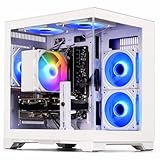


Gaming PC Configurators and Planners at a Glance
| Type | Examples | Best for | Key stated features | Limits |
|---|---|---|---|---|
| Parts planner and compatibility checker | PCPartPicker, Pangoly, BuildCores | Self-builders | Flags socket, memory and size mismatches; estimates power draw; compares parts | You still assemble, install the OS and handle warranties part by part |
| Regional planner | DropReference (Europe), PC-Kombo, LDLC configurator (France) | Buyers outside the US | Local availability and multi-seller lists | Coverage and part catalog vary by country |
| System-builder configurator | CyberPowerPC, iBUYPOWER, ORIGIN PC, Xidax, BLD | Buyers who want a finished PC | Choose each component, assembly and testing by the builder, single support contact | Part choices limited to what the builder stocks; extras can add cost |
| Guided or AI builders | Assistants that suggest parts from a budget and use case | First-time buyers | Suggest a complete parts list quickly | Suggestions need a second compatibility check |
Parts Planners: Best for Building Yourself
PCPartPicker is the name that comes up most often. Outlets describe it as the most widely used parts-list and compatibility site, and it is listed as covering many countries including the US. It lets you add parts to a list, warns about incompatible selections, and shows an estimated wattage so you can size the power supply. Its public build lists also give a way to see what other builders have put together for a given graphics card.
Alternatives follow the same idea. Pangoly is often named as a free alternative, BuildCores is mentioned alongside it in 2026 comparisons, and tools such as Logical Increments, BuildMyPC and PC Builder appear on alternative-software lists. In Europe, DropReference positions itself as a free compatibility-checked planner across multiple sellers, though that is the site’s own description, so treat it as the maker’s claim and compare it with a second tool.
What a planner is good at
- Catching a CPU and motherboard socket mismatch.
- Catching memory type mismatches such as DDR4 modules on a DDR5 board.
- Warning when a case may not fit the motherboard form factor.
- Showing estimated power draw for choosing a power supply.
What a planner cannot promise
- BIOS version support: a board may need an update before it boots a newer processor, which a checker may not flag.
- Physical fit: GPU length, cooler height and radiator clearance depend on the exact case, so read the case maker’s specifications.
- Real-world noise, temperatures and cable routing.
Manufacturer and System-Builder Configurators
Configurator pages from system builders let you start from a base model and pick the processor, graphics card, memory, storage, case and cooling. Guides list CyberPowerPC, iBUYPOWER, ORIGIN PC, Xidax and BLD among the better-known names, and some outlets single out guided configurators for first-time buyers because they hide the combinations that do not work together.
The appeal is clear: the builder assembles and tests the system, installs the operating system on request, and offers one point of contact for support. The trade-offs are a narrower choice of parts, upgrade add-ons that can raise the total quickly, and in some cases house-brand components such as the power supply or case that you would not necessarily pick yourself. Always open the full specification of a finished build and read the exact parts, not just the headline GPU and CPU.
Component-maker and platform tools
Motherboard and memory makers publish their own compatibility pages. A motherboard maker’s qualified vendor list for memory and its CPU support list are the final word on whether a particular kit and processor work with that board. GPU makers list a minimum power supply rating and the card dimensions on the product page, which is the place to confirm clearance.
What to Confirm Before You Click Buy
| Check | Where to find it | Why it matters |
|---|---|---|
| CPU and motherboard BIOS support | Motherboard maker’s CPU support list | Some boards need an update to recognise newer processors |
| Memory type and speed | Motherboard memory support list | DDR5 kits and board profiles can limit stable speeds |
| GPU length and slot width | Card and case spec sheets | Large cards may not fit smaller cases |
| Power supply wattage and connectors | GPU maker’s minimum requirement | Newer cards may need the 12V-2×6 connector or multiple 8-pin cables |
| Cooler height and socket | Cooler and case specs | Tall air coolers can collide with the side panel |
| Radiator support | Case maker’s front, top and rear mounting list | All-in-one liquid coolers need defined mounting space |
| Included parts | Configurator summary page | Check the OS licence, Wi-Fi, cables and warranty terms |
Pick X If …
| Pick this | If you | Note |
|---|---|---|
| PCPartPicker | Build in the US and want the broadest parts and build-list database | Great starting point, still confirm BIOS and physical fit |
| Pangoly or BuildCores | Want a second opinion on compatibility | Useful for cross-checking |
| Regional planner | Live outside the US and need local sellers | Catalogs differ by country |
| System-builder configurator | Want a finished, tested PC with a single warranty | Read the full part list and warranty terms |
| Guided or AI builder | Are new and want a starting list | Recheck every part in a planner |
A Practical Workflow
- Choose the graphics card first, since it sets the performance tier and the power supply requirement.
- Build a parts list in a planner and resolve every warning it raises.
- Cross-check the CPU and memory against the motherboard maker’s support lists.
- Compare the finished list with a builder configurator that offers a similar specification, looking at the exact power supply, memory and SSD named.
- Decide between assembling it yourself and paying for assembly, based on your comfort level and how much you value a single warranty.
Common Mistakes When Using Configurators
The most frequent error is trusting the green checkmark. A planner reports that the listed parts are electrically and mechanically compatible in its database, but databases lag behind new releases and cannot see every case and cooler combination. Read the warning list, then open the product pages for the CPU cooler, case and graphics card and compare the stated dimensions.
A second mistake is choosing a processor first and the graphics card last. For gaming, the card usually determines the experience, so decide it early and fit the rest of the parts around it. A third is ignoring the small parts: the power supply, the memory kit and the storage drive. Builders sometimes fill these slots with the cheapest option to hit a headline price, and they are the components that affect stability and the lifespan of the system most.
On builder sites, extras such as custom cable sleeving, extended warranties, thermal paste upgrades and bundled peripherals can add up. Compare the total with the base configuration and decide which extras you would actually use. Also read the return and warranty terms, including who handles repairs on individual components and whether opening the case affects coverage.
Finally, remember that a configurator shows only what that builder stocks. If a specific motherboard or case matters to you, a parts planner will give a wider choice, and a local build service can assemble it.
Alternatives to Consider
- Community build guides: forums and subreddits for builders post sample builds by budget, which can serve as a starting point before you open a planner.
- Local PC shops with a build service: some shops assemble parts you choose, which combines the freedom of a self-build with professional assembly.
- Prebuilt desktops: if you only need a ready-to-play machine, a mainstream prebuilt with clear component listings can be simpler than any configurator.
Frequently Asked Questions
What is the best website to build a gaming PC?
For self-builders in the US, PCPartPicker is the most commonly named planner because of its compatibility checks and public build lists. For buyers who want a finished system, a system-builder configurator such as those from CyberPowerPC, iBUYPOWER or ORIGIN PC is the usual route.
Are compatibility checkers always right?
No. They are good at socket, memory type and form factor mismatches, but they can miss BIOS update requirements and exact physical clearances. Confirm those on the motherboard and case makers’ own pages.
Is a configurator cheaper than building myself?
Often not on parts alone, because you are paying for assembly, testing and support. The gain is convenience and a single warranty, so the right choice depends on how you value your time.
Do AI PC builders work?
They can generate a sensible starting list from a budget and use case, but reviewers advise treating the output as a draft. Paste the list into a planner and read the part specifications before ordering.
How do I know the power supply is big enough?
Use the planner’s estimated wattage as a rough guide, then follow the graphics card maker’s stated minimum power supply rating. Choose a unit from a reputable brand with the connectors your card needs.
Can I use these tools outside the US?
Yes, though availability varies by country. PCPartPicker lists several regions, and European buyers often use regional planners that track local sellers and stock.