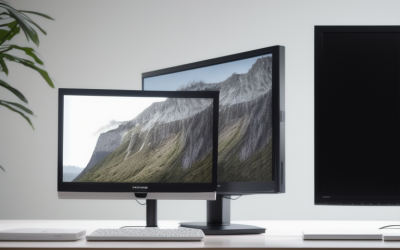
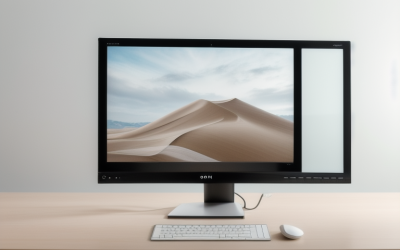
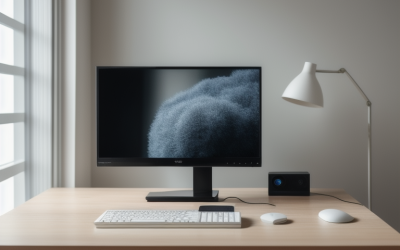
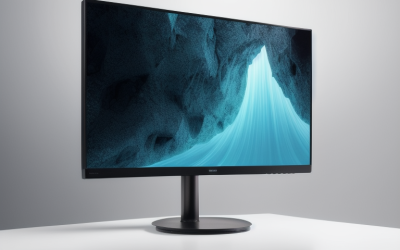
- Top Pick: Philips 27" Computer Monitor FHD 100Hz VA VESA Eye Care, 271V8LB | 1920×1080 LED Monitor, 4ms GtG, HDMI 1.4, VGA, Adaptive Sync, Flicker-Free, Low Blue Light, 4yr Advance Replacement Warranty
- Best Value: Samsung 27" Essential S3 (S36GD) Series FHD 1800R Curved Computer Monitor | 100Hz, Game Mode, Advanced Eye Comfort, HDMI and D-sub Ports (LS27D366GANXZA)
- Premium Choice: Philips 24 Inch Computer Monitor FHD 100Hz VA VESA Flicker-Free, 241V8LB | 1920×1080 LED Monitor, 4ms GtG, Adaptive Sync, HDMI 1.4, Tilt Adjust, Low Blue Light, 4yr Advance Replacement Warranty
After a full day of spreadsheets, code, or late-night editing, a monitor can feel like part of the problem. Shopping for one with eye comfort in mind means looking past resolution and refresh rate to the features that change how the screen behaves over long sessions: flicker-free backlight control, low blue light modes, anti-glare finishes, and the ability to size and position the panel properly. Those details are listed in many product titles, which makes them easy to compare.
This guide suits remote workers, students, and gamers who spend long hours at a desk and want a display built around comfort, from a basic 24-inch office panel up to a 49-inch ultrawide. In 2026, plenty of eye-care branding is plain marketing, so each pick below is judged only on the features its listing names. None of this replaces advice from an eye care professional if you have persistent symptoms, and no monitor feature substitutes for regular breaks, a well-lit room, and a comfortable sitting position.
Quick Picks
As an Amazon Associate we earn from qualifying purchases at no extra cost to you.




| Product | Best for | Key spec from the title |
|---|---|---|
| Philips 271V8LB 27″ | Roomy everyday office screen | FHD, 100Hz, VA, flicker-free |
| Samsung Essential S3 27″ | Immersive curved desktop | 1800R curve, 100Hz, Eye Comfort |
| Philips 241V8LB 24″ | Compact desks | FHD, 100Hz, tilt adjust |
| BenQ GW2490 24″ | Bright rooms, shared spaces | IPS, adaptive brightness, speakers |
| Samsung 32″ LS32B304NWNXGO | Large flat screen, light budget | 75Hz, FreeSync, Eye Care |
| Dell S3225QS 32″ | Sharp text and photo work | 4K UHD, VA, 120Hz, 99% sRGB |
| SANSUI 24″ Eye Care | Basic secondary display | FHD, 178-degree viewing, frameless |
| Samsung ViewFinity S50GC 34″ | Side-by-side windows | Ultra-WQHD, 100Hz, PIP and PBP |
| Samsung 49″ Business Ultrawide | Replacing two monitors | Dual QHD, USB-C, height adjustable |
| BenQ GW2491 23.8″ | Eye-care certified small panel | IPS, TUV-certified, Low Blue Light Plus |
How to Choose
Prioritize flicker-free backlighting and adjustable brightness
Many buyers who struggle with long sessions look for flicker-free backlighting first, because it removes a variable that is easy to spot on a spec sheet. Adaptive brightness, as on the BenQ GW2490, adjusts output to the room, while a manual brightness control lets you match the screen to the surrounding light. A screen that is much brighter than the room is a common cause of discomfort.
Match size and resolution to your sitting distance
A 24-inch Full HD panel suits a desk about an arm’s length from your eyes. A 27-inch Full HD screen is workable, but text gets less crisp as pixels stretch, so a 32-inch screen is better with 4K resolution, as on the Dell. Ultrawide screens such as the 34-inch and 49-inch Samsung models need deeper desks and a sitting distance that lets you see the full width without turning your head.
Understand panel types and finishes
IPS panels, found on the BenQ models, hold color and brightness across wide viewing angles. VA panels, used by Philips and Dell here, usually offer deeper contrast. Anti-glare coatings matter in bright rooms, and the Dell title states one. Curved designs, like the 1800R Samsung, wrap the screen toward you but add little at small sizes.
Ignore refresh-rate hype, and watch for budget shortcuts
Higher refresh rates smooth motion but do not change eye comfort on their own. Budget models may skip height adjustment, offer only tilt, or limit ports to VGA and older HDMI versions. Check the stand adjustments and VESA mount support, because setting the top of the screen near eye level matters more than a feature name.
The 10 Best Options
Philips 271V8LB 27″
This 27-inch Full HD VA monitor lists 100Hz, 4ms GtG, Adaptive Sync, flicker-free and low blue light features, HDMI 1.4, VGA, VESA support, and a four-year advance replacement warranty. It suits an office or study desk where a larger screen helps with side-by-side documents, and where the buyer cares about named comfort features more than extra inputs. The VA panel type also hints at stronger contrast than basic office screens.
- Strength: flicker-free and low blue light features are named directly in the title.
- Strength: the four-year warranty adds peace of mind.
- Trade-off: Full HD stretched over 27 inches gives softer text than higher resolutions.
Skip it if you want sharp text or a DisplayPort connection.
Samsung 27″ Essential S3 (S36GD)
This Full HD monitor has a 1800R curve, 100Hz, Game Mode, and Advanced Eye Comfort, with HDMI and D-sub ports. It suits people who like a gentle curve in front of them and want a large 27-inch screen for browsing, documents, and casual gaming. The curve is most noticeable on a desk where you sit close to the screen, so it makes the most sense for a single user at a personal workstation.
- Strength: the curve pulls the edges toward your line of sight.
- Strength: Advanced Eye Comfort is named in the title.
- Trade-off: no DisplayPort is listed.
Skip it if you prefer flat screens or need modern inputs.
Philips 241V8LB 24″
A 24-inch sibling of the 27-inch model, it lists Full HD, 100Hz, VA, flicker-free, 4ms GtG, Adaptive Sync, HDMI 1.4, tilt adjustment, and low blue light. It fits smaller desks, dorm rooms, and shared workspaces where a 27-inch screen would dominate the furniture. The 24-inch size also keeps the whole image within view without much head movement, which is a quiet advantage for long sessions.
- Strength: Full HD looks tidier at 24 inches.
- Strength: the same four-year warranty is listed.
- Trade-off: only tilt adjustment is named.
Skip it if you need height adjustment.
BenQ GW2490 24″
This IPS monitor lists 100Hz, Eye-Care technology, adaptive brightness, low blue light, built-in speakers, a thin bezel, VESA and wall mount support, plus DisplayPort and HDMI. It fits bright rooms and shared spaces, where a screen that adapts to the light around it saves repeated trips to the on-screen menu, and the IPS panel keeps the picture consistent from side angles.
- Strength: adaptive brightness responds to ambient light.
- Strength: DisplayPort and HDMI give flexibility.
- Trade-off: the built-in speakers are a convenience feature, not a substitute for proper audio.
Skip it if you want a larger screen.
Samsung 32″ Flat (LS32B304NWNXGO)
This 32-inch flat monitor lists a 75Hz refresh rate, borderless display, AMD FreeSync, Game Mode, Advanced Eye Care, plus HDMI and DisplayPort. It suits buyers who want size at a budget tier and plan to use it for documents, video, and general browsing. Its refresh rate is modest, but for office work that matters less than having enough space to keep reference windows open.
- Strength: both HDMI and DisplayPort are included.
- Strength: a large flat screen gives space for multiple windows.
- Trade-off: the title does not list a 4K resolution, so text sharpness depends on the panel.
Skip it if you sit close or want very sharp text.
Dell S3225QS 32″
This 31.5-inch 4K UHD VA monitor lists 120Hz, FreeSync Premium, Eye Comfort, 3000:1 contrast, 300 cd/m2 brightness, 4ms, 99% sRGB, and anti-glare, with HDMI and DisplayPort. It suits readers, coders, and photo editors who want text to look sharp and color coverage to be stated plainly, and who have a computer ready to feed a high-resolution signal.
- Strength: 4K resolution gives crisp text at 32 inches.
- Strength: the anti-glare finish and sRGB coverage are named.
- Trade-off: 4K demands a capable computer.
Skip it if your computer cannot drive a 4K display.
SANSUI 24″ Eye Care
This 24-inch Full HD display lists HDMI and VGA ports, 178-degree viewing angles, a frameless design, tilt, and VESA compatibility. It suits a simple second screen for email, chat, or reference material, or a secondary display for a home desk. With few details in the title, it works best as a low-stakes addition, not as the main display of a demanding setup.
- Strength: HDMI and VGA cover older and newer sources.
- Strength: VESA compatibility allows arm mounting.
- Trade-off: the title gives no refresh rate or panel details.
Skip it if you want more specifics before buying.
Samsung ViewFinity S50GC 34″
This 34-inch Ultra-WQHD monitor lists 100Hz, 5ms, HDR10, AMD FreeSync, Eye Care, borderless design, PIP, and PBP. It suits people who work in side-by-side windows, such as a document next to a browser or a code editor next to a terminal. The ultra-wide resolution gives more horizontal room than a standard 16:9 screen without the bulk of a two-monitor setup.
- Strength: the ultrawide format fits two windows comfortably.
- Strength: PIP and PBP help with multiple sources.
- Trade-off: it needs a deeper desk.
Skip it if your desk is shallow.
Samsung 49″ Business Curved Ultrawide
This Dual QHD ultrawide lists USB-C, DisplayPort, HDMI, 120Hz, DisplayHDR 400, speakers, a height-adjustable stand, and Eye Care. It replaces two monitors for people who run many windows at once, dock a laptop with a single cable, and have a wide, deep desk to hold it. The business focus in its name suggests an office-style workstation instead of a casual media screen.
- Strength: USB-C and height adjustment support a laptop dock setup.
- Strength: it offers the widest workspace here.
- Trade-off: its size can feel overwhelming.
Skip it if you sit close or have limited desk width.
BenQ GW2491 23.8″
This 23.8-inch 1080p IPS monitor lists 100Hz, HDMI, DisplayPort, an ultra-slim bezel, TUV certification, flicker-free, Low Blue Light Plus, and Eye-CareU. It suits buyers who want certification language they can verify and a screen small enough for any desk, whether for study, spreadsheets, or everyday browsing.
- Strength: the TUV certification and Low Blue Light Plus are named.
- Strength: DisplayPort and HDMI are both present.
- Trade-off: it is a modest size.
Skip it if you need a bigger screen.
Which One Fits Your Situation
You work long days in a small room
The BenQ GW2491 or Philips 241V8LB keep the footprint small and list flicker-free and low blue light features.
You want sharp text for reading and coding
The Dell S3225QS offers 4K at 32 inches, which helps with fine text.
You juggle many windows
The Samsung ViewFinity S50GC suits two or three windows, while the 49-inch Samsung ultrawide replaces a pair of monitors.
You need a screen for the whole family
The Philips 271V8LB offers a roomy screen with warranty coverage.
Common Mistakes
- Buying a huge screen and sitting too close.
- Assuming an eye-care label guarantees comfort.
- Ignoring stand adjustments and VESA support.
- Running brightness far above the room’s light.
- Skipping breaks because the monitor is marketed as gentle.
Related guides
- Aio Liquid Coolers For High Performance Gaming
- How To Lower Input Delay In Competitive Shooters
- External Hard Drives For Music Production
Frequently Asked Questions
Does a flicker-free monitor prevent eye strain?
It removes one possible source of discomfort, but posture, brightness, and breaks matter as well. Treat the feature as a helpful baseline and not a cure.
Is IPS or VA better for long sessions?
Neither is automatically better. IPS offers wide viewing angles, while VA offers stronger contrast. Pick the screen whose other features, such as size and stand, fit your desk.
Do low blue light modes change colors?
They typically shift the picture warmer, so turn them off for color-sensitive work.
What size is best for eye comfort?
Choose a size that lets you see the full screen without leaning in or turning your head.