Silent Hunter 5: Battle of the Atlantic, Ubisoft Romania’s 2010 U-boat simulation, is the entry that rebuilt the series around a first-person captain who walks the boat and manages the crew station by station. Fifteen years on, the Linux question sounds simple: is there a native build, and if not, what does the Proton route actually involve?


The record gives a layered answer. Steam sells exactly one package and it is Windows-only at every level, yet the story does not end with the missing port. A second gate stands in front of the game itself, documented not on the store page but in the player reports. This article reads each layer in turn: the package, the depots, the account requirement, the ProtonDB file, the Deck sheet and the second storefront.
As an Amazon Associate, we earn from qualifying purchases.
Quick answer
No. Silent Hunter 5 has no native Linux build: Steam’s only package is Windows-only, with no Linux depot or requirements tab. ProtonDB rates it Silver overall with a Platinum best-reported tier across ten reports, but working setups first install Ubisoft Connect through protontricks. Valve rates the Deck Unsupported.
The package Steam sells
The decisive layer is the purchase package, and it is not close. App 48110 exposes a single package, 3071, sold as Silent Hunter 5: Gold Edition, and its platform flags read windows true, mac false, linux false. The package grants the base app alone. The app-level flags repeat the same mask exactly, so the two layers that govern a sale agree: a purchase today delivers a Windows build and nothing else.
The requirements fields match. The Windows field is genuinely populated with period hardware: a Core 2 Duo class processor, one to two gigabytes of memory depending on the operating system, a 512 MB DirectX 9.0c video card and ten gigabytes of storage. The Mac and Linux requirements fields are empty lists outright. There is no Linux tab in any form, populated or otherwise, so no populated-field trap can form here. The record also exposes no dlc field at all, and SteamDB associates no add-on apps with this record, so the family size is zero: the collector content exists only as a depot inside the base app, covered below, not as a separate product.
Depots and a branch frozen in 2012
SteamDB’s depot table tells the same story in the delivery layer. The main content depot, 48111, holds 6.34 GiB with no operating-system configuration. Beside it sit an optional collector content depot of 88.78 MiB and four language depots for French, German, Italian and Spanish. No depot carries a Linux configuration, no Linux depot exists at any size, and none sits emptied or stranded. The icon set registers a client icon, a client tga, an icon and logos, but no Linux client icon, so no leftover-icon trap forms either.
The public branch has been frozen on build 21516 since October 2012. That matters later in this article, because it decides whether Valve’s Deck paperwork can be called stale: a test against build 21516 tests the exact build sold today.
The account layer the record no longer names
Silent Hunter 5 launched with an always-online reputation, so the account layer deserves a precise reading rather than a remembered one. On the current Steam record, there is no drm notice field and no external account notice field at all. The populated Windows requirements do list a broadband internet connection among the requirements, and that is as far as the store record goes today.
The player reports fill in what the record omits. ProtonDB filings state plainly that a Ubisoft account is needed to play, and that the game ships with an old version of Uplay which does not update to Ubisoft Connect. The working recipe is consistent: install Ubisoft Connect into the game’s prefix with protontricks before the first real launch, then sign in. Reports that skip that step describe a game that never gets past its own launcher. So the honest summary is two-part: Steam’s paperwork names no account requirement, but the shipped build carries one in practice, and on Linux it is the first problem to solve.
For completeness, the anti-cheat picture is silence from all three sources. Steam names no anti-cheat and no DRM notice. SteamDB’s detection finds only the Bink Video and Granny 3D middleware SDKs. The AreWeAntiCheatYet dataset carries no entry for this app. None of that is presented as a ruling; the multiplayer here is a legacy co-op and adversarial mode, and the record notes the game runs without dedicated servers.
The Proton file: Silver headline, Platinum ceiling
ProtonDB’s summary API reads a split file. The headline tier is Silver, the best-reported tier is Platinum, and the trending tier is Platinum, across ten reports with moderate confidence. That spread is the shape of the launcher problem: setups that clear the Ubisoft Connect step report a game that runs well, including one Deck filing describing near-highest settings, while setups that stall at the bundled client drag the headline down. Older filings from early Proton builds report failures to start at all, which anchors the Silver further.
One heading on the ProtonDB page needs naming. The page heads its requirements block with a “Natively Supports:” line, which Steam’s record contradicts at every layer: Windows-only flags, a Windows-only package, no Linux depot, no Linux requirements tab. Following the standing rule for this series, the article follows Steam and treats that heading as a labelling artefact. The Proton route is real; a native build is not.
The Steam Deck sheet
Valve’s own compatibility endpoint returned garbled bytes on repeated reads this session, so the verdict here was read from SteamDB’s republication of Valve’s sheet, and that route is disclosed rather than hidden. The sheet rates the game Unsupported on the Deck, with SteamOS compatibility also Unsupported, and the single test result token states that SteamOS does not support the game. The recommended runtime on the sheet is a Proton 9.0 release candidate build.
The paperwork question resolves in the game’s favour for once. The test is dated 3 April 2025 and ran on build 21516, still the current public branch build, untouched since 2012. It grades exactly the build a buyer receives today, so there is no supplement case to make: the badge is current because the game stopped changing over a decade ago. The practical reading is that the Deck is not a supported route for this title, and the desktop Proton path with the launcher fix is where the working reports live.
The second storefront
GOG was checked through several routes, because its search endpoints are known to return zero for products it actually sells. The natural product address redirects to the general catalogue. The embed search returns no products. The catalogue API, searched for the series name, returns exactly one Silent Hunter product: the much older Silent Hunter 2, a Windows-only listing under a different title, developer era and release. That is not an edition of this game. The ruling is that no GOG edition of Silent Hunter 5 exists, and Steam is the only storefront in this comparison selling the game at all.
Gear for a desktop-only patrol
With the Deck Unsupported, the picks below are framed for a desk: a keyboard and mouse game with long periscope and map sessions, plus storage for a library of older simulations.
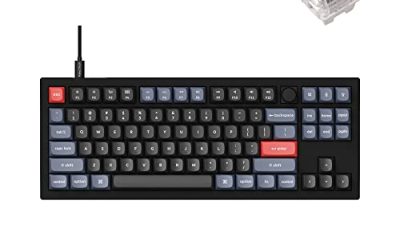
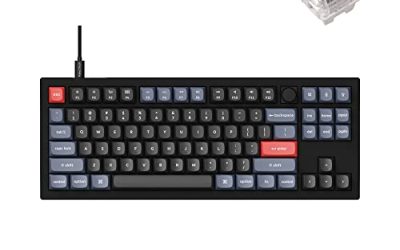
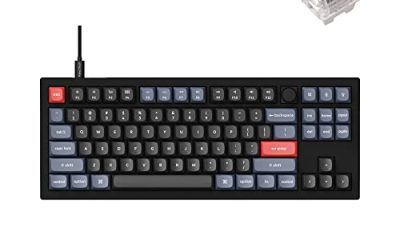
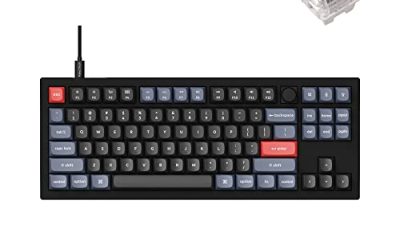
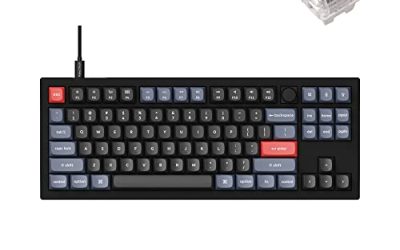
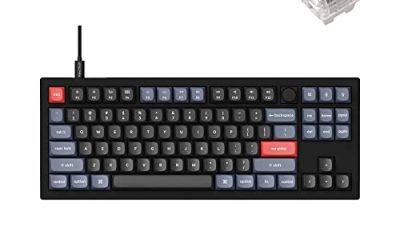
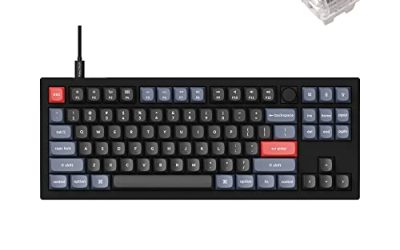
Keychron V3
The keyboard pick for desktop sessions: a tenkeyless board with QMK and VIA support lets you remap keys at the keyboard level, which keeps working across every Linux install you plug it into.
Specs
- Tenkeyless layout with rotary knob
- QMK and VIA remapping support
- Hot-swappable K Pro Brown switches
- Wired USB-C connection
- Maker-rated 1,000 Hz polling
8BitDo Ultimate 2 Bluetooth Controller
The docked and desktop pad pick for the wider library: modern sticks and triggers plus back buttons cover the games in a simulation collection that do take a pad, even though this title itself is a mouse and keyboard game.
Specs
- Connectivity: Bluetooth wireless and USB-C wired
- Joysticks: TMR electromagnetic, anti-drift design
- Triggers: Hall effect, with mode switching
- Extras: two remappable back buttons, motion control
- In the box: charging dock included
Xbox Wireless Controller, Carbon Black

The safest guest pad in PC gaming: Steam Input support is universal, the glyphs match what most games display, and it pairs over Bluetooth or its own wireless standard.
- Connectivity: Xbox Wireless and Bluetooth
- Port: USB-C for wired play
- Controls: hybrid D-pad, dedicated Share button
- Power: AA batteries or optional rechargeable pack
Logitech G502 HERO

Silent Hunter 5 is worked through menus, map plots and station screens, and at a desk a precise wired mouse turns those long sessions into single clicks. Eleven programmable buttons cover the orders and camera inputs a patrol repeats.
Specs
- HERO optical sensor, up to 25,600 DPI
- 11 programmable buttons
- Adjustable weight system
- Wired USB connection
- On-board memory profiles
Samsung T9 Portable SSD 2TB

For moving a Linux game library between a desktop and a laptop, or keeping an offline backup of installers, a fast USB-C drive is the simple answer. The headline figure needs a Gen 2×2 host port; on a lesser port the drive runs at that ceiling instead.
Specs
- Capacity: 2 TB portable SSD
- Interface: USB 3.2 Gen 2×2, USB-C connector
- Maker-rated speeds: up to 2,000 MB per second read, 1,950 MB per second write
- Features: Dynamic Thermal Guard, maker-rated drop resistance
How to choose
Choose the desktop Proton route if you want this specific game: install it, install Ubisoft Connect into its prefix with protontricks before launching, sign in to the Ubisoft account, and only then judge performance. Choose a current Proton build over an old one, since the file’s failures cluster on early builds. Choose patience with the Silver headline: it measures the launcher hurdle as much as raw compatibility, and the Platinum best-reported tier shows the ceiling once the setup step is done.
Who should skip
Skip this one if you want a game that launches cleanly with no third-party account step, because the account and client fix is mandatory in practice even though Steam’s record no longer names it. Skip it if the Steam Deck is your only machine, since Valve rates the title Unsupported. Skip it if you are looking for a native Linux simulation; this record has no Linux build at any layer, and the series’ Linux story has to be found in other games entirely.
FAQ
Is Silent Hunter 5 native on Linux?
No. The app flags, the single purchase package, the depot table and the requirements fields all read Windows-only. There is no Linux depot, no Linux requirements tab and no Linux client icon on the record.
Why do ProtonDB reports talk about Ubisoft Connect?
The game ships with an outdated Uplay client that does not update itself. Player reports say a Ubisoft account is required and that installing Ubisoft Connect with protontricks before launching is the step that makes the game start under Proton.
Is Silent Hunter 5 playable on Steam Deck?
Valve rates it Unsupported, on a sheet tested in April 2025 against build 21516, which is still the current build. Community filings exist from Deck hardware, but the official verdict is Unsupported and this article follows it.
Can I buy Silent Hunter 5 on GOG instead?
No edition exists there. GOG’s catalogue carries the older Silent Hunter 2 as a Windows-only listing, which is a different game. Steam is the storefront selling Silent Hunter 5.
Final verdict
Silent Hunter 5 is a Windows-only record with a twist: the port was never the hard part, because there is no port, and the real gate is the Ubisoft account layer the store page no longer names. On a Linux desktop, the game is a workable Proton project for a patient player willing to do the protontricks step first. On the Deck it is officially Unsupported, and on GOG it does not exist. Buy it as a desktop tinkering project, not as a native Linux game.
Product and ASIN Reference
| Product | ASIN |
|---|---|
| Keychron V3 | B0B2DMMMG2 |
| 8BitDo Ultimate 2 Bluetooth Controller | B0F194QFT2 |
| Xbox Wireless Controller, Carbon Black | B08DF248LD |
| Logitech G502 HERO | B07GBZ4Q68 |
| Samsung T9 Portable SSD 2TB | B0CHFS9K14 |