BattleBlock Theater is the rare game whose Linux story runs backwards. The Behemoth’s co-op platformer, released on Steam on 15 May 2014, spent years with a genuine native Linux build, and that build’s paper trail still litters the store page: a written-out Linux requirements tab, a Linux client icon, and a ProtonDB page that still files the game under native support. None of it describes what a purchase delivers today.


Steam’s current record is the one that counts, and it has closed the native chapter. The platform flags read Windows and Mac only, the depot table holds no Linux build, every purchase package flags Linux false, and the Linux tab itself now carries a publisher’s note redirecting Linux players to Proton.
As an Amazon Associate, we earn from qualifying purchases.
Quick answer
Not natively, not anymore. BattleBlock Theater once shipped a Linux build, but Steam’s current record flags the game Windows and Mac only, no Linux depot is delivered, and the Linux tab itself tells players to use Proton. That route is strong: ProtonDB shows Platinum across 62 reports, and Valve rates the game Verified on Steam Deck.
The status at a glance
| Question | Answer from the record |
|---|---|
| Native Linux build today | No — flags read Windows and Mac only |
| Linux requirements tab | Populated, but its own note redirects to Proton |
| Linux depot delivered | None — Windows and macOS only |
| Add-on apps | None — the record carries no DLC array |
| ProtonDB record | Platinum displayed, 62 reports, heading still claims native support |
| Steam Deck verdict | Verified, tested February 2022 |
| GOG edition | None |
What Steam’s record says now
Steam’s appdetails record for BattleBlock Theater (app 238460) names The Behemoth as both developer and publisher and dates the Steam release to 15 May 2014. The platform flags read Windows true, Mac true, Linux false. The genres are Action, Adventure, Casual and Indie, and the categories are the full co-op set: online and shared-screen PvP and co-op, full controller support, Steam Workshop with a level editor, Steam Cloud and Remote Play Together.
The requirements fields are where the record gets strange. The Windows minimum is a period piece (Windows XP, a 2.8 GHz Core 2 Duo, 1 GB of RAM). The Linux field is neither empty nor a shell: it is a genuinely written minimum, naming a 3.3 GHz Core 2 Duo or better, 1 GB of RAM, a 512 MB graphics card, broadband and 2 GB of storage. Then its final line gives the game away: the additional notes state, in the publisher’s own words, that Linux play is currently supported via Proton and that players should use the compatibility feature to select the Proton build. A populated Linux tab whose own text disowns the native build is a shape this series has not met before.
The depot table settles it. SteamDB lists four content depots: two Windows depots (one a Russian language variant), a macOS depot of 2.24 GiB, and a second Windows depot of 2.23 GiB. There is no Linux depot in any form. The three packages a purchase can deliver, the base package and two Behemoth bundles, were each read on Steam’s own package record and each reads Windows true, Mac true, Linux false. A normal purchase delivers the Windows and Mac builds and nothing else. One fossil survives in the app configuration: a Linux client icon is still registered, a leftover from the years when a build existed to use it. An icon is not a build; the article treats it as paperwork, not delivery.
The family sweep: there is no family
The record carries no DLC array at all. No soundtrack, no art book, no supporter pack hangs off this app, so the classic false-flag trap has no surface here.
The Proton file, and the heading that is a fossil
ProtonDB’s summary endpoint could not be read this session: it returned an error page on repeated attempts, so no headline, best-reported or trending split and no confidence figure are claimed here. What the game’s page itself shows is a Platinum tier beside the game’s name and 62 reports.
The page heads its requirements block “Natively Supports:”, and against the current Steam record that heading is a stray label, if an understandable one. The report pool is split by era: older filings run the native build, some describing library fixes and audio or networking faults in it, while the newest filings describe that build in the past tense, stating that it no longer starts after an April update and that the game works well under Proton instead. That is report-level evidence, carried at report weight, but it lines up exactly with the store record and the publisher’s Proton note. The article follows Steam: the supported Linux route today is the Windows build under Proton, and the Platinum pool says that route runs the game at the top tier.
The Steam Deck sheet
Valve rates BattleBlock Theater Verified on Steam Deck, its top category, with SteamOS separately Compatible. The verdict and its items were read from Valve’s own compatibility endpoint, which answered directly this session. All four Verified items pass: the default controller configuration is fully functional, the game shows Steam Deck controller icons, interface text is legible, and the default graphics configuration performs well. One note item rides along rather than deducting: the gyro and trackpad can serve in mouse mode for camera controls alongside gamepad movement.
The paperwork behind the badge was read through SteamDB’s republication of Valve’s record. The test dates to 16 February 2022, on build 842731, and the configuration’s recommended runtime is proton-stable: the badge certifies the Windows build under Proton, not a native build that no longer ships. The public branch now serves build 25916588, updated in October 2026, so the paperwork predates the current build by a wide margin and the game joins the factual list of supplement candidates for a paperwork refresh.
The anti-cheat check
Three sources, kept separate, all negative. Steam’s record names no anti-cheat, no DRM notice and no external account requirement. SteamDB’s detected technologies are middleware only: the Bink Video and FMOD software development kits. The Are We Anti-Cheat Yet dataset, all 1,167 games on its master branch, carries no entry for this game by name or by app id. For a game whose online co-op is a headline feature, that absence is itself the finding.
The storefront ruling
There is no second copy to weigh. GOG’s catalogue search returns no BattleBlock Theater product, and the game’s natural GOG address resolves away to the general catalogue. The Steam copy is the only PC edition, and it is the build both compatibility records describe.
Gear that fits the record
The gear below follows the record’s shape: the handheld the badge was written for, two pads for couch co-op, a mouse for desktop sessions, and library storage.
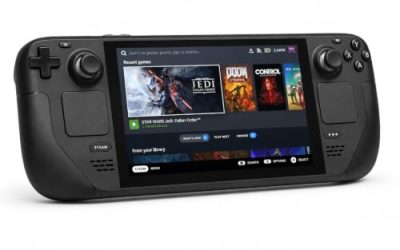
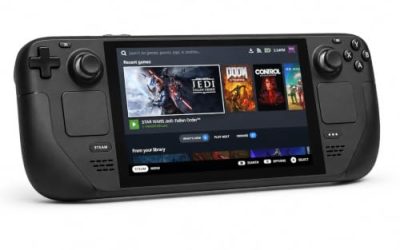
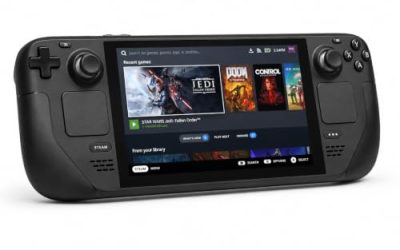
Valve Steam Deck OLED 512GB
The handheld the Verified badge was written for: Valve’s own test sheet gives the Windows build a clean pass under proton-stable, and the game’s requirements are a rounding error next to the Deck’s APU.
Specs
- Display: 7.4-inch HDR OLED, 1280 by 800, up to 90 Hz
- Processor: AMD Zen 2 and RDNA 2 custom APU
- Memory: 16 GB LPDDR5
- Storage: 512 GB NVMe, plus a microSD slot
- Wireless: Wi-Fi 6E and Bluetooth
- Channel note: Valve sells the Deck mainly through its own store, so Amazon listings are third-party sellers
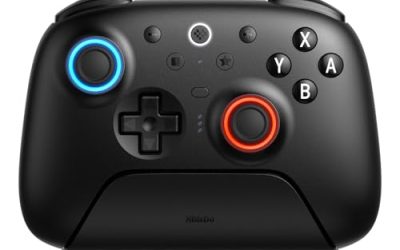
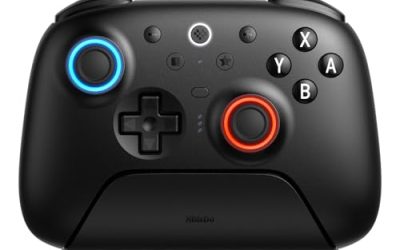
8BitDo Ultimate 2 Bluetooth Controller
The docked and desktop pad pick. Steam lists full controller support, and this pad covers the couch case with modern sticks and triggers plus back buttons for menu shortcuts.
Specs
- Connectivity: Bluetooth wireless and USB-C wired
- Joysticks: TMR electromagnetic, anti-drift design
- Triggers: Hall effect, with mode switching
- Extras: two remappable back buttons, motion control
- In the box: charging dock included
Xbox Wireless Controller, Carbon Black

The safest guest pad in PC gaming: Steam Input support is universal, the glyphs match what most games display, and it pairs over Bluetooth or its own wireless standard. BattleBlock’s co-op seats up to four players locally, so a spare pad is its natural accessory.
- Connectivity: Xbox Wireless and Bluetooth
- Port: USB-C for wired play
- Controls: hybrid D-pad, dedicated Share button
- Power: AA batteries or optional rechargeable pack
Logitech G502 HERO

The game’s level editor and Workshop menus are pointer work, and at a desk a precise wired mouse turns stage building into single clicks. Eleven programmable buttons cover the inputs a long session repeats.
Specs
- HERO optical sensor, up to 25,600 DPI
- 11 programmable buttons
- Adjustable weight system
- Wired USB connection
- On-board memory profiles
Samsung T9 Portable SSD 2TB

For moving a Linux game library between machines, or keeping an offline backup of installers, a fast USB-C drive is the simple answer. The headline figure needs a Gen 2×2 host port; on a lesser port the drive runs at that ceiling.
Specs
- Capacity: 2 TB portable SSD
- Interface: USB 3.2 Gen 2×2, USB-C connector
- Maker-rated speeds: up to 2,000 MB per second read, 1,950 MB per second write
- Features: Dynamic Thermal Guard, maker-rated drop resistance
How to choose
Choose the Steam copy, because it is the only PC edition on sale and the exact build both records describe. On a Linux desktop or laptop, install it and select a Proton build through the compatibility feature, exactly as the publisher’s note in the Linux tab directs; do not look for a native install option, because the current record delivers none. On Steam Deck, the Verified badge means the default path is the tested one. For input, this is a gamepad game: one pad per couch player, with a mouse earning its place only for the level editor.
Who should skip
Skip this one if you are shopping specifically for a native Linux platformer: the native build this game once had is not what Steam sells today, and the Linux tab says so itself once you read to the end of it. Skip it if you want a DRM-free offline installer, because no GOG edition exists. Skip it if you only play solo, with no interest in the co-op and versus modes the design is built around. And skip the nostalgia route of hunting the old build through old manifests; the supported path is the Windows build under Proton.
FAQ
Is BattleBlock Theater native on Linux?
Not anymore. A native build existed for years, and its paperwork is still visible: a written Linux requirements tab, a Linux client icon and a ProtonDB heading that still claims native support. Steam’s current record flags the game Windows and Mac only and delivers no Linux depot.
How well does BattleBlock Theater run under Proton?
ProtonDB’s game page displays a Platinum tier across 62 reports. Its summary endpoint could not be read this session, so no tier split or confidence figure is claimed. The newest reports describe the game running well under current Proton versions.
Is BattleBlock Theater Steam Deck Verified?
Yes. Valve’s own record gives the game its top category, Verified, with all four checks passing. The test paperwork dates to February 2022 under proton-stable, so the badge certifies the Windows build under Proton and predates the current branch build.
Can I buy BattleBlock Theater on GOG instead?
No. GOG’s catalogue returns no product for the game and its address resolves to the general catalogue. The Steam copy is the only PC edition on sale.
Final verdict
BattleBlock Theater is a withdrawn-native case with an unusually honest paper trail. The store page keeps the old build’s furniture, but the record underneath has moved: flags false, no Linux depot, packages that exclude Linux, and a publisher’s note in the tab itself pointing at Proton. What Linux players get today is the strong version of the fallback: a Platinum community file, a Verified Deck badge earned under proton-stable, no anti-cheat on any source, and full controller support for its co-op. Buy the Steam copy, run it under Proton, and read any native claim about this game as history.
Product and ASIN Reference
| Product | ASIN |
|---|---|
| Valve Steam Deck OLED 512GB | B0CQ3RWQQZ |
| 8BitDo Ultimate 2 Bluetooth Controller | B0F194QFT2 |
| Xbox Wireless Controller, Carbon Black | B08DF248LD |
| Logitech G502 HERO | B07GBZ4Q68 |
| Samsung T9 Portable SSD 2TB | B0CHFS9K14 |