To End All Wars is Ageod’s grand strategy treatment of the First World War, released on Steam on 29 August 2014 with Slitherine Ltd. as publisher. It is one of the studio’s largest designs: a map of more than 3,000 regions running from the Western seaboard to the Volga, continuous trench lines, regional decision cards, and two full-war scenarios opening in August 1914. Like every Ageod title of its era it was built for Windows desktops, and the question this article answers from the record is whether any part of that record has since opened a Linux route.


The short answer is that the record closes the question at the first layer and never reopens it. Steam’s flags, the single purchase package and the depots all read Windows-only, the one expansion agrees, and the community evidence that usually fills the gaps barely exists: ProtonDB holds exactly one report, and Valve has published no Steam Deck verdict at all.
As an Amazon Associate, we earn from qualifying purchases.
Quick answer
No. To End All Wars has no native Linux build: Steam’s flags, its single purchase package and its depots are all Windows-only, and its one expansion matches. ProtonDB holds a single report, a Platinum best case under a still-pending headline, and Valve has published no Steam Deck verdict at all.
The Steam record: unanimous at every layer
Start with the layer that decides what a purchase delivers. Steam sells exactly one package for this game, package 47074, and packagedetails reads it windows true, mac false, linux false, granting the base app alone. The app-level platform flags repeat the same mask exactly: Windows is the only platform this record claims, sells or delivers.
The requirements fields agree, in the way that matters. The Windows minimum is genuinely populated with period hardware: Windows Vista through 10, a Pentium 4 or higher, 2 GB of memory, a video card with 1024 MB, and 3 GB of storage. The Mac and Linux requirements fields are empty lists outright, not shells with headings and nothing beneath them. There is no Linux tab in any form, and no recommended specification is published for any platform.
The depot layer closes the question. SteamDB lists one base content depot, depot 312361 at 1.88 GiB, plus the expansion’s depot, and the size filtered to Windows equals the full size, so every byte on the record is Windows content. There is no Linux depot of any size, nothing emptied and nothing stranded, and the icon set registers no Linux client icon, so not even a leftover asset hints at a withdrawn port. The public branch sits on build 1310465, built at the end of August 2016 and untouched since.
The family sweep: one expansion, same mask
The base record’s DLC array holds exactly one app: To End All Wars – Breaking the Deadlock, app 348750, released 24 February 2015. Read individually, it repeats the base game at every layer: its flags read windows true, mac false, linux false, its Mac and Linux requirements fields are empty lists, and its own purchase package, package 60222, reads Windows-only on packagedetails and grants the expansion alone. Its depot adds 24.73 MiB of the same Windows content. Family verdict: 1/1 AGREE, zero dissent.
SteamDB associates no further apps with the base game, and there is no soundtrack, artbook or demo app in or outside the array, so the all-true soundtrack trap that distorts so many neighbouring records cannot form here. The family is as small as a family gets: a base game and one expansion, both Windows-only at every layer.
Anti-cheat: three sources, three silences
Three sources were checked, and none of them names anything. Steam’s record carries no anti-cheat category, no DRM notice and no third-party account notice of any kind; unlike several sibling Slitherine and Ageod titles, this record does not even carry the PBEM++ play-by-email account notice, so there is no account layer to describe. SteamDB’s detection finds only the Lua and Squall SDKs, the game’s scripting and sound libraries, and the AreWeAntiCheatYet catalogue carries no entry for this app. None of that silence is presented as a ruling; it means only that no source identifies an anti-cheat system between this Windows build and a compatibility layer.
ProtonDB: one report under a pending headline
The ProtonDB summary was read in full, and it is one of the thinnest files in this cluster. The headline tier is still pending, the trending tier is pending alongside it, and the entire file rests on a single report whose best-reported tier is Platinum, with confidence rated inadequate. In plain terms: one filing registered Platinum as the best case, and ProtonDB has not accumulated the evidence to promote that into a settled headline.
That thinness cuts both ways, and the article keeps it at exactly that weight. A single Platinum filing is a genuine signal that the Windows build can run through Proton on at least one machine; it is not a compatibility rating, and it says nothing about the expansion or about multiplayer sessions. One check could not be completed: the ProtonDB game page rendered as a script shell through every fetch route available here, so whether its requirements block carries the familiar native-support heading could not be read, and no heading claim is made either way.
The Steam Deck file: no verdict exists
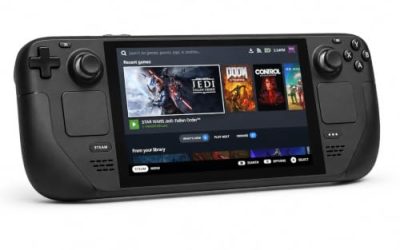
Valve has published no compatibility verdict for this game, and the absence was confirmed by convergence rather than by one failed lookup. Valve’s own compatibility endpoint returned empty responses on repeated reads; SteamDB, which republishes Valve’s sheets, publishes no sheet for this app; and the store record shows no Deck badge. Three routes agree that there is no category to report, so this article claims no verdict: not Verified, not Playable, not Unsupported.
That makes To End All Wars a desktop question only. The public branch has been frozen on its August 2016 build for years, so there is no paperwork-staleness puzzle to solve; there is simply no paperwork. A turn-based wargame of map clicks and menus is the kind of design that often travels well to a handheld through Steam Input, but often is not evidence, and no community Deck filing exists in the record read here. Treat handheld play as unproven.
The storefront ruling: Steam is the only shelf
GOG was ruled on from its own records, not from search alone. The natural product address redirects to GOG’s general catalogue, which is what that storefront does with addresses for products it does not carry; the catalogue API returns no product for this title; and the storefront’s own filtered search returns zero results. No GOG edition exists. The Steam copy is the only PC edition, and it is the Windows build every layer above describes.
Gear for a desktop wargame
With no native build and no Deck sheet, the hardware story is a desktop one: a remappable keyboard for a menu-heavy interface, a precise mouse as the primary input, pads framed honestly as wider-library picks since this record lists no controller support, and fast storage.
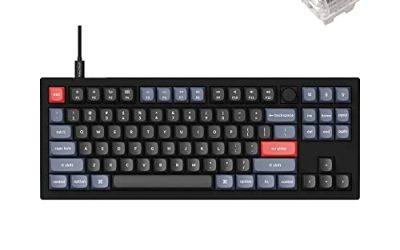
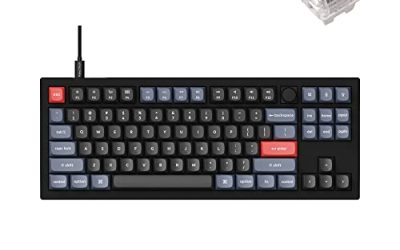
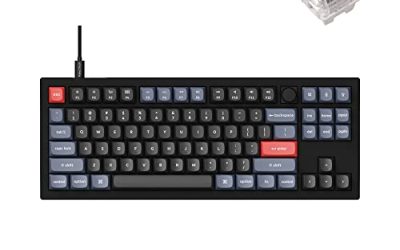
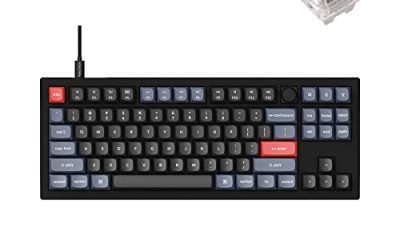
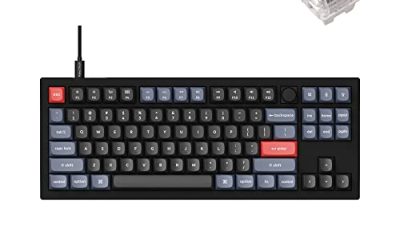
Keychron V3
The keyboard pick for desktop sessions: a tenkeyless board with QMK and VIA support lets you remap keys at the keyboard level, which keeps working across every Linux install you plug it into.
Specs
- Tenkeyless layout with rotary knob
- QMK and VIA remapping support
- Hot-swappable K Pro Brown switches
- Wired USB-C connection
- Maker-rated 1,000 Hz polling
Logitech G502 HERO
The primary input pick for this game. A To End All Wars turn is a long sequence of map clicks, stack inspections and menu choices, and a precise wired mouse with programmable buttons shortens every one of them.
Specs
- HERO optical sensor, up to 25,600 DPI
- 11 programmable buttons
- Adjustable weight system
- Wired USB connection
- On-board memory profiles
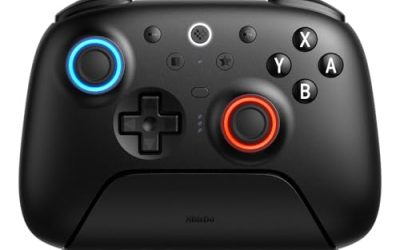
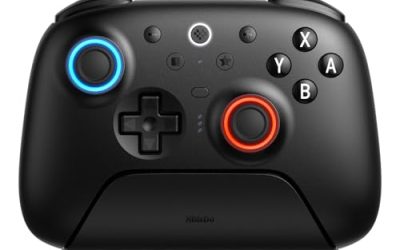
8BitDo Ultimate 2 Bluetooth Controller

A wider-library pad rather than a pick for this title: the record lists no controller support, so this covers the rest of a Linux library, with modern sticks, triggers and back buttons.
Specs
- Connectivity: Bluetooth wireless and USB-C wired
- Joysticks: TMR electromagnetic, anti-drift design
- Triggers: Hall effect, with mode switching
- Extras: two remappable back buttons, motion control
- In the box: charging dock included
Xbox Wireless Controller, Carbon Black

The safest guest pad in PC gaming: Steam Input support is universal, the glyphs match what most games display, and it pairs over Bluetooth or its own wireless standard. For this wargame it stays in the drawer; for the rest of the shelf it is the default pick.
- Connectivity: Xbox Wireless and Bluetooth
- Port: USB-C for wired play
- Controls: hybrid D-pad, dedicated Share button
- Power: AA batteries or optional rechargeable pack
Samsung T9 Portable SSD 2TB

For moving a Linux game library between a desktop and a laptop, or keeping an offline backup of installers, a fast USB-C drive is the simple answer. The headline figure needs a Gen 2×2 host port; on a lesser port the drive runs at that ceiling instead.
Specs
- Capacity: 2 TB portable SSD
- Interface: USB 3.2 Gen 2×2, USB-C connector
- Maker-rated speeds: up to 2,000 MB per second read, 1,950 MB per second write
- Features: Dynamic Thermal Guard, maker-rated drop resistance
How to choose
Choose the Steam copy on a Linux desktop if you are comfortable being your own compatibility evidence. The record gives you a clean negative on the native question and almost nothing else: one Platinum filing, no Deck sheet, no second storefront. Players who already run Ageod’s other Windows-only titles through Proton will find no surprises here, and the frozen 2016 branch means the build you test against is the build everyone else tested. Buy the expansion on the same terms: Breaking the Deadlock matches the base game at every layer, so it adds content without changing the platform answer.
Who should skip
Skip this one if you need a settled Proton rating before buying, because a single report under a pending headline is not one. Skip it if the Steam Deck is your only machine, since Valve has published no verdict and nothing substitutes for one. Skip it if you buy strategy games on GOG by preference, because no edition exists there. And skip it if you want a native Linux grand strategy game outright; this shelf has those, but To End All Wars is not among them.
FAQ
Is To End All Wars native on Linux?
No. The app flags, the single purchase package, the requirements fields and the depots all read Windows-only, and the Breaking the Deadlock expansion repeats the same mask on its own record and package.
How well does To End All Wars run under Proton?
ProtonDB’s full summary shows a headline tier still pending on exactly one report, whose best-reported tier is Platinum, with confidence rated inadequate. That is a promising single data point, not a rating; nobody has filed the second report yet.
Is To End All Wars Steam Deck Verified?
Valve has published no verdict of any kind. The compatibility endpoint returned nothing, SteamDB publishes no sheet, and the store shows no badge, so the game is untested in Valve’s system and this article claims no category for it.
Can I buy To End All Wars on GOG instead?
No. The product address redirects to GOG’s general catalogue, the catalogue API returns no product for the title, and the storefront search returns zero results. Steam is the only PC storefront carrying the game.
Final verdict
To End All Wars on Linux is a Proton experiment, not a native release: the Steam record is Windows-only at the flag, package, field and depot layers, the one expansion agrees, and no GOG edition offers another route. The community file that usually settles the follow-up question is nearly empty: a single Platinum report under a pending headline, and no Deck verdict at all. Buy the Steam copy for a Linux desktop if that evidence is enough; wait if you need a thicker report file or a handheld badge, because neither exists yet.
Product and ASIN Reference
| Product | ASIN |
|---|---|
| Keychron V3 | B0B2DMMMG2 |
| Logitech G502 HERO | B07GBZ4Q68 |
| 8BitDo Ultimate 2 Bluetooth Controller | B0F194QFT2 |
| Xbox Wireless Controller, Carbon Black | B08DF248LD |
| Samsung T9 Portable SSD 2TB | B0CHFS9K14 |