Most Windows-only games on Steam give themselves away quickly: an empty requirements tab, a missing depot, a flag that was never switched on. VIDEOBALL does the opposite. Its Steam page carries one of the most complete Linux requirements tabs in this cluster, with minimum and recommended tiers and platform-specific figures. Anyone skimming that tab would conclude the port exists.


It does not. Behind the paperwork, every delivery layer says Windows only: the platform flag is off, the depot registered for Linux contains zero bytes, and the single package a purchase delivers flags Windows alone. VIDEOBALL is the rare case where the most detailed document on the page is the one that delivers nothing.
As an Amazon Associate, we earn from qualifying purchases.
Quick answer
No native Linux build of VIDEOBALL exists, despite a fully written Linux requirements tab on its Steam page. The platform flag is off, the depot named for Linux holds zero bytes, and the only package on sale delivers the Windows build. Linux players run that build under Proton, the route behind its Steam Deck Verified badge.
A Linux tab written like the port shipped
Start with what the store record shows on its face. Steam’s appdetails record for app 277390, VIDEOBALL from Action Button Entertainment, published by Iron Galaxy Studios and released 12 July 2016, sets its platform flags to Windows true, Mac false and Linux false. That one line is the verdict, but the fields underneath argue the other way, which is why this game earns a full article instead of a one-line dismissal.
The Linux requirements field is genuinely populated in detail. The minimum tier names Ubuntu 12.04 or equivalent, a Core 2 Duo processor, 4 GB of RAM and Intel HD 4000 graphics. A recommended tier raises the processor to a Core i5 and the graphics to an Nvidia GTX 460. The notes are written for this game specifically: they spell out how many controllers local multiplayer for two, four or six players requires, and the recommended tier adds that the developers strongly recommend not playing with a keyboard. None of it is boilerplate copied from the Windows tab, which asks for different figures.
The app configuration adds one more fossil: alongside the ordinary client icon, the record registers a dedicated Linux client icon with its own file hash. Together, the written tab and the icon describe a Linux version that was planned, specced and documented. What they cannot do is install anything, and the next layer shows why.
What a purchase actually delivers
Depots are where store paperwork becomes files on a disk, and SteamDB’s depot table is the decisive evidence. Four depots are registered. The Windows depot holds 165.25 MiB of content, and the Windows beta depot mirrors it. The macOS depot is registered at zero bytes, and the Linux depot, named plainly as the VIDEOBALL Depot Linux, is also zero bytes: a named container with nothing in it. Zero bytes delivers no executable, no libraries and no data, whatever the tab above it promises.
The package layer agrees. SteamDB’s packages route redirected to its price-history view this session, so the package evidence rests on Steam’s own packagedetails record, the stronger source anyway. The app sits in exactly one purchase package, which grants the game alone while reading Windows true, Mac false and Linux false. A normal purchase therefore delivers the Windows build and nothing else.
The branches close the history. The public branch has served build 1321725 since September 2016, weeks after launch. The record has not moved in years, so the empty Linux depot is a standing position rather than a port in progress: a populated tab with no build behind it, where the requirements field describes a version the depots never received.
A family scan with nothing in it
The usual second act of these investigations is the family sweep, because soundtrack and artbook apps so often wear a Linux flag the game itself never earned. VIDEOBALL offers no such surface. The record carries no DLC array at all: no soundtrack, no artbook, no supporter pack, no demo app. There is exactly one app in the family, and its flags are the ones already read. The false signal lives entirely inside the game’s own record, in its requirements tab and its client icon.
Anti-cheat, from three separate sources
Three sources cover anti-cheat, kept separate because they measure different things. Steam’s own record names no anti-cheat, and carries neither a DRM notice nor an external-account notice. SteamDB’s detection lists engine plumbing only: the Unity Engine and the Mono SDK, construction tools rather than enforcement software. The Are We Anti-Cheat Yet dataset, read in full on its master branch, carries no entry for this game by name or by app id. Nothing in any of the three records stands between the Windows build and a compatibility layer.
ProtonDB: a file that would not open
ProtonDB is the one source this session could not read, and the article says so rather than filling the gap. The summary endpoint returned an error page on repeated attempts through both routes tried, and the game’s ProtonDB page returned no readable content either. No tier, no report count and no confidence figure are claimed anywhere in this article, because none could be verified, and the usual heading check against Steam’s record could not be completed for the same reason. What verified records alone support is narrower: a small Unity title with full controller support and no anti-cheat, whose Windows build Valve’s own Deck testing, covered next, passed under Proton without a single failing item.
Steam Deck: Verified, and the badge is about Proton
Valve’s compatibility record, read through SteamDB’s republication of it, gives VIDEOBALL its top category: Verified. SteamOS compatibility separately reads Compatible. The displayed items all pass: every function is accessible under the default controller configuration, interface text is legible, and the default graphics configuration performs well. The configuration block is clean for a couch sports game: gamepad input, no manual keyboard invocation, no small-text flag, no internet required for setup or single-player.
Two paperwork details deserve plain statement. The sheet’s recommended runtime is proton-stable, which means the badge certifies the Windows build running under Proton; it says nothing about a native build, and on this record there is none to certify. The test dates from 23 April 2022, run against build 1321752, while the public branch serves the near-identical build 1321725 and has not changed since September 2016. The branch froze years before the test, so the configuration Valve graded is effectively the configuration still being sold.
Gear for a game built around shared controllers
VIDEOBALL’s own notes make the hardware brief specific: local multiplayer for up to six players is assembled out of controllers, each needing a directional input and two buttons. The picks below follow that shape, plus the handheld Valve graded.
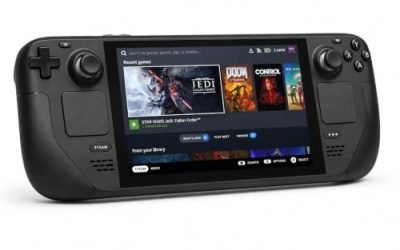
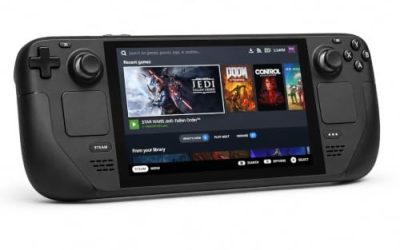
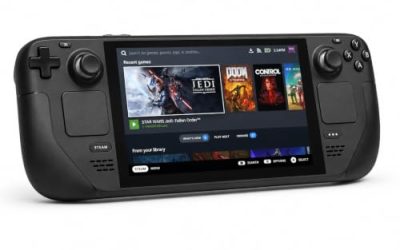
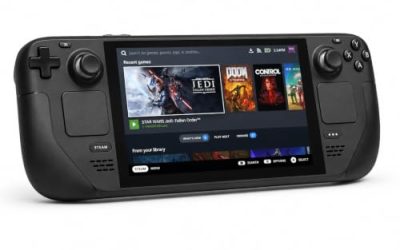
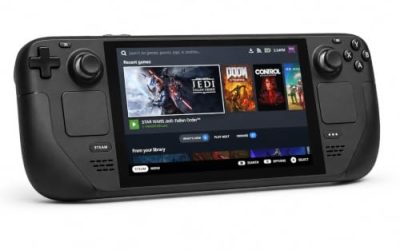
Valve Steam Deck OLED 512GB
The handheld the Verified badge was written for. Valve’s sheet passes the Windows build on every displayed item, and the game’s modest requirements sit far below what this APU delivers.
Specs
- Display: 7.4-inch HDR OLED, 1280 by 800, up to 90 Hz
- Processor: AMD Zen 2 and RDNA 2 custom APU
- Memory: 16 GB LPDDR5
- Storage: 512 GB NVMe, plus a microSD slot
- Wireless: Wi-Fi 6E and Bluetooth
- Channel note: Valve sells the Deck mainly through its own store, so Amazon listings are third-party sellers
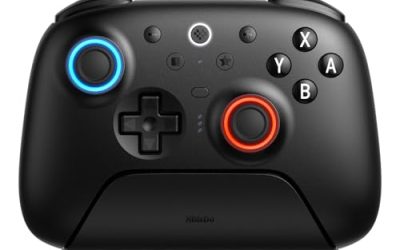
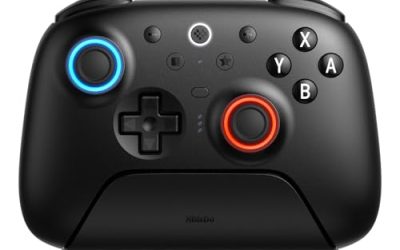
8BitDo Ultimate 2 Bluetooth Controller
The first extra pad for the couch. The game’s local modes scale with the number of controllers connected, and this one covers a player slot with modern sticks, triggers and back buttons.
Specs
- Connectivity: Bluetooth wireless and USB-C wired
- Joysticks: TMR electromagnetic, anti-drift design
- Triggers: Hall effect, with mode switching
- Extras: two remappable back buttons, motion control
- In the box: charging dock included
Xbox Wireless Controller, Carbon Black

The guest pad every PC already understands: Steam Input support is universal, the glyphs match what most games display, and it pairs over Bluetooth or its own wireless standard when the couch fills up.
- Connectivity: Xbox Wireless and Bluetooth
- Port: USB-C for wired play
- Controls: hybrid D-pad, dedicated Share button
- Power: AA batteries or optional rechargeable pack
Logitech G502 HERO

The developers recommend against a keyboard for this game, and the mouse earns its place off the field instead: library management, menu trips and desktop play in the wider catalogue between matches.
Specs
- HERO optical sensor, up to 25,600 DPI
- 11 programmable buttons
- Adjustable weight system
- Wired USB connection
- On-board memory profiles
Samsung T9 Portable SSD 2TB

For carrying a Linux game library between a desktop and a laptop, or keeping an offline backup of installers, a fast USB-C drive is the simple answer. The headline figure needs a Gen 2×2 host port; on a lesser port the drive runs at that ceiling instead.
Specs
- Capacity: 2 TB portable SSD
- Interface: USB 3.2 Gen 2×2, USB-C connector
- Maker-rated speeds: up to 2,000 MB per second read, 1,950 MB per second write
- Features: Dynamic Thermal Guard, maker-rated drop resistance
How to choose
Choose the Steam copy, because it is the only PC edition on sale. On a Linux desktop or laptop, install it and let Proton handle the Windows build; the game’s size, engine and clean anti-cheat sweep make it an undemanding candidate for the compatibility layer, and the developers’ controller advice applies unchanged: play on pads, ideally with analogue sticks. On a Steam Deck, the Verified badge means no configuration work is expected. For local multiplayer, budget controllers before settings: a six-player match needs five controllers beyond the first.
Who should skip
Skip this one if you are shopping for a native Linux release and the full requirements tab raised your hopes: the tab is real paperwork, but the depot behind it is empty. Skip it if you want a DRM-free offline installer, because no GOG edition exists. Skip it if you play alone at a desk with a keyboard, since the developers themselves recommend against that input. And skip it if an unreadable community file bothers you: this session could not verify ProtonDB’s figures, so the Proton case here rests on Valve’s test sheet rather than a community consensus.
FAQ
Is VIDEOBALL native on Linux?
No. Steam’s record flags the game Windows only, the depot registered for Linux holds zero bytes, and the only package on sale grants the Windows build. The complete Linux requirements tab on the store page is documentation for a port that was never delivered.
Why does the Steam page list full Linux system requirements?
Because the field was filled in, most plausibly while a port was planned: it carries its own figures, a recommended tier and game-specific controller notes, and the app registers a Linux client icon. None of that ships files. The flag, the depots and the package decide what installs, and all three say Windows.
Is VIDEOBALL Steam Deck Verified?
Yes. Valve’s record gives the game its top category, Verified, with every displayed item passing, tested in April 2022. The badge certifies the Windows build running under Proton, since the sheet’s recommended runtime is proton-stable and no native build exists to test.
Can I buy VIDEOBALL on GOG instead?
No. GOG’s own searches return no product for the game, and its natural product address resolves to the general catalogue rather than a product page. The Steam copy is the only PC edition on sale.
Final verdict
VIDEOBALL is a Windows-only release wearing the most convincing Linux paperwork in this cluster: a two-tier spec sheet, controller guidance written for the game, and a dedicated Linux icon, all describing a port whose depot was registered and never filled. The delivery layers settle the question without ambiguity, and the practical route is a good one: a tiny Unity sports game with no anti-cheat, a clean Deck sheet and a Verified badge earned under Proton. Buy the Steam copy for the couch, bring controllers, and read the spec tab as history rather than a promise.
Product and ASIN Reference
| Product | ASIN |
|---|---|
| Valve Steam Deck OLED 512GB | B0CQ3RWQQZ |
| 8BitDo Ultimate 2 Bluetooth Controller | B0F194QFT2 |
| Xbox Wireless Controller, Carbon Black | B08DF248LD |
| Logitech G502 HERO | B07GBZ4Q68 |
| Samsung T9 Portable SSD 2TB | B0CHFS9K14 |