Supreme Ruler 1936 is BattleGoat Studios’ sandbox grand-strategy game of the Second World War era, released on Steam on 9 May 2014: pick any nation, run its economy, diplomacy and armed forces through the late 1930s and the war that follows. This article reads only the 1936 record. It is a separate app from Supreme Ruler Ultimate and from Supreme Ruler 2020 Gold, and nothing found on those records is imported here.
The platform answer is one-sided, but the record carries two fossils worth naming first. A Linux client icon is registered on the app, the kind of asset that makes scans report a Linux build, and a macOS-configured depot sits in the depot list even though no layer sells a Mac copy. Neither fossil delivers anything. What a purchase delivers is set by the flags, the requirements fields, the purchase package and the depots, read one by one below.
As an Amazon Associate, we earn from qualifying purchases.
Quick answer
No. Supreme Ruler 1936 has no native Linux build: Steam’s flags, its only purchase package and its depot list are Windows-only, and the Linux requirements field is an empty list. ProtonDB’s file is two reports deep, headline pending with a Platinum best case. Valve rates the Steam Deck Unsupported.
What the Steam record actually shows
Start with the layer that decides what a purchase delivers. The game’s only purchase package, package 35478, reads windows true, mac false, linux false on packagedetails, and it grants the base app alone. The app-level platform flags repeat the same mask exactly: Windows is the only platform this record claims, sells or delivers.
The requirements fields agree. The Windows minimum is genuinely populated with period hardware: Windows XP SP3 or later, a Pentium IV class processor, 512 MB of memory, a DirectX 9 compatible graphics card, a gigabyte of storage, and a stated screen resolution floor of 1440 by 900. The Mac and Linux requirements fields are empty lists outright, not shells with headings and nothing under them. There is no Linux tab in any form, half-filled or otherwise.
The depot layer needs one careful sentence. SteamDB lists two content depots: depot 244411, the Windows English content at 888.31 MiB, and depot 244412, a macOS-configured English depot at 1.49 GiB. The Mac depot is stranded: the app flags and the only purchase package both read mac false, so no buyer is granted a Mac build today. For Linux there is not even a stranded depot: no Linux depot of any size exists on this record. The public branch has been frozen on build 879318 since 30 November 2015, and a Windows XP branch survives beside it.
Then there is the icon. The registered icon set includes a LinuxClientIcon alongside the ordinary client icon and logos. An icon is store artwork, not a build: with no Linux depot behind it, no package granting it and the Linux flag reading false, it is a leftover from an earlier paperwork pass. This series treats a registered Linux icon with no depot as a trap shape, and this record is a clean example.
The family question, and a name trap
The base record exposes no DLC field at all, so the family was recovered from SteamDB’s association listing, which attaches no add-on apps to this game. The family size is zero: no expansions, no soundtrack app, nothing whose flags could dissent or form the all-true soundtrack trap this series watches for.
One same-name product needs fencing off. A store item called Supreme Ruler 1936 Remastered DLC exists, but its own record names a different parent: it is downloadable content for Supreme Ruler 2030, a later game in the series. It grants nothing here, and its flags say nothing about the 1936 record.
Anti-cheat: three sources, all silence
Steam names no anti-cheat on this record: no anti-cheat category, no DRM notice, no third-party account notice. SteamDB’s detection finds only engine and support technologies, the MonoGame and XNA engines with the Miles Sound System and OpenAL libraries. The AreWeAntiCheatYet index carries no entry for this app. Three sources, all silence, reported as exactly that: no anti-cheat is named anywhere, and no ruling is invented.
ProtonDB: a two-report file
ProtonDB’s summary for this app is one of the thinnest files in the series. The headline tier is still pending, the trending tier is pending too, and the best-reported tier is Platinum, across just two reports, with confidence rated inadequate. The two filings are old and split: one, on an Ubuntu install, reports the game simply working; the other, on Manjaro, reports it running but a bit laggy. That is the whole file; there is no modern, deep sample to lean on.
The heading check was completed, and it is stray. The ProtonDB game page heads its requirements block with the words Natively Supports, the site’s template label, contradicted by Steam at the flag, package, field and depot layers simultaneously. The article follows Steam: the heading is a template artefact, and the page’s own report file, thin as it is, grades the game as a Proton title, which is the part the evidence supports.
Steam Deck: Unsupported, tested on the current build
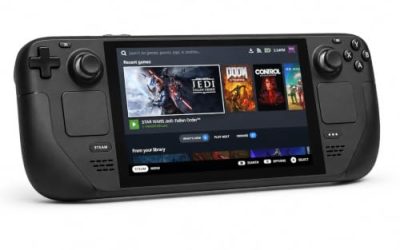
Valve’s own compatibility endpoint returned garbled bytes on repeated reads, so the verdict here was read through SteamDB’s republication of Valve’s Deck data, and that route is disclosed rather than hidden. The republication reads: category Unsupported for the Steam Deck, Unsupported for SteamOS as well, with the test dated 16 September 2025 and the tested build recorded as 879318.
That build number is the useful part. Build 879318 is still the current public branch build, untouched since November 2015, so the paperwork is completely current: Valve tested exactly the build a buyer receives today. The sheet notes a manually invoked on-screen keyboard and non-Deck display glyphs, and its recommended runtime is a Proton 10 beta. The record lists no controller support of any kind, which fits a mouse-driven map interface. Unsupported here is a published verdict on the current build, not an old test gone stale.
The GOG ruling
GOG was checked by routes other than search alone, because GOG’s search endpoints are a known blind spot that return zero for games the store sells. The natural product address for this title redirects to GOG’s general catalogue, and the catalogue API returns no product for the game. No GOG edition exists; a Dreamlist wishlist entry would not change that, since a wish is not an edition. The Steam copy is the only PC edition, and it is the Windows build both records describe.
Gear for a desktop strategy game
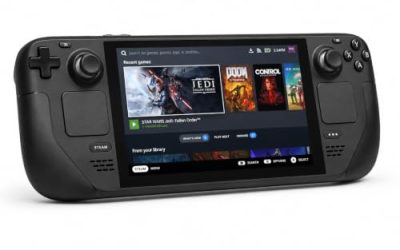
The record shapes the gear: a Windows-only build played under Proton on a desktop, no controller support listed, a mouse-driven map, and a Deck verdict of Unsupported. The picks below follow that shape.
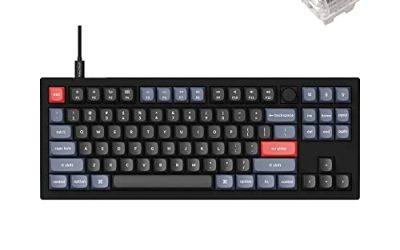
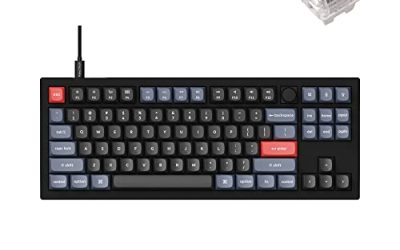
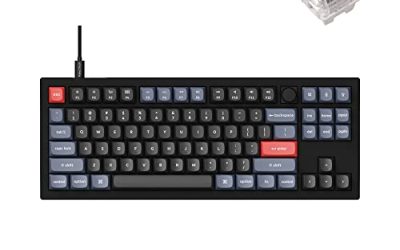
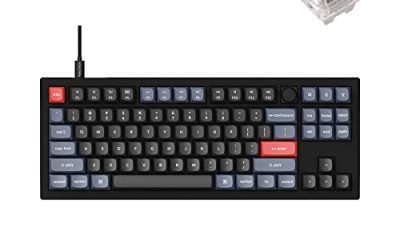
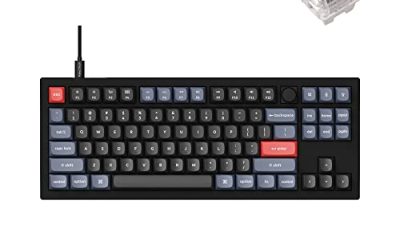
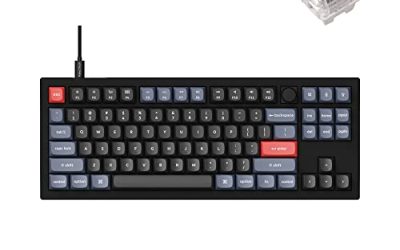
Keychron V3
The keyboard pick for long desktop sessions. QMK and VIA support lets you remap keys at the keyboard level, which keeps working across every Linux install you plug it into, and a hotkey-heavy strategy game rewards exactly that.
Specs
- Tenkeyless layout with rotary knob
- QMK and VIA remapping support
- Hot-swappable K Pro Brown switches
- Wired USB-C connection
- Maker-rated 1,000 Hz polling
Logitech G502 HERO
The primary input pick for this game. The interface is a world map worked by pointer, and a precise wired mouse with eleven programmable buttons covers the orders, overlays and menu inputs a long campaign repeats thousands of times.
Specs
- HERO optical sensor, up to 25,600 DPI
- 11 programmable buttons
- Adjustable weight system
- Wired USB connection
- On-board memory profiles
8BitDo Ultimate 2 Bluetooth Controller

A wider-library pick, framed honestly: this record lists no controller support, so this pad is not for Supreme Ruler 1936 itself. It earns its place on a desk that also plays pad-native games, with modern sticks and triggers plus back buttons for menu shortcuts.
Specs
- Connectivity: Bluetooth wireless and USB-C wired
- Joysticks: TMR electromagnetic, anti-drift design
- Triggers: Hall effect, with mode switching
- Extras: two remappable back buttons, motion control
- In the box: charging dock included
Xbox Wireless Controller, Carbon Black
The second wider-library pad: the safest guest controller in PC gaming, with universal Steam Input support and glyphs that match what most pad-native games display. Like the pad above, it is a desk staple rather than an input route for this particular title.
- Connectivity: Xbox Wireless and Bluetooth
- Port: USB-C for wired play
- Controls: hybrid D-pad, dedicated Share button
- Power: AA batteries or optional rechargeable pack
Samsung T9 Portable SSD 2TB
For moving a Linux game library between a desktop and a laptop, or keeping an offline backup of installers, a fast USB-C drive is the simple answer. The headline figure needs a Gen 2×2 host port; on a lesser port the drive runs at that ceiling instead.
Specs
- Capacity: 2 TB portable SSD
- Interface: USB 3.2 Gen 2×2, USB-C connector
- Maker-rated speeds: up to 2,000 MB per second read, 1,950 MB per second write
- Features: Dynamic Thermal Guard, maker-rated drop resistance
How to choose
Choose the Steam copy, because it is the only PC edition on sale and the exact build both records describe. On a Linux desktop, install it under Proton and start with the default compatibility tool: the two community filings are old, but the better of them reports the game simply working, and nothing describes a launch blocker. Set expectations by the record, not the icon: a Windows build under a compatibility layer, at a stated resolution floor of 1440 by 900, with mouse and keyboard as the real interface. Skip the Steam Deck plan entirely; Valve’s Unsupported verdict was issued against the current build in September 2025, so there is no paperwork gap to hope through.
Who should skip
Skip this one if you are shopping for a native Linux strategy game: this is not one, and the registered Linux icon does not make it one. Skip it if you want a DRM-free offline installer, because no GOG edition exists. Skip it if a two-report ProtonDB file with inadequate confidence is too thin for you: the honest evidence is one good filing, one laggy filing, and nothing newer. And skip it if your only screen is a Steam Deck, where the verdict is Unsupported on the very build you would install.
FAQ
Is Supreme Ruler 1936 native on Linux?
No. Steam’s app flags, the only purchase package and the requirements fields all read Windows-only, and there is no Linux depot on the record. A Linux client icon is registered, but an icon is artwork, not a build, and nothing grants or delivers a Linux copy.
Why does ProtonDB say Natively Supports?
That line is a heading from the site’s page template, contradicted by Steam’s record at every layer. The same page’s own report file grades the game as a Proton title, which is the part the evidence supports.
Can I play it on Steam Deck?
Valve rates the game Unsupported, in a test dated September 2025 run against build 879318, which is still the current public build. The sheet notes a manually invoked keyboard and non-Deck glyphs. Treat handheld play as ruled against, not merely untested.
Is there a GOG edition?
No. The natural product address redirects to GOG’s general catalogue and the catalogue API returns no product for the game. The Steam copy is the only PC edition.
Final verdict
Supreme Ruler 1936 on Linux is a Proton question with an unusually thin answer file. The Steam record is Windows-only at the flag, package, field and depot layers; its two fossils, a registered Linux icon and a stranded macOS depot, deliver nothing. ProtonDB offers two old reports, a pending headline and a Platinum best case, and Valve’s Deck sheet says Unsupported after comparing the current build. Buy the Steam copy for a Linux desktop if a two-report file is evidence enough; wait if you need a thicker record, because neither a native build nor a second storefront is coming to thicken it.
Product and ASIN Reference
| Product | ASIN |
|---|---|
| Keychron V3 | B0B2DMMMG2 |
| Logitech G502 HERO | B07GBZ4Q68 |
| 8BitDo Ultimate 2 Bluetooth Controller | B0F194QFT2 |
| Xbox Wireless Controller, Carbon Black | B08DF248LD |
| Samsung T9 Portable SSD 2TB | B0CHFS9K14 |