Goose Goose Duck, Gaggle Studios’ free social deduction game for lobbies of up to 16 players, is a genuine two-platform release. Steam sells Windows and macOS builds, with populated requirements and full-size depots behind both. Linux is the missing third: the flag is false, the requirements field is an empty list, and no Linux depot exists.
That split shape decides what this check has to prove. The Mac side needs verifying, because a populated Mac tab can sit over nothing; the Linux side needs the full sweep; and for an always-online party game, the multiplayer question matters as much as the install question.
As an Amazon Associate, we earn from qualifying purchases.
Quick answer
Goose Goose Duck is not native on Linux: Steam flags Windows and Mac, the Linux tab is an empty list, and no Linux depot exists. The Linux route is Proton: ProtonDB rates the Windows build Gold across 65 reports with multiplayer working, Are We Anti-Cheat Yet lists its Easy Anti-Cheat as Running, and Valve rates the game Verified on Steam Deck.
The status at a glance
| Question | Answer from the record |
|---|---|
| Native Linux build | No — flags read Windows and Mac true, Linux false |
| macOS build | Real — populated tab, full-size depots, delivered |
| Linux requirements tab | Absent — empty list |
| Add-on apps | None — no DLC array or extras |
| Anti-cheat | Easy Anti-Cheat on the record; AWACY Running |
| ProtonDB record | Gold headline, Platinum best-reported, 65 reports |
| Steam Deck verdict | Verified, tested October 2026, current build |
| GOG edition | None |
What Steam’s own record says
Steam’s appdetails record (app 1568590) names Gaggle Studios, Inc. as developer and publisher, released 3 October 2021 after an Early Access start that April. The platform flags read Windows true, Mac true, Linux false.
The Windows requirements are genuinely populated: Windows 7, a Core2 Duo at 2.4 GHz, 2 GB of memory, integrated graphics, DirectX 9.0 and 400 MB of storage. The Mac requirements are populated in the same specific way: OSX 10.14, a fourth-generation Core i3, 4 GB of memory, Intel HD 6100 graphics and 500 MB of storage, with a proximity-chat note asking for 10 Mbps up and down. Written-for-the-platform texts, not copied boilerplate.
The Linux requirements field is an empty list outright: no headings, no text, no Linux tab in any form. The app configuration registers no Linux client icon either, so the leftover-icon shape has no surface here.
Depots and the delivery layer
SteamDB’s depot table lists four content depots: two Windows (1568591 at 1.01 GiB and 1568593 at 1.01 GiB) and two macOS (1568592 at 1.19 GiB and 1568594 at 1.07 GiB), beside the Windows VC 2022 redistributable. No Linux depot exists in any form, and the extended OS markers name only 64-bit, notarized macOS. The public branch serves build 25688746, built 2 October 2026.
The package layer carries the known free-app gap: the game is free, its base package is sub 569033, and Steam’s packagedetails endpoint returns no data for it. The delivery ruling therefore rests on the appdetails record and the depot table, which agree: an install can only ever pull the Windows or the Mac build. The family sweep is equally plain: no DLC array, and the in-app purchases are cosmetics inside the app, not separate family apps.
Anti-cheat, source by source
For an online-only game, the anti-cheat layer is part of the platform answer, and the three sources are kept separate.
Steam’s own record carries Easy Anti-Cheat in its anti-cheat field. SteamDB surfaces that field with the note that the software requires manual removal after uninstall, lists the EasyAntiCheat module among the detected technologies, and records an anti-cheat support address at the developer’s support site. A third-party account, Google or Gaggle, is also required on the record.
Are We Anti-Cheat Yet carries a dedicated entry: Easy Anti-Cheat, status Running, native false, last changed in January 2024. In that dataset’s terms, Running means the anti-cheat does not block the game under Proton; a community ruling, not a developer statement.
The ProtonDB file mostly agrees in practice: several filings rate online multiplayer Excellent, and one GE-Proton filing states plainly that Easy Anti-Cheat is not an issue. Against that sits one filing that installs but does not open, whose author guessed the failure was an anti-cheat moment. The guess is recorded as a guess.
The ProtonDB file
ProtonDB’s summary record reads Gold at the headline, Platinum on the best-reported tier, Gold on the trending tier, with strong confidence across 65 reports. The texture underneath is more specific than the headline.
The first shape is input. Several filings report that drag actions, which tasks and sliders depend on, fail on some Proton versions; switching to Proton Experimental or a GE-Proton build restored dragging. One related filing reports the game hanging on the start screen under current versions, where an older 9.0-series build ran it without drag and drop. The second shape is voice: multiple filings say the microphone stays silent while echo cancellation is enabled in the game settings, and turning it off restored their voice. The third shape is a minority memory strand: one filing notes occasional crashes blamed on a memory leak, and one reports memory climbing until the system killed the app minutes into a round.
One page-level caution belongs here. The ProtonDB page heads its requirements block with the words Natively Supports, which a quick reader could take as a Linux claim. It is not one: the native support on Steam’s record is the macOS build, and the Linux flag is false.
Steam Deck: Verified, and the paperwork is current
Valve’s verdict on Steam Deck is Verified, read here through SteamDB’s republication of Valve’s compatibility data, the route stated openly because that is where the sheet was readable. The sheet passes the full set: all functionality accessible under the default configuration, Deck icons shown, text legible, default graphics performing well. The one note is that external controllers do not take over by default and may need a manual Quick Access Menu switch. SteamOS separately reads Compatible, and the recommended runtime is proton-stable: the badge certifies the Windows build under Proton, not a native port.
The paperwork currency is the pleasant surprise. Valve tested the game on 9 October 2026 against build 25688746, exactly the build the public branch has served since 2 October 2026, so the badge was measured against today’s download; no supplement listing applies. One Deck filing adds texture at report weight: crackly audio at times, and a docked mouse and keyboard not recognized.
The GOG ruling
No GOG edition exists. The game’s natural GOG address redirects to the general catalogue rather than resolving to a product page, the embed search returns zero products, and no identity-verifiable product record exists. The free Steam copy is the only PC edition.
Gear that fits the record
The gear follows the record’s shape: the badge’s handheld, two guest pads, a desktop mouse, and library storage.
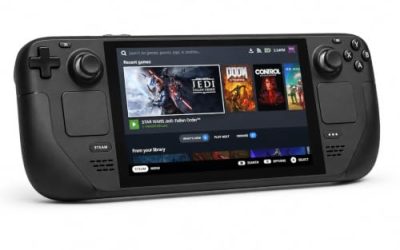
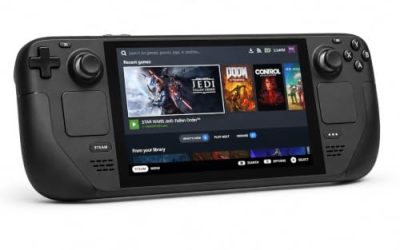
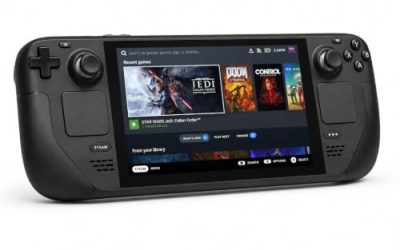
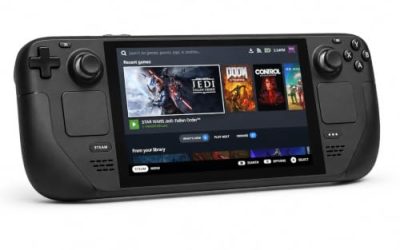
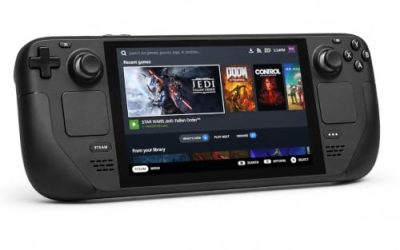
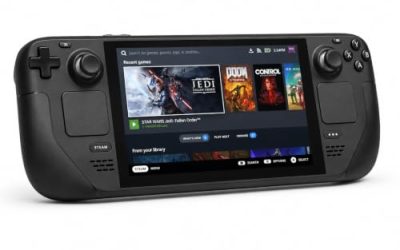
Valve Steam Deck OLED 512GB

The handheld the Verified badge was written for, tested against the current build under proton-stable.
Specs
- Display: 7.4-inch HDR OLED, 1280 by 800, up to 90 Hz
- Processor: AMD Zen 2 and RDNA 2 custom APU
- Memory: 16 GB LPDDR5
- Storage: 512 GB NVMe, plus a microSD slot
- Wireless: Wi-Fi 6E and Bluetooth
- Channel note: Valve sells the Deck mainly through its own store, so Amazon listings are third-party sellers
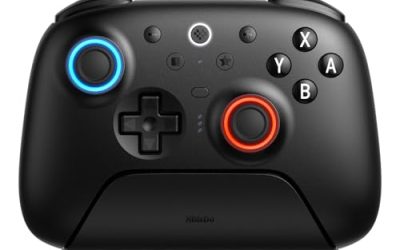
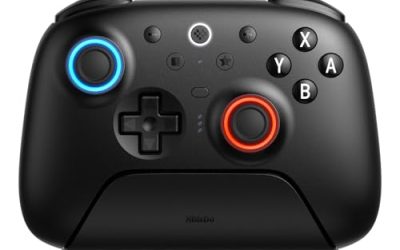
8BitDo Ultimate 2 Bluetooth Controller
The guest pad for the couch, covering docked and desktop play with modern sticks, triggers and back buttons.
Specs
- Connectivity: Bluetooth wireless and USB-C wired
- Joysticks: TMR electromagnetic, anti-drift design
- Triggers: Hall effect, with mode switching
- Extras: two remappable back buttons, motion control
- In the box: charging dock included
Xbox Wireless Controller, Carbon Black
The safest guest pad in PC gaming: Steam Input support is universal, and it pairs over Bluetooth or its own wireless standard. On the handheld, the sheet’s note applies: an external pad may need a manual Quick Access Menu switch before it takes over.
- Connectivity: Xbox Wireless and Bluetooth
- Port: USB-C for wired play
- Controls: hybrid D-pad, dedicated Share button
- Power: AA batteries or optional rechargeable pack
Logitech G502 HERO
On a desktop, this game’s life is menus, lobbies and task sliders, and a precise wired mouse turns all of it into single clicks.
Specs
- HERO optical sensor, up to 25,600 DPI
- 11 programmable buttons
- Adjustable weight system
- Wired USB connection
- On-board memory profiles
Samsung T9 Portable SSD 2TB
For moving a Linux game library between machines, or keeping an offline backup of installers, a fast USB-C drive is the simple answer. Its headline figure needs a Gen 2×2 host port.
Specs
- Capacity: 2 TB portable SSD
- Interface: USB 3.2 Gen 2×2, USB-C connector
- Maker-rated speeds: up to 2,000 MB per second read, 1,950 MB per second write
- Features: Dynamic Thermal Guard, maker-rated drop resistance
How to choose
Choose the Steam copy, because it is the only PC edition and the exact build both records describe. On desktop or laptop, install under Proton and start with the default tool; the Gold headline says the current build runs well. If drag actions fail in tasks, the community file points to Proton Experimental or a GE-Proton build as the fix that worked for other players, and if your microphone stays silent, turn off echo cancellation in the game settings. On Steam Deck, the Verified badge means no configuration work: install and launch, and only touch controller settings if you pair an external pad. Keep a keyboard within reach for lobby chat.
Who should skip
Skip this one if you are shopping for a native Linux party game: this is not it, and the native build here is the Mac one. Skip it if you want a DRM-free offline installer, because no GOG edition exists. Skip it if your group plays offline, because the game is online-only by design. And skip it if a Gold headline with a minority of input and memory complaints is not reassurance enough.
FAQ
Is Goose Goose Duck native on Linux?
No. Steam flags Windows and Mac true and Linux false, the Linux requirements field is an empty list, and the depot table holds Windows and macOS depots only. The native build here is the macOS one; on Linux the game runs through Proton.
Does Easy Anti-Cheat block Goose Goose Duck on Linux?
The sources, kept separate, say this: Steam’s record carries Easy Anti-Cheat in its anti-cheat field; Are We Anti-Cheat Yet lists the game as Running, last changed in January 2024; and ProtonDB filings mostly show multiplayer working, with one filer stating the anti-cheat is not an issue and one filing failing to open for reasons its author only guessed at.
How does Goose Goose Duck run under Proton?
ProtonDB’s summary rates it Gold, Platinum on the best-reported tier, across 65 reports with strong confidence. The recurring notes: drag actions can fail on some Proton versions and recover on Experimental or GE builds, the microphone needs echo cancellation off in the settings, and a minority of filings report memory problems.
Is Goose Goose Duck good on Steam Deck?
Valve rates it Verified, the strongest badge, and the test is current: 9 October 2026 against the same build the public branch serves now. The only note is that external controllers do not take over by default and may need a Quick Access Menu switch.
Final verdict
Goose Goose Duck is a real two-platform game whose second platform is macOS, not Linux, and every delivery layer agrees: flags, a populated Mac tab, full-size Mac depots and an empty Linux field with no depot behind it. What Linux players get instead is a well-documented Proton route: a Gold community file whose problems are named and mostly fixable, an anti-cheat entry that reads Running, and a Verified badge tested against the current build. For a free game, that is a complete answer: install the Steam copy, keep the two settings notes in mind, and fill the lobby.
Product and ASIN Reference
| Product | ASIN |
|---|---|
| Valve Steam Deck OLED 512GB | B0CQ3RWQQZ |
| 8BitDo Ultimate 2 Bluetooth Controller | B0F194QFT2 |
| Xbox Wireless Controller, Carbon Black | B08DF248LD |
| Logitech G502 HERO | B07GBZ4Q68 |
| Samsung T9 Portable SSD 2TB | B0CHFS9K14 |