Distant Worlds 2 is the kind of deep, living-galaxy 4X that Linux strategy players keep checking on, and the check is worth doing properly, because Steam’s record answers it in several places and they do not all agree. The platform flags say Windows only. One widely read compatibility page heads its requirements block with a phrase implying the opposite. Between those signals sit the purchase package, the depot list and the expansion family, which settle it.
This article reads the record the way a buyer should: the package Steam sells, the files it delivers, every expansion on its own record, the community’s Proton file, the Deck sheet and its age, and the GOG shelf. No Linux build exists to buy anywhere, but the Windows build has a long, well-documented Proton history, and the practical question is which Proton version you pin it to.
As an Amazon Associate, we earn from qualifying purchases.
Quick answer
No. Distant Worlds 2 is not native on Linux. Steam’s only purchase package reads Windows-only, the Linux requirements tab is an empty shell, no Linux depot or client icon exists, and all five expansions agree. Linux players run the Windows build through Proton, where ProtonDB’s headline tier is Silver across 103 reports, and Valve rates the game Playable on Steam Deck.
The package decides it
Start with the layer that cannot be argued with: the purchase package. Distant Worlds 2, developed by CodeForce and published by Slitherine Ltd., released on 10 March 2022, is sold through a single package whose platform mask reads Windows true, Mac false, Linux false. The app record’s own flags say exactly the same. A native port cannot hide behind a package that refuses to grant it: not native, on the decisive layer, flags in agreement.
The requirements tabs back the package. The Windows tab is genuinely populated, a full modern spec built around a 64-bit processor, 8 GB of memory at minimum and 16 GB recommended, DirectX 11 graphics and 20 GB of storage. The Linux tab is a heading over an empty list, and the Mac tab is the same empty shell: the storefront’s placeholder shape, there because neither platform has a build behind it.
Underneath, the delivery layer is just as plain. SteamDB’s depot listing shows two base depots, the game files at 22.81 GiB and a production files depot, with no operating-system split, and the only redistributables attached are the Windows shared-install Visual C++ and .NET packages. The icon set registers a standard client icon and no Linux client icon. There is no emptied Linux depot and no stranded build pointing at a withdrawn port.
Five expansions, one answer
The base record’s expansion array lists five apps, and each was read individually rather than trusted from the base game’s flags. Factions – Ikkuro and Dhayut, Factions – Quameno and Gizureans, Return of the Shakturi, Factions – Atuuk and Wekkarus, and Shadows Rising all read Windows true, Mac false, Linux false on their own records. The sweep is five for five in agreement, zero dissent, and there is no soundtrack app in the family to form the usual all-true trap.
The anti-cheat check comes back silent
Three sources were checked and none names anything. Steam’s record carries no DRM notice and no external-account notice, and its category list is single-player only. SteamDB’s technology detection finds the Stride engine, SDL, the dotnet runtime and Steamworks integration, with no anti-cheat component among them. The AreWeAntiCheatYet dataset carries no entry for this title. Silence is not a ruling; it means nothing on the record stands between the Windows build and a compatibility layer.
The Proton file: a Silver headline over a split middle
ProtonDB’s summary reads Silver as the headline tier, Platinum as the best-reported tier and Gold as the trending tier, across 103 reports with strong confidence. The filings pulling the headline down are mostly about version sensitivity rather than the game being broken.
Read at report weight, the pattern is consistent. A large strand of filings settles on Proton 9.0-4, or on GE-Proton 9-27, after finding that newer Proton 10 builds crash after the splash screen or refuse to open. Another strand runs current Experimental builds without trouble, and several reports recommend switching the in-game renderer to Vulkan where the DirectX 11 path misbehaves. Smaller recurring notes include audio crackling eased by a pulse-latency launch flag and occasional slowdowns in very long sessions. The workarounds are well mapped, and the version to pin is the most repeated advice in the file.
One warning belongs here. ProtonDB’s game page heads its requirements block “Natively Supports:”, which a quick reader could take as proof of a native build. Steam’s record contradicts that heading at every layer checked: flags, selling package, empty requirements tab, depot list and all five expansions. The heading is a stray label on the community page; the store record is the authority. On Linux this game means the Windows build under Proton, whatever any heading implies.
Deck Playable, with paperwork one build behind
Valve’s own compatibility endpoint rates the game Playable on Steam Deck, and SteamOS carries the same Playable-grade Compatible result. The deductions fit a mouse-first strategy game with no controller support on its store record: some functionality needs the touchscreen, the virtual keyboard or a community configuration because the default controller configuration cannot reach it; glyphs sometimes show mouse, keyboard or non-Deck icons; text entry requires manually invoking the on-screen keyboard; and some in-game text is small and may be difficult to read. The passing line matters too: the default graphics configuration performs well. The sheet’s recommended runtime is Proton Experimental.
The paperwork is one build behind the game. SteamDB’s republication of Valve’s sheet dates the test to 20 December 2025 against build 21096569, while the public branch now serves build 26240608 from October 2026. The badge describes an older build than the one a buyer downloads today, so treat Playable as a well-founded expectation, not a test of the current code; the Proton file’s pinning advice applies on the handheld too.
The GOG shelf
GOG does sell this game: its live product page, verified by title, publisher and the matching 10 March 2022 release date, lists “Works on: Windows” and nothing else. GOG’s search endpoints returned nothing for the title — a known blind spot, not evidence of absence — so the ruling rests on the product page itself. The GOG edition is the same Windows build, useful if you prefer that storefront’s installer model, and it changes nothing about Linux.
Gear that fits a mouse-first 4X
The record shapes the gear: a Playable handheld route where the touchscreen does real work, and a desktop game that lives on the mouse. The pads are for docked play and the wider library, since the store record lists no controller support for the game itself.
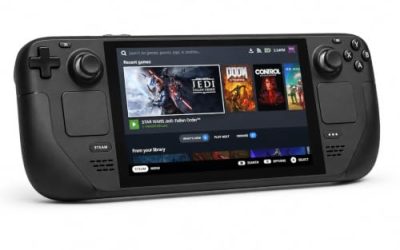
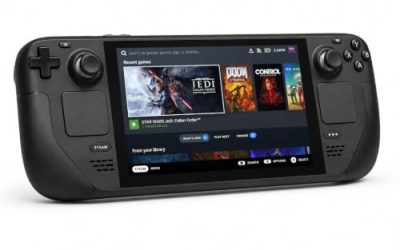
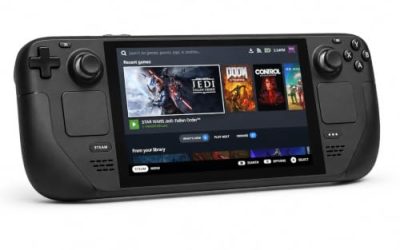
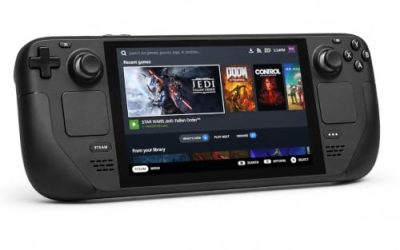
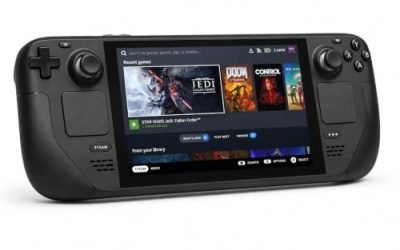
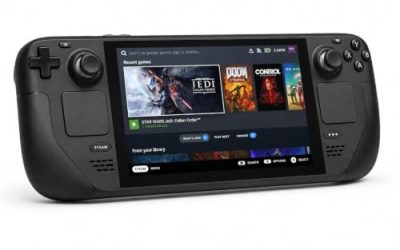
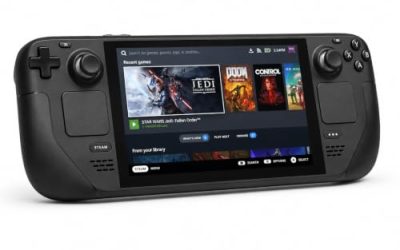
Valve Steam Deck OLED 512GB

The handheld the Playable badge was written for; its touchscreen covers the functions the default controller configuration cannot reach.
Specs
- Display: 7.4-inch HDR OLED, 1280 by 800, up to 90 Hz
- Processor: AMD Zen 2 and RDNA 2 custom APU
- Memory: 16 GB LPDDR5
- Storage: 512 GB NVMe, plus a microSD slot
- Wireless: Wi-Fi 6E and Bluetooth
- Channel note: Valve sells the Deck mainly through its own store, so Amazon listings are third-party sellers
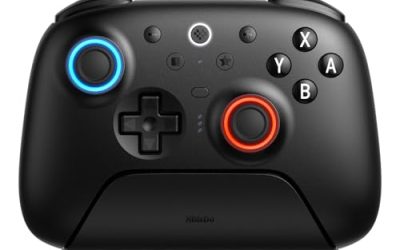
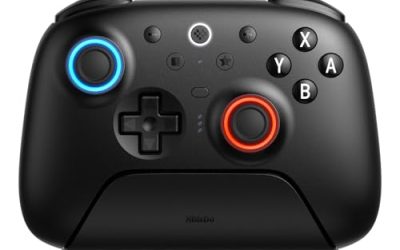
8BitDo Ultimate 2 Bluetooth Controller
The pad for the rest of the shelf: this game is a mouse game, but a docked Deck or desktop session rarely stops at one title, and this pad covers the wider library.
Specs
- Connectivity: Bluetooth wireless and USB-C wired
- Joysticks: TMR electromagnetic, anti-drift design
- Triggers: Hall effect, with mode switching
- Extras: two remappable back buttons, motion control
- In the box: charging dock included
Xbox Wireless Controller, Carbon Black
The safest guest pad in PC gaming: Steam Input support is universal, the glyphs match what most games display, and it pairs over Bluetooth or its own wireless standard. On the handheld, an external pad may need a manual Quick Access Menu switch before it takes over.
- Connectivity: Xbox Wireless and Bluetooth
- Port: USB-C for wired play
- Controls: hybrid D-pad, dedicated Share button
- Power: AA batteries or optional rechargeable pack
Logitech G502 HERO
Distant Worlds 2 is played through maps, lists and right-click menus, and a precise wired mouse is the tool the interface was designed around. Eleven programmable buttons cover the confirm, cancel and camera inputs a long session repeats.
Specs
- HERO optical sensor, up to 25,600 DPI
- 11 programmable buttons
- Adjustable weight system
- Wired USB connection
- On-board memory profiles
Samsung T9 Portable SSD 2TB
For moving a Linux game library between a desktop and a laptop, or keeping an offline backup of installers, a fast USB-C drive is the simple answer. The headline figure needs a Gen 2×2 host port; on a lesser port the drive runs at that ceiling instead.
Specs
- Capacity: 2 TB portable SSD
- Interface: USB 3.2 Gen 2×2, USB-C connector
- Maker-rated speeds: up to 2,000 MB per second read, 1,950 MB per second write
- Features: Dynamic Thermal Guard, maker-rated drop resistance
How to choose
Choose the Steam copy if Linux is your main system, and set the compatibility tool deliberately rather than accepting the default: the community file points to Proton 9.0-4 or a GE-Proton 9-series build as the reliable choices, with the Vulkan renderer as the follow-up fix. Choose the GOG copy only if its offline installer matters more than the Proton tooling around the Steam version; the build underneath is the same Windows executable. On the Deck, budget for touchscreen and community-configuration time, because the Playable grade assumes them.
Who should skip
Skip this one if you buy native Linux builds on principle, because there is none here and no layer of the record hints at one coming. Skip it if you want a game that simply launches on the newest default Proton; the Silver headline is earned by filings that had to pin an older build. Skip the Deck as your only way in if small interface text and touchscreen workarounds frustrate you; the sheet flags both. And if you are looking for the original Distant Worlds: Universe, that is a separate, older record this article does not cover.
FAQ
Is Distant Worlds 2 native on Linux?
No. Steam’s only purchase package reads Windows-only, the app flags agree, the Linux requirements tab is an empty shell, and SteamDB shows no Linux depot or Linux client icon. All five expansions repeat the same flags on their own records.
How well does Distant Worlds 2 run under Proton?
ProtonDB’s summary reads Silver as the headline tier, Platinum as best-reported and Gold as trending, across 103 reports with strong confidence. Many filings pin Proton 9.0-4 or a GE-Proton 9-series build because newer Proton 10 builds crash for some players; switching the renderer to Vulkan is a recurring fix.
Is Distant Worlds 2 playable on Steam Deck?
Valve rates it Playable, with deductions for the default controller configuration, non-Deck glyphs, manual keyboard invocation and small text, and a pass for default graphics performance. The test behind the badge ran on an older build than the current public branch, so the grade describes an earlier version.
Can I buy Distant Worlds 2 on GOG for Linux?
GOG sells the game, and its verified product page lists Windows as the only supported system. The GOG edition is the same Windows build: an alternative storefront, not a Linux version.
Final verdict
Distant Worlds 2 is not native on Linux, and the record leaves no layer in doubt: a Windows-only package, an empty Linux requirements tab, no Linux depot, and a five-expansion family in unanimous agreement. What Linux players get instead is a mature Proton route: a Silver headline, a Platinum best-reported ceiling, a well-documented version to pin, and a Playable Deck badge on older paperwork. Buy it as a Proton game with your eyes open about the pinning step and it is a reasonable purchase; buy it expecting a native port and no storefront can sell you one.
Product and ASIN Reference
| Product | ASIN |
|---|---|
| Valve Steam Deck OLED 512GB | B0CQ3RWQQZ |
| 8BitDo Ultimate 2 Bluetooth Controller | B0F194QFT2 |
| Xbox Wireless Controller, Carbon Black | B08DF248LD |
| Logitech G502 HERO | B07GBZ4Q68 |
| Samsung T9 Portable SSD 2TB | B0CHFS9K14 |