Code Vein II arrived on Steam on 29 January 2026 as the sequel to Bandai Namco Studios’ 2019 anime-styled action RPG, and it asks a familiar question of Linux players: the store page shows a Windows logo and nothing else, so is this a game to buy and run through Proton, or one to wait on? The sequel keeps the partner-based dungeon crawling and Blood Code builds of the first game, and adds a time-travel story in which a Revenant hunter crosses the past.
The record is split in a way the first game never was. ProtonDB rates the sequel Gold, but Valve rates it Unsupported on Steam Deck, and the two verdicts point at different hardware. This article reads Steam’s record, the add-on family, the ProtonDB file, the Deck sheet and the GOG question.
As an Amazon Associate, we earn from qualifying purchases.
Quick answer
Code Vein II has no native Linux build: Steam flags Windows only, with an empty Linux requirements tab. ProtonDB rates it Gold across 10 reports, with a Platinum best-reported tier, at moderate confidence. Valve rates it Unsupported on Steam Deck for graphics performance, while SteamOS reads Playable and the Steam Machine reads Verified. There is no GOG edition. Buy the Steam copy for a desktop, not the handheld.
What Steam’s own record says
Start with the flags, because they settle the native question outright. Steam’s appdetails record for app 2362060 lists Windows as true and both Mac and Linux as false. There is no Mac build either. The Linux requirements block exists in the record but is an empty shell: Minimum and Recommended headings with blank lists under each. That is the store template’s placeholder, not a specification.
The category record is narrower than the first game’s in one telling way. The sequel lists single-player, Steam Achievements, full controller support, Trading Cards, Gamepad Recommended, DualShock and DualSense support, Steam Cloud and Family Sharing, with no multiplayer or co-op category where the first game carried online co-op: the sequel’s Steam listing is a single-player game. Steam’s record carries no drm_notice, so this article names no DRM product. The same gap ran through the Final Fantasy XVI and Final Fantasy VII Rebirth articles: when the record supplies no DRM notice, there is nothing citable to name. It also names no anti-cheat and no third-party launcher or account.
The published Windows minimum is heavier than the first game’s. It asks for Windows 11, an Intel Core i5-9600K or AMD Ryzen 5 3600, 16 GB of RAM, a GeForce GTX 1660 Super or Radeon RX 5700 or Intel Arc B570, DirectX 12, and 70 GB of storage, with estimated performance at 1080p and 30 frames per second on Low. The recommended tier asks for a Core i7-12700KF or Ryzen 7 7800X3D, a GeForce RTX 3080 or Radeon RX 6800, and an SSD, with estimated performance at 1080p and 60 frames per second on High.
The family sweep: five apps, zero Linux flags
A single game’s flags can hide surprises in its add-ons, so every related app was checked individually. The downloadable content list contains three entries, the Deluxe Upgrade Pack, the Ultimate Upgrade Pack, and the Stylized Forma Set, and each one repeats the base game’s flags exactly: Windows true, Mac false, Linux false. The free Character Creator Demo app reads the same way.
One familiar trap is absent here. Many game families include a soundtrack app that carries a Linux flag the game itself lacks, which makes database scans report Linux support that does not exist. Code Vein II’s family has no soundtrack app on Steam at all, and a dedicated store search for one returns zero results: across the base game, three DLC apps and the demo, the count of Linux flags is zero.
The first game’s article mentions the sequel only in one sentence, noting that a separate store entry exists but is a different app with its own record, not covered by that audit. That framing makes no status claim about Code Vein II, so there is nothing to agree or disagree with.
The Proton file
The practical Linux verdict lives in the community file. ProtonDB’s summary for Code Vein II reports 10 user reports, an overall tier of Gold, a trending tier of Gold, and a best-reported tier of Platinum, with confidence rated moderate and a score of 0.49. A Gold headline with a Platinum best tier means the typical report describes a game that runs well, and the strongest reports reached the top tier.
Ten reports is a thin file, and the article carries that plainly. The first game’s file holds 222 reports at strong confidence, so the sequel’s Gold rests on far less evidence than the Gold its predecessor earned. The tier is a real reading of the summary feed, not a census, and a larger pool could move it. The game page itself loads as a JavaScript shell with no data in its markup, so this article makes no claim about any header or tag on that page.
The Steam Deck sheet
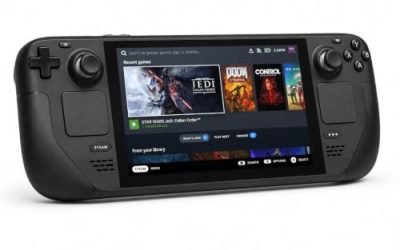
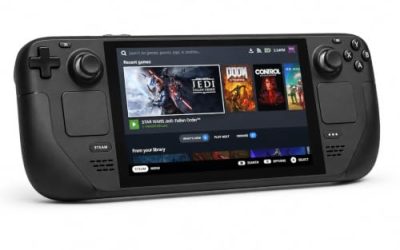
Here the record turns against the handheld. Valve rates Code Vein II Unsupported on Steam Deck, with the reason stated in Valve’s own terms: unsupported graphics performance. The verdict comes from Valve’s compatibility record embedded in the game’s own store page, because Valve’s ajax endpoint returned an empty body this session and the appdetails Deck filter returned an empty list. No test date is published on that record, so none is claimed.
The same record splits the other hardware rows. SteamOS separately reads Playable, with startup functional, plus two notes: first-time setup requires an active internet connection, and external controllers are not supported as the primary player. The Steam Machine reads Verified, with all three of its checks passing, and the Steam Frame row carries no verdict at all. The Deck verdict governs the handheld, and it is Unsupported, so the gear section below is desktop-only by design.
That split also explains the tension with the Proton file. A Gold community tier describes the Windows build under Proton on desktop hardware, where the published minimum already asks for a GTX 1660 Super class card. Valve’s Deck test measures the same build against the handheld’s graphics budget, and it fails there.
The storefront ruling
There is no GOG edition of Code Vein II. GOG’s embed search returns zero products, the catalogue search returns zero purchasable products, and the title’s would-be product address redirects to the general catalogue. The catalogue surfaces only a Dreamlist entry, a voting page, not a purchasable edition. The Steam copy is the only PC edition and the buy.
Gear that fits the record
Valve’s Unsupported Deck badge means the handheld is out, so every pick below is a desktop pick.
Logitech G502 HERO

Code Vein II’s menus, Blood Code screens and partner commands reward a precise pointer at a desk, and eleven programmable buttons cover the confirm, cancel and camera inputs a long session repeats.
Specs
- HERO optical sensor, up to 25,600 DPI
- 11 programmable buttons
- Adjustable weight system
- Wired USB connection
- On-board memory profiles
8BitDo Ultimate 2 Bluetooth Controller

The docked and desktop pad pick: Steam lists full controller support, and this pad covers the couch case with modern sticks and triggers plus back buttons for menu shortcuts.
Specs
- Connectivity: Bluetooth wireless and USB-C wired
- Joysticks: TMR electromagnetic, anti-drift design
- Triggers: Hall effect, with mode switching
- Extras: two remappable back buttons, motion control
- In the box: charging dock included
Xbox Wireless Controller, Carbon Black

The safest guest pad in PC gaming: Steam Input support is universal, the glyphs match what most games display, and it pairs over Bluetooth or its own wireless standard.
Specs
- Connectivity: Xbox Wireless and Bluetooth
- Port: USB-C for wired play
- Controls: hybrid D-pad, dedicated Share button
- Power: AA batteries or optional rechargeable pack
Keychron V3

The sequel’s dungeon crawling puts real hours into menus and build screens, and a tenkeyless board with QMK and VIA support lets you remap keys at the keyboard level.
Specs
- Tenkeyless layout with rotary knob
- QMK and VIA remapping support
- Hot-swappable K Pro Brown switches
- Wired USB-C connection
- Maker-rated 1,000 Hz polling
Samsung T9 Portable SSD 2TB

The game itself needs 70 GB per Steam’s published minimum, so this drive is bought for the rest of the library as much as for this one title. The headline figure needs a Gen 2×2 host port; on a lesser port the drive runs at that ceiling instead.
Specs
- Capacity: 2 TB portable SSD
- Interface: USB 3.2 Gen 2×2, USB-C connector
- Maker-rated speeds: up to 2,000 MB per second read, 1,950 MB per second write
- Features: Dynamic Thermal Guard, maker-rated drop resistance
How to choose
The game is Windows-only on Steam, so the choice is between the Steam build under Proton on a desktop and waiting for a port that no record promises. ProtonDB’s Gold file on 10 reports is the strongest evidence available, and the Platinum best-reported tier shows the ceiling reached by the strongest reports. The file is thin, so treat the tier as a reading, not a census.
If you play on a desktop that clears the published minimum, buy the Steam copy and expect the Windows build under Proton. The recommended tier’s SSD note is worth following, since the game asks for 70 GB. If you play on a Steam Deck, do not buy for the handheld: Valve’s verdict is Unsupported for graphics performance. The Steam Machine’s Verified row is a different device, not a Deck verdict.
Who should skip
Skip the wait for a native build. Nothing in Steam’s record, GOG’s catalogue or Bandai Namco’s own listing points at one, and the Windows build already runs well under Proton on desktop hardware.
Skip the GOG route. There is no GOG edition at all, only a Dreamlist voting page, so there is nothing to buy there, DRM-free or otherwise.
Skip the Deluxe and Ultimate Upgrade Packs unless the extra content matters to you. Both are ordinary DLC packs, Windows-only like the game, and neither adds anything to the Linux question.
FAQ
Is Code Vein II native on Linux?
No. Steam’s record for app 2362060 flags Windows only, Mac false and Linux false, and the Linux requirements tab is an empty shell. The game runs under Proton instead.
How well does Code Vein II run under Proton?
ProtonDB rates it Gold on all three headline tiers across 10 reports at moderate confidence, with a Platinum best-reported tier. The file is thin at 10 reports, so the tier is a reading of the summary feed rather than a census.
Is Code Vein II Steam Deck Verified?
No. Valve rates it Unsupported on Steam Deck, with the single stated reason of unsupported graphics performance. SteamOS separately reads Playable and the Steam Machine reads Verified, but the Deck verdict governs the handheld.
Can I buy Code Vein II on GOG instead?
No. GOG sells no edition of this game. Its catalogue search returns zero purchasable products, and the only entry is a Dreamlist voting page. The Steam copy is the only PC edition.
Final verdict
Code Vein II is a clean Windows-only case with a split record behind it. Steam flags Windows only with an empty Linux tab, the three DLC packs and the free demo are all Windows-only, and no soundtrack app exists to muddy the family. ProtonDB’s file is thin at 10 reports but reads Gold with a Platinum best tier, Valve’s Deck badge is Unsupported for graphics performance while SteamOS reads Playable and the Steam Machine reads Verified, and the GOG question is settled by absence: no edition, Dreamlist only. Buy the Steam copy for a desktop that clears the published minimum.
Product and ASIN Reference
| Product | ASIN |
|---|---|
| Logitech G502 HERO | B07GBZ4Q68 |
| 8BitDo Ultimate 2 Bluetooth Controller | B0F194QFT2 |
| Xbox Wireless Controller, Carbon Black | B08DF248LD |
| Keychron V3 | B0B2DMMMG2 |
| Samsung T9 Portable SSD 2TB | B0CHFS9K14 |