Superliminal is Pillow Castle’s first-person perspective puzzler, built on forced perspective: objects resize with the angle you view them from. It reached Steam on 5 November 2020 as a single-player puzzler and later gained online multiplayer modes. That raises two Linux questions: is there a native build, or does the game only travel through Proton, and did the multiplayer update bring anti-cheat with it?
This page answers both from the primary records: Steam’s app record, SteamDB’s depot table and Deck paperwork, the game’s family, three anti-cheat sources, ProtonDB, and GOG’s live product page. The short version is unusually clean: every layer of the record points the same way.
As an Amazon Associate, we earn from qualifying purchases.
Quick answer
Yes. Superliminal runs natively on Linux: Steam flags the Linux platform, publishes Linux system requirements, and serves a dedicated Linux depot, and Valve’s Deck sheet names the native runtime. ProtonDB rates the game Platinum across 52 reports, the Steam Deck badge is Verified, and GOG sells an edition that lists Linux too.
The Steam record: native on every layer
Steam’s app record for Superliminal (app 1049410) flags all three desktop platforms: Windows, Mac and Linux are each switched on. A flag alone can be a leftover, so what sits behind it matters, and here the record is filled in properly. The Linux requirements are published in full at both tiers. Minimum: a 64-bit system with glibc 2.17 or newer, a 2.0 GHz processor, 4 GB of memory, a graphics processor with 3 GB of video memory and 12 GB of storage. Recommended: a 2.4 GHz processor, 8 GB of memory and 4 GB of video memory. Developer and publisher are both Pillow Castle; the genres are Action and Adventure, and the categories cover single-player, achievements, full controller support, captions, Steam Workshop, Steam Cloud and a level editor, plus the multiplayer categories covered below.
The depot check
A requirements tab can outlive a pulled build, so the next check is whether Steam serves Linux content today. SteamDB’s depot table lists three content depots: Windows 64-bit, macOS, and depot 1049413, the Linux 64-bit depot, at about 15 GB on disk. The public branch was last built in February 2023, so the Linux depot belongs to the current build, not a launch artifact. One honest wrinkle: SteamDB’s extended-OS field reads only macos64, which tracks the Mac side; the depot table is the stronger evidence, and the verdict rests on no single field.
The family sweep: the verdict does not rest on the soundtrack
Steam’s record lists exactly one related app: the Superliminal Double-Album Soundtrack (app 1440610), a music app from the same developer, released the same day. Read on its own record, the soundtrack also flags Linux, making the family two of two, though its Linux requirements field is an empty list, normal for an audio app. This series has covered games where the family’s only Linux flag sat on a soundtrack while the game was Windows-only; Superliminal is the opposite shape, since the game app carries the deciding evidence itself and the soundtrack’s flag merely agrees. There are no other add-ons in the record.
DRM and accounts: nothing named on the record
Steam’s record names no third-party DRM for Superliminal, and no external account requirement either: both notice fields are absent, so nothing asks you to register with a second service to play the Steam copy. Absence of a notice is a gap in the paperwork rather than a promise, but on the record as published, the campaign needs nothing beyond the game itself; the online modes naturally need a connection and other players.
Anti-cheat: three sources, kept separate
Because later updates added online versus and co-op modes, anti-cheat was checked in three independent places. Steam’s own record names no anti-cheat product anywhere: no notice, no category, no requirement. SteamDB’s detected-technology list reads as engine and tooling only: Unity, FMOD and Resonance Audio, Mono, OpenVR and the Oculus XR plugin, UnityBurst, and the Photon SDK, the multiplayer networking layer. The Are We Anti-Cheat Yet dataset carries no entry for Superliminal or its app number at all. So no source names an anti-cheat, and the multiplayer runs on a standard networking SDK rather than a kernel-level anti-cheat. One report-level note: a single ProtonDB report found the battle-royale mode could break down when players moved far apart, a netcode complaint rather than a Linux block; the same file rates the campaign as working perfectly.
The ProtonDB file
ProtonDB’s summary record answered in full: headline tier Platinum, best-reported tier Platinum, trending tier Platinum, across 52 reports, with confidence marked strong. The file is mid-sized and settled, claimed at exactly that size. The game page’s header labels the game as natively supported, and here it agrees with Steam instead of contradicting it. The reports underneath are filed mostly as native runs: full playthroughs with no tinkering, small complaints such as slow default mouse sensitivity and a harmless crash message on exit, and a few who ran the Windows build under Proton by choice, also successfully.
The Steam Deck sheet
Superliminal’s Steam Deck category is Verified. The evidence path needs disclosing: Valve’s own compatibility endpoint returned no usable answer in this session, so the verdict and test details are read from SteamDB’s republication of Valve’s compatibility data. On that record the test ran on 15 November 2022 against build 9905138, and the configuration names the recommended runtime as native, so the badge was earned by the Linux build itself. All four standard Verified findings are present: full functionality on the default controller configuration, Deck icons, legible text, and good performance on default graphics. No internet is required for setup or single-player play, and SteamOS is separately marked Compatible.
The GOG edition
Superliminal also exists on GOG. The ruling rests on the live product page rather than GOG’s search, which returned nothing for the title in this session despite the page being live, a known blind spot and the reason the page was opened and identity-checked. The page’s own product data names the game as Superliminal, credits Pillow Castle, and lists its operating systems as Windows, Linux and macOS. The GOG edition is therefore a real second route to the game, with Linux listed on the same terms as Steam. No other folder article covers Superliminal and no catalogue page claims anything about it, so there is nothing to audit against this record.
Gear that fits the record
The gear below follows the record: the handheld the badge was written for, two pads for docked and multiplayer sessions, a mouse for desk viewpoint work, and fast library storage.
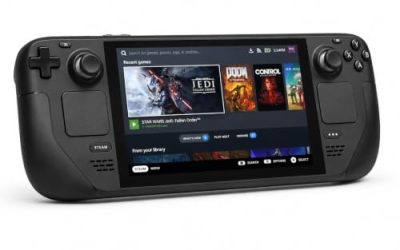
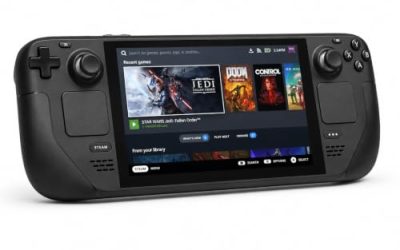
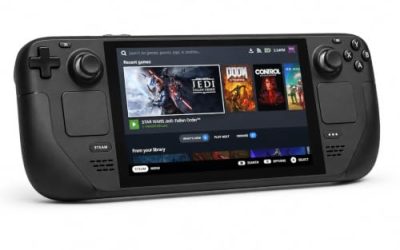
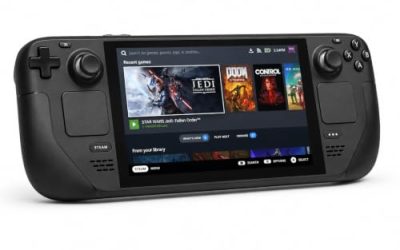
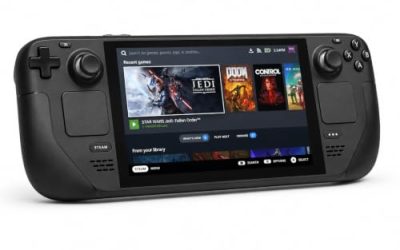
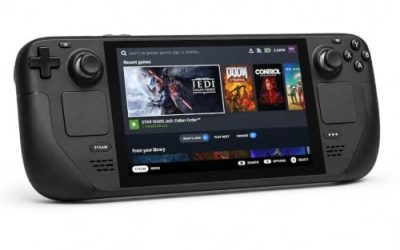
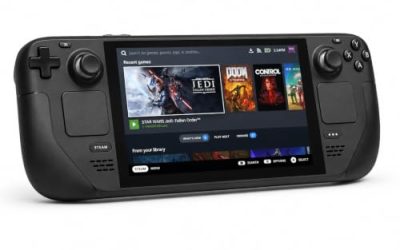
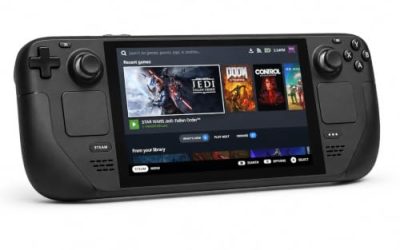
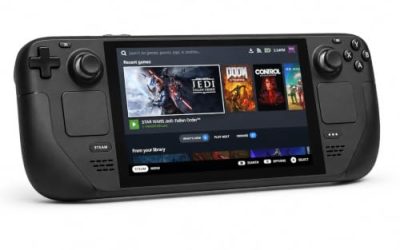
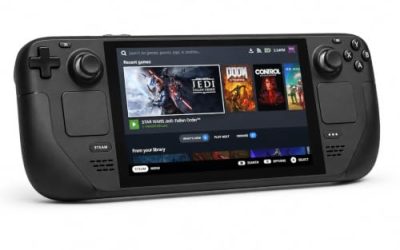
Valve Steam Deck OLED 512GB

The handheld the Verified badge was written for, in a clean case: the sheet names the native runtime, so the Deck runs the desktop’s Linux build.
Specs
- Display: 7.4-inch HDR OLED, 1280 by 800, up to 90 Hz
- Processor: AMD Zen 2 and RDNA 2 custom APU
- Memory: 16 GB LPDDR5
- Storage: 512 GB NVMe, plus a microSD slot
- Wireless: Wi-Fi 6E and Bluetooth
- Channel note: Valve sells the Deck mainly through its own store, so Amazon listings are third-party sellers
8BitDo Ultimate 2 Bluetooth Controller

The docked and desktop pad pick. Steam lists full controller support, and this pad covers the couch case with modern sticks, triggers and back buttons.
Specs
- Connectivity: Bluetooth wireless and USB-C wired
- Joysticks: TMR electromagnetic, anti-drift design
- Triggers: Hall effect, with mode switching
- Extras: two remappable back buttons, motion control
- In the box: charging dock included
Xbox Wireless Controller, Carbon Black

The safest guest pad in PC gaming: Steam Input support is universal, the glyphs match what games display, and it is the simple second pad for co-op and versus sessions.
- Connectivity: Xbox Wireless and Bluetooth
- Port: USB-C for wired play
- Controls: hybrid D-pad, dedicated Share button
- Power: AA batteries or optional rechargeable pack
Logitech G502 HERO

At a desk the mouse is the precision instrument: puzzles turn on tiny viewpoint adjustments, and a high-resolution sensor makes lining up a forced-perspective grab feel exact.
Specs
- HERO optical sensor, up to 25,600 DPI
- 11 programmable buttons
- Adjustable weight system
- Wired USB connection
- On-board memory profiles
Samsung T9 Portable SSD 2TB

For moving a Linux library between machines or backing up installers, a fast USB-C drive is the simple answer. The headline figure needs a Gen 2×2 host port; on a lesser port the drive runs at that ceiling.
Specs
- Capacity: 2 TB portable SSD
- Interface: USB 3.2 Gen 2×2, USB-C connector
- Maker-rated speeds: up to 2,000 MB per second read, 1,950 MB per second write
- Features: Dynamic Thermal Guard, maker-rated drop resistance
How to choose
Start with the storefront. Steam is the default route: the native build arrives through the regular depot, Workshop and the level editor are on the record, and the Deck badge was tested against this copy. GOG is the alternative for players who prefer that store, since its edition lists Linux too. Almost anything current clears the recommended tier, so choose by input: a mouse for fine viewpoint work, a pad for the couch, a second pad if co-op and versus modes are the plan. If a native install misbehaves, the record offers two levers before Proton: the previous-patch branch for rollback, and the Windows build under Proton as a fallback.
Who should skip
Skip this one if perspective puzzles are not your genre: the game explores a single mechanic thoroughly, and players wanting combat or a long campaign will find a short, focused puzzler instead. Skip it as a competitive purchase: the online modes are casual races and co-op rooms, not a ranked ladder, and one report describes the battle-royale mode straining when players spread out. And because the campaign is built on fine viewpoint control, players who struggle with precise aiming should weigh that, despite the full controller support on the record.
FAQ
Is Superliminal native on Linux?
Yes. Steam flags Linux on the game’s own record, publishes full Linux requirements at both tiers, and serves a dedicated Linux depot of about 15 GB. The verdict rests on the game app itself, not on the soundtrack in its family.
Does Superliminal need Proton to run on Linux?
No. The native build is the default install, and Valve’s Deck sheet names the native runtime as the recommended one. ProtonDB’s Platinum file (52 reports, strong confidence) is filed mostly by native players; a few ran the Windows build under Proton by choice and reported that working too.
Is Superliminal Steam Deck Verified?
Yes. SteamDB’s republication of Valve’s data lists it as Verified, tested on 15 November 2022 against build 9905138, with all four standard checks passing and the native runtime named; SteamOS is separately Compatible.
Can I buy Superliminal on GOG for Linux instead?
Yes. GOG’s live product page is a real edition of the game, and its product data lists Windows, Linux and macOS. The ruling comes from the page itself, identity-checked against the developer name, because GOG search returned nothing in this session.
Final verdict
Superliminal is one of the easy files in this series: a genuinely native game whose record agrees with itself at every layer. The flag is backed by two full tiers of Linux requirements and a live Linux depot; the one-app family adds a soundtrack whose flag agrees but decides nothing; no DRM and no external account are named; no anti-cheat appears in Steam’s record, SteamDB’s technology list or the dedicated tracker; the Platinum ProtonDB file is filed mostly by native players; the Deck badge is Verified on the native runtime; and GOG lists Linux on its own edition. For Linux puzzle players, this is a buy-without-homework case on either storefront.
Product and ASIN Reference
| Product | ASIN |
|---|---|
| Valve Steam Deck OLED 512GB | B0CQ3RWQQZ |
| 8BitDo Ultimate 2 Bluetooth Controller | B0F194QFT2 |
| Xbox Wireless Controller, Carbon Black | B08DF248LD |
| Logitech G502 HERO | B07GBZ4Q68 |
| Samsung T9 Portable SSD 2TB | B0CHFS9K14 |