The Witness is Thekla’s island of line puzzles, released on 26 January 2016. This page answers a narrow, factual question: what do the primary records say today about playing it on Linux, on Steam Deck and through the other storefront that sells it?
The short answer is that no native Linux build has ever been published, and nothing in the record suggests one is coming. Linux players use the Windows build under Proton, a route with a long community record and a formal Steam Deck rating.
As an Amazon Associate, we earn from qualifying purchases.
Quick answer
No. The Witness has never shipped a native Linux build: Steam flags Linux false, the Linux requirements field is an empty list, and SteamDB holds only Windows and macOS depots. The Windows build runs through Proton with a Gold headline tier on 170 reports, holds a Playable rating on Steam Deck, and the GOG edition is Windows and Mac only.
The platform record: three layers, one answer
Steam’s own app record is the first layer. The platform flags read Windows true, Mac true and Linux false. The Linux requirements field is an empty list outright: no tab in any form at either tier, a stronger closure than an empty-shell tab. The Windows and Mac tabs are genuinely populated, so the Linux side was never filled in.
SteamDB supplies the second and third layers, and they agree. Its extended operating-system field reads macOS 64-bit and macOS notarized, with no Linux entry. The depot table holds exactly two content depots, a Windows depot of 3.87 GiB and a macOS depot of 3.86 GiB. A native build cannot be installed from a depot that does not exist, and none exists: every Linux session is the Windows build under a compatibility layer.
A family of one: no add-on apps at all
Some records need a careful family sweep, because a soundtrack app’s Linux flag can be misread as evidence about the game. This record needs no such care: the app record carries no DLC array at all. With no soundtrack app, demo, artbook or expansion attached, the family’s Linux-flag count is zero of one, the game itself, and the soundtrack trap cannot form, because no second flag exists to misread. A same-name hidden-object series in store search is a different game entirely.
DRM and account requirements: two gaps
The record names no DRM product in its DRM notice field, and no external account in its account notice field. Both fields are absent, so this page states them as two gaps rather than promises in either direction: nothing says a third-party DRM layer is present, and nothing guarantees one absent beyond the fields themselves. What the record does list is the ordinary Steam feature set: single-player, achievements, captions, partial controller support, Steam Cloud and Family Sharing.
Anti-cheat: three sources, all silent
Anti-cheat is checked from three sources, kept separate because they answer to different authorities. Steam’s record names none, on a single-player record with no multiplayer categories. SteamDB’s detected-technology list names an AMD GPU services library, a video library, a camera-effects library and a virtual-reality library, engine and media plumbing, with no anti-cheat entry among them. The community dataset maintained under the Are We Anti-Cheat Yet organisation carries no entry for this game, searched by name and by app number. No anti-cheat layer stands in Proton’s way, and nothing suggests one could be switched on later.
ProtonDB: a Gold headline over a Platinum trend
ProtonDB’s summary record gives a headline tier of Gold, a best-reported tier of Platinum and a trending tier of Platinum, across 170 reports, with strong confidence. The headline is the conservative number.
One label on the game page needs naming, because it contradicts everything above. The page header carries a classification reading “Natively Supports”. Against Steam’s false flag, the empty-list field and the missing depot, that header is a database-side error: every report beneath it is a Proton run, naming stock builds in the 10 and 9 series and community builds. This page follows Steam.
The texture underneath is mostly out-of-the-box praise: full playthroughs, saves behaving, clean runs on current builds. Three strands recur at report weight. The most prominent warns the game may refuse to boot unless it sits on the system drive or a Linux-formatted volume, a filesystem quirk worth knowing in advance. A second concerns the start-up configuration window, which several players skip with a launch option; the same window is the one deduction on Valve’s Deck sheet below. A third, older strand describes a black screen answered by a fallback graphics option. None of these overturns the tier.
Steam Deck: Playable, on dated paperwork
Valve’s own compatibility endpoint returned no usable data this session, so the verdict and paperwork were read from SteamDB’s republication of Valve’s compatibility data, disclosed here rather than hidden. The republication records a Steam Deck category of Playable, with SteamOS separately rated Compatible.
The sheet underneath was tested on 18 February 2022, and its items explain the Playable grade rather than a Verified one: all functionality is accessible with the default controller configuration, controller icons show, interface text is legible and the default graphics configuration performs well, but the launcher or setup tool may require the touchscreen or virtual keyboard, the sheet’s one formal deduction. A further note warns the game does not default to external Bluetooth or USB controllers, so a docked player may need to switch the active controller through the Quick Access Menu. The recommended runtime is the stable Proton branch, and no internet is required for setup or single-player play.
The paperwork is dated: the tested build is the one current in February 2022, and the public branch has since moved to a June 2023 build. The fresher signal agrees anyway: Deck reports in the ProtonDB file describe full playthroughs, with medium settings holding a solid frame rate. Playable here means one real, minor deduction, the configuration window.
The GOG edition: it exists, and it changes nothing
GOG sells The Witness, and the ruling here rests on GOG’s own records rather than its search, which returned nothing for the title despite the edition existing, the known search blind spot. The live product page resolves to this game, and GOG’s product record reads Windows true, Mac true and Linux false. The GOG copy is the same platform picture in a different wrapper: fine for Windows or Mac players, and no Linux route, since the compatibility records that matter for Linux describe the Steam copy.
Gear that fits the record
The gear below follows the record’s shape: the handheld behind the Playable badge, two pads, a mouse for panel-tracing, and library storage.
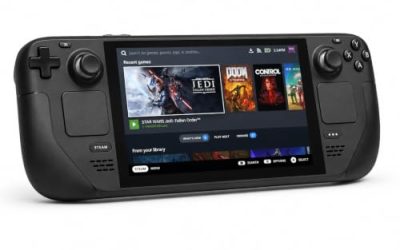
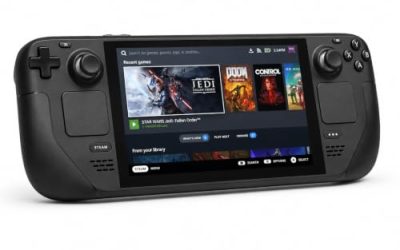
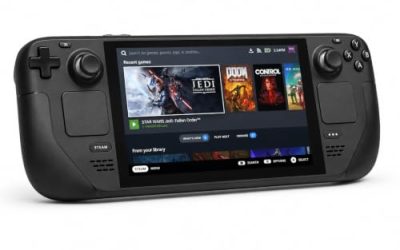
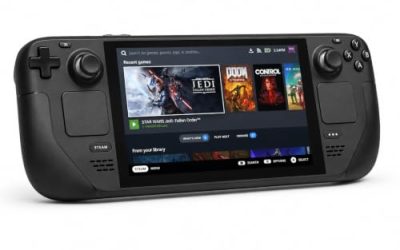
Valve Steam Deck OLED 512GB

The handheld the Playable badge was written for; Deck reports describe full playthroughs in handheld and docked modes.
Specs
- Display: 7.4-inch HDR OLED, 1280 by 800, up to 90 Hz
- Processor: AMD Zen 2 and RDNA 2 custom APU
- Memory: 16 GB LPDDR5
- Storage: 512 GB NVMe, plus a microSD slot
- Wireless: Wi-Fi 6E and Bluetooth
- Channel note: Valve sells the Deck mainly through its own store, so Amazon listings are third-party sellers
8BitDo Ultimate 2 Bluetooth Controller

The docked and desktop pad pick, covering the couch case for a record that lists partial controller support.
Specs
- Connectivity: Bluetooth wireless and USB-C wired
- Joysticks: TMR electromagnetic, anti-drift design
- Triggers: Hall effect, with mode switching
- Extras: two remappable back buttons, motion control
- In the box: charging dock included
Xbox Wireless Controller, Carbon Black

The safest guest pad in PC gaming: Steam Input support is universal and the glyphs match what most games display. On the handheld, the test sheet’s note applies: an external pad may need a manual Quick Access Menu switch first.
- Connectivity: Xbox Wireless and Bluetooth
- Port: USB-C for wired play
- Controls: hybrid D-pad, dedicated Share button
- Power: AA batteries or optional rechargeable pack
Logitech G502 HERO

The Witness is mouse-led at a desk: its puzzles are solved by tracing lines across panels, and a precise wired mouse keeps that tracing steady.
Specs
- HERO optical sensor, up to 25,600 DPI
- 11 programmable buttons
- Adjustable weight system
- Wired USB connection
- On-board memory profiles
Samsung T9 Portable SSD 2TB

For moving a Linux game library between machines, a fast USB-C drive is the simple answer, and leading reports add a reason to format it for Linux: the game may not boot from a volume the operating system treats as foreign. The headline figure needs a Gen 2×2 host port.
Specs
- Capacity: 2 TB portable SSD
- Interface: USB 3.2 Gen 2×2, USB-C connector
- Maker-rated speeds: up to 2,000 MB per second read, 1,950 MB per second write
- Features: Dynamic Thermal Guard, maker-rated drop resistance
How to choose
Choose the Steam copy for Linux play: it is the edition the ProtonDB file and the Deck sheet describe, and its Steam Cloud saves follow you between desktop and handheld. Install under Proton at the default setting, on your system drive or a Linux-formatted volume, answering the one recurring report strand in advance. On Steam Deck, expect the Playable shape: the game runs well, and the configuration window at launch may ask for the touchscreen. Take the GOG copy only if your library lives there and your play happens on Windows or Mac.
Who should skip
Skip this game on Linux if your rule is native-only on principle: no native build exists, none ever has, and the record gives no reason to expect one, so decline it knowingly rather than wait. Skip the Deck version if a launch-time configuration window that may need touch input is a deal-breaker, because that deduction is exactly what separates Playable from Verified. Skip it entirely if you want a puzzle game that explains itself: this island teaches its symbol language without a word of tutorial text, and players who dislike being stuck will find the middle regions slow going.
FAQ
Is The Witness native on Linux?
No. Steam flags Linux false, the requirements field is an empty list, and the depot table holds Windows and macOS depots only, with no Linux depot in any branch. Every Linux session is the Windows build under Proton.
How well does The Witness run under Proton?
ProtonDB’s summary gives a Gold headline with Platinum best-reported and trending tiers across 170 reports, at strong confidence. The recurring edges are an install-location quirk around drive formatting, a start-up configuration window players often skip, and an older black-screen strand.
What does the Playable rating on Steam Deck mean here?
The game runs well with one named deduction: the launcher or setup tool may require the touchscreen or virtual keyboard. The sheet was tested in February 2022, and current Deck reports describe full playthroughs.
Can I buy The Witness on GOG for Linux instead?
A GOG edition exists, verified on GOG’s live product page and product record, but the record reads Windows and Mac only, with Linux false. Linux players should take the Steam copy the compatibility records describe.
Final verdict
The Witness on Linux is a closed platform record with an open Proton one. The native question is settled at every layer: false flag, empty-list field, macOS-only extended field, no Linux depot, a family of one with no add-on flag to misread. Against that closure sits a Gold headline over Platinum best and trending tiers on 170 reports, a Playable Deck grade whose only deduction is a configuration window, and no anti-cheat, DRM notice or account requirement in the record. Buy the Steam copy, install it on a Linux-formatted volume, and expect the island to run as well as its report file says.
Product and ASIN Reference
| Product | ASIN |
|---|---|
| Valve Steam Deck OLED 512GB | B0CQ3RWQQZ |
| 8BitDo Ultimate 2 Bluetooth Controller | B0F194QFT2 |
| Xbox Wireless Controller, Carbon Black | B08DF248LD |
| Logitech G502 HERO | B07GBZ4Q68 |
| Samsung T9 Portable SSD 2TB | B0CHFS9K14 |