Assemble with Care is ustwo games’ repair-shop story: antique-restorer Maria arrives in the sun-soaked town of Bellariva and fixes the townsfolk’s broken objects — tape decks, cameras, record players — while their stories unfold around the workbench. It is a gentle, mouse-driven puzzle game of the kind Linux players routinely ask about: nothing in its design looks tied to Windows.
The record gives a split answer. Steam’s listing makes the game Windows only, and the one Linux flag in its product family sits on the soundtrack, not the game. Against that, the compatibility file is as strong as a Windows-only release can earn: unanimous Platinum from ProtonDB, a Verified badge from Valve.
As an Amazon Associate, we earn from qualifying purchases.
Quick answer
Assemble with Care is not native on Linux. Steam flags the game Windows only, its Linux requirements tab is an empty shell, and no Linux depot exists; the family’s one Linux flag sits on the soundtrack app. The route is Proton: ProtonDB rates the Windows build Platinum across 33 reports, and Valve rates it Verified on Steam Deck.
The status at a glance
| Question | Answer from the record |
|---|---|
| Native Linux build | No — Steam flags Windows only |
| Linux requirements tab | Empty shell — headings over empty lists |
| Family Linux flags | 1 of 2 apps, and it is the soundtrack |
| ProtonDB record | Platinum on every tier, 33 reports |
| Steam Deck verdict | Verified, tested June 2022 on the current build |
| GOG edition | None |
| DRM, account, anti-cheat | None named on the record |
What Steam’s own record says
Steam’s appdetails record (app 1202900, established from Steam’s own store search) lists developer and publisher as ustwo games, released 26 March 2020. The platform flags read Windows true, Mac false, Linux false.
The Linux requirements field is the empty shell: Minimum and Recommended headings over empty lists, the shape of a Linux section with nothing behind it. SteamDB’s depot table closes the question: one content depot of 1.26 GiB, a development depot and a Windows Visual C redistributable — no Linux depot, and SteamDB’s extended-OS field is an empty string. One leftover deserves naming: the asset list includes a Linux client icon — store artwork with no flag, requirements or depot behind it. Artwork is not a build.
The published Windows minimum is modest: a 64-bit system, Windows 7, a Core i3, 4 GB of RAM, Intel HD Graphics 520 class graphics and 2 GB of storage. Almost any Linux machine clears that bar easily.
The category list is single-player with Steam Achievements, Steam Cloud and Family Sharing, plus an unusually complete accessibility set stated as capabilities: camera comfort, colour alternatives, custom volume controls, a mouse-only option, play without timed input, and save-anytime. The mouse-only line matters later: this game’s home shape is a pointer, not a pad.
The family sweep: the Linux flag belongs to the soundtrack
The game’s DLC array holds exactly one app: the Assemble with Care Soundtrack (1293620), read individually for this article. It is a music product whose flags read Windows, Mac and Linux all true, with an empty list where its Linux requirements would go.
That single flag is the whole trap. A store scan sorting this family by platform support surfaces the soundtrack as the Linux-supported product, and a careless catalogue then credits the game with a native build it does not have. Counted properly, one of two family apps flags Linux: the audio release. The deciding evidence sits on the game itself and points the other way on every layer: false flag, empty-shell tab, no Linux depot. A soundtrack’s flags describe where the music plays; no support transfers from the add-on to the parent app.
DRM, accounts and anti-cheat: three silences
The record names no third-party DRM and no external account: both notice fields are empty, and nothing in the category list points at a launcher. Both are gaps on the record, stated as gaps, not promises.
Anti-cheat was checked in three places and found in none. Steam’s record names none, which fits a single-player-only listing. SteamDB’s detected-technology list is engine and audio plumbing: the Unity engine, the Autodesk FBX and Mono toolkits, the Wwise audio SDK and a cURL library. The Are We Anti-Cheat Yet dataset, read from its maintainers’ own repository, carries no entry for this game. There is no multiplayer here for an anti-cheat to guard.
The Proton file
ProtonDB’s summary record, read directly this session, is unanimous: Platinum headline, Platinum best-reported and Platinum trending tiers, across 33 reports with strong confidence. For a short story-led puzzle game that is a solid file, and the strong rating means the tiers rest on consistent submissions.
One label on ProtonDB’s game page needs naming: its header carries a “Natively Supports” classification. Steam’s record disagrees on every layer, and the reports underneath are themselves Proton runs, filed against builds from the 7.0 series through the current 10.0 series and community builds. The header is a database-side artefact, very likely inherited from the soundtrack’s flag. The file underneath is coherent at report weight: Deck-heavy, full of complete playthroughs described as working out of the box, with two minor strands — voice lines cut short by scene transitions in one desktop report, and cutscene edges cropped to the screen in one older Deck report. Several reports prefer the trackpad or a mouse over the touchscreen for fine repair work, matching the record’s mouse-first design.
The Steam Deck sheet
Valve rates the game Verified on Steam Deck, the top category, and SteamOS separately Compatible. One evidence note: Valve’s own compatibility endpoint returned empty and garbled responses this session, so the verdict, checks and test paperwork were read through SteamDB’s republication of Valve’s record, the fallback route this project has used before.
The checks on the sheet pass: all functionality is accessible with the default controller configuration, in-game interface text is legible, and the default graphics configuration performs well. The configuration names no manual keyboard invocation, no launcher navigation, and no internet requirement for setup or single-player. The recommended runtime is a Proton 7.0 series build, exactly what a Windows-only game should show: the badge certifies the Windows build under Proton.
The paperwork is unusually current. The test dates to 14 June 2022, on build 7032916 — still the build the public branch carries today, so the sheet describes the download a buyer gets now.
The storefront ruling
The game’s would-be product address on GOG resolves to that store’s general games catalogue — how GOG answers for a title it does not sell — and GOG’s own catalogue searches return no product for it. No GOG edition exists, so the Steam copy is the only PC edition, carrying the Steam Cloud saves and achievements the record lists.
Gear that fits the record
The gear below follows the record’s shape: the badge’s handheld, two docked pads, the mouse this game was designed around, and library storage.
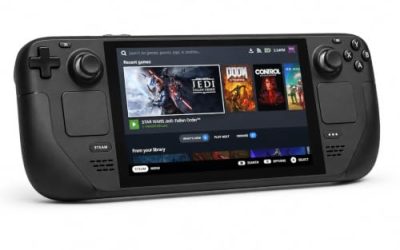
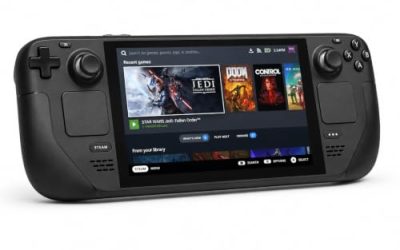
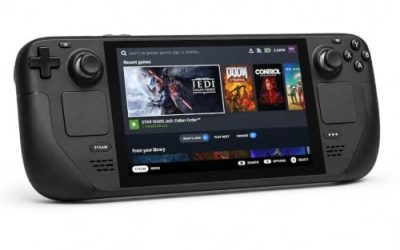
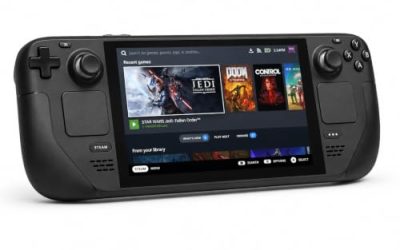
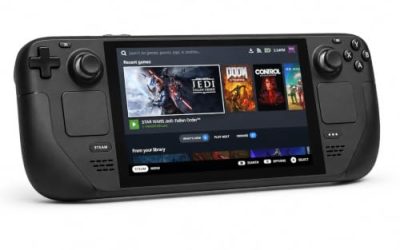
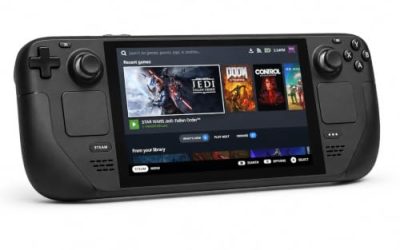
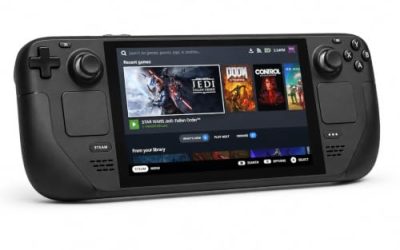
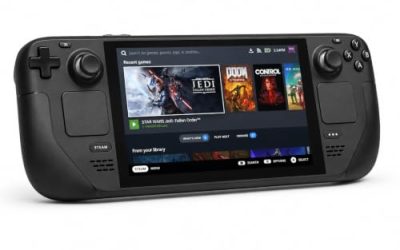
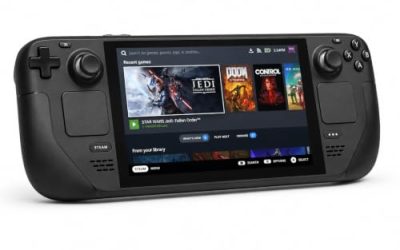
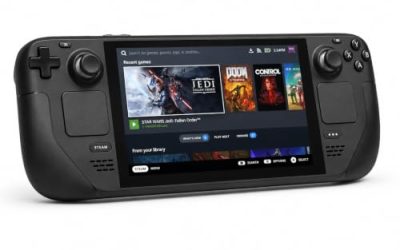
Valve Steam Deck OLED 512GB

The handheld the Verified badge was written for. Valve’s sheet passes the Windows build on the build the store still serves, and the game’s requirements are a rounding error next to the Deck’s APU.
Specs
- Display: 7.4-inch HDR OLED, 1280 by 800, up to 90 Hz
- Processor: AMD Zen 2 and RDNA 2 custom APU
- Memory: 16 GB LPDDR5
- Storage: 512 GB NVMe, plus a microSD slot
- Wireless: Wi-Fi 6E and Bluetooth
- Channel note: Valve sells the Deck mainly through its own store, so Amazon listings are third-party sellers
8BitDo Ultimate 2 Bluetooth Controller

The docked pad pick: Valve’s sheet passes the game on its default controller configuration, and this one adds modern sticks, Hall effect triggers and back buttons.
Specs
- Connectivity: Bluetooth wireless and USB-C wired
- Joysticks: TMR electromagnetic, anti-drift design
- Triggers: Hall effect, with mode switching
- Extras: two remappable back buttons, motion control
- In the box: charging dock included
Xbox Wireless Controller, Carbon Black

The safest guest pad in PC gaming: Steam Input support is universal, the glyphs match what most games display, and it pairs over Bluetooth or its own wireless standard.
- Connectivity: Xbox Wireless and Bluetooth
- Port: USB-C for wired play
- Controls: hybrid D-pad, dedicated Share button
- Power: AA batteries or optional rechargeable pack
Logitech G502 HERO

The most on-brief pick in this set: the record lists a mouse-only option among the game’s categories, and its repair work is pointer work — unscrewing, lifting, placing. A precise wired mouse covers the repeated confirm and rotate inputs a session repeats.
Specs
- HERO optical sensor, up to 25,600 DPI
- 11 programmable buttons
- Adjustable weight system
- Wired USB connection
- On-board memory profiles
Samsung T9 Portable SSD 2TB

For moving a Linux game library between a desktop and a laptop, or keeping an offline backup of installers, a fast USB-C drive is the simple answer. The headline figure needs a Gen 2×2 host port; on a lesser port the drive runs at that ceiling instead.
Specs
- Capacity: 2 TB portable SSD
- Interface: USB 3.2 Gen 2×2, USB-C connector
- Maker-rated speeds: up to 2,000 MB per second read, 1,950 MB per second write
- Features: Dynamic Thermal Guard, maker-rated drop resistance
How to choose
Choose the Steam copy: the only PC edition on sale, and the exact build both records describe. On desktop or laptop, install under Proton at the default setting; a unanimous Platinum file across 33 reports says current builds run it cleanly. On a Steam Deck, the Verified badge means no configuration work: install and launch. For input, plan around a pointer — a mouse at a desk, the trackpad on the handheld; a pad works at a dock, but it is the guest here, not the host.
Who should skip
Skip this one if you are shopping for a native Linux build: neither the soundtrack’s flag nor ProtonDB’s stray header changes that. Skip it if you want a DRM-free offline installer, because no GOG edition exists. Skip it if your only play route is a touchscreen: the report file prefers a trackpad or mouse for the repair steps. And skip it if a pad is the only controller you will consider on desktop: the game is mouse-first by design.
FAQ
Is Assemble with Care native on Linux?
No. Steam’s record flags Windows only, the Linux requirements field is an empty shell, and SteamDB’s depot table holds no Linux depot. The family’s one Linux flag belongs to the soundtrack app, a separate music product.
Why does the soundtrack show Linux support?
Because add-on apps carry their own platform flags. The soundtrack (app 1293620) flags all three platforms true, with an empty list behind the Linux flag. A music product’s flags describe the audio release only; they do not transfer support to the game.
Is Assemble with Care Steam Deck Verified?
Yes: Verified, tested on 14 June 2022 against build 7032916, the build the public branch still carries. The sheet’s recommended runtime is a Proton 7.0 series build, and SteamOS is separately rated Compatible.
Can I buy Assemble with Care on GOG instead?
No. The game’s GOG product address resolves to the store’s general catalogue — its behaviour for titles it does not sell — and GOG’s searches return no product. The Steam copy is the only PC edition.
Final verdict
Assemble with Care is a Windows-only release whose paper trail rewards careful reading: an empty-shell tab, a lone client icon, a soundtrack carrying the family’s only Linux flag, and a database header that repeats the error. Underneath the noise, the practical position is excellent — a unanimous Platinum Proton file, a Verified Deck badge whose tested build is still the served build, and no DRM, account or anti-cheat layer named anywhere. Buy the Steam copy, play it under Proton, and let the soundtrack’s flag describe the music, not the game.
Product and ASIN Reference
| Product | ASIN |
|---|---|
| Valve Steam Deck OLED 512GB | B0CQ3RWQQZ |
| 8BitDo Ultimate 2 Bluetooth Controller | B0F194QFT2 |
| Xbox Wireless Controller, Carbon Black | B08DF248LD |
| Logitech G502 HERO | B07GBZ4Q68 |
| Samsung T9 Portable SSD 2TB | B0CHFS9K14 |