Anno 2205 is the series’ leap into orbit: a Blue Byte city builder, published by Ubisoft and released in November 2015, stretching production chains to lunar colonies. A decade on, the Linux question is a records question: Steam’s catalogue entry, Valve’s Deck test sheet and the community ProtonDB file each say their piece, and this article reads all three.
The short version: nothing here is hidden. There is no native Linux build and never has been, the Windows build carries a Gold community file on a small but consistent pool of reports, and the layer that decides the day-to-day experience is not the game at all. It is the Ubisoft account and client arrangement in front of it, named plainly on the store record.
As an Amazon Associate, we earn from qualifying purchases.
Quick answer
Anno 2205 has no native Linux build: Steam flags the game Windows only, publishes no Linux requirements, and ships no Linux depot. The Windows build runs through Proton at a Gold standing on ProtonDB across 41 reports, with a best-reported tier of Platinum. Valve rates it Playable on Steam Deck. A Ubisoft Account is required, and that launcher layer, not the simulation, is where the friction lives.
What Steam’s record actually says
Start with the platform flags. Steam’s appdetails record for app 375910 lists windows as true and both mac and linux as false, and the linux_requirements field is an empty list outright: no Linux requirements tab exists in any form, not even a shell. The published requirements are written purely in Windows terms, with a minimum tier built on a 64-bit Windows 10, a Core i5 750 class processor, 4 GB of memory, a GeForce GTX 460 class card and 35 GB of storage.
SteamDB’s depot listing backs the flags. The game’s content rides in depot 375911 at just under 32 GiB, flanked by per-language depots and one depot carrying the bundled Ubisoft Connect PC client. No Linux depot exists in the set; the public branch has sat on one build since April 2023. The category list is short: Single-player, Steam Achievements and Steam Trading Cards, no multiplayer of any kind, and the publisher has marked the game ineligible for Steam Family Sharing.
The DLC array holds four apps, the Season Pass, Tundra, Orbit and Frontiers, and every one flags Windows only. No soundtrack app exists: the digital soundtrack and art book travel as a depot inside the game app itself, so no second app’s flag can be misread as the game’s. Across the family, the Linux-flag count is zero of five, and the one flag that matters, the game’s, is off.
The Ubisoft layer, named on the record
Two store fields decide the purchase. The account field is filled in, verbatim: the record’s account notice reads “Ubisoft Account (Supports Linking to Steam Account)”, and SteamDB’s copy carries the matching third-party account line. The game launches through Ubisoft Connect even when bought on Steam.
The DRM field is subtler. The record carries no separate DRM notice field, but the published Windows requirements close with a note stating that the game contains Denuvo anti-tamper technology. Denuvo Anti-tamper is a licence check, not an anti-cheat client, and it has not kept the game from running under Proton. On anti-cheat itself, three sources agree by silence. Steam names no anti-cheat category or notice. SteamDB’s detected technologies are the Ubisoft Launcher and support libraries such as Bink Video, CEF and SDL, with no anti-cheat entry. The community anti-cheat tracker’s full dataset, searched by name and by app id, carries no entry for this game.
Valve’s paperwork underlines the account layer twice. Both the Deck sheet and the SteamOS sheet record that first-time setup requires an active internet connection, and both go further: singleplayer gameplay requires one as well. For a single-player city builder, that is the Ubisoft sign-in making itself known.
The ProtonDB file: Gold, thin and consistent
ProtonDB’s summary record, read directly, shows a headline tier of Gold, a best-reported tier of Platinum, a trending tier of Gold, strong confidence and 41 reports. It is the thinnest file in the series’ modern half: Gold on 41 reports is a consistent small sample, not a settled multitude. The game’s ProtonDB page carries a “Natively Supports” header, which Steam’s record contradicts on every layer. This article follows Steam; the header is a classification artefact, not a platform promise.
The report texture matches the tier. Many players describe clean out-of-the-box runs, including on Steam Deck. The recurring complaint is the wrapper, not the simulation: the Ubisoft launcher keeps running after the game exits and has to be closed manually, a strand repeated across several reports and years. A minority strand is harder: a handful of reports describe the bundled client failing to detect its own installation, or a black window at launch, with the game never opening. One workstation report describes fixing a black main-menu screen with a launch option binding the game to a single CPU node. The pattern is consistent: the game runs, and the launcher occasionally refuses to.
Steam Deck: Playable, on the current build
Valve’s compatibility record, read from Valve’s own endpoint, resolves Anno 2205 to category 2, Playable, with SteamOS separately rated Compatible. The test date and build come from SteamDB’s republication of Valve’s data: tested 29 March 2025 against build 10985393, still the public branch’s build. The sheet’s recommended runtime is a Proton 9.0 release candidate.
Valve’s items note launcher or setup steps that may require the touchscreen or virtual keyboard, some functionality outside the default controller configuration, occasional mouse, keyboard or non-Deck controller icons, text entry that requires manually invoking the on-screen keyboard, and some in-game text that is small and may be difficult to read. The passing item is the substantive one: the default graphics configuration performs well. For a menu-driven city builder, those notes are the honest price of the badge.
No GOG edition exists to weigh against it. GOG’s catalogue holds no product record for this game, only a Dreamlist entry for an Ultimate Edition, which is a community vote page, not a sold edition. The Steam copy is the only PC edition, and on Linux the convenient one, since Steam manages the Proton prefix and the bundled Connect copy together.
Gear for long building sessions
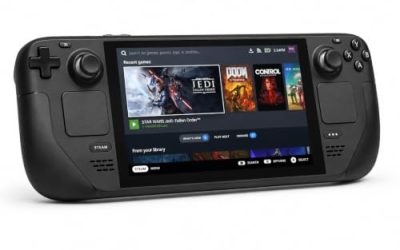
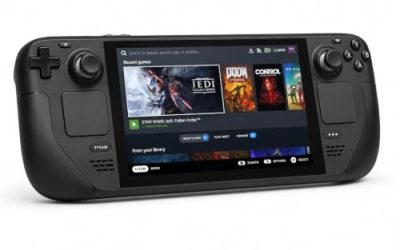
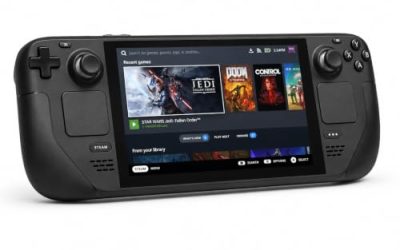
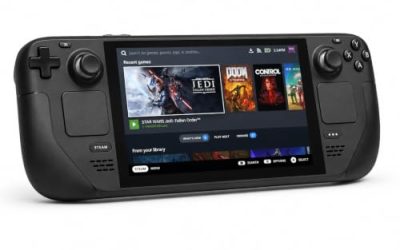
Valve Steam Deck OLED 512GB

The handheld the Playable badge was written for, with power far beyond the game’s published requirements.
Specs
- Display: 7.4-inch HDR OLED, 1280 by 800, up to 90 Hz
- Processor: AMD Zen 2 and RDNA 2 custom APU
- Memory: 16 GB LPDDR5
- Storage: 512 GB NVMe, plus a microSD slot
- Wireless: Wi-Fi 6E and Bluetooth
- Channel note: Valve sells the Deck mainly through its own store, so Amazon listings are third-party sellers
8BitDo Ultimate 2 Bluetooth Controller

The docked pad pick, covering the functions the Deck sheet places outside the default controller configuration.
Specs
- Connectivity: Bluetooth wireless and USB-C wired
- Joysticks: TMR electromagnetic, anti-drift design
- Triggers: Hall effect, with mode switching
- Extras: two remappable back buttons, motion control
- In the box: charging dock included
Xbox Wireless Controller, Carbon Black

The safest guest pad in PC gaming: universal Steam Input support, matching glyphs, and Bluetooth or its own wireless standard. On the handheld, an external pad may need a manual Quick Access Menu switch before it takes over.
- Connectivity: Xbox Wireless and Bluetooth
- Port: USB-C for wired play
- Controls: hybrid D-pad, dedicated Share button
- Power: AA batteries or optional rechargeable pack
Logitech G502 HERO

Anno is a mouse game at heart: hundreds of production chains mean thousands of precise clicks, and a proven wired mouse with spare buttons for map modes earns its place.
Specs
- HERO optical sensor, up to 25,600 DPI
- 11 programmable buttons
- Adjustable weight system
- Wired USB connection
- On-board memory profiles
Samsung T9 Portable SSD 2TB

For moving a Linux game library between machines or backing up installers, a fast USB-C drive is the simple answer; the headline figure needs a Gen 2×2 host port.
Specs
- Capacity: 2 TB portable SSD
- Interface: USB 3.2 Gen 2×2, USB-C connector
- Maker-rated speeds: up to 2,000 MB per second read, 1,950 MB per second write
- Features: Dynamic Thermal Guard, maker-rated drop resistance
How to choose
Buy the Steam copy: it is the only PC edition, and Steam keeps the Proton prefix and the bundled Ubisoft Connect client in one managed place. Before the first launch, set aside a few patient minutes on a stable connection: the client installs inside the prefix, takes a Ubisoft sign-in, and only then hands over to the game. Link the account at that first sign-in, since the record supports linking and the sheet requires internet for setup regardless.
The Deck sheet’s recommended runtime is a Proton 9.0 release candidate, and the pool’s clean runs cluster on recent stable and experimental builds, so start with a current build. If the launcher misbehaves, the reports point at the wrapper first: let the client finish its own update, and expect to close it manually after sessions, since it commonly keeps running when the game exits. On Deck, expect small text and occasional touchscreen use around the launcher; the game underneath performs well at default settings.
The expansions change nothing: Tundra, Orbit and Frontiers flag Windows only like the base game and ride in the same prefix.
Who should skip
Skip this one if a mandatory publisher account is a hard line: the record requires a Ubisoft Account, and Valve’s sheet states that even singleplayer play requires an active internet connection, with no offline route around it. Skip it if you want a native build on principle; none exists, whatever the ProtonDB header suggests. Skip it on Deck if small interface text or touchscreen launcher steps would spoil the game, since Valve’s sheet flags both. And skip it if a thin evidence pool bothers you: the Gold tier rests on 41 reports, a minority describing launcher failures that never reached the game.
FAQ
Is Anno 2205 native on Linux?
No. Steam’s record flags the game Windows only, its Linux requirements field is an empty list, and no Linux depot exists. Every Linux route runs the Windows build through Proton.
Does Anno 2205 need a Ubisoft Account on Linux?
Yes. The record’s account notice names a Ubisoft Account, with linking to the Steam account supported, and the game launches through Ubisoft Connect. Valve’s sheet adds that setup and singleplayer gameplay both require an active internet connection.
How well does Anno 2205 run through Proton?
ProtonDB’s summary shows a Gold headline tier, a best-reported Platinum and a trending Gold across 41 reports. Most reports describe the game running well; the recurring complaints target the Ubisoft launcher, which can linger after exit and, on a minority of machines, fails before the game opens.
Is Anno 2205 playable on Steam Deck?
Valve rates it Playable, tested in March 2025 on the current public build. The default graphics configuration performs well; the deductions are launcher interaction, some functions outside the default controller configuration, controller glyph mismatches, manual keyboard invocation and small in-game text.
Final verdict
Anno 2205 on Linux is a Proton title with its paperwork in order. Steam’s record is unambiguous: Windows only, no Linux requirements, no Linux depot, a four-app DLC family flagging the same way, and a Ubisoft Account named in plain text. Against that record sit a Gold ProtonDB file, thin at 41 reports but consistent, and a Playable Deck sheet tested on the current build. Buy it on Steam, allow patience for the first launch, and expect the simulation to behave once the launcher has had its say. The moon colonies were never the obstacle; the sign-in screen is.
Product and ASIN Reference
| Product | ASIN |
|---|---|
| Valve Steam Deck OLED 512GB | B0CQ3RWQQZ |
| 8BitDo Ultimate 2 Bluetooth Controller | B0F194QFT2 |
| Xbox Wireless Controller, Carbon Black | B08DF248LD |
| Logitech G502 HERO | B07GBZ4Q68 |
| Samsung T9 Portable SSD 2TB | B0CHFS9K14 |