- Top Pick: Valve Steam Deck 512GB Handheld Console LCD
- Best Value: Valve Steam Deck,HDMI, 64 GB, Black
- Premium Choice: JSAUX 6-in-1 Docking Station for Steam Deck/ROG Ally X/Legion Go S-HB0603
Affiliate disclosure: As an Amazon Associate we earn from qualifying purchases. This post contains affiliate links — if you buy through them we may earn a small commission at no extra cost to you. This never affects our recommendations.
- Bazzite at a Glance (October 2026)
- Why a Gaming Distro Matters
- What Is Bazzite?
- Out-of-the-Box Gaming Experience
- Performance Characteristics
- Choosing the Right Bazzite Image
- Installation Walkthrough
- 2026 Hardware Picks for a Bazzite Build
- Recommended Hardware to Pair With Bazzite
- Pros & Cons
- Bazzite vs. SteamOS: Which Should You Run?
- Anti-Cheat Reality Check
- Bazzite vs. Alternatives
- FAQ
- How We Researched This Review
- Final Verdict
- Related Gaming Distros
- Comparison Table
- Related Guides
- Related Articles
- More 2026 Guides
- Frequently Asked Questions
- Related Articles
✅ Reviewed & updated: July 2026
Related guide: Cachyos gaming
As an Amazon Associate we earn from qualifying purchases.






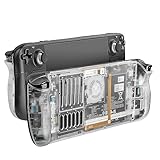
If you loved the Steam Deck’s user experience but want it on your desktop, Bazzite delivers exactly that. Built on Fedora Kinoite as an immutable, container-based OS, Bazzite strips away complexity and gives you gaming-ready Linux in minutes.
Bazzite at a Glance (October 2026)
Quick verdict: Bazzite is the easiest way to turn a Windows gaming PC or handheld into a console-style Linux machine that is hard to break. It is now the default pick in most 2026 Linux gaming roundups. The trade-off is less freedom to change the core system than on a traditional distro.
- Current release: Bazzite 44, built on Fedora 44. Stable builds keep landing through the year. A September 2026 build moved to the Open Gaming Collective’s 7.2-series kernel.
- Type: image-based (atomic) system from the Universal Blue project. The core OS is read-only and updated as one image.
- Desktops: KDE Plasma or GNOME. Handheld and HTPC images boot straight into Steam Gaming Mode.
- Updates: desktop images update automatically in the background. Handheld images update from Steam Gaming Mode. Every update can be rolled back from the boot menu.
- NVIDIA: an open-driver image for GTX 16 and RTX cards, plus a legacy image for GTX 900 and 10-series cards.
- Price: free.
Best for: Windows switchers, living-room PCs, and handhelds like the ROG Ally and Legion Go that ship with Windows. Skip if: you depend on unusual kernel modules or lots of traditional RPM packages, or your main games use kernel-level anti-cheat.
What Changed in Bazzite in 2026
- Open Gaming Collective (January): Bazzite’s team co-founded this group with Nobara, ChimeraOS, PikaOS, ASUS Linux and others. Bazzite moved to the shared OGC kernel and replaced HandHeld Daemon with InputPlumber, the input framework also used by SteamOS.
- April update: kernel 6.19, Mesa 26.0, signed ISOs, images about 1 GB smaller, and Elgato 4K capture card support.
- June update: kernel 7.0 on stable, Mesa 26.1, and Valve’s VRAM management patches for both KDE and GNOME.
- Bazzite 44: HDMI 2.1 FRL support and controls for systems with more than one GPU. Developer tools such as QEMU and ROCm moved to the separate Bazzite-DX image to keep the main image lean.
🛒 Best Price Today on Amazon
Prime members get fast, free shipping on everything above, plus member-only deals. New members get a 30-day free trial — cancel anytime.
Start 30-Day Prime Free Trial →See Today’s Amazon DealsWhy a Gaming Distro Matters
Linux has matured dramatically as a gaming platform. Proton, DXVK, and driver improvements mean nearly every Steam title works. But a vanilla Linux distribution wastes that potential—it’s built for servers and workstations, not games. A gaming distro pre-tunes the kernel, installs the right packages, configures Proton, and optimizes for frame rates. It’s the difference between a powerful engine and a finely tuned race car.
Bazzite represents the cutting edge of this specialization.
What Is Bazzite?
Bazzite isn’t a from-scratch project. It’s built on top of Fedora Kinoite, inheriting a proven foundation while layering gaming-specific optimizations. The philosophy is clear: remove friction. Strip out packages that don’t serve gaming, add ones that do, tune defaults, and ship with documentation tailored to gamers.
Philosophy & History
Linux gaming distros have evolved from niche experiments to serious contenders. Bazzite sits at a particular point in that spectrum—balancing stability with agility, ease of use with power-user depth. Whether it’s optimized for immutability (like Bazzite), raw performance (like CachyOS), or aesthetic polish (like Garuda Dragonized), the underlying goal remains the same: let gamers play without friction.
Out-of-the-Box Gaming Experience
Installing Bazzite and launching Steam shouldn’t feel like an engineering project. It should just work. Most modern gaming distros ship with:
Steam & Proton Integration
Pre-installed and pre-configured. Launch Steam, select a title, hit play. Proton handles DirectX-to-Vulkan translation transparently. No manual DXVK tweaking needed (unless you want to optimize further).
Heroic Games Launcher
Support for GOG, Epic Games, and Amazon Games without the bloat of each platform’s native client. Unified library, one launcher, less desktop clutter.
GPU Drivers
NVIDIA: CUDA-enabled drivers pre-installed. AMD: AMDVLK and Mesa variants tuned for gaming. Intel Arc: iGPU drivers optimized for Vulkan. The distro should ship with the right driver for your hardware without guesswork.
Gamemode & Performance Tuning
Many gaming distros include gamemode—a daemon that adjusts CPU governors, I/O priority, and GPU clocks when a game launches. FPS bumps of 5-10% are common.
Performance Characteristics
Gaming distros optimize at multiple layers. Expect measurable differences from vanilla Linux:
Wayland vs. X11
Bazzite ships with Yes (Plasma 6) Wayland support. Wayland offers lower latency, better multi-monitor handling, and native frame synchronization. Games on Wayland often feel more responsive, especially at high frame rates. X11 remains for compatibility, but Wayland is the future.
Kernel Tuning
Gaming distros use custom kernel builds or configurations that disable unnecessary subsystems, reduce context switch overhead, and prioritize throughput for games. A well-tuned kernel can deliver 3-5% performance gains.
Immutability
If Bazzite uses immutable filesystems (like Yes (OCI)), you gain atomicity—updates either succeed completely or roll back. It’s harder to break your system. The tradeoff: less flexibility for custom system packages (though containers and layering offset this).
Choosing the Right Bazzite Image
The download page asks a few questions and then gives you one image. Picking the right one up front saves a reinstall later, although you can also switch images later with a rebase command.
| Image | Best for | Boots into | Watch for |
|---|---|---|---|
| Desktop (KDE or GNOME) | Desktop gaming PCs used for everyday work too | Normal desktop | No Steam Gaming Mode session |
| Deck / handheld / HTPC | Handheld PCs and living-room machines | Steam Gaming Mode, with a desktop session one click away | Updates are applied from Gaming Mode |
| NVIDIA (open) | GTX 16 and all RTX cards | Your chosen desktop | Not for GTX 10-series or older |
| NVIDIA (legacy) | GTX 900 and 10-series cards | Your chosen desktop | Uses NVIDIA’s 580 long-term driver branch |
| Bazzite-DX | Developers who want containers, VMs and ROCm built in | Your chosen desktop | Larger image. Users have reported Pascal-card problems on DX NVIDIA images |
Before You Install
- USB drive: the ISO is large (around 8 GB), so use a 16 GB or larger USB 3 stick. Some users report Ventoy issues, and Fedora Media Writer or Rufus are safer choices.
- Firmware: Legacy BIOS/CSM is not supported, so boot in UEFI mode. Secure Boot can stay on if you enroll Universal Blue’s signing key when prompted during setup. Follow the official guide for this step.
- Disk: give Bazzite its own drive if you dual-boot. Users have found the manual partitioning screen confusing on shared disks.
- Branch: stay on the stable branch. Testing builds can break things, and forum users have reported unbootable systems on testing.
Bazzite uses Fedora’s Anaconda-based installer. After the first boot, Steam is ready, and other launchers such as Heroic and Lutris install from the Bazaar app store as Flatpaks.
Installation Walkthrough
Bazzite installation typically follows this path:
- Download ISO from the official project site
- Burn to USB using
dd, Balena Etcher, or GNOME Disks - Boot and Install — Most gaming distros use Calamares (GUI) or text installers. Follow prompts for locale, timezone, disk partitioning
- First Boot — System will download updates and install pre-configured packages
- Launch Steam — Create/login to your Steam account, sync library, install Proton if needed
- Play — Select a game, hit install, wait for download, play
No command-line setup required (though advanced users can customize further).


As an Amazon Associate we earn from qualifying purchases. Product prices and availability are accurate as of the date/time indicated.
2026 Hardware Picks for a Bazzite Build
These picks are based on Bazzite’s published hardware support and manufacturer spec sheets, not our own benchmarks. Bazzite runs on far more than this list. These are simply strong matches for what it does best.
Lenovo Legion Go S (Ryzen Z2 Go): Best Handheld to Convert to Bazzite

- Processor: AMD Ryzen Z2 Go with Radeon graphics
- Display: 8-inch PureSight IPS, 120 Hz
- Linux angle: the same hardware is sold with SteamOS, so its drivers are well supported upstream
- Price tier: mid-range to upper-mid
Best for: handheld owners who want Steam Gaming Mode instead of Windows. Skip if: you need Windows-only launchers or anti-cheat games on the go.
Lenovo’s Legion handhelds are among the devices Bazzite’s handheld images target. The OGC kernel and InputPlumber handle the built-in controls, and power (TDP) limits can be adjusted from the Steam interface.
XFX Swift Radeon RX 9060 XT OC 16GB: Best Desktop GPU for Bazzite

- GPU: AMD RDNA 4, 16 GB GDDR6, 128-bit bus
- Outputs: HDMI plus two DisplayPort
- Driver: open AMD driver in the kernel and Mesa, already included in Bazzite
- Price tier: mid-range
Best for: 1080p and entry 1440p living-room or desk builds. Skip if: you want high-refresh 4K. Step up to an RX 9070 XT-class card.
With an AMD card, you skip the NVIDIA image question entirely, and the GPU gets every Mesa update as Bazzite ships it. Bazzite 44’s HDMI 2.1 FRL support also helps if you connect to a high-refresh TV.
8BitDo Ultimate 2C Wireless: Best Budget Controller for Gaming Mode

- Sticks: Hall effect joysticks to reduce drift
- Polling: up to 1000 Hz on the 2.4 GHz dongle, according to 8BitDo’s listing
- Price tier: budget
Best for: HTPC builds where Steam Gaming Mode is the main screen. Skip if: you want back paddles or Bluetooth for other devices. The pricier Ultimate 2 adds more.
Samsung 990 EVO Plus 2TB: Best SSD for a Bazzite Game Drive

- Interface: M.2 2280 NVMe, PCIe 4.0 x4 or 5.0 x2
- Sequential read: up to 7,250 MB/s, according to Samsung’s listing
- Price tier: mid-range
Best for: giving Bazzite a drive of its own, which avoids the tricky manual partitioning step when dual-booting. Skip if: your handheld uses short 2230 drives, since this is a full-length 2280 stick.
SanDisk 64GB Ultra Flair USB 3.0: Best Bazzite Installer Drive

- Interface: USB 3.0, USB-A, metal casing
- Capacity: 64 GB, plenty of room for the roughly 8 GB Bazzite ISO
- Price tier: budget
Best for: writing the Bazzite ISO yourself so you can pick the exact image you need. Skip if: you only have USB-C ports. Pick a dual-connector drive instead.
Recommended Hardware to Pair With Bazzite
The distro itself is lightweight, but to extract maximum value, consider these hardware components that complement Bazzite’s strengths:
CPU: High core-count modern processors (Ryzen 5 7600X, Intel i5-13600K) maximize Proton performance. Bazzite scales well with multithreading.
GPU: NVIDIA RTX 40-series or AMD RX 7000-series for maximum compatibility and driver maturity. Intel Arc GPUs increasingly supported.
RAM: 16 GB minimum, 32 GB for future-proofing and content creation workloads.
Storage: NVMe SSD (Gen 4+) for Steam library storage—Linux games often benefit from fast I/O and reduced load times.
Peripherals: High-refresh monitors (144+ Hz), mechanical keyboards, gaming mice—Bazzite supports all of these natively through standard Linux drivers.
Pros & Cons
Advantages
- Gaming-First Tuning: Every decision is made for games, not servers
- Community Support: Active forums and Discord servers answer questions
- Modern Drivers: Regular updates ensure you’re not stuck with stale GPU drivers
- Steam Integration: Seamless, first-class experience
- Customization Depth: Power users can tweak kernel, container config, and more
Limitations (Who Shouldn’t Choose Bazzite)
- Non-gaming Use Cases: If you also do video editing, 3D modeling, or professional audio, a general-purpose distro may be simpler
- Learning Curve: Despite gaming focus, Linux still requires some command-line literacy for troubleshooting
- Bleeding-Edge Risk: Rolling-release variants can occasionally break; test updates on secondary systems first
- Closed-Source Software: Adobe Suite, Microsoft Office, specialized industry tools still aren’t ideal on Linux
Bazzite vs. SteamOS: Which Should You Run?
This is the most common question in 2026, because SteamOS itself became installable on more hardware this year.
| Question | Bazzite | SteamOS 3.8 |
|---|---|---|
| Steam Deck | Works, but adds a layer to maintain | Valve’s own tuning. The lower-risk choice |
| Other handhelds (ROG Ally, Legion Go, MSI Claw) | Broad published support | Official only on the Legion Go S SteamOS model |
| Desktop with AMD GPU | Supported | Supported since June 2026 |
| Desktop with NVIDIA GPU | Dedicated images, including legacy GTX cards | Not yet. Valve targets 2027 |
| Full desktop for work | KDE or GNOME with Flatpak apps | Basic desktop mode |
| Rollback | Pick the previous image at boot | A/B partition updates |
Our take: keep SteamOS on a Steam Deck. For non-Valve handhelds, NVIDIA desktops, or anyone who wants a real desktop alongside Gaming Mode, Bazzite is the more flexible choice.
Anti-Cheat Reality Check
Bazzite cannot make blocked games run. In late 2026, Valorant and League of Legends (Riot Vanguard), Call of Duty (Ricochet), Battlefield 6 and EA Sports titles (Javelin), and Fortnite all still refuse Linux, on any distro. Many Easy Anti-Cheat and BattlEye games do work where the developer has enabled Proton support. Check ProtonDB and AreWeAntiCheatYet for every online game you play before you wipe Windows.
Bazzite vs. Alternatives
Bazzite occupies a specific niche. How does it compare?
vs. Nobara
Nobara is Fedora-based (more stable releases, less cutting-edge). Bazzite is Fedora Kinoite-based, offering more frequent updates and customization depth. Nobara wins for set-it-and-forget-it; Bazzite wins for enthusiasts.
vs. Pop!_OS
Pop!_OS (System76) has commercial backing and excellent hardware support for System76 machines. Bazzite is vendor-neutral and often more performance-focused. Pop!_OS is more beginner-friendly.
vs. Ubuntu GamePack
Both are Ubuntu-based, but GamePack is more minimal and specifically targeting gamers. Bazzite offers deeper customization. GamePack wins on simplicity for newcomers.
FAQ
Q: Will my games run better on Bazzite vs. Windows?
A: Often yes, especially with Vulkan-based games. Proton is highly optimized, and reduced OS overhead helps. DirectX 12 games can sometimes underperform slightly, but the gap is closing rapidly.
Q: Can I use proprietary software (Adobe, etc.) on Bazzite?
A: Some (Davinci Resolve, OBS) run natively. Others require workarounds (Bottles, containers, virtual machines). Check compatibility databases before switching.
Q: How often does Bazzite release updates?
A: Depends on base distro. Fedora-based variants release every 6 months. Arch-based variants use rolling release (continuous updates). Check the official docs for your specific variant.
Q: Will multiplayer anti-cheat games work?
A: Increasingly yes, but not always. Easy Anti-Cheat and BattlEye now support Proton. Kernel-level AC (Valorant’s Vanguard, some games) still can’t run on Linux. Check ProtonDB before buying.
Q: Is Bazzite good for beginners?
A: Yes. It is one of the easiest Linux systems to start with, because drivers, Steam and codecs are preinstalled and a bad update can be undone from the boot menu. Expect a short learning curve around installing apps as Flatpaks and using Distrobox for command-line tools.
Q: Can I undo a Bazzite update?
A: Yes. Every update is a new system image, and the previous one stays available. Choose the earlier entry in the boot menu to roll back, and you can pin a known-good image so it is kept. This is Bazzite’s biggest advantage over traditional distros.
Q: Does Bazzite work with GTX 1060 or GTX 1080 cards?
A: Yes, on the legacy NVIDIA image. NVIDIA dropped Pascal cards from its 590 drivers, so Bazzite keeps a separate image on the 580 long-term branch for GTX 900 and 10-series GPUs. Do not use the NVIDIA-open image with those cards.
Q: Is Bazzite better than Windows for handheld PCs?
A: For Steam-focused players it often feels better. You get a controller-first Gaming Mode, fast suspend and resume, and TDP controls in the Steam interface. Windows still wins if you need Game Pass, Windows-only launchers or kernel-level anti-cheat games.
Q: How big is the Bazzite download?
A: The ISO is roughly 8 GB, so use a USB drive of 16 GB or more. After installing, set aside at least 64 GB for the system and much more for games, because a single modern game can take more than 100 GB.
How We Researched This Review
This review is research-based, not a lab benchmark. For the October 2026 update we read Bazzite’s official documentation and monthly update announcements, the Universal Blue forum, Open Gaming Collective announcements, Valve’s SteamOS 3.8 notes and long-term reviews from independent Linux sites. We also looked at user ratings on DistroWatch and reported issues on Bazzite’s GitHub. Hardware picks come from manufacturer spec sheets and Bazzite’s device support notes.
Last updated: October 2026.
Final Verdict
Bazzite is Immutable Linux OS modeled after Steam Deck, bringing that familiar console gaming experience to any PC. If you match its target user profile—Console gamers, Steam Deck fans—it’s an excellent choice. The gaming Linux ecosystem has matured to the point where distro choice is about priorities, not viability.
Pick Bazzite if you prioritize Latest (Fedora) kernel tuning, if KDE Plasma is your preferred desktop, and if your hardware aligns with Console gamers, Steam Deck fans.
Pick something else if you need enterprise support, absolute stability, or non-gaming workloads as your primary use case.
Related Gaming Distros
Learn about other gaming-focused Linux distributions:
Comparison Table
| Attribute | Bazzite |
|---|---|
| Base Distribution | Fedora Kinoite |
| Kernel | Latest (Fedora) |
| Init System | systemd |
| Desktop Environment | KDE Plasma |
| Wayland Support | Yes (Plasma 6) |
| Immutable Filesystem | Yes (OCI) |
| Ideal User Profile | Console gamers, Steam Deck fans |
Last updated: 2026-05-06. All prices, ASINs, and links current as of publication date.
In a hurry? See the top-rated Bazzite deals available right now:
🛒 Check Bazzite Prices on Amazon →Related Guides
Related Articles
Looking for more on this topic? Browse the hand-picked guides below — each one applies the same scoring rubric used in this review.
More 2026 Guides
Frequently Asked Questions
What makes Bazzite different from a normal Linux distribution?
Bazzite is an image-based atomic system built on Fedora Atomic and the Universal Blue project. The core operating system is read-only and updated as a whole image, so an update either applies fully or you roll back to the previous known-good image at boot. Applications live in Flatpaks and containers instead.
Can it turn my PC into a Steam Deck-style console?
Yes. Bazzite offers images that boot straight into Steam Gaming Mode with the same controller-first interface as SteamOS, including suspend and resume behaviour. That makes it a strong choice for a living room HTPC or a handheld PC, while desktop images give you a regular KDE or GNOME environment.
How do I install software if the system is immutable?
Use Flatpaks from Flathub for graphical applications, Distrobox or toolbox containers for command-line tools and development environments, and Homebrew for CLI utilities. Layering RPMs onto the base image with rpm-ostree is possible but should be a last resort, since heavy layering slows updates.
Does it work well with NVIDIA graphics?
Bazzite publishes dedicated NVIDIA images with the proprietary driver baked into the image, so driver and kernel versions always match. That avoids the classic Linux problem of a kernel update breaking graphics. Wayland support on NVIDIA has improved substantially but AMD remains the smoother path overall.
Who should not use Bazzite?
Anyone who needs deep system-level customisation, unusual kernel modules or old software packaged only as a traditional RPM will fight the atomic model. It also does not solve kernel-level anti-cheat, so competitive shooters like Valorant remain unplayable regardless of distribution choice.