Affiliate disclosure: As an Amazon Associate we earn from qualifying purchases. This post contains affiliate links — if you buy through them we may earn a small commission at no extra cost to you. This never affects our recommendations.
CachyOS takes Arch Linux’s rolling-release philosophy and optimizes every layer for speed. Custom kernel builds, aggressive compiler flags, and intelligent CPU scheduling mean your games run measurably faster.
Related guide: Cachyos gaming
As an Amazon Associate we earn from qualifying purchases.
CachyOS gaming works best after you install the gaming packages. CachyOS is an Arch-based distribution that ships optimized kernels and package builds for modern CPUs. Run CachyOS Hello, open Apps/Tweaks and choose Install Gaming packages, which pulls in the gaming meta-package with Vulkan, Wine and Proton tooling, plus the launcher bundle. Then install games through Steam or Heroic.
🛒 Best Price Today on Amazon
Prime members get fast, free shipping on everything above, plus member-only deals. New members get a 30-day free trial — cancel anytime.
Start 30-Day Prime Free Trial →See Today’s Amazon DealsWhy a Gaming Distro Matters
Linux has matured dramatically as a gaming platform. Proton, DXVK, and driver improvements mean nearly every Steam title works. But a vanilla Linux distribution wastes that potential—it’s built for servers and workstations, not games. A gaming distro pre-tunes the kernel, installs the right packages, configures Proton, and optimizes for frame rates. It’s the difference between a powerful engine and a finely tuned race car.
CachyOS represents the cutting edge of this specialization.
What Is CachyOS?
CachyOS isn’t a from-scratch project. It’s built on top of Arch Linux, inheriting a proven foundation while layering gaming-specific optimizations. The philosophy is clear: remove friction. Strip out packages that don’t serve gaming, add ones that do, tune defaults, and ship with documentation tailored to gamers.
Philosophy & History
Linux gaming distros have evolved from niche experiments to serious contenders. CachyOS sits at a particular point in that spectrum—balancing stability with agility, ease of use with power-user depth. Whether it’s optimized for immutability (like Bazzite), raw performance (like CachyOS), or aesthetic polish (like Garuda Dragonized), the underlying goal remains the same: let gamers play without friction.
Out-of-the-Box Gaming Experience
Installing CachyOS and launching Steam shouldn’t feel like an engineering project. It should just work. Most modern gaming distros ship with:
Steam & Proton Integration
Pre-installed and pre-configured. Launch Steam, select a title, hit play. Proton handles DirectX-to-Vulkan translation transparently. No manual DXVK tweaking needed (unless you want to optimize further).
Heroic Games Launcher
Support for GOG, Epic Games, and Amazon Games without the bloat of each platform’s native client. Unified library, one launcher, less desktop clutter.
GPU Drivers
NVIDIA: CUDA-enabled drivers pre-installed. AMD: AMDVLK and Mesa variants tuned for gaming. Intel Arc: iGPU drivers optimized for Vulkan. The distro should ship with the right driver for your hardware without guesswork.
Gamemode & Performance Tuning
Many gaming distros include gamemode—a daemon that adjusts CPU governors, I/O priority, and GPU clocks when a game launches. FPS bumps of 5-10% are common.
Performance Characteristics
Gaming distros optimize at multiple layers. Expect measurable differences from vanilla Linux:
Wayland vs. X11
CachyOS ships with Yes (both) Wayland support. Wayland offers lower latency, better multi-monitor handling, and native frame synchronization. Games on Wayland often feel more responsive, especially at high frame rates. X11 remains for compatibility, but Wayland is the future.
Kernel Tuning
Gaming distros use custom kernel builds or configurations that disable unnecessary subsystems, reduce context switch overhead, and prioritize throughput for games. A well-tuned kernel can deliver 3-5% performance gains.
Immutability
If CachyOS uses immutable filesystems (like No), you gain atomicity—updates either succeed completely or roll back. It’s harder to break your system. The tradeoff: less flexibility for custom system packages (though containers and layering offset this).
Installation Walkthrough
CachyOS installation typically follows this path:
- Download ISO from the official project site
- Burn to USB using
dd, Balena Etcher, or GNOME Disks - Boot and Install — Most gaming distros use Calamares (GUI) or text installers. Follow prompts for locale, timezone, disk partitioning
- First Boot — System will download updates and install pre-configured packages
- Launch Steam — Create/login to your Steam account, sync library, install Proton if needed
- Play — Select a game, hit install, wait for download, play
No command-line setup required (though advanced users can customize further).



As an Amazon Associate we earn from qualifying purchases. Product prices and availability are accurate as of the date/time indicated.
Recommended Hardware to Pair With CachyOS
The distro itself is lightweight, but to extract maximum value, consider these hardware components that complement CachyOS’s strengths:
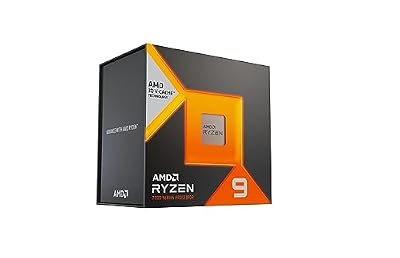
CPU: High core-count modern processors (Ryzen 5 7600X, Intel i5-13600K) maximize Proton performance. CachyOS scales well with multithreading.
GPU: NVIDIA RTX 40-series or AMD RX 7000-series for maximum compatibility and driver maturity. Intel Arc GPUs increasingly supported.
RAM: 16 GB minimum, 32 GB for future-proofing and content creation workloads.
Storage: NVMe SSD (Gen 4+) for Steam library storage—Linux games often benefit from fast I/O and reduced load times.
Peripherals: High-refresh monitors (144+ Hz), mechanical keyboards, gaming mice—CachyOS supports all of these natively through standard Linux drivers.
Pros & Cons
Advantages
- Gaming-First Tuning: Every decision is made for games, not servers
- Community Support: Active forums and Discord servers answer questions
- Modern Drivers: Regular updates ensure you’re not stuck with stale GPU drivers
- Steam Integration: Seamless, first-class experience
- Customization Depth: Power users can tweak kernel, container config, and more
Limitations (Who Shouldn’t Choose CachyOS)
- Non-gaming Use Cases: If you also do video editing, 3D modeling, or professional audio, a general-purpose distro may be simpler
- Learning Curve: Despite gaming focus, Linux still requires some command-line literacy for troubleshooting
- Bleeding-Edge Risk: Rolling-release variants can occasionally break; test updates on secondary systems first
- Closed-Source Software: Adobe Suite, Microsoft Office, specialized industry tools still aren’t ideal on Linux
CachyOS vs. Alternatives
CachyOS occupies a specific niche. How does it compare?
vs. Nobara
Nobara is Fedora-based (more stable releases, less cutting-edge). CachyOS is Arch Linux-based, offering more frequent updates and customization depth. Nobara wins for set-it-and-forget-it; CachyOS wins for enthusiasts.
vs. Pop!_OS
Pop!_OS (System76) has commercial backing and excellent hardware support for System76 machines. CachyOS is vendor-neutral and often more performance-focused. Pop!_OS is more beginner-friendly.
vs. Ubuntu GamePack
Both are Ubuntu-based, but GamePack is more minimal and specifically targeting gamers. CachyOS offers deeper customization. GamePack wins on simplicity for newcomers.
CachyOS Gaming Setup: Install the Gaming Packages
The official CachyOS wiki groups gaming dependencies into two meta-packages, so you do not need to hunt for libraries one by one.
- Finish the installer and apply system updates.
- Open CachyOS Hello and go to Apps/Tweaks, then choose Install Gaming packages. The terminal equivalent is installing
cachyos-gaming-metaandcachyos-gaming-applicationswith pacman. - Install the latest GPU driver for your card from the installer’s driver profile, then reboot.
- Open Steam, enable Steam Play for all titles in Settings, and pick a Proton version. The maker also provides a Proton build tuned for CachyOS.
- Check ProtonDB for your game before installing. Anti-cheat titles in particular may not run on Linux.
CachyOS Gaming Kernel and Scheduler Choices
CachyOS offers several kernels. The default is the safest starting point, and alternatives exist for specific needs. Sources describing the default scheduler differ, so check the current CachyOS documentation for your install.
- Default kernel: Good for most players and receives regular updates.
- LTS kernel: A fallback if a new release causes hardware problems.
- BORE variant: Aimed at interactive and gaming use.
- sched-ext schedulers: Optional schedulers such as bpfland and lavd can be switched on and off without changing kernels. Gains vary by game and CPU, so compare before keeping one.
CachyOS Gaming: x86-64-v3 Repositories
CachyOS rebuilds many packages for CPUs that support AVX2 (x86-64-v3) and AVX-512 (x86-64-v4), and the installer enables the matching repositories when it detects support. Older CPUs fall back to standard builds, which still work normally.
CachyOS Gaming Safety Tips
Rolling releases change often, so create a snapshot or backup before large updates. Download the ISO only from the official CachyOS site and verify the checksum it publishes.
More CachyOS Gaming Questions
Is CachyOS good for gaming?
Yes, for players comfortable with an Arch-based, rolling-release system. It ships gaming packages, optimized kernels and Proton tooling, though compatibility still depends on each game.
Is CachyOS better than Windows for games?
It depends on the title. Many Steam games run well through Proton, but some anti-cheat games and a few launchers do not. Check ProtonDB for the games you play.
Does CachyOS work with NVIDIA graphics cards?
Yes. The installer offers NVIDIA driver options, and AMD and Intel GPUs use the open Mesa drivers.
How do I install Steam on CachyOS?
Install the gaming packages from CachyOS Hello, or install Steam from the package manager, then sign in and enable Steam Play.
Do I need the x86-64-v3 kernel?
No. The installer selects the right builds for your CPU, and a standard build is fine if your processor lacks AVX2.
FAQ
Q: Will my games run better on CachyOS vs. Windows?
A: Often yes, especially with Vulkan-based games. Proton is highly optimized, and reduced OS overhead helps. DirectX 12 games can sometimes underperform slightly, but the gap is closing rapidly.
Q: Can I use proprietary software (Adobe, etc.) on CachyOS?
A: Some (Davinci Resolve, OBS) run natively. Others require workarounds (Bottles, containers, virtual machines). Check compatibility databases before switching.
Q: How often does CachyOS release updates?
A: Depends on base distro. Fedora-based variants release every 6 months. Arch-based variants use rolling release (continuous updates). Check the official docs for your specific variant.
Q: Will multiplayer anti-cheat games work?
A: Increasingly yes, but not always. Easy Anti-Cheat and BattlEye now support Proton. Kernel-level AC (Valorant’s Vanguard, some games) still can’t run on Linux. Check ProtonDB before buying.
Final Verdict
CachyOS is A performance-optimized Arch variant with CPU scheduler tweaks, build flags, and gaming profiles baked in. If you match its target user profile—Arch power users, performance tweakers—it’s an excellent choice. The gaming Linux ecosystem has matured to the point where distro choice is about priorities, not viability.
Pick CachyOS if you prioritize CachyOS (optimized) kernel tuning, if KDE Plasma / GNOME is your preferred desktop, and if your hardware aligns with Arch power users, performance tweakers.
Pick something else if you need enterprise support, absolute stability, or non-gaming workloads as your primary use case.
Related Gaming Distros
Learn about other gaming-focused Linux distributions:
Comparison Table
| Attribute | CachyOS |
|---|---|
| Base Distribution | Arch Linux |
| Kernel | CachyOS (optimized) |
| Init System | systemd |
| Desktop Environment | KDE Plasma / GNOME |
| Wayland Support | Yes (both) |
| Immutable Filesystem | No |
| Ideal User Profile | Arch power users, performance tweakers |
Last updated: 2026-05-06. All prices, ASINs, and links current as of publication date.
In a hurry? See the top-rated CachyOS deals available right now:
🛒 Check Cachyos Prices on Amazon →Related Guides
Related Articles
Looking for more on this topic? Browse the hand-picked guides below — each one applies the same scoring rubric used in this review.
Frequently Asked Questions
Is Arch Linux good for gaming?
Yes — Arch’s rolling release gives you the newest kernels, Mesa and drivers, which often means better performance and day-one hardware support. It is more hands-on than Ubuntu, but gaming-tuned spins like CachyOS make it accessible while keeping the performance edge.