The Legend of Heroes: Trails of Cold Steel II continues Rean Schwarzer’s story one month after the first game, with civil war across Erebonia and the Divine Knight Valimar at his side. Its PC port comes from the same Falcom and PH3 lineage as the earlier Cold Steel games, and it raises the same question every entry in the series raises for a Linux player: does this one ship a native Linux build, and if not, what do the Proton record and Valve’s own Steam Deck test say?
The answer splits in two directions. On a desktop, the record is about as clean as a Proton-only game gets. On a Steam Deck, Valve’s official word is the opposite of the community file.
As an Amazon Associate, we earn from qualifying purchases.
Quick answer
No, Trails of Cold Steel II has no native Linux build: Steam flags the game Windows only, and its Linux requirements tab is an empty list. It runs through Proton with a unanimous Platinum record on ProtonDB across 36 reports, but Valve rates it Unsupported on Steam Deck on the strength of a February 2022 test, and the GOG edition is Windows only too.
At a glance
| Question | Answer |
|---|---|
| Native Linux build | No — Steam flags Windows only |
| ProtonDB | Platinum, Platinum, Platinum — 36 reports, strong confidence |
| Steam Deck | Unsupported — tested 23 February 2022 |
| GOG edition | Exists, Windows only |
| DRM | Steam’s record names none |
| Controller support | Partial — pads are Steam Input mapping devices |
What Steam’s own record says
Steam’s own store search returns one game app for this title: app 748490, The Legend of Heroes: Trails of Cold Steel II, developed by Nihon Falcom and published by XSEED Games and Marvelous USA, released on Steam on 14 February 2018. The appdetails record reads platforms Windows true, Mac false, Linux false, and the Linux requirements field is an empty list — there is no Linux tab in any form.
The category record lists single-player, Steam Achievements, Steam Trading Cards, DualShock and DualSense controller support, partial controller support, Steam Cloud, Steam Leaderboards and Family Sharing. The partial controller support label matters for the gear section below: this game does not claim full pad support, so pads are framed here as Steam Input mapping devices. Steam’s published Windows minimum is modest — a 64-bit Windows 7 install or later, 4 GB of RAM, DirectX 11 and 19 GB of storage.
Steam’s record carries no DRM notice for this game, so this article names no DRM product: a DRM claim needs a citable record, and Steam’s record does not supply one. No anti-cheat is named, and no third-party launcher or account is listed. The first game’s article in this folder states that Steam’s store search shows Cold Steel II, III and IV each flagging Windows true, Mac false, Linux false. That claim agrees with the record read here, and it is the only claim any folder file makes about this game.
The thirteen add-ons, read one by one
A family-level scan can mislead, because a soundtrack app carrying a Linux flag makes a whole family look Linux-supported while describing audio files. So every attached app was read individually. The base game’s DLC list holds thirteen apps, every one ordinary DLC flagging Windows only: five costume and accessory bundles, the Unspeakable Costumes pack, five Shining Pom Bait Sets and two Value Sets.
A store search for a Cold Steel II soundtrack returns zero items: no music-type app exists in this family, so the soundtrack trap cannot fire here. Where the Mana and SaGa families hid their only Linux flag on a music product, this family is uniform. Across the game and all thirteen add-ons, the Linux-flag count is zero.
ProtonDB: a unanimous Platinum file
ProtonDB’s summary feed reads directly for app 748490: headline Platinum, best-reported Platinum, trending Platinum, 36 reports, confidence strong.
The report texture behind the tier is practical. Deck players report a flawless experience once two small jobs are done: switch to the community controller layout that maps turbo mode to the right trigger, and set the left stick response curve to aggressive, which fixes a diagonal movement quirk where the character walks slowly instead of running. One report lowers the TDP limit to 7 watts on Deck and still calls the run flawless. Two caveats travel with the file: save data carried over from the first game does not transfer on Steam Deck, so that step has to be done on a desktop PC first, and quitting from the in-game menu can crash on exit.
Steam Deck: Unsupported — and the badge is old
Here the record turns. Valve’s compatibility data, read through SteamDB’s republication of Valve’s own record, resolves Cold Steel II as Unsupported on Steam Deck and Unsupported on SteamOS, tested 23 February 2022. The Steam Machine row reads Playable, and its test token reads that SteamOS does not support the game. The launcher needs non-controller navigation, and the primary player is not controller slot zero. The tuxDB republication agrees, showing the game under its Unsupported mark.
That badge is now years old, and the age matters. Valve tested build 3518949 in February 2022, before years of Proton progress and before the community file grew to its current unanimous Platinum. An older Digital Trends list places this title under its Playable heading, but the current Valve record is Unsupported, and this article follows the current record. The badge is the official word, the ProtonDB file is the counterweight, and nobody has re-tested the game since 2022.
Because Valve rates the game Unsupported, the gear section below is desktop-only, and the substituted product set applies: no handheld leads the list.
GOG: a Windows-only edition exists
Cold Steel II does have a GOG edition, and GOG’s own search blind spot fired on the way to confirming it: the embed search returns zero products, but the catalogue search returns the live product, and its record lists operating systems as Windows only. The product page loads and sells the game, so this is a genuine second storefront, not a wishlist entry. The DRM-free copy is real, but it is not a native route, and it carries neither the ProtonDB file nor the Deck record that the Steam copy has. For a Linux player the Steam copy is the buy.
Gear for a desktop-only game
The gear below follows the record’s shape: Valve’s badge rules the handheld out, so this is a desktop list — a mouse first, two pads framed as Steam Input mapping devices, a keyboard for the launcher work the Deck record flags, and library storage.
Logitech G502 HERO

The first pick for a desktop-only game. Cold Steel II is menu-driven in its battles and camp screens, and at a desk a precise wired mouse turns inventory, shop and orbment trips into single clicks.
Specs
- HERO optical sensor, up to 25,600 DPI
- 11 programmable buttons
- Adjustable weight system
- Wired USB connection
- On-board memory profiles
8BitDo Ultimate 2 Bluetooth Controller

The main pad pick, framed honestly: Steam lists partial controller support for this game, so this pad is a Steam Input mapping device, not a natively recognised one. The community layout the ProtonDB reports recommend is built for exactly this setup.
Specs
- Connectivity: Bluetooth wireless and USB-C wired
- Joysticks: TMR electromagnetic, anti-drift design
- Triggers: Hall effect, with mode switching
- Extras: two remappable back buttons, motion control
- In the box: charging dock included
Xbox Wireless Controller, Carbon Black

The safest guest pad in PC gaming: Steam Input support is universal, and it pairs over Bluetooth or its own wireless standard. On this game it is the second mapping device.
Specs
- Connectivity: Xbox Wireless and Bluetooth
- Port: USB-C for wired play
- Controls: hybrid D-pad, dedicated Share button
- Power: AA batteries or optional rechargeable pack
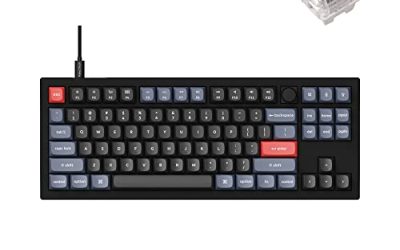
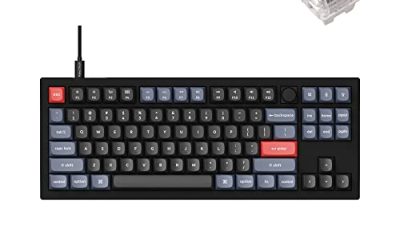
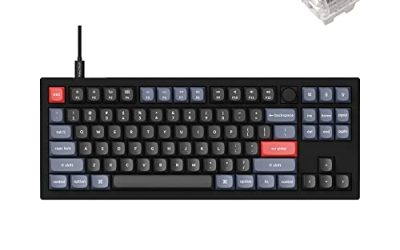
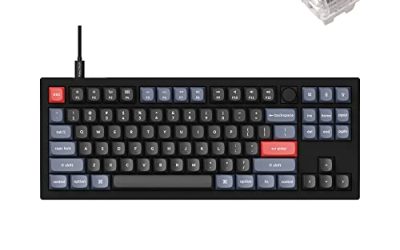
Keychron V3 QMK Wired Mechanical Keyboard

The keyboard earns its place from the Deck record itself: Valve’s test notes the launcher needs non-controller navigation, and on a desktop that navigation is keyboard work.
Specs
- 87-key tenkeyless layout, hot-swappable PCB
- QMK and VIA firmware support for remapping and macros
- K Pro mechanical switches, south-facing RGB
- Wired USB-C connection
Samsung T9 Portable SSD 2TB

For moving a Linux game library between machines, or keeping an offline backup of installers, a fast USB-C drive is the simple answer. The headline figure needs a Gen 2×2 host port; on a lesser port the drive runs at that ceiling instead.
Specs
- Capacity: 2 TB portable SSD
- Interface: USB 3.2 Gen 2×2, USB-C connector
- Maker-rated speeds: up to 2,000 MB per second read, 1,950 MB per second write
- Features: Dynamic Thermal Guard, maker-rated drop resistance
How to choose
Choose the Steam copy: it is the only PC edition that carries both compatibility records. On desktop, install under Proton and leave the compatibility tool at its default proton-stable runtime. Pick the community controller layout that maps turbo mode to the right trigger, and set the left stick response curve to aggressive before the diagonal movement quirk shows up. If you are carrying save data over from the first game, do that transfer on a desktop PC first. For input, a pad is the native shape of this game, but buy it knowing it is a Steam Input mapping device under the partial support label, with a mouse and keyboard alongside for the launcher and menu-heavy sessions.
Who should skip
Skip this one if you are shopping for a native Linux Trails game: this entry is not it, and no storefront sells a Linux build of it. Skip it if you want a DRM-free offline installer, because the GOG edition is Windows only. Skip it if you play only on Steam Deck and you take Valve’s badge as final — the Unsupported verdict from February 2022 has never been re-tested, and the ProtonDB file argues the other way, but the badge is the official word. And skip the Deck save-transfer plan if you have no desktop PC for the first game’s carry-over.
FAQ
Is Trails of Cold Steel II native on Linux?
No. Steam’s record for app 748490 flags the game Windows only, and the Linux requirements field is an empty list. All thirteen add-ons flag Windows only as well, and no soundtrack app exists in the family.
How well does Trails of Cold Steel II run through Proton?
ProtonDB’s summary feed reads Platinum across all three tiers — headline, best-reported and trending — on 36 reports at strong confidence. Reports describe a flawless experience once the community controller layout and an aggressive stick response curve are set.
Is Trails of Cold Steel II good on Steam Deck?
Officially, no: Valve rates it Unsupported, tested 23 February 2022, with SteamOS not supporting the game. The ProtonDB file argues the other way, but the badge has never been re-tested, so it remains the official word.
Should I buy Trails of Cold Steel II on Steam or GOG for Linux?
Buy the Steam copy. The GOG edition exists but is Windows only, and it carries neither the ProtonDB file nor the Deck record. Steam is also the copy the save-transfer step from the first game is built around.
Final verdict
Trails of Cold Steel II is the sequel with the split record: a unanimous Platinum Proton file on desktop, and an Unsupported Deck badge untested since February 2022. Nothing in the family softens either side — thirteen Windows-only add-ons, no soundtrack app, no DRM named, no native build on any storefront. Buy the Steam copy for desktop Linux, set the community layout and stick curve before you start, do the save transfer on a PC, and treat the Deck badge as a warning until Valve tests the game again.
Product and ASIN Reference
| Product | ASIN |
|---|---|
| Logitech G502 HERO | B07GBZ4Q68 |
| 8BitDo Ultimate 2 Bluetooth Controller | B0F194QFT2 |
| Xbox Wireless Controller, Carbon Black | B08DF248LD |
| Keychron V3 QMK Wired Mechanical Keyboard | B0B2DMMMG2 |
| Samsung T9 Portable SSD 2TB | B0CHFS9K14 |