Len’s Island is Flow Studio’s island survival game: settle a procedurally generated archipelago, farm, build a homestead and delve into dungeon caves, alone or in online co-op. It left Early Access for its full release on 19 June 2025, published by Flow Studio and Fireshine Games. The question is the usual one: does a native Linux build exist? On Steam’s own record, the answer is no.
The game app flags Windows and Mac, leaves Linux unflagged behind an empty requirements shell, and names no DRM product and no external account. What Linux players get instead is a documented compatibility route: a Gold ProtonDB file and a Playable Steam Deck sheet, both earned on the Windows build. One wrinkle deserves naming up front: the family’s only Linux flags sit on the game’s two soundtrack albums, not on anything playable.
As an Amazon Associate, we earn from qualifying purchases.
Quick answer
No. Steam’s record for Len’s Island flags Windows and Mac only, with the Linux field left as an empty shell, so Linux players run the Windows build under Proton. ProtonDB rates that route Gold across 14 reports, and Valve rates the game Playable on Steam Deck. The only Linux flags in the family sit on its two soundtrack albums.
What Steam’s record says
The appdetails record for app 1335830 reads windows=true, mac=true, linux=false. The Linux requirements field is the empty shell: Minimum and Recommended headings over empty lists. There is no populated Linux tab in any form, and SteamDB’s extended platform markers name only the Mac side, macos64 and Apple silicon builds, so there is no depot evidence of a Linux build either. This is not the split-record shape where a populated tab outlives a withdrawn flag; all three point the same way.
The Mac side is genuine, its tab populated with macOS 10.13 or higher as the minimum. The published Windows minimum is the floor the Proton route has to carry: a 64-bit version of Windows 7 or higher, a 2.4 GHz dual-core processor, 8 GB of RAM, a graphics card with 2 GB of dedicated memory, DirectX 11, and 8 GB of storage. The record’s genres are Action, Adventure, Indie and RPG; its categories are Single-player, Multi-player, Co-op, Online Co-op, Steam Achievements, Steam Cloud and Family Sharing. One absence matters below: the record names no controller-support category, so pad play runs through Steam Input mapping, not a listed feature.
The family scan and the soundtrack trap
Every related app was read individually, because this is the family shape that produces false native claims:
- Len’s Island (1335830, game): Windows and Mac true, Linux false
- Len’s Island – Gothic Building Style (3795980, dlc): Linux false
- Len’s Island – Supporter Pack (3809990, dlc): Linux false
- Len’s Island Full Soundtrack (1787330, music): Linux true
- Len’s Island Original Soundtrack – Album 2 (2254850, music): Linux true
The count is two Linux flags out of five apps, and both sit on music albums. A soundtrack flag means the album’s audio files are delivered to Linux buyers; it says nothing about a playable build. The game app’s own flag governs, and it reads false: the soundtrack trap fires here twice over.
DRM and accounts: the record is silent
The record carries no drm_notice and no ext_user_account_notice. No DRM product and no external account or launcher layer is named. That silence is a gap in both directions: the record neither certifies a DRM-free build nor announces a third-party gate, and SteamDB prints no third-party DRM line either.
Anti-cheat, source by source
Three sources were read separately, and they agree. Steam names no anti-cheat system: no notice and no category, despite the published Online Co-op categories. SteamDB’s detected technologies are Unity Engine, FishNet SDK, Mono SDK, SteamworksNET SDK and cURL SDK. FishNet is the networking library behind the co-op play; the rest is engine, scripting and transfer plumbing, none of it an anti-cheat system. Are We Anti-Cheat Yet carries no entry for this game: its full dataset was read directly and searched by name and app id, zero hits. The desktop and Deck positions agree, since Valve’s test sheet carries no anti-cheat deduction. The co-op mode is a published feature with no gate named by any source.
ProtonDB’s file: Gold headline, Platinum ceiling
ProtonDB’s summary API answered in full this session: headline Gold, best-reported Platinum, trending Gold, across 14 reports with moderate confidence. That is a thin file with mixed texture: clean runs on current Proton builds sit alongside performance complaints, including frame-rate drops in dungeons in a recent report. The Gold headline is claimed exactly as published, pool size beside it.
One page-level item needs naming: ProtonDB’s game page carries a “Natively Supports” header for this title, and Steam’s own record contradicts it, with the game app’s flag false and its tab an empty shell. This article follows Steam, as this series always does when the two disagree.
Steam Deck: Playable
Valve’s own compatibility endpoint returned no usable record this session, so the Deck position comes from SteamDB’s republication of Valve’s compatibility data, disclosed here as the evidence path. The category is Playable, and SteamOS separately reads Compatible. The sheet’s passes: all functionality is accessible with the default controller configuration, and the default graphics configuration performs well on Steam Deck. The two deductions: the game sometimes shows mouse, keyboard or non-Steam-Deck controller icons, and some in-game text is small and may be difficult to read. The configuration names the recommended runtime as proton-stable, underlining what the badge certifies: the Windows build under Proton. The test sheet is dated: tested 1 September 2026, on build 22592200. Supported input reads “other”, matching the desktop record’s silence on controller support: expect Steam Input mapping and the touchscreen to do the work a listed pad feature would do elsewhere.
Buying it elsewhere: no GOG edition
GOG does not sell Len’s Island: its catalogue API returns no product, its embed search returns zero, and its only presence there is a Dreamlist entry, a community wishlist page rather than an edition. The would-be product address redirects to the general games catalogue, the storefront’s behaviour for a title it does not carry. The Steam copy is the only PC edition, and it is the build both compatibility records describe.
Gear that fits the route
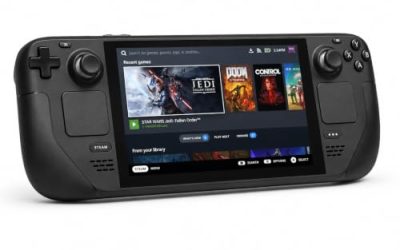
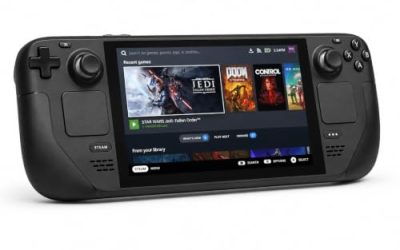
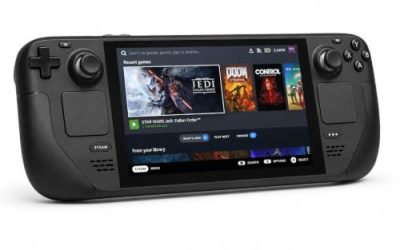
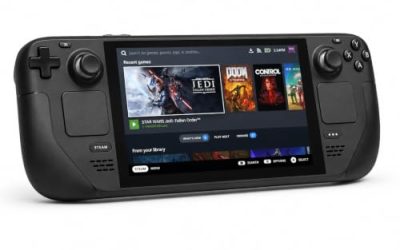
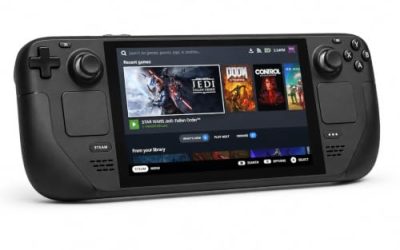
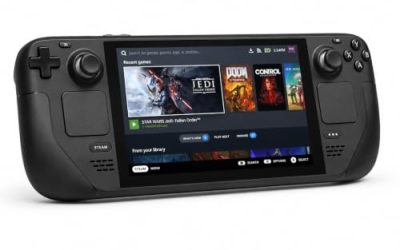
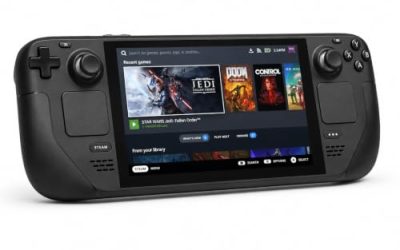
Valve Steam Deck OLED 512GB

The handheld behind the Playable sheet. Valve tested build 22592200 under proton-stable and passed the default graphics configuration; the game’s published minimum sits far below this APU. The sheet’s two deductions, non-Deck glyphs and small text, are the ones to expect here.
Specs
- Display: 7.4-inch HDR OLED, 1280 by 800, up to 90 Hz
- Processor: AMD Zen 2 and RDNA 2 custom APU
- Memory: 16 GB LPDDR5
- Storage: 512 GB NVMe, plus a microSD slot
- Wireless: Wi-Fi 6E and Bluetooth
- Channel note: Valve sells the Deck mainly through its own store, so Amazon listings are third-party sellers
8BitDo Ultimate 2 Bluetooth Controller

The docked and desktop pad pick. Steam’s record names no controller support for this game, so pads run through Steam Input, and its remappable back buttons are where the menu and hotbar shortcuts a survival game repeats all session can live.
Specs
- Connectivity: Bluetooth wireless and USB-C wired
- Joysticks: TMR electromagnetic, anti-drift design
- Triggers: Hall effect, with mode switching
- Extras: two remappable back buttons, motion control
- In the box: charging dock included
Xbox Wireless Controller, Carbon Black

The safest guest pad for a co-op session: Steam Input support is universal, and when the game shows controller glyphs, Valve’s sheet warns they may be non-Deck icons, which is precisely the layout this pad prints on its buttons.
- Connectivity: Xbox Wireless and Bluetooth
- Port: USB-C for wired play
- Controls: hybrid D-pad, dedicated Share button
- Power: AA batteries or optional rechargeable pack
Logitech G502 HERO

Farming, building and inventory work are menu-and-cursor jobs, and at a desk a precise wired mouse turns them into single clicks. Eleven programmable buttons cover the confirm, cancel and camera inputs a long homesteading session repeats.
Specs
- HERO optical sensor, up to 25,600 DPI
- 11 programmable buttons
- Adjustable weight system
- Wired USB connection
- On-board memory profiles
Samsung T9 Portable SSD 2TB

The game is an 8 GB install; this drive is for the library around it, moving a collection between a desktop and a docked Deck or keeping an offline backup. The headline figure needs a Gen 2×2 host port; on a lesser port the drive runs at that ceiling.
Specs
- Capacity: 2 TB portable SSD
- Interface: USB 3.2 Gen 2×2, USB-C connector
- Maker-rated speeds: up to 2,000 MB per second read, 1,950 MB per second write
- Features: Dynamic Thermal Guard, maker-rated drop resistance
How to choose
Choose the Steam copy: it is the only PC edition on sale, and the exact build both records describe. On a desktop or laptop, install under Proton and start with the default compatibility tool; the Gold headline with a Platinum best-reported tier says the route works, while the thin, mixed report file says to expect the occasional rough edge. On a Steam Deck, the Playable badge means the default configuration works as tested; budget for the two named deductions, small text and occasional non-Deck glyphs, and treat pad play as Steam Input mapping. A mouse earns its place for building and inventory work at a desk; a pad earns its place on the couch and in the dungeons.
Who should skip
Skip this one if you are shopping for a native Linux survival game: this is not it, and the two Linux flags in its family belong to soundtrack albums. Skip it if you want a DRM-free offline installer, because no GOG edition exists to buy. Skip it if a 14-report Gold file is not reassurance enough and you only play titles with deep, unanimous Proton records. And skip the Deck plan if small in-game text is a hard limit for you, because Valve’s sheet names it as a standing deduction.
FAQ
Is Len’s Island native on Linux?
No. Steam’s record for app 1335830 flags Linux false, the Linux requirements field is an empty shell, and SteamDB shows no Linux depot markers. The native-looking signals around this game belong to its soundtrack albums.
The soundtracks flag Linux. Does that change the answer?
No. Both soundtrack apps are music deliveries; their Linux flags mean the audio files reach Linux buyers. A music app’s flag has never made a game native in this series, and the game app’s flag, tab and depots all read Windows and Mac only.
How well does Len’s Island run under Proton?
ProtonDB’s summary record reads Gold on the headline and trending tiers and Platinum on the best-reported tier, across 14 reports with moderate confidence. The file is thin and mixed in texture, with performance complaints alongside clean runs, so treat Gold as a working route rather than a promise.
Is Len’s Island playable on Steam Deck?
Yes, at Valve’s Playable tier. SteamDB’s republication of Valve’s test sheet, dated 1 September 2026, passes the default controller and graphics configurations, with two deductions: occasional mouse, keyboard or non-Deck controller icons, and small in-game text. SteamOS separately reads Compatible.
Final verdict
Len’s Island is a Windows and Mac release whose Linux story is written entirely by compatibility layers: no native build, an empty Linux tab, and a family whose only Linux flags are attached to two soundtrack albums. What it offers instead is a documented route: a Gold ProtonDB file with a Platinum ceiling on a thin pool, and a current Playable Deck sheet from Valve’s own testing. Buy the Steam copy, play it under Proton, and do not let an album’s flag sell you a native build that does not exist.
Product and ASIN Reference
| Product | ASIN |
|---|---|
| Valve Steam Deck OLED 512GB | B0CQ3RWQQZ |
| 8BitDo Ultimate 2 Bluetooth Controller | B0F194QFT2 |
| Xbox Wireless Controller, Carbon Black | B08DF248LD |
| Logitech G502 HERO | B07GBZ4Q68 |
| Samsung T9 Portable SSD 2TB | B0CHFS9K14 |