DRAGON BALL: Sparking! ZERO, Spike Chunsoft’s arena fighter published by Bandai Namco Entertainment, is the rare Dragon Ball game whose Linux story turns on a single publisher decision: whether its anti-cheat was switched on for Proton. This article reads those primary records — Steam, SteamDB, the anti-cheat tracker, ProtonDB and GOG — and reports each one separately.
The short version is a split record with a happy centre. There is no native Linux build, and nothing in the game’s large add-on family smuggles one in. But the Windows build carries a Gold ProtonDB file, its Easy Anti-Cheat is listed as running under Proton so the online modes stay open, and Valve rates the Steam Deck Playable with two deductions.
As an Amazon Associate, we earn from qualifying purchases.
Quick answer
No native Linux build exists: Steam flags DRAGON BALL: Sparking! ZERO Windows only, with an empty Linux requirements tab. The Windows build runs through Proton at a Gold headline tier on ProtonDB, and its Easy Anti-Cheat is listed as running under Proton, so the online modes stay open. Valve rates the Steam Deck Playable, with graphics homework.
What Steam’s own record says
Steam’s store search identifies the game app as app 1790600: Spike Chunsoft’s fighter, published by Bandai Namco Entertainment and released 10 October 2024. Its platform flags read Windows true, Mac false and Linux false. The Linux requirements field exists on the record but is an empty shell: a Minimum heading and a Recommended heading with no entries under either. A populated tab is what a native release looks like; this game does not have one.
The category list is built around fighting: single-player, multi-player, PvP, online PvP and shared or split screen PvP, with full controller support, DualShock and DualSense support, Steam Cloud, Remote Play Together, HDR and Family Sharing. The published Windows minimum asks for Windows 10 in 64-bit form, an Intel Core i5-9600K or AMD Ryzen 5 2600, 8 GB of RAM, a GeForce GTX 980, Radeon RX 590 or Intel Arc A750, DirectX 12 and 29 GB of storage, and the publisher’s notes tie that floor to 1080p play at low graphics settings.
The DRM gap, stated plainly
Steam’s record for this app carries no DRM notice at all, and no external account notice either: no DRM product is named on the listing, and no second launcher or account sign-in is published with the Steam copy. This article therefore names no DRM product in either direction — the absence is the fact, stated here so the anti-cheat section below is not misread as a DRM statement.
The family sweep: twelve add-ons, zero Linux flags
The game’s record lists twelve add-on apps, every one read individually. All twelve are typed as downloadable content, and all twelve flag Windows true, Mac false and Linux false: the Super Limit-Breaking NEO pack, the Season Pass, the Pre-Order Pack, the Ultimate Upgrade Pack, the Victory Pack, the Martial Arts Pack, the HERO OF JUSTICE Pack, the two Dragon Ball DAIMA character packs, the Shallot character add-on, and the two Anime Music Packs.
The music packs deserve a sentence of their own, because soundtrack apps are where stray Linux flags usually hide. These two are typed as ordinary downloadable content rather than as music apps, and they flag Linux false anyway. There is no demo app on the record. The Linux-flag count across the game and its twelve add-ons is zero of thirteen, so the native ruling rests on the game app’s own flag alone.
Anti-cheat: the layer that decides the online modes
This is an online fighting game, so the anti-cheat record matters more than any other line here. The three sources are reported separately.
Steam’s own app record names no anti-cheat system: no notice, no category, no sidebar entry. SteamDB’s detected technologies for the app are engine and media components — Unreal Engine, Intel OID and oneTBB, NVIDIA Nsight Aftermath, Ogg, Vorbis and XAudio2 — with no anti-cheat system among them. The dedicated tracker, Are We Anti-Cheat Yet, read from its own data file of 1,167 games, lists this title by its Steam app id: the anti-cheat is Easy Anti-Cheat, the status is Running, and the entry was last changed on 27 December 2024.
Running is the tracker’s word for the enabled case: the publisher shipped the Proton-compatible path, so Easy Anti-Cheat operates under Proton instead of refusing it. The desktop position is that online PvP sits behind an anti-cheat that runs, not one that blocks. On the Deck, kept separate, Valve’s sheet records no anti-cheat deduction either. Tools that try to strip, spoof or bypass an anti-cheat are terms violations that risk account bans, and this article treats them as out of bounds rather than as routes.
The Proton file
ProtonDB’s summary feed for app 1790600 answered in full. The headline tier is Gold, the best-reported tier is Platinum and the trending tier is Platinum, across 97 reports, with confidence marked strong. The headline sits a step below the best and trending tiers: early reports drag it, recent reports pull the trending tier up. A pool of 97 reports is modest for a title of this size; what it says, at strong confidence, is that the Windows build is a well-documented Proton title.
The Steam Deck sheet: Playable, with homework
Valve’s own compatibility endpoint returned empty and garbled responses this session, so this record is read through SteamDB’s republication of Valve’s data, the project’s established fallback route. The category is Playable. The passes are the two that matter most: all functionality is accessible with the default controller configuration, and the game shows Steam Deck controller icons. The deductions are two: some in-game text is small and may be difficult to read, and graphics settings require manual configuration to perform well on Steam Deck.
The configuration block adds: no manual keyboard invocation, no launcher navigation, no internet required for setup or for single-player, and a recommended runtime of a Proton 11 beta build. The test is dated — tested 21 July 2026, on build 22517964 — so the badge describes a recent build, not the launch version. SteamOS is rated separately as Compatible; in the sheet’s words, it runs successfully on SteamOS.
The storefront ruling
There is no second PC edition to hide behind. GOG’s catalogue API, queried directly for this title, returns no purchasable product, and the would-be product address redirects to GOG’s general games catalogue; the Dragon Ball presence on GOG is wishlist-side only. The Steam copy is therefore the only PC edition and the buy: the build the ProtonDB file describes and the build whose anti-cheat listing reads Running.
Gear that fits the record
The gear below follows the record’s shape: the handheld the Playable badge was written for, two pads for a game marked gamepad recommended, a mouse for menu-heavy desktop sessions, and library storage.
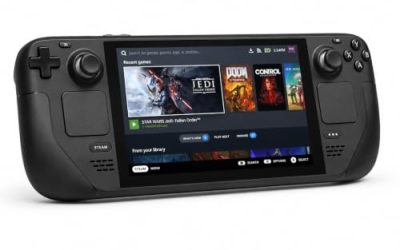
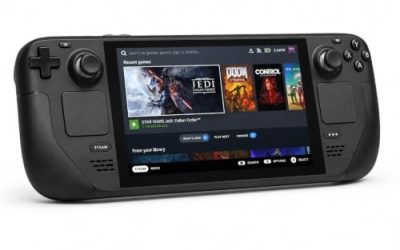
Valve Steam Deck OLED 512GB

The handheld the Playable badge was written for, carrying the sheet’s two named deductions: small text and manual graphics configuration.
Specs
- Display: 7.4-inch HDR OLED, 1280 by 800, up to 90 Hz
- Processor: AMD Zen 2 and RDNA 2 custom APU
- Memory: 16 GB LPDDR5
- Storage: 512 GB NVMe, plus a microSD slot
- Wireless: Wi-Fi 6E and Bluetooth
- Channel note: Valve sells the Deck mainly through its own store, so Amazon listings are third-party sellers
8BitDo Ultimate 2 Bluetooth Controller

The docked and desktop pad pick. Steam lists full controller support for the game, and this pad covers the couch case with modern sticks, triggers and back buttons.
Specs
- Connectivity: Bluetooth wireless and USB-C wired
- Joysticks: TMR electromagnetic, anti-drift design
- Triggers: Hall effect, with mode switching
- Extras: two remappable back buttons, motion control
- In the box: charging dock included
Xbox Wireless Controller, Carbon Black

The safest guest pad in PC gaming: Steam Input support is universal, the glyphs match what most games display, and it pairs over Bluetooth or its own wireless standard. For a versus game, a second pad is the natural accessory.
- Connectivity: Xbox Wireless and Bluetooth
- Port: USB-C for wired play
- Controls: hybrid D-pad, dedicated Share button
- Power: AA batteries or optional rechargeable pack
Logitech G502 HERO

Fighting games live on a pad, but the desktop around them is menu-driven, and a precise wired mouse turns roster and settings trips into single clicks.
Specs
- HERO optical sensor, up to 25,600 DPI
- 11 programmable buttons
- Adjustable weight system
- Wired USB connection
- On-board memory profiles
Samsung T9 Portable SSD 2TB

For moving a Linux game library between a desktop and a laptop, a fast USB-C drive is the simple answer. Its headline figure needs a Gen 2×2 host port.
Specs
- Capacity: 2 TB portable SSD
- Interface: USB 3.2 Gen 2×2, USB-C connector
- Maker-rated speeds: up to 2,000 MB per second read, 1,950 MB per second write
- Features: Dynamic Thermal Guard, maker-rated drop resistance
How to choose
Choose the Steam copy, because it is the only PC edition on sale and the exact build every record here describes. On a desktop or laptop, install under Proton and start from the default compatibility tool; the Gold headline with Platinum best-reported and trending tiers says the current build runs well, and the tracker’s Running listing says the online modes stay open behind their anti-cheat. On a Steam Deck, budget the homework Valve names: set the graphics options rather than trusting defaults, and expect some small text. For input, follow the record: a pad is the native shape of play here.
Who should skip
Skip the native hope entirely: no member of this game’s thirteen-app family carries a Linux flag, and no second storefront sells a Linux edition. Skip the Deck as your only machine if small text and manual graphics tuning are deal-breakers, because Valve’s Playable badge carries both deductions. Skip the online ladder if your standard is a Platinum headline — the file reads Gold at the headline across a modest 97 reports, strong on recent builds but not spotless across its whole history. And skip any tool promising to sidestep the anti-cheat: a terms violation with ban risk, and pointless here, since this game’s anti-cheat already runs.
FAQ
Is DRAGON BALL: Sparking! ZERO native on Linux?
No. Steam’s record for app 1790600 flags Windows only, the Linux requirements tab is an empty shell, and none of the twelve add-on apps carries a Linux flag either. It runs on Linux through Proton, not natively.
Does online play work on Linux?
The anti-cheat tracker lists the game’s Easy Anti-Cheat as Running under Proton, last changed 27 December 2024 — the enabled case, where the anti-cheat operates instead of blocking. Steam’s category list includes online PvP, and ProtonDB’s trending tier is Platinum.
Is DRAGON BALL: Sparking! ZERO Steam Deck Verified?
No: it is rated Playable. Valve’s sheet passes the default controller configuration and the Deck icons, and deducts for small in-game text and for graphics settings needing manual configuration. The test is dated 21 July 2026; SteamOS separately rates Compatible.
Can I buy DRAGON BALL: Sparking! ZERO on GOG instead?
No. GOG’s catalogue carries no purchasable product for this title and the product address redirects to the general catalogue; the only PC edition on sale is the Steam copy.
Final verdict
DRAGON BALL: Sparking! ZERO is a desktop Linux fighting game with its most important door open. Steam’s record offers no native build, yet the Proton route is documented at Gold with Platinum momentum, and the anti-cheat that decides this genre’s fate on Linux is listed as running rather than blocking — the opposite outcome from the one that strands so many of its peers. The Deck joins in at Playable with honest homework attached. Buy the Steam copy, play it on a pad, and set the Deck’s graphics yourself.
Product and ASIN Reference
| Product | ASIN |
|---|---|
| Valve Steam Deck OLED 512GB | B0CQ3RWQQZ |
| 8BitDo Ultimate 2 Bluetooth Controller | B0F194QFT2 |
| Xbox Wireless Controller, Carbon Black | B08DF248LD |
| Logitech G502 HERO | B07GBZ4Q68 |
| Samsung T9 Portable SSD 2TB | B0CHFS9K14 |