Microsoft Flight Simulator 2024 is the most streaming-dependent simulator Microsoft has shipped, and its Linux position is written plainly in its own records. Steam flags the game for Windows alone, with no native Linux build behind the flag, so every Linux copy runs the Windows build through Proton. The community file around that route is real but rough: a Silver headline on ProtonDB, earned with tinkering rather than a clean install.
This article reads the primary records end to end: the Steam listing and requirements tab, the four add-on apps, the ProtonDB summary, Valve’s Deck compatibility sheet and the GOG catalogue. It also checks the one Linux flag in the game’s Steam family — it belongs to a music app — and keeps the desktop and Deck positions separate throughout.
As an Amazon Associate, we earn from qualifying purchases.
Quick answer
Not native. Steam’s record for app 2537590 flags Windows only and its Linux tab is an empty shell, so Linux play means the Windows build under Proton. ProtonDB rates it Silver across 114 reports, Platinum best-reported and trending. Valve rates it Unsupported on Steam Deck. There is no GOG edition.
The Steam record: Windows only, and an empty Linux tab
Steam’s appdetails record for app 2537590, from Asobo Studio and Xbox Game Studios, sets the platform flags at Windows true, Mac false and Linux false. The Linux requirements field exists but is an empty shell: Minimum and Recommended headings over empty lists, the shape it takes when no Linux build exists. The Mac field reads the same empty way.
The published Windows minimum asks for Windows 10, an AMD Ryzen 5 2600X or Intel Core i7-6800K, 16 GB of RAM, a Radeon RX 5700 or GeForce GTX 970, DirectX 12 and 50 GB of storage. Two of its lines describe the design, not the hardware: a broadband connection is required, and the additional notes call for a network speed of 10 Mbps bandwidth — the streaming model in the publisher’s own words. Categories add single-player, multiplayer and cross-platform multiplayer, partial controller support, HDR and in-app purchases.
The record’s external account notice reads, verbatim, “Xbox Live”. A Microsoft account sign-in is part of install and first run on the Steam edition — the only account layer the record names. On DRM the record is silent: no drm_notice field at all, and SteamDB’s full record likewise prints no third-party DRM line. That is a DRM gap: today’s records name no DRM product for this game, so none is named here.
The family sweep: the only Linux flag belongs to the music
The game’s record lists four add-on apps, each read individually. Three are content packs — Local Legends Pack 1, Local Legends Pack 2 and Famous Flyers Pack 1 — each type dlc, tied to the full game, flagged Windows only. The fourth is the trap. App 5004030, Microsoft Flight Simulator Suite: Themes Reimagined, is a type music app, and its record flags Windows, Mac and Linux all true.
That single flag is the family’s entire Linux presence: one of five apps, belonging to a soundtrack album rather than anything playable. A Linux-filtered store search surfaces the music and invites exactly the wrong conclusion. The game app and all three packs flag Windows alone. The soundtrack trap does not make the simulator native.
ProtonDB: a Silver headline over a split file
The ProtonDB summary API answered for this app, and the full split is claimed from it: headline tier Silver, best-reported tier Platinum, trending tier Platinum, across 114 reports, at strong confidence. Together they describe a file with two ends: the best, most recent reports reach Platinum, so the build can run very well once coaxed, while the headline stays Silver because coaxing is the normal experience.
The recurring shape of the reports matches that reading. Proton Experimental or a GE-Proton build is the commonly reported route rather than the default Proton; the friction sits in the launcher, the sign-in and update churn rather than the flying itself; and the streaming model downloads aircraft and scenery on demand. Community reports document an install quirk in which the process can temporarily hold downloaded content twice, so a drive fills faster than the final size suggests. A Silver file in the plain sense: playable, with real tinkering and patience after updates.
Anti-cheat: nothing in the way
The anti-cheat position is a three-source negative, reported source by source. Steam’s record names no anti-cheat: no notice, no category, nothing in the requirements text. SteamDB’s detected technologies are an engine and SDK list — Zouna engine, Coherent, PlayFab Party, DLSS, OpenXR, Tobii — with no anti-cheat system in it. Are We Anti-Cheat Yet carries no entry for this title. Valve’s Deck sheet carries no anti-cheat deduction either. Whatever makes this simulator rough on Linux, anti-cheat is not part of it, on desktop or on the handheld.
Steam Deck: tested, and Unsupported
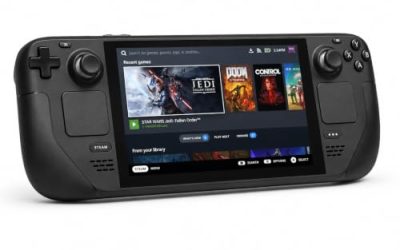
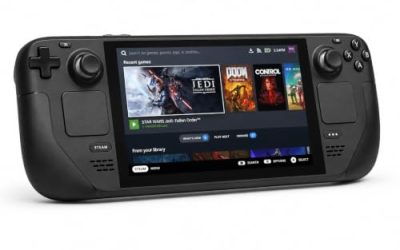
Valve’s own compatibility endpoint returned no readable record this session, so the Deck position comes from SteamDB’s republication of Valve’s compatibility data, disclosed here rather than hidden. The structured record rates it Unsupported on Steam Deck, SteamOS compatibility likewise. A test date is published and is claimed: tested 21 November 2024, on build 16367329, with proton-stable as the recommended runtime; the configuration flags a manually invoked on-screen keyboard. The store’s generic still-working-on-support line also appears; the structured, dated test record is the verdict followed here.
Editions and the account layer
The Steam edition is the only practical local install on Linux. GOG carries no edition: its catalogue returns no product for the game, and the would-be product page resolves to the general catalogue. Microsoft Store and Game Pass installs are Windows-store installs Proton cannot consume, and owning the sim there does not grant a Steam copy. The Linux route starts with the Steam edition and the Xbox Live sign-in its record names.
Gear that fits the record
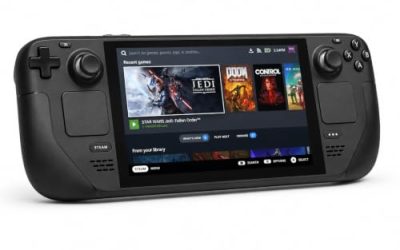
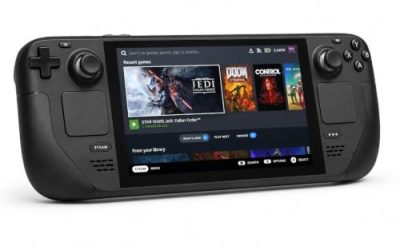
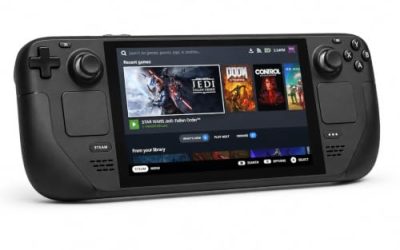
The gear below is desktop hardware for a keyboard-and-pointer simulator whose handheld verdict is Unsupported, with storage sized for a streamed world.
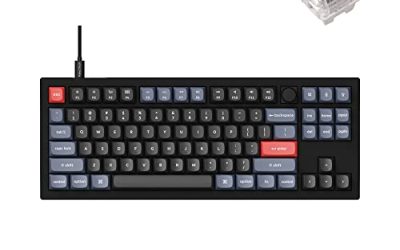
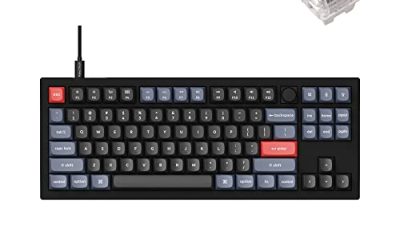
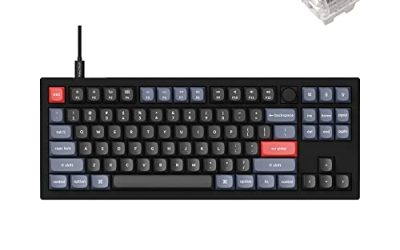
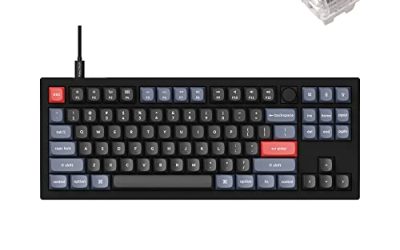
Keychron V3

The keyboard pick for desktop sessions. A flight simulator lives on keybinds, and this board’s QMK and VIA support lets you remap keys at the keyboard level, so a bindings layout survives every reinstall and prefix rebuild.
Specs
- Tenkeyless layout with rotary knob
- QMK and VIA remapping support
- Hot-swappable K Pro Brown switches
- Wired USB-C connection
- Maker-rated 1,000 Hz polling
8BitDo Ultimate 2 Bluetooth Controller

The casual-flying pad. Steam lists partial controller support for the sim, and for relaxed cruising a modern pad covers the primary axes and camera while the keyboard handles the rest; the back buttons take two oft-repeated inputs.
Specs
- Connectivity: Bluetooth wireless and USB-C wired
- Joysticks: TMR electromagnetic, anti-drift design
- Triggers: Hall effect, with mode switching
- Extras: two remappable back buttons, motion control
- In the box: charging dock included
Xbox Wireless Controller, Carbon Black

The pad Microsoft’s own ecosystem expects. Controller support is partial and the menus grew up around Xbox glyphs, so this is the lowest-friction gamepad for the parts of the cockpit a pad can reach.
Specs
- Connectivity: Xbox Wireless and Bluetooth
- Port: USB-C for wired play
- Controls: hybrid D-pad, dedicated Share button
- Power: AA batteries or optional rechargeable pack
Logitech G502 HERO

The cockpit-clicking mouse. The virtual cockpit is worked with a pointer, and a precise wired mouse with eleven programmable buttons puts the repeated inputs — lights, radios, camera views — under one hand.
Specs
- HERO optical sensor, up to 25,600 DPI
- 11 programmable buttons
- Adjustable weight system
- Wired USB connection
- On-board memory profiles
Samsung T9 Portable SSD 2TB

Storage for a streamed world. The published minimum asks for 50 GB before the on-demand scenery and aircraft cache starts growing, and a fast USB-C drive keeps a second library copy or a backup within reach. The headline figure needs a Gen 2×2 host port; on a lesser port the drive runs at that ceiling instead.
Specs
- Capacity: 2 TB portable SSD
- Interface: USB 3.2 Gen 2×2, USB-C connector
- Maker-rated speeds: up to 2,000 MB per second read, 1,950 MB per second write
- Features: Dynamic Thermal Guard, maker-rated drop resistance
How to choose
Start with the edition, because it decides everything else: the Steam copy is the only one Proton can consume, so a Microsoft Store or Game Pass copy means buying again or not flying. Next, set expectations by the tier. A Silver headline with a Platinum ceiling means budgeting setup time for Proton version selection — Experimental or a GE-Proton build is the commonly reported route — and expecting updates to shuffle that setup without warning, since Microsoft supports none of this.
Then match the machine to the published minimum: the 16 GB memory floor and the Radeon RX 5700 or GeForce GTX 970 graphics floor translate, under Proton, into a Vulkan-capable card on current drivers, and storage deserves headroom beyond 50 GB for the streamed cache and the documented double-hold install behaviour. Finally, plan controls around partial controller support: a pad covers relaxed flying, but keyboard and mouse stay on the desk for menus, systems and the virtual cockpit. Sticks and pedals appear to Linux as standard input devices; the variable is the simulator’s stability through Proton, never the driver.
Who should skip
Skip this route if the Steam Deck is your only machine: Valve tested the game, rated it Unsupported, and SteamOS carries the same verdict. Skip it if your copy lives on the Microsoft Store or in Game Pass and you will not buy the Steam edition, because that copy cannot be carried over. Skip it if you want a simulator that simply installs and flies: the documented shape here is version swapping, sign-in friction and update churn, and the genre’s native shelf, X-Plane 12 above all, exists for that preference. And skip it if your flying depends on an add-on whose companion program is a separate Windows application; across this genre, those external programs are the layer that fails.
FAQ
Is Microsoft Flight Simulator 2024 native on Linux?
No. Steam’s record flags the game Windows only, and its Linux requirements tab is an empty shell. The one Linux flag in the game’s Steam family belongs to the Themes Reimagined music app, not the simulator or its packs.
What does ProtonDB say about MSFS 2024 on Linux?
The summary record gives a Silver headline tier, with Platinum as both the best-reported and the trending tier, across 114 reports at strong confidence. In practice: a tinkering route, with Proton Experimental or a GE-Proton build commonly reported, and updates able to change the picture.
Does Microsoft Flight Simulator 2024 run on Steam Deck?
Valve reviewed it on 21 November 2024 and rated it Unsupported, SteamOS likewise; the record was read through SteamDB’s republication of Valve’s data. Desktop Linux is the route this game has.
Is there a GOG edition, and what account does the Steam copy need?
No GOG edition exists; the Steam edition is the practical Linux install. The record carries no DRM notice, and its account layer is Xbox Live, quoted verbatim from the listing: a Microsoft account sign-in is part of setup.
Final verdict
The records draw a consistent picture. It is a Windows-only release whose Steam family hides its single Linux flag on a soundtrack album; its ProtonDB file is genuinely split, Silver at the headline with Platinum at the recent top end; no anti-cheat stands in the way on any source; Valve has tested the Deck and said no; and no GOG edition exists. For a desktop pilot who accepts the tinkering tax, the Steam edition is a workable, documented route to the streamed planet. For handheld-only players, Store-edition owners and anyone who wants a simulator that simply installs, the same records say look elsewhere.
Product and ASIN Reference
| Product | ASIN |
|---|---|
| Keychron V3 | B0B2DMMMG2 |
| 8BitDo Ultimate 2 Bluetooth Controller | B0F194QFT2 |
| Xbox Wireless Controller, Carbon Black | B08DF248LD |
| Logitech G502 HERO | B07GBZ4Q68 |
| Samsung T9 Portable SSD 2TB | B0CHFS9K14 |