Ostriv is yevhen8’s one-developer city builder about governing an 18th-century Ukrainian town, on Steam since 19 March 2020 and still carrying the Early Access genre on its record today. Linux players meet it in the usual place: the store page shows a Windows build and no penguin anywhere. This article reads the primary records — Steam’s app data, the add-on family, ProtonDB’s summary, Valve’s Deck sheet and GOG’s record — and rules on each separately.
The short version is that there is no native Linux build to find, and the one Linux flag anywhere near this game sits on its soundtrack album. What carries Ostriv on Linux instead is Proton, where the community file is a solid Gold, and on Steam Deck, where Valve’s testers passed it as Playable.
As an Amazon Associate, we earn from qualifying purchases.
Quick answer
Ostriv has no native Linux build: Steam flags the game Windows-only, and its Linux requirements field is an empty list with no tab in any form. The working route is Proton — ProtonDB rates the game Gold on its headline and trending tiers, Platinum at best-reported, across 28 reports. Valve rates it Playable on Steam Deck.
The native question, read off Steam’s record
Steam’s appdetails record for app 773790 is unambiguous. The platform flags read windows true, mac false and linux false. The linux_requirements field is an empty list outright — not the empty-shell tab some games carry, but no Linux requirements section in any form. The Mac field is the same empty list under a false flag: a single-platform release with placeholder paperwork, not a port that quietly shipped.
The published Windows minimum is modest: Windows 7, 8, 10 or 11, a quad-core processor, 2 GB of memory, any graphics hardware with OpenGL 4.3 support, and 600 MB of storage, with a developer note that a growing town asks more of the machine. The category list is short — single-player, Steam Cloud and Family Sharing — and two absences matter later: no controller-support category of any kind, and an empty controller support field.
The family sweep, and the soundtrack trap
The game’s record lists exactly two add-ons, both read individually. Patron of the Arts (app 2365430, type dlc) flags Windows only. The Ostriv Soundtrack (app 1279950, type music) flags Windows, Mac and Linux all true. That makes the family’s Linux-flag count one of three including the game — and the one flag sits on the music album, not on anything playable. There is no demo app on the record.
This is the soundtrack trap in textbook form: a storefront filter can surface this family as Linux-supporting because the album is, while the game app reads Windows-only behind an empty requirements list. The ruling here rests on the game app’s own flag. ProtonDB’s game page adds a second misleading edge: its header carries a “Natively Supports” line that Steam’s record contradicts. The article follows Steam — flag false, empty list, no native build — and names the header only to overrule it.
What ProtonDB’s file actually says
ProtonDB’s summary record answered in full for this session: headline tier Gold, best-reported tier Platinum, trending tier Gold, across 28 reports with strong confidence. That split describes a game that runs well under Proton for most reporters without reaching the flawless tier.
The report texture behind those tiers is tinker-flavoured. Several reporters switched to Proton Experimental or set launch options, a recurring strand concerns hybrid-graphics laptops defaulting to the integrated GPU, older reports describe a fullscreen quirk worked around in the game’s own configurator, and a minority report instability. None of that overturns the Gold file; a first launch on an unusual setup may still ask for one settings change.
Steam Deck: Playable, on December 2022 paperwork
Valve’s compatibility endpoint returned this record directly. The resolved category is Playable, and SteamOS separately resolves to Compatible. Three deductions keep it out of Verified: the game sometimes shows mouse, keyboard or non-Deck controller glyphs, entering text requires manually invoking the on-screen keyboard, and some in-game text is small. Two items pass: all functionality is accessible with the default controller configuration, and the default graphics configuration performs well.
SteamDB’s republication of Valve’s test sheet supplies the paperwork the endpoint omits: the test is dated 16 December 2022, the tested build is 8151348, and the recommended runtime is proton-stable. The configuration block lists supported input as “other”, with no internet required for setup or single-player play. Two qualifications belong on the record. First, the sheet describes the build tested in December 2022; the current desktop case rests on the ProtonDB file above. Second, a standing oddity: Steam’s desktop record names no controller support at all, yet Valve’s testers passed the default controller configuration as fully functional. Pad play is therefore framed as Valve’s tested configuration and the Steam Input layer, not a listed store feature.
DRM, accounts and anti-cheat: three silences
The record carries no drm_notice and no external account notice. No DRM product is named anywhere on it, and no account or launcher layer is either — both silences are stated here as gaps in the record, not as certifications of anything.
Anti-cheat was checked in three places, kept separate. Steam’s record names none: no notice, no category, a single-player-only list. SteamDB’s detected-technologies list contains a single entry, the FMOD SDK — audio middleware, not an anti-cheat system. Are We Anti-Cheat Yet carries no entry for Ostriv — its full dataset, read from the project’s current repository, was searched by name and app id: zero hits. Desktop and Deck positions agree, and the Deck sheet carries no anti-cheat deduction.
The GOG edition, and which copy to buy
A GOG edition of Ostriv exists and is on sale. It does not help Linux readers: GOG’s own product record (product 1686311938) gives the compatibility line as windows true, osx false, linux false. The GOG copy is a Windows build of the same game, ruled from the product record rather than from search.
The Steam copy is therefore the buy: the build ProtonDB’s 28 reports ran and Valve’s testers passed on Deck.
Gear that fits a Proton city builder
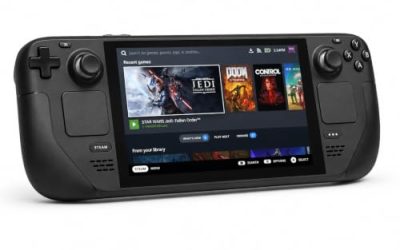
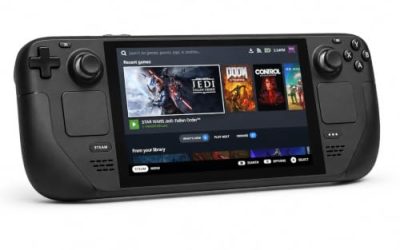
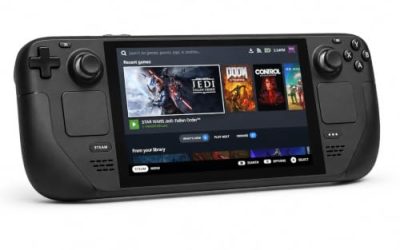
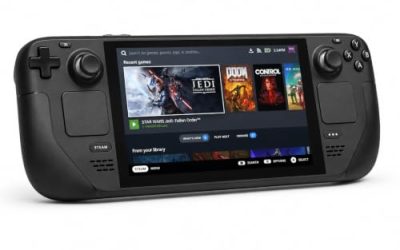
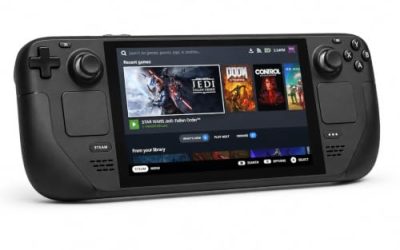
Valve Steam Deck OLED 512GB

The handheld Valve’s Playable badge was written for. Ostriv’s published minimum is a rounding error next to the Deck’s APU, and the sheet’s one real warning is small text — exactly where the larger OLED panel earns its place for a menu-heavy builder.
Specs
- Display: 7.4-inch HDR OLED, 1280 by 800, up to 90 Hz
- Processor: AMD Zen 2 and RDNA 2 custom APU
- Memory: 16 GB LPDDR5
- Storage: 512 GB NVMe, plus a microSD slot
- Wireless: Wi-Fi 6E and Bluetooth
- Channel note: Valve sells the Deck mainly through its own store, so Amazon listings are third-party sellers
8BitDo Ultimate 2 Bluetooth Controller

The docked pad pick: Steam’s record lists no controller support for Ostriv, so a pad here works through Steam Input and the configuration Valve tested. This one covers the couch case with modern sticks and triggers plus back buttons for menu shortcuts.
Specs
- Connectivity: Bluetooth wireless and USB-C wired
- Joysticks: TMR electromagnetic, anti-drift design
- Triggers: Hall effect, with mode switching
- Extras: two remappable back buttons, motion control
- In the box: charging dock included
Xbox Wireless Controller, Carbon Black

The safest guest pad going: Steam Input support is universal, and community configurations for mouse-first games are usually drawn around this layout. Valve’s sheet warns the game sometimes shows non-Deck glyphs, so expect the occasional keyboard icon.
- Connectivity: Xbox Wireless and Bluetooth
- Port: USB-C for wired play
- Controls: hybrid D-pad, dedicated Share button
- Power: AA batteries or optional rechargeable pack
Logitech G502 HERO

Ostriv’s native input shape is the mouse: the record names no controller category at all, and town planning is pointer work. A precise wired mouse turns road laying and trade screens into single clicks, and eleven programmable buttons cover the camera and game-speed inputs a long session repeats.
Specs
- HERO optical sensor, up to 25,600 DPI
- 11 programmable buttons
- Adjustable weight system
- Wired USB connection
- On-board memory profiles
Samsung T9 Portable SSD 2TB

This drive is about the library around the game: moving a Linux collection between machines, or keeping an offline backup of installers. The headline figure needs a Gen 2×2 host port; on a lesser port the drive runs at that ceiling.
Specs
- Capacity: 2 TB portable SSD
- Interface: USB 3.2 Gen 2×2, USB-C connector
- Maker-rated speeds: up to 2,000 MB per second read, 1,950 MB per second write
- Features: Dynamic Thermal Guard, maker-rated drop resistance
How to choose
Choose the Steam copy: it is the build both compatibility records describe, and the GOG edition is Windows-only on its own record. On desktop, install under Proton with the default compatibility tool; the Gold headline with a Platinum best-reported tier says that is the expected path, and the report file suggests reaching for Proton Experimental only if the first launch misbehaves. On dual-graphics laptops, check which GPU the first launch used before judging performance — the recurring strand is the game choosing the integrated one. On Steam Deck, expect Playable rather than Verified: the default configuration performs well, and the costs are small text and manual keyboard calls. For input, plan around a mouse at a desk; treat a pad as a Steam Input arrangement for docked play.
Who should skip
Skip this one if you are shopping for a native Linux city builder: Ostriv is not one, and the flag on its soundtrack album does not change that. Skip it if a Deck game must be Verified before you buy, because Valve’s sheet stops at Playable with a small-text deduction. Skip it if you want a finished game: Steam’s genre list still includes Early Access. And skip the GOG copy if your reason for buying there was Linux support — its own record lists Windows alone.
FAQ
Is Ostriv native on Linux?
No. Steam flags app 773790 Windows only, its Linux requirements field is an empty list, and there is no Linux tab in any form. The family’s only Linux flag sits on the soundtrack album, a music app. ProtonDB’s page header says otherwise; Steam’s record governs.
How well does Ostriv run under Proton?
ProtonDB’s summary record reads Gold on the headline and trending tiers and Platinum on the best-reported tier, across 28 reports with strong confidence. The texture behind the tiers includes tinker steps on some setups — Experimental switches, launch options on dual-graphics laptops, an older fullscreen workaround — so expect a short setup rather than a flawless first click.
Is Ostriv playable on Steam Deck?
Yes, at Valve’s Playable tier. The verdict and its items come from Valve’s own compatibility record: the default controller configuration is fully functional and the default graphics configuration performs well, with deductions for non-Deck glyphs, manual keyboard invocation and small text. SteamDB’s republication of the test sheet dates the test to 16 December 2022, on build 8151348 with proton-stable as the recommended runtime.
Does the GOG version run on Linux?
No. A GOG edition exists and is on sale, but GOG’s own product record lists its compatibility as Windows only, with Mac and Linux both false. Linux players should buy the Steam copy, the build ProtonDB’s reports and Valve’s Deck test describe.
Final verdict
Ostriv on Linux is a Proton story with a clean paperwork trail. Steam’s record closes the native question completely — Windows flag, empty Linux list, no tab — and the soundtrack album’s stray flag is the only contrary signal. Against that closed door, the compatibility evidence is genuinely good: a Gold ProtonDB file with a Platinum ceiling and strong confidence, and a Playable Deck sheet whose deductions are about text and glyphs rather than performance. Buy the Steam copy, budget one settings change on an unusual machine, and the 18th century runs fine.
Product and ASIN Reference
| Product | ASIN |
|---|---|
| Valve Steam Deck OLED 512GB | B0CQ3RWQQZ |
| 8BitDo Ultimate 2 Bluetooth Controller | B0F194QFT2 |
| Xbox Wireless Controller, Carbon Black | B08DF248LD |
| Logitech G502 HERO | B07GBZ4Q68 |
| Samsung T9 Portable SSD 2TB | B0CHFS9K14 |