Dragon Quest Heroes II is the musou-flavoured sequel that Square Enix and Omega Force brought to Steam in 2017, and it remains the only way to play this Seven Realms adventure on a PC. The question for Linux players is whether the Windows-only listing behaves under Proton, and whether Valve’s handheld badge agrees with the community’s reports.
The records disagree. Steam’s listing is unambiguous about the platform, ProtonDB’s community file is cautiously positive, and Valve’s Deck badge is a flat refusal. This article reads all three records in full, so the verdict rests on evidence rather than on any single headline.
As an Amazon Associate, we earn from qualifying purchases.
Quick answer
Dragon Quest Heroes II is not native on Linux: Steam’s record for app 574050 lists Windows only, with no Linux tab at all. ProtonDB’s summary reads Gold overall with Platinum as the best-reported tier across 13 reports, a thin but positive file. Valve rates the game Unsupported on Steam Deck because SteamOS does not support it, so desktop Proton is the route.
The Steam record: Windows only, and the empty Linux shell
Steam’s own store search returns exactly one game app: DRAGON QUEST HEROES II, app 574050, from Square Enix and Koei Tecmo Games, released on Steam on 25 April 2017. The appdetails record reads platforms windows true, mac false, linux false, and the linux_requirements field is an empty list. There is no Linux tab in any form — the same empty-shell shape seen across this audit series.
The category record is generous in every direction except the platform one: single-player and multi-player, PvP and online PvP, Achievements, full controller support, Trading Cards, custom volume controls, playable without timed input, save anytime, Cloud and Family Sharing. Up to four players can band together in co-op, and the description names vocation switching and monster transformation among the headline features. None of that changes the platform verdict: the record describes a Windows game with a full feature set, and Linux is simply absent from it.
Two silences in the record deserve naming. First, Steam’s record carries no DRM notice, so no DRM product is named here — the same gap the Final Fantasy XVI and Final Fantasy VII Rebirth articles carried. Second, no anti-cheat is named anywhere, and no third-party launcher or account is required. Steam lists online PvP, and the ProtonDB summary covers the Windows build under Proton as a whole without breaking multiplayer out separately, so this article claims no multiplayer-specific verdict and carries no bypass discussion.
The published Windows minimum is modest: 64-bit Windows 7, 8.1 or 10, a Core i7 870 at 2.8 GHz, 4 GB of RAM, a GeForce GTS 450 or Radeon HD 5770, DirectX 11 and 30 GB of storage.
The family sweep: one app, no DLC, no soundtrack
The game app’s record carries no DLC list at all — the field is absent, not empty — and a dedicated store search for a Dragon Quest Heroes II soundtrack returns zero results. There is no soundtrack app, no costume pack, no expansion and no art book attached to this listing. The soundtrack-flag trap that has fired across so many entries in this series cannot fire here, because there is no family: one app, zero Linux flags, and the verdict rests on the game app alone.
The listing’s Explorer’s Edition pitch names 18 bonus items, but those are edition content, not separate DLC apps.
No folder file mentions Dragon Quest Heroes II anywhere, so there is no catalogue claim to agree or disagree with — the audit starts from a clean page.
ProtonDB: a split file on a thin pool
ProtonDB’s summary API, read directly, returns a split file: headline Gold, best-reported Platinum, trending Gold, across 13 reports at moderate confidence. The split is the story. Thirteen reports is a small pool for a game of this age, and the gap between the headline and the best-reported tier says that most reporters land one step below the best outcomes the game can produce.
What the split means in practice is that the game runs under Proton for most reporters, with the usual friction at the edges rather than a single blocking failure. A Gold headline on a 13-report pool is a working file, not a guarantee.
The ProtonDB game page itself loads as a script shell with no data in its readable markup, so no page-header claim is made here; the article follows Steam’s own flags.
Steam Deck: Unsupported, and the reason is named
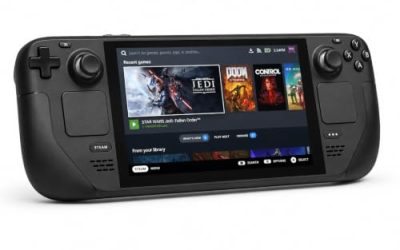
Valve’s compatibility record for app 574050, read from the compatibility data embedded in the game’s own store page, returns resolved category 1 — Unsupported — for the Deck, SteamOS and Steam Machine alike, with the stated reason that SteamOS does not support this game. The Steam Frame row carries no verdict, and the record publishes no test date.
Valve’s own compatibility endpoint returned only unreadable data this session and the SteamDB route answered with a block, so the record comes from the compatibility data embedded in the store page — the project’s established fallback route, disclosed here.
The tension between the two records is real. ProtonDB’s community file says the Windows build runs under Proton with a Gold headline; Valve’s badge says the game is Unsupported on the Deck because SteamOS does not support it. Both can be true: community reports describe desktop Proton, while Valve’s badge is a statement about the Deck’s own operating system and the handheld experience. The honest reading is that desktop Proton is the route and the Deck is not.
GOG and the route ruling
GOG’s own search returns zero products for the title, and the broader search for the series name returns zero as well — the catalogue blind spot has fired before for titles GOG demonstrably sells, so the check did not stop there. The title’s would-be product address redirects to the general catalogue, and no live product page resolves. The Dreamlist address does load, but that is a voting page where readers ask GOG to pursue a release, not a purchasable edition. No GOG edition exists, the Steam copy is the only PC edition and the buy, and there is no DRM-free copy to fall back on.
The desktop kit: five picks for a Windows-only game on Linux
Valve’s Unsupported badge removes the Deck from this article’s gear list, so the five picks below are desktop-only. The pads are framed as natively recognised devices, because Steam lists full controller support; the keyboard covers hotkeys and co-op chat, and the storage pick covers the 30 GB install.
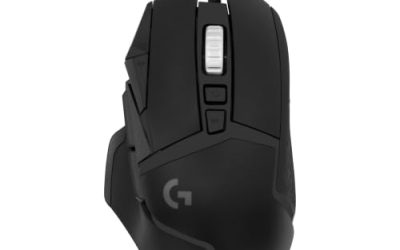
Logitech G502 HERO

Heroes II throws hordes at the player and asks for constant camera work and menu trips between battles. At a desk, a precise wired mouse turns those repeated inputs into single clicks, and eleven programmable buttons cover the confirm, cancel and camera commands a long session repeats.
Specs
- HERO optical sensor, up to 25,600 DPI
- 11 programmable buttons
- Adjustable weight system
- Wired USB connection
- On-board memory profiles
8BitDo Ultimate 2 Bluetooth Controller

The desktop pad pick. Steam lists full controller support for the game, and this pad covers the couch case with modern sticks and triggers plus back buttons for menu shortcuts and vocation changes. It pairs over Bluetooth or runs wired over USB-C, and the charging dock keeps it ready between sessions.
Specs
- Connectivity: Bluetooth wireless and USB-C wired
- Joysticks: TMR electromagnetic, anti-drift design
- Triggers: Hall effect, with mode switching
- Extras: two remappable back buttons, motion control
- In the box: charging dock included
Xbox Wireless Controller, Carbon Black

The safest guest pad in PC gaming: Steam Input support is universal, the glyphs match what most games display, and it pairs over Bluetooth or its own wireless standard. On a desktop it is the pad to hand a second player for four-player co-op, with no mapping work before the first battle.
- Connectivity: Xbox Wireless and Bluetooth
- Port: USB-C for wired play
- Controls: hybrid D-pad, dedicated Share button
- Power: AA batteries or optional rechargeable pack
Keychron V3

A musou sequel is a keyboard game as much as a pad game: vocation switching, item use and co-op chat all live on keys, and a tenkeyless board with QMK and VIA support lets you remap keys at the keyboard level.
Specs
- Tenkeyless layout with rotary knob
- QMK and VIA remapping support
- Hot-swappable K Pro Brown switches
- Wired USB-C connection
- Maker-rated 1,000 Hz polling
Samsung T9 Portable SSD 2TB

For moving a Linux game library between a desktop and a laptop, or keeping an offline backup of installers, a fast USB-C drive is the simple answer. The headline figure needs a Gen 2×2 host port; on a lesser port the drive runs at that ceiling instead.
Specs
- Capacity: 2 TB portable SSD
- Interface: USB 3.2 Gen 2×2, USB-C connector
- Maker-rated speeds: up to 2,000 MB per second read, 1,950 MB per second write
- Features: Dynamic Thermal Guard, maker-rated drop resistance
How to choose
Start from the machine, not the store page. For a Linux desktop with a current Proton build, the ProtonDB file supports trying the Steam copy: Gold headline, Platinum best, thirteen reports, moderate confidence. If the plan is the Steam Deck, stop at Valve’s badge — Unsupported with SteamOS named as the reason is a clear answer, and the community file does not override it. If the plan is a DRM-free copy, there is none: GOG has no edition, and the Dreamlist entry is a request, not a release.
Choose the pad by the room. The 8BitDo is the single-pad pick, the Xbox pad is the guest pad for co-op, the Keychron and G502 cover keyboard-and-mouse sessions, and the T9 suits libraries spread across two machines.
Who should skip
Skip the Steam copy if the Deck is the only machine in the house — Valve’s Unsupported badge is the whole answer there, and buying on the hope that a community tier outranks a platform badge is a bad bet. Skip it too if the goal is a native Linux build: there is none, there is no Linux tab, and no soundtrack album or edition bundle changes that. Players who want a DRM-free copy should also wait, because GOG has no edition to buy. And a 13-report ProtonDB pool is encouraging, not a guarantee — wait for the file to deepen before treating Gold as settled.
FAQ
Is Dragon Quest Heroes II native on Linux?
No. Steam’s record for app 574050 lists Windows only, with mac and Linux both false and an empty Linux requirements field. The game runs under Proton on desktop, according to ProtonDB’s community file, but there is no native Linux build.
What does ProtonDB say about the game?
The summary API reads Gold headline, Platinum best-reported and Gold trending, across 13 reports at moderate confidence. It is a thin pool, so the tier should be read as encouraging rather than settled.
Is it Steam Deck Verified?
No. Valve’s compatibility record rates the game Unsupported on Deck, SteamOS and Steam Machine alike, with the stated reason that SteamOS does not support it. The record publishes no test date.
Is there a GOG version?
No. GOG’s search returns zero products, the product address redirects to the general catalogue, and only a Dreamlist voting page exists. The Steam copy is the only PC edition.
Final verdict
Dragon Quest Heroes II on Linux is a desktop Proton story with a clear boundary. Steam’s record is Windows-only with no native build and no DRM notice to name; ProtonDB’s thin file reads Gold with a Platinum best; Valve’s Deck badge is Unsupported because SteamOS does not support the game; and GOG has no edition at all. Buy the Steam copy for a Linux desktop, skip it for Deck-first play, and keep the gear desktop-only.
Product and ASIN Reference
| Product | ASIN |
|---|---|
| Logitech G502 HERO | B07GBZ4Q68 |
| 8BitDo Ultimate 2 Bluetooth Controller | B0F194QFT2 |
| Xbox Wireless Controller, Carbon Black | B08DF248LD |
| Keychron V3 | B0B2DMMMG2 |
| Samsung T9 Portable SSD 2TB | B0CHFS9K14 |