The Town of Light is a first-person exploration adventure from Italian studio LKA, released in February 2016. The player walks the halls of a closed asylum in Tuscany, following the story of a former patient named Renée through documents, objects and memory sequences, with light puzzle work carrying the exploration forward. It is a quiet, story-led game with no combat, and readers ask about its Linux status because the store page can look ambiguous at a glance.
It is not ambiguous on the record. Steam flags the game Windows only, the Linux requirements tab is an empty shell, and the depot table holds no Linux content at all. The game’s single piece of DLC flags Windows only as well. What Linux players get instead is a well-documented Proton route: a unanimous Platinum community file and a Verified Steam Deck badge, both earned by the Windows build.
As an Amazon Associate, we earn from qualifying purchases.
Quick answer
The Town of Light is not native on Linux. Steam flags the game Windows only, its Linux requirements tab is an empty shell, and SteamDB lists no Linux depot; its single DLC flags Windows only too. The route in is Proton: ProtonDB rates the Windows build Platinum across 22 reports, and Valve rates the game Verified on Steam Deck.
The status at a glance
| Question | Answer |
|---|---|
| Native Linux build | No — Steam flags Windows only |
| Family Linux flags | 0 of 2, the Extras DLC included |
| ProtonDB record | Platinum on all three tiers, 22 reports |
| Steam Deck | Verified, tested March 2022 |
| GOG edition | Exists, but Windows only |
What Steam’s own record says
The platform flags settle the headline question on their own. The store record for app 433100 reads windows true, mac false, linux false — even the Mac flag is off, and the Mac requirements field is the same empty shell as the Linux one.
The Linux requirements field deserves a precise description: it is present as a structure, carrying a Minimum heading and a Recommended heading, but the list under each heading is empty — no operating system named, no processor, no memory figure, no storage line. A populated tab tells you what a native build needs; this tab is a form with nothing filled in, and it matches the false flag exactly.
The depot table on SteamDB closes the question from the delivery side. The public branch holds one real content depot, 433101, configured for 64-bit Windows and carrying about 6.95 GiB on disk; a second Windows-configured depot, 433102, is labelled unused press material with no size recorded. There is no Linux or Mac depot in any branch, and the public branch sits on build 7361644 from September 2021 — the same build Valve’s testers later used for the Steam Deck sheet. SteamDB publishes no extended operating-system string for this app, so this article claims no value for that field; the ruling rests on the flag, the empty tab and the depot table. The record also lists full controller support, Steam Cloud and a VR support category; its detected technologies are the Unity engine, the Mono SDK, a camera-photo SDK and two VR plugins — plumbing, not a Linux gate.
The family sweep: one DLC, and it flags Windows only
Some Windows-only games acquire a misleading Linux reputation because a soundtrack or art app in the same family carries a Linux flag with nothing behind it. That trap cannot form here: the family barely exists. The record’s DLC array holds exactly one app, The Town of Light – Extras, app 444040. The Extras package flags windows true, mac false and linux false, and its Linux requirements field is an empty list outright — not even the shell the game itself carries. The family count is zero Linux flags out of two apps. Nobody has to weigh a stray flag against a depot table, because there is no stray flag.
DRM, accounts and anti-cheat: three gaps, three blanks
Two fields on the store record are empty, reported here as gaps rather than filled in: there is no DRM notice, and no external account notice either. Silence in those fields is not a promise that no component exists anywhere in the package; it is the record declining to name one.
Anti-cheat can be checked from three directions, and all three come back blank. Steam names none on a single-player-only record. SteamDB’s detected-technology list contains engine, scripting, camera and VR components and nothing that polices multiplayer. The community tracker Are We Anti-Cheat Yet carries no entry for the game at all, searched by name and by app number across its full dataset of more than a thousand tracked titles.
The Proton file: a small, unanimous Platinum
ProtonDB’s summary record answered in full: Platinum on the headline, best-reported and trending tiers, across 22 reports, with the service rating its own confidence as moderate — a small file by this catalogue’s standards, claimed here at exactly that size: a consistent pattern, not an exhaustive one. A Unity-engine Windows build with no anti-cheat, no launcher and no account layer is the profile Proton handles best, and the unanimous tiers say the reports agree rather than splitting between a working majority and a broken minority. One honest limit: the classification header on the game’s ProtonDB page could not be read during this session, because the page fetches failed, so this article makes no ruling about any label that page may carry.
The Steam Deck sheet: Verified on the build you still download
Valve’s own compatibility record, read directly from the publisher’s endpoint for this article, rates the game Verified, its top category. All four Verified checks pass: the default controller configuration is fully functional, the game shows Steam Deck controller icons, interface text is legible, and the default graphics configuration performs well. SteamOS separately rates Compatible.
The dated paperwork behind the badge comes from SteamDB’s republication of Valve’s compatibility data. The test sheet is dated 11 March 2022, names tested build 7361644 and a stable Proton runtime — and that build is the same one the public branch still serves today. The one note on the sheet concerns external controllers: a paired Bluetooth or USB pad does not take over as the primary player’s controller by default and may need a manual switch through the Quick Access Menu. The configuration records no manual keyboard invocation, no launcher navigation and no internet requirement.
The storefront ruling: a GOG edition exists, and it is Windows only
GOG does sell this game: its own product record lists it under the same name and release date as Steam, and is explicit about platforms, listing Windows as supported and both Mac and Linux as not supported; the page’s own system line reads Windows only. A GOG edition therefore exists, but it is the same Windows build in that store’s packaging — it changes the wrapper, not the platform list. The Linux position is identical either way: no native build exists anywhere, and the route on a Linux machine is the Steam copy under Proton.
Gear that fits the record
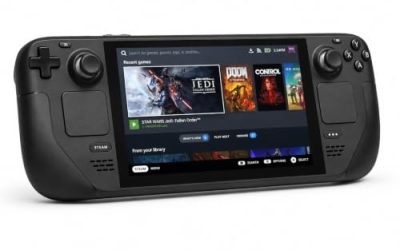
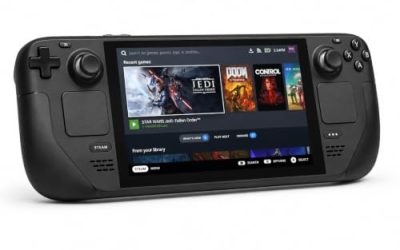
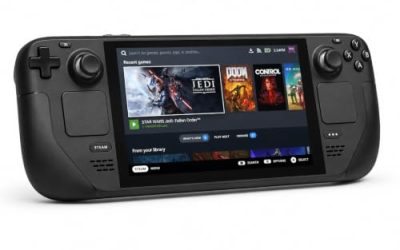
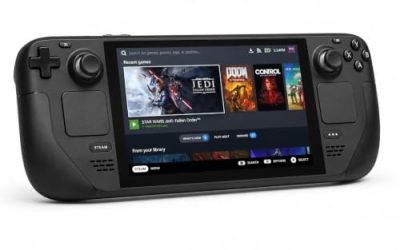
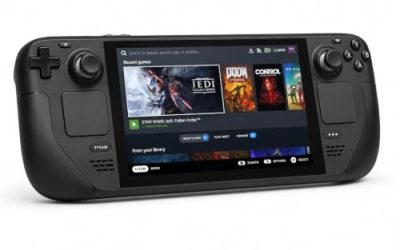
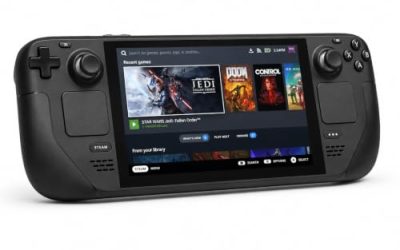
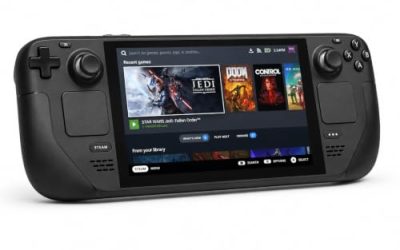
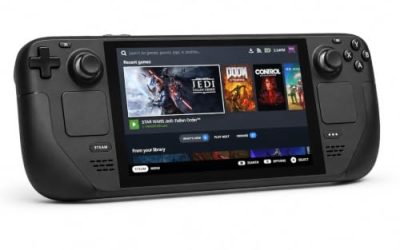
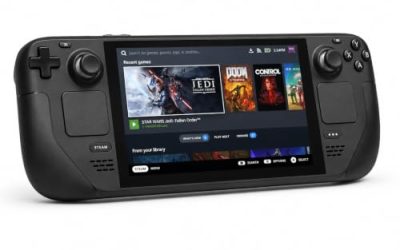
Valve Steam Deck OLED 512GB

The handheld the Verified badge was written for. Valve’s test sheet gives the Windows build a clean pass under a stable Proton runtime on the build the store still serves.
Specs
- Display: 7.4-inch HDR OLED, 1280 by 800, up to 90 Hz
- Processor: AMD Zen 2 and RDNA 2 custom APU
- Memory: 16 GB LPDDR5
- Storage: 512 GB NVMe, plus a microSD slot
- Wireless: Wi-Fi 6E and Bluetooth
- Channel note: Valve sells the Deck mainly through its own store, so Amazon listings are third-party sellers
8BitDo Ultimate 2 Bluetooth Controller

The docked and desktop pad pick. Steam lists full controller support, and this pad covers the couch case with back buttons for menu inputs.
Specs
- Connectivity: Bluetooth wireless and USB-C wired
- Joysticks: TMR electromagnetic, anti-drift design
- Triggers: Hall effect, with mode switching
- Extras: two remappable back buttons, motion control
- In the box: charging dock included
Xbox Wireless Controller, Carbon Black

The safest guest pad in PC gaming: Steam Input support is universal, the glyphs match what most games display, and it pairs over Bluetooth or its own wireless standard.
- Connectivity: Xbox Wireless and Bluetooth
- Port: USB-C for wired play
- Controls: hybrid D-pad, dedicated Share button
- Power: AA batteries or optional rechargeable pack
Logitech G502 HERO

Exploration here means reading documents and notes at a desk, and a precise wired mouse makes that text work single, accurate clicks.
Specs
- HERO optical sensor, up to 25,600 DPI
- 11 programmable buttons
- Adjustable weight system
- Wired USB connection
- On-board memory profiles
Samsung T9 Portable SSD 2TB

For moving a Linux game library between a desktop and a laptop, or keeping an offline backup of installers, a fast USB-C drive is the simple answer.
Specs
- Capacity: 2 TB portable SSD
- Interface: USB 3.2 Gen 2×2, USB-C connector
- Maker-rated speeds: up to 2,000 MB per second read, 1,950 MB per second write
- Features: Dynamic Thermal Guard, maker-rated drop resistance
How to choose
Choose the Steam copy, because it is the build both compatibility records describe. On a desktop or laptop, install it under Proton and leave the compatibility tool at its default; a unanimous Platinum file says the default route is the right starting point. On a Steam Deck, the Verified badge means no configuration work is expected: install, launch, and only visit controller settings if you pair an external pad, which may need the Quick Access Menu switch the test sheet describes.
Who should skip
Skip this one if you are shopping for a native Linux release: this game is not one, on any storefront. Skip it if you want a large Proton file before buying; 22 reports is consistent but small. Skip it if the story’s setting and subject matter are not for you — the game is a slow, sombre exploration of a closed asylum and a patient’s memories, told in gameplay terms of walking, reading and remembering. And skip the VR category as a Linux plan: the VR support the store lists belongs to the Windows release, and nothing in this record extends it to Linux.
FAQ
Is The Town of Light native on Linux?
No. Steam’s record for app 433100 flags Windows only, the Linux requirements field is an empty shell, and SteamDB lists no Linux depot. Its one DLC, the Extras package, flags Windows only too.
How well does The Town of Light run under Proton?
ProtonDB’s summary record reads Platinum on the headline, best-reported and trending tiers, across 22 reports, with the service’s confidence rated moderate. The reports agree with each other.
Is The Town of Light Steam Deck Verified?
Yes. Valve’s own compatibility record rates it Verified, with all four checks passing. The dated test sheet, republished by SteamDB, is from 11 March 2022 and names the same build the public branch still serves. The one note: external controllers do not take over by default and may need a Quick Access Menu switch.
Can I buy The Town of Light on GOG instead?
Yes, but it does not change the platform answer. GOG’s own product record lists the game as Windows only, with Mac and Linux both unsupported; the Linux route remains the Steam copy under Proton.
Final verdict
The Town of Light is a Windows-only release whose record is unusually easy to read honestly: a false Linux flag, an empty-shell requirements tab, a Windows-only depot table and a single DLC that flags the same way. What Linux players get instead is a well-evidenced Proton route — a unanimous Platinum community file, and a Verified Steam Deck badge whose test paperwork names the build still being sold. Buy the Steam copy and play it under Proton.
Product and ASIN Reference
| Product | ASIN |
|---|---|
| Valve Steam Deck OLED 512GB | B0CQ3RWQQZ |
| 8BitDo Ultimate 2 Bluetooth Controller | B0F194QFT2 |
| Xbox Wireless Controller, Carbon Black | B08DF248LD |
| Logitech G502 HERO | B07GBZ4Q68 |
| Samsung T9 Portable SSD 2TB | B0CHFS9K14 |