The Cities: Skylines series splits cleanly in two on Linux. The 2015 original shipped with a native Linux build, and its store page still carries populated Linux requirements. The sequel, released by Colossal Order and Paradox Interactive on 24 October 2023, took the opposite path, and this page reads its record on its own terms: Steam’s flags and requirements tabs, the add-on family, the DRM and account fields, three anti-cheat sources, the ProtonDB file, Valve’s Deck test sheet and the GOG catalogue.
The short version is consistent across every record. Cities: Skylines II is a Windows-only game that Linux desktops reach through Proton, where it holds a Gold rating built on hundreds of reports. Valve rates it Unsupported on the Steam Deck and on SteamOS, GOG sells no edition at all, and not one of the thirty add-on apps flags Linux either.
As an Amazon Associate, we earn from qualifying purchases.
Quick answer
Cities: Skylines II is not native on Linux. Steam’s record flags the game Windows-only with an empty Linux requirements tab, and all thirty add-on apps flag Windows only too. ProtonDB rates it Gold across 529 reports, Valve rates it Unsupported on Steam Deck, and GOG sells no edition, so the Steam copy on a desktop is the route.
The Steam record
Steam’s appdetails record for app 949230 flags the game windows=true, mac=false and linux=false. The linux_requirements field is the empty shell: a Minimum heading and a Recommended heading with empty lists under both, and the Mac field reads the same way. An empty shell is a placeholder tab, not a build; no Linux version exists for requirements to describe. The category list is single-player only, with Steam Achievements, full controller support, Steam Cloud and Family Sharing, and no multiplayer category of any kind.
The published Windows minimum asks for Windows 10 Home 64-bit, an Intel Core i7-6700K or AMD Ryzen 5 2600X, 8 GB of RAM, a GeForce GTX 970 or Radeon RX 480, and 60 GB of storage. The recommended specification steps up to a Core i5-12600K or Ryzen 7 5800X, 16 GB of RAM and a GeForce RTX 3080 or Radeon RX 6800 XT. Those figures frame the performance discussion on every platform: a heavy simulation by genre standards, on the record, before Proton enters the picture.
The add-on family
The game’s record lists thirty add-on apps, each read individually: Expansion Pass 2, Bridges & Ports, a dozen creator packs, landmark and leisure sets, and ten radio station packs.
Every one of the thirty is typed as a DLC app, and every one flags Windows only. The radio packs deserve a specific note, because music add-ons are where a stray Linux flag usually hides in a family sweep: these stations are DLC apps rather than music-type apps, and none flags Linux or Mac. The family count is therefore zero Linux flags across thirty-one apps, the game included — no soundtrack trap exists here.
DRM and account fields
The Steam record carries no drm_notice field at all, and no external user account notice either. Stated plainly: the record names no DRM product for this game, and this article names none on its behalf. What SteamDB’s record does detect is the Paradox Launcher among the game’s technologies, so a launcher step exists in the shipped build even though Steam’s notice fields are silent. ProtonDB reports line up with that: a recurring tinker step starts the game executable directly and skips the launcher.
Anti-cheat, source by source
Three sources were checked separately, and they are reported separately. Steam’s record names no anti-cheat: no anti-cheat category, no notice, and no multiplayer mode for one to guard, since the category list is single-player only. SteamDB’s detected technologies are the Unity engine, the Paradox Launcher, Coherent, the Discord SDK, Intel XeSS, NVIDIA DLSS, Mono and support libraries; no anti-cheat system appears in that list. Are We Anti-Cheat Yet carries no listing for this game; its database was checked by app id and by title, and neither appears. Valve’s Deck sheet carries no anti-cheat item either: its single resolved item is the operating system line discussed below.
The ProtonDB file
ProtonDB’s summary record is complete and current: a Gold headline tier, a Platinum best-reported tier, a Gold trending tier, 529 reports in total and a strong confidence rating. The split is the honest shape of this file: the best individual results reach Platinum, while the typical reported experience, mods and all, sits at Gold. One labelling trap needs naming. The game’s ProtonDB page carries a “Natively Supports” heading above its requirements display, which contradicts Steam’s platform flags. Steam’s record is the primary source for what the publisher ships, so this article follows Steam: that label is wrong for this title, and the game runs on Linux through Proton or not at all.
Reports describe the expected shape for a heavy simulation: recent Proton versions, occasional launcher friction, and performance that tracks city size rather than the fact of translation. This article invents no frame rates; the record-level facts are the published requirements above and the Gold tier here.
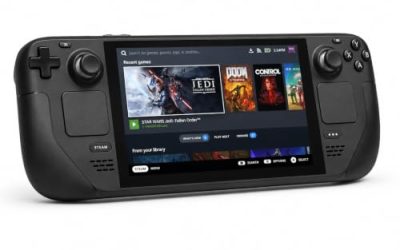
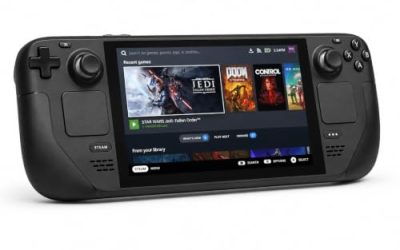
Steam Deck: Unsupported
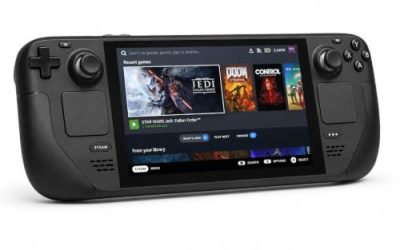
Valve’s own compatibility record, read directly from Valve’s endpoint, resolves the game to category 1: Unsupported on Steam Deck. The single resolved item on the sheet is the operating-system line, which states that SteamOS does not support the game. The SteamOS rating is separately Unsupported as well, so the verdict is not a Deck-hardware quirk.
SteamDB’s republication of Valve’s test paperwork adds the details the endpoint summary omits, disclosed here: the test is dated 27 July 2026, on build 23700737, with a Proton 11 beta as the recommended runtime. The configuration notes record a non-controller launcher step, non-Deck display glyphs and small text; the supported input class is listed as “other”, and no internet is required for setup or single-player. The gear section below is framed for desktop play for exactly this reason.
The storefront ruling
There is no GOG edition of Cities: Skylines II. The would-be product address on GOG redirects to the store’s general games catalogue, its product API returns no product for the title, and its catalogue search returns zero purchasable products. Its only presence there is a Dreamlist wishlist entry, not an edition anyone can buy. The Steam copy is therefore the only PC edition and the ruling buy.
Gear for a desktop-only game
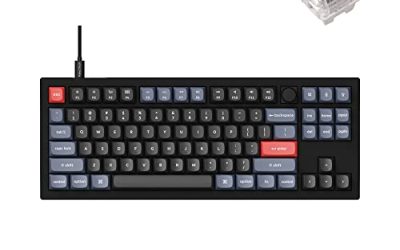
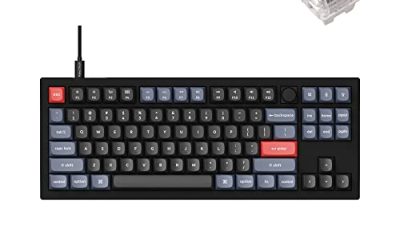
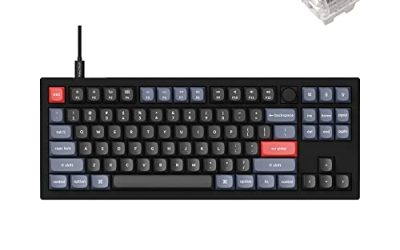
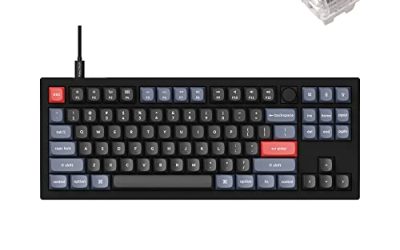
Keychron V3

The keyboard pick for desktop sessions: a tenkeyless board with QMK and VIA support lets you remap keys at the keyboard level, which keeps working across every Linux install. City building lives on hotkeys, so the remapping layer earns its place.
Specs
- Tenkeyless layout with rotary knob
- QMK and VIA remapping support
- Hot-swappable K Pro Brown switches
- Wired USB-C connection
- Maker-rated 1,000 Hz polling
8BitDo Ultimate 2 Bluetooth Controller

The desktop pad pick. Steam lists full controller support for the game, and while a city builder belongs to the mouse, this pad covers the couch case with modern sticks, triggers and back buttons.
Specs
- Connectivity: Bluetooth wireless and USB-C wired
- Joysticks: TMR electromagnetic, anti-drift design
- Triggers: Hall effect, with mode switching
- Extras: two remappable back buttons, motion control
- In the box: charging dock included
Xbox Wireless Controller, Carbon Black

The safest guest pad in PC gaming: Steam Input support is universal, the glyphs match what most games display, and it pairs over Bluetooth or its own wireless standard. For a desktop-only title, it is the second-pad option rather than the primary tool.
- Connectivity: Xbox Wireless and Bluetooth
- Port: USB-C for wired play
- Controls: hybrid D-pad, dedicated Share button
- Power: AA batteries or optional rechargeable pack
Logitech G502 HERO

The primary input for this game. A city builder is menu-driven and camera-driven, and a precise wired mouse turns zoning, road work and transit planning into single clicks. Eleven programmable buttons cover the camera and tool shortcuts.
Specs
- HERO optical sensor, up to 25,600 DPI
- 11 programmable buttons
- Adjustable weight system
- Wired USB connection
- On-board memory profiles
Samsung T9 Portable SSD 2TB

For moving a Linux game library between a desktop and a laptop, or keeping an offline backup of installers, a fast USB-C drive is the simple answer. The headline figure needs a Gen 2×2 host port; on a lesser port the drive runs at that ceiling instead.
Specs
- Capacity: 2 TB portable SSD
- Interface: USB 3.2 Gen 2×2, USB-C connector
- Maker-rated speeds: up to 2,000 MB per second read, 1,950 MB per second write
- Features: Dynamic Thermal Guard, maker-rated drop resistance
How to choose
Choose the Steam copy, because it is the only PC edition on sale and the exact build both compatibility records describe. On a desktop or laptop, install under Proton and start from a recent Proton version, matching the shape of the Gold-rated report pool; expect the launcher step the records describe, and expect performance to be governed by your processor and your city’s size, per the publisher’s recommended specification, rather than by the translation layer. Plan on keyboard and mouse as the primary tools.
Who should skip
Skip this one if you are shopping for a native Linux city builder: this game is not it, and the native flag in this series belongs to the 2015 original. Skip it if your only gaming machine is a Steam Deck or a SteamOS handheld, because Valve rates the game Unsupported on both. Skip it if you want a DRM-free offline installer, because no GOG edition exists to buy. And skip it if your hardware sits at or below the published Windows minimum and you hoped Proton would soften the simulation’s demands; the record gives no reason to expect that.
FAQ
Is Cities: Skylines II native on Linux?
No. Steam’s record flags the game Windows-only, its Linux requirements tab is an empty shell with no entries under either heading, and all thirty add-on apps flag Windows only as well. The series’ native Linux build is the 2015 original, and the “Natively Supports” heading on the ProtonDB page contradicts Steam’s record.
How does it run through Proton?
ProtonDB’s summary record gives it a Gold headline tier, a Platinum best-reported tier and a Gold trending tier across 529 reports, at strong confidence. Reports describe a launcher step in the shipped build, and a recurring tinker step starts the game executable directly. Performance stays at record level here: the recommended specification asks for a recent performance-class processor and 16 GB of RAM, and reports tie slowdowns to city size.
Can I play it on Steam Deck?
Valve rates it Unsupported on Steam Deck, and SteamOS carries the same rating. The test sheet’s single resolved item states that SteamOS does not support the game, and its configuration notes add a launcher step, non-Deck glyphs and small text. This is a desktop game by the record.
Is there a GOG version?
No. GOG’s product address for the title redirects to its general games catalogue, its product API returns nothing, and the game appears there only as a Dreamlist wishlist entry, which is not an edition for sale. The Steam copy is the only PC edition.
Final verdict
Cities: Skylines II is a Windows-only release with an unusually complete paper trail. Steam’s record is unambiguous: Windows flag set, Linux and Mac flags clear, an empty shell where the Linux requirements would live, no DRM notice, no account notice and a single-player category list. The family sweep finds zero Linux flags in thirty-one apps. ProtonDB’s Gold file across 529 reports says the desktop Proton route is a real one, Valve’s Unsupported ratings close the handheld door, and GOG’s empty catalogue closes the second-storefront question. Buy the Steam copy for a Linux desktop whose processor respects the published recommended specification, and leave the Deck out of the plan.
Product and ASIN Reference
| Product | ASIN |
|---|---|
| Keychron V3 | B0B2DMMMG2 |
| 8BitDo Ultimate 2 Bluetooth Controller | B0F194QFT2 |
| Xbox Wireless Controller, Carbon Black | B08DF248LD |
| Logitech G502 HERO | B07GBZ4Q68 |
| Samsung T9 Portable SSD 2TB | B0CHFS9K14 |