Immortals of Aveum is the single-player magic shooter from Ascendant Studios, published by Electronic Arts in August 2023 and built on Unreal Engine 5. It is exactly the kind of heavy, effects-driven release that prompts the Linux questions: does a native build exist, what does Proton make of it, and can the Steam Deck cope? This article answers from the records themselves — Steam’s app data, the ProtonDB file and Valve’s Deck test sheet — rather than from storefront marketing.
The short version is a split outcome. On a Linux desktop the game has a workable Proton route with a Gold community headline. On the Steam Deck, Valve’s own test ends in an Unsupported verdict, because the testers could not configure the graphics to run well on the handheld. And underneath both sits an EA account requirement that Steam’s record states plainly, plus a Family Sharing exclusion set by the publisher.
As an Amazon Associate, we earn from qualifying purchases.
Quick answer
Immortals of Aveum is not native on Linux: Steam flags the game Windows only, with no Linux build in the record. Under Proton it holds a Gold headline on ProtonDB from a thin file of 17 reports. Valve rates the Steam Deck Unsupported after its graphics test, and no GOG edition exists. Desktop Proton is the route; the Deck is not.
What Steam’s record says
Steam’s record for app 2009100 flags Windows only: windows is true, mac is false and linux is false. The record publishes no Linux system requirements at all, so there is no Linux tab in any form to misread — not a populated one, and not an empty shell either. The category list is a single-player profile: Single-player, Steam Achievements, Full controller support, Adjustable Difficulty, Stereo Sound, Surround Sound and Steam Cloud, across the Action and Adventure genres.
The published Windows minimum is demanding for a 2023 release. Steam lists 64-bit Windows 10 or later, an AMD Ryzen 5 2600X or Intel Core i7-8700K processor, 16 GB of dual-channel RAM, an AMD Radeon RX 580 or NVIDIA GeForce GTX 1070 with 8 GB of video memory, DirectX 12, a broadband internet connection and 70 GB of storage, with a maker note tying those specs to play at 1080p and 30 frames per second.
Two further lines on the record matter before any purchase. The third-party account notice names an EA Account, so an EA sign-in stands between the buyer and the first launch. And the publisher has marked the game ineligible for Steam Family Sharing. On DRM, the record is silent: it carries no DRM notice, so this article names no DRM product.
The family sweep: one upgrade, one demo, nothing else
The game’s own DLC list holds exactly one app. The Deluxe Upgrade, app 2165170, was read individually: it is a downloadable-content app tied to the game app, and it flags Windows only. The free Demo, app 2555360, is a separate app in the family and also flags Windows only.
Store search for the title returns those three apps and nothing else. There is no soundtrack album and no artbook in this family, so the soundtrack trap cannot fire here — there is no music app whose Linux flag could be mistaken for the game’s. The Linux-flag count across the game, the upgrade and the demo is exactly zero.
ProtonDB: a Gold headline on a thin file
ProtonDB’s game page gives Immortals of Aveum a Gold headline across 17 reports. That count is the honest headline of this section: 17 reports is a thin file, thinner than the hundreds behind most games in this series. The summary feed could not be read this session, so no best-reported or trending split and no confidence figure is claimed — only the headline tier and the report count the page itself publishes.
The reports behind that headline describe desktop runs that lean on the game’s own upscaling and frame generation options, alongside several Steam Deck attempts that struggle with performance. One caution belongs in plain view: the ProtonDB page carries a “Natively Supports” header, and Steam’s own record contradicts it. The platform flags say Windows only, and this article follows Steam. The header is a known quirk of that database, not evidence of a native build.
Steam Deck: Unsupported, on performance grounds
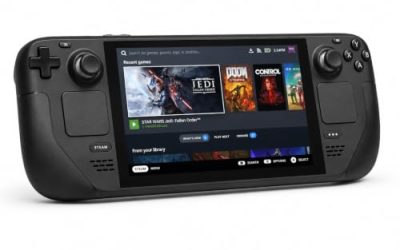
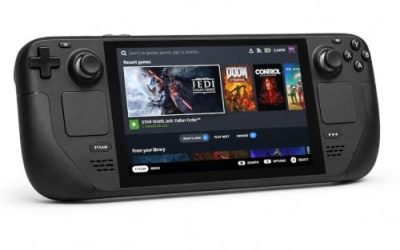
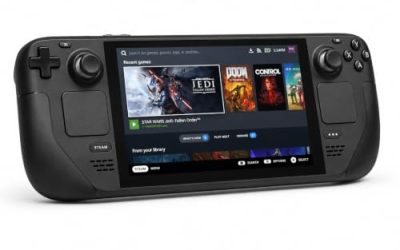
Valve’s own compatibility endpoint returned no readable record this session, so the Deck sheet was read from SteamDB’s republication of Valve’s compatibility data. The verdict is Unsupported, the lowest category, and the stated reason is specific: this game’s graphics settings cannot be configured to run well on Steam Deck. The test behind that verdict is dated 29 September 2026, on build 16942818, with proton-stable as the recommended runtime.
The rest of the sheet fills in the picture. Some functionality is not accessible under the default controller configuration, so the touchscreen, the virtual keyboard or a community configuration may be needed; entering some text requires manually invoking the on-screen keyboard; first-time setup requires an active internet connection; and external controllers do not take over by default on SteamOS. One nuance is worth separating out: SteamOS itself is separately rated Compatible, meaning the operating system runs the game. The Unsupported badge is a judgement about the Deck hardware’s performance headroom in this title, not about the platform — and it is why the products below are framed for the desktop, not the handheld.
The GOG question
There is no GOG edition to buy. GOG’s catalogue record for this title returns an empty product list, and the game appears there only as Dreamlist wishlist entries, for both the standard game and a Deluxe Edition. A Dreamlist entry is a vote page, not a product: it carries no price, no installer and no operating-system list. The Steam copy is the only PC edition on sale, and it is the build both compatibility records describe.
Products for a desktop playthrough
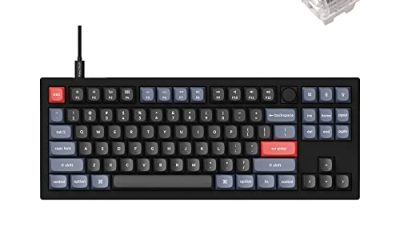
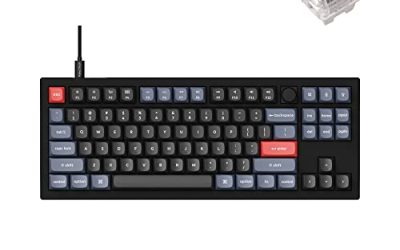
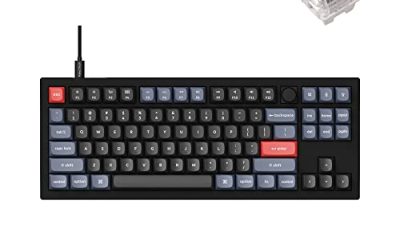
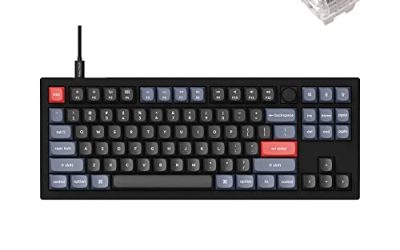
Keychron V3

The desktop keyboard pick. Valve’s Unsupported verdict moves this game to the desk, and a tenkeyless board with QMK and VIA support lets you remap the spell-swap and menu keys at the keyboard level, which keeps working across every Linux install you plug it into.
Specs
- Tenkeyless layout with rotary knob
- QMK and VIA remapping support
- Hot-swappable K Pro Brown switches
- Wired USB-C connection
- Maker-rated 1,000 Hz polling
8BitDo Ultimate 2 Bluetooth Controller

Steam lists full controller support for the game, and this pad covers the couch and desk cases with modern sticks and triggers plus back buttons for the inputs a spell-swap shooter repeats.
Specs
- Connectivity: Bluetooth wireless and USB-C wired
- Joysticks: TMR electromagnetic, anti-drift design
- Triggers: Hall effect, with mode switching
- Extras: two remappable back buttons, motion control
- In the box: charging dock included
Xbox Wireless Controller, Carbon Black

The safest guest pad in PC gaming: Steam Input support is universal, the glyphs match what most games display, and it pairs over Bluetooth or its own wireless standard.
- Connectivity: Xbox Wireless and Bluetooth
- Port: USB-C for wired play
- Controls: hybrid D-pad, dedicated Share button
- Power: AA batteries or optional rechargeable pack
Logitech G502 HERO

A first-person shooter lives on its mouse. The G502 HERO pairs a high-ceiling sensor with eleven programmable buttons, a natural fit for a game built on fast aim and constant swapping between three colours of magic.
Specs
- HERO optical sensor, up to 25,600 DPI
- 11 programmable buttons
- Adjustable weight system
- Wired USB connection
- On-board memory profiles
Samsung T9 Portable SSD 2TB

At 70 GB this is a heavy install to keep on a small system drive. A fast portable SSD can hold the library or ferry it between a desktop and a laptop. The headline figure needs a Gen 2×2 host port; on a lesser port the drive runs at that ceiling instead.
Specs
- Capacity: 2 TB portable SSD
- Interface: USB 3.2 Gen 2×2, USB-C connector
- Maker-rated speeds: up to 2,000 MB per second read, 1,950 MB per second write
- Features: Dynamic Thermal Guard, maker-rated drop resistance
How to choose
Choose the Steam copy: it is the only PC edition, and the exact build both the ProtonDB file and Valve’s test sheet describe. On a desktop or laptop, install it under Proton and start from the default compatibility tool; the Gold headline says the route works, while the thin 17-report file argues for checking the newest reports against your own graphics card before assuming a smooth run. Budget the EA Account sign-in into the first launch, and expect first-time setup to need an internet connection. Above all, plan the hardware honestly: the published minimum already asks for a GTX 1070-class card and 16 GB of RAM, and the Deck is ruled out by Valve’s own test, so a desktop at or above that floor is the intended machine.
Who should skip
Skip this one if you are shopping for a native Linux build: none exists, whatever a database header suggests. Skip it if the Steam Deck is your only gaming machine, because Unsupported is Valve’s standing verdict on the current record. Skip it if an EA Account sign-in is a deal-breaker, or if you rely on Family Sharing, which the publisher has switched off for this title. And skip it if your PC sits below the published minimum — this game’s floor is high even by recent standards.
FAQ
Is Immortals of Aveum native on Linux?
No. Steam’s record for app 2009100 flags Windows only and publishes no Linux requirements. The “Natively Supports” header on the ProtonDB page contradicts Steam’s own flags and should not be read as evidence of a native build.
How well does Immortals of Aveum run under Proton?
ProtonDB’s headline tier is Gold across 17 reports. That is a thin file, and the tier split and confidence figures could not be read this session, so the Gold headline and the count are all that is claimed. Desktop reports in that file describe playable runs using the game’s upscaling options.
Can I play Immortals of Aveum on Steam Deck?
Valve rates it Unsupported. Its test, dated 29 September 2026 under proton-stable, found the graphics settings could not be configured to run well on the Deck. SteamOS itself is rated Compatible, but the handheld verdict is Unsupported, so this is a desktop game.
Can I buy Immortals of Aveum on GOG instead?
No. GOG’s catalogue holds no product for the game; it appears there only as Dreamlist wishlist entries. The Steam copy is the only PC edition on sale.
Final verdict
Immortals of Aveum draws a clean line down the middle of Linux gaming. The desktop route is real: a Windows-only Steam record, a Gold ProtonDB headline, full controller support and cloud saves. The handheld route is closed by Valve’s own test, which could not make the graphics run well on the Deck and stamped the game Unsupported in September 2026. Add an EA Account at the door and a Family Sharing exclusion on the record, and the purchase decision writes itself: buy the Steam copy for a desktop that clears the published minimum, and leave the Deck out of it.
Product and ASIN Reference
| Product | ASIN |
|---|---|
| Keychron V3 | B0B2DMMMG2 |
| 8BitDo Ultimate 2 Bluetooth Controller | B0F194QFT2 |
| Xbox Wireless Controller, Carbon Black | B08DF248LD |
| Logitech G502 HERO | B07GBZ4Q68 |
| Samsung T9 Portable SSD 2TB | B0CHFS9K14 |