Most games in this series answer the Linux question with a missing tab. Obduction, Cyan’s 2016 first-person adventure, does something rarer: it keeps a Linux requirements tab on its record and leaves it empty. The headings are there, Minimum and Recommended, with nothing written under either, while the Mac tab beside it is fully specified. One of those tabs describes a build that exists. The other describes a form Cyan filled in and never used.
So the practical question is the Proton one. The Windows build is the only build a Linux player will ever run, and its community file is respectable: a Gold headline across several dozen reports, with one known weakness, its in-game video. Valve has also tested the game on Steam Deck and published a Playable rating whose paperwork, unusually, still matches the build on sale today. This piece reads each layer separately.
As an Amazon Associate, we earn from qualifying purchases.
Quick answer
Obduction is not native on Linux. Steam flags it for Windows and Mac only, its Linux requirements field is an empty shell, and its depots hold a Windows build and a macOS build with no Linux depot anywhere. The route is Proton: ProtonDB rates it Gold, Platinum on its best-reported and trending tiers, across 59 reports, and Valve rates it Playable on Steam Deck.
Three layers, and all three say the same thing
Start with the flag. Steam’s platform field reads windows true, mac true, linux false. That alone would settle most records, but this one rewards a second look, because the requirements fields are where the game’s cross-platform history is written. The Windows tab is populated at both tiers: 64-bit Windows 7 SP1 or newer, an Intel i5-2500 class processor, 8 GB of memory, a GeForce GTX 660 class card and 20 GB of storage at minimum. The Mac tab is populated too, with its own operating system floor and a note that Metal support is required. The Linux field holds the two headings and nothing else: the empty-shell shape, the scaffolding of a tab with no requirements in it.
The depot table closes the question. SteamDB lists a Windows content depot of 8.53 GiB and a macOS depot of 5.30 GiB. There is no Linux depot in any branch, sized or otherwise. The configuration field agrees with the Mac side: the extended OS value names 64-bit macOS and notarized macOS builds, and nothing else. Cyan built this game for two desktop platforms and left the third tab as a placeholder that was never filled in.
The add-on family offers no back door. The downloadable content array holds exactly two apps, both read individually: the Original Sound Track and the Art of Cyan digital art book. Each flags Windows and Mac true and Linux false, with an empty-list Linux field, so the soundtrack trap cannot form here. Two further extras, a high-resolution image pack and a strategy guide, exist only as depots hanging off the main app, return no store record of their own, and carry no Linux depot either. Across the family the Linux-flag count is zero of three.
Two absences are worth stating plainly. The record carries no DRM notice and no external-account notice, so those are stated here as gaps rather than promises. SteamDB’s configuration carries a standard licence-agreement entry. The categories list reads exactly as follows: Single-player, Steam Achievements, Tracked Controller Support, VR Supported, Steam Trading Cards, Partial Controller Support, Steam Cloud and Family Sharing. The VR entries belong to the Windows record, and nothing in them is a claim about VR under Linux.
Anti-cheat, from three directions
All three anti-cheat sources agree there is nothing to discuss. Steam’s record names no anti-cheat product. SteamDB’s detected technologies are Unreal Engine, NVIDIA graphics libraries, and the OpenVR and Oculus plug-ins serving the VR mode: engine plumbing, not anti-cheat. Are We Anti-Cheat Yet carries no entry for this title.
The Proton file: Gold, with a video-shaped asterisk
ProtonDB’s summary record reads Gold on the headline tier, Platinum on the best-reported tier and Platinum on the trending tier, across 59 reports, with strong confidence. That is a mid-sized, settled file, and the reports explain both the Gold and the distance from Platinum: world, puzzles and performance draw consistent praise, including recent clean runs on current Proton builds.
The recurring exception is the in-game video. Obduction tells part of its story through recorded messages and holographic clips, and those videos are the one component that sometimes fails to play on a given Proton version, leaving the world intact but the story beats silent. Reporters fix it with a community Media Foundation workaround or a GE-Proton build, and several say it disappears on newer Proton releases. Treat the tier as honest: a Gold game whose single known weakness sits in its video playback.
The Deck sheet describes the build still on sale
Valve’s own compatibility record rates Obduction Playable on Steam Deck, read from Valve’s endpoint directly for this article. The passing items are the ones that matter for a slow adventure: all functionality is accessible with the default controller configuration, the game shows Steam Deck controller icons, interface text is legible, and the default graphics configuration performs well. The single note is that entering some text requires manually invoking the on-screen keyboard. SteamOS carries a separate Compatible rating with the same note.
The dated paperwork behind the badge comes from SteamDB’s republication of Valve’s compatibility data: tested on 18 February 2022, on build 7032025, with a stable Proton runtime recommended. That build number matters, because it is the build the public branch still serves today. Most Deck sheets in this series describe a download that has since been replaced; this one describes the exact build a buyer receives now.
The GOG shelf
A GOG edition of Obduction exists, ruled from GOG’s own catalogue record and its live product page, and it changes nothing for Linux. GOG lists the game for Windows and macOS only, the same two platforms as Steam, so the GOG copy is the same Windows build a Linux player would run through Proton anyway. GOG copies reach Linux through community launchers, and their ProtonDB reports carry the same video caveat.
Gear that fits the record
The gear below follows the record’s shape: the handheld the badge was written for, two pads for docked and desktop play, a mouse for pointer-driven exploration, and library storage.
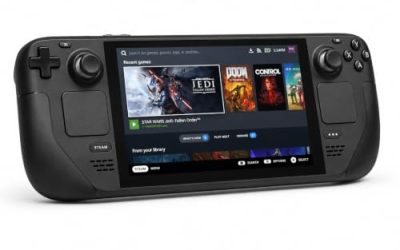
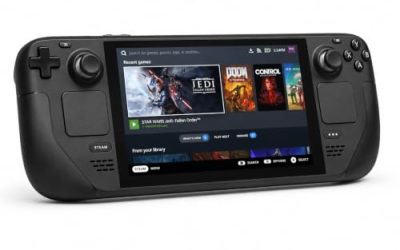
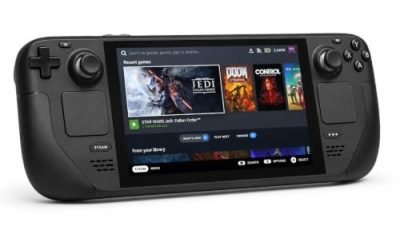
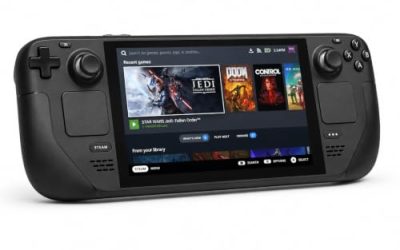
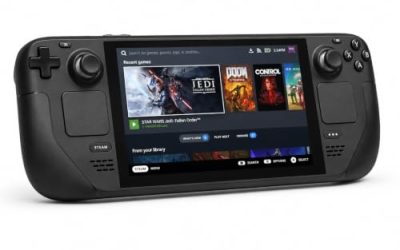
Valve Steam Deck OLED 512GB

The handheld the Playable badge was written for, and here the badge’s paperwork matches the build on sale today. A slow, observational game that suits a handheld screen, with the on-screen keyboard note the only friction Valve recorded.
Specs:
- Display: 7.4-inch HDR OLED, 1280 by 800, up to 90 Hz
- Processor: AMD Zen 2 and RDNA 2 custom APU
- Memory: 16 GB LPDDR5
- Storage: 512 GB NVMe, plus a microSD slot
- Wireless: Wi-Fi 6E and Bluetooth
- Channel note: Valve sells the Deck mainly through its own store, so Amazon listings are third-party sellers
8BitDo Ultimate 2 Bluetooth Controller

The docked and desktop pad pick. Steam lists partial controller support for the game, and this pad covers the couch case with modern sticks and triggers plus back buttons for the interactions a long exploration session repeats.
Specs
- Connectivity: Bluetooth wireless and USB-C wired
- Joysticks: TMR electromagnetic, anti-drift design
- Triggers: Hall effect, with mode switching
- Extras: two remappable back buttons, motion control
- In the box: charging dock included
Xbox Wireless Controller, Carbon Black

The safest guest pad in PC gaming: Steam Input support is universal, the glyphs match what most games display, and it pairs over Bluetooth or its own wireless standard.
- Connectivity: Xbox Wireless and Bluetooth
- Port: USB-C for wired play
- Controls: hybrid D-pad, dedicated Share button
- Power: AA batteries or optional rechargeable pack
Logitech G502 HERO

Obduction is played by looking, pointing and clicking, and at a desk a precise wired mouse is the natural instrument for it. Eleven programmable buttons cover the interact, journal and menu inputs a session repeats.
Specs
- HERO optical sensor, up to 25,600 DPI
- 11 programmable buttons
- Adjustable weight system
- Wired USB connection
- On-board memory profiles
Samsung T9 Portable SSD 2TB

For moving a Linux game library between machines, or keeping an offline backup of installers, a fast USB-C drive is the simple answer. The headline figure needs a Gen 2×2 host port; on a lesser port it runs at that ceiling.
Specs
- Capacity: 2 TB portable SSD
- Interface: USB 3.2 Gen 2×2, USB-C connector
- Maker-rated speeds: up to 2,000 MB per second read, 1,950 MB per second write
- Features: Dynamic Thermal Guard, maker-rated drop resistance
How to choose
Choose the Steam copy if you want the Deck badge’s exact setup: the Playable rating, the stable Proton runtime Valve recommends, and paperwork written against the build still on the public branch. Choose the GOG copy only if that shelf is where your library already lives, accepting the community-launcher step and the identical Windows build underneath. On any copy, check at first launch that the opening recorded messages play; if they do not, the ProtonDB file’s Media Foundation workarounds and GE-Proton reports are the documented next step. Hardware rarely decides it: the published requirements are modest.
Who should skip
Skip this one if a native build is a hard requirement: the empty Linux tab is the whole answer, and no family app, second storefront or depot changes it. Skip it if flawless in-game video with zero tinkering matters more than the game itself; the Proton file is Gold rather than Platinum for exactly that reason. And skip the VR reading entirely on Linux: the VR categories are listings on a Windows record and promise nothing about headsets under Proton.
FAQ
Is Obduction native on Linux?
No. Steam flags it for Windows and Mac only, the Linux requirements field is an empty shell holding two headings and no content, and the depots contain a Windows build and a macOS build with no Linux depot in any branch. Linux play means the Windows build under Proton.
Why do the videos sometimes fail under Proton?
The story leans on recorded messages and holographic clips, and those videos are the one component reporters repeatedly flag: on some Proton versions they do not play, while the world and puzzles work normally. Reports describe fixes ranging from a community Media Foundation workaround to GE-Proton builds, and the newest reports describe clean runs.
Is Obduction Playable on Steam Deck?
Yes. Valve rates it Playable: the default controller configuration covers all functionality, controller icons and legible text pass, and the default graphics configuration performs well. The one note is manual on-screen keyboard invocation for text entry. The paperwork is dated 18 February 2022 and was written against the build the public branch still serves.
Does buying on GOG help on Linux?
No. A GOG edition exists, but GOG’s own record lists it for Windows and macOS only, the same two platforms as Steam. On Linux it is the same Windows build through the same compatibility layer, reached through a community launcher rather than Steam.
Final verdict
Obduction’s record is unusually legible. The flag says no Linux, the empty tab says no Linux, the depots say no Linux, and the one genuinely supported second platform, macOS, is documented in full right next to the placeholder, which removes any doubt. What Linux players get instead is a well-worn Proton path: a Gold file on 59 reports with one known video weakness, and a Deck Playable badge whose test build is still the build on sale.
Product and ASIN Reference
| Product | ASIN |
|---|---|
| Valve Steam Deck OLED 512GB | B0CQ3RWQQZ |
| 8BitDo Ultimate 2 Bluetooth Controller | B0F194QFT2 |
| Xbox Wireless Controller, Carbon Black | B08DF248LD |
| Logitech G502 HERO | B07GBZ4Q68 |
| Samsung T9 Portable SSD 2TB | B0CHFS9K14 |