Neptunia Virtual Stars is a music-driven hack and slash where the Goddesses of Gamindustri team up with virtual idols to save the planet Emote. It arrived on Steam in March 2021 with a large catalogue of costume and character add-ons, plus a rhythm-game side mode, BeatTik. The question for Linux players is simple: does any of that run natively, or is Proton the only route?
The short answer is Proton. This game carries one of the biggest DLC families in the Neptunia run, every attached app was checked individually, and not one carries a Linux flag — a clean verdict, even if the Proton evidence itself is thin.
As an Amazon Associate, we earn from qualifying purchases.
Quick answer
Neptunia Virtual Stars is not native on Linux. Steam’s record flags Windows only, with an empty Linux requirements block, and all 43 attached DLC apps are Windows only. ProtonDB reports a Gold headline with a Platinum best on just 8 reports, so the pool is small. Valve rates the game Steam Deck Verified, and GOG sells a Windows-only edition. Buy the Steam copy and run it under Proton.
Steam’s record: Windows only, and the empty Linux tab
Steam’s record for app 1399840 lists the platforms as Windows true, Mac false, Linux false. The Linux requirements block is a template shell only: the Minimum and Recommended headings are present and both lists are empty. That is the same empty-shell pattern seen across the Neptunia run — no Linux tab, no native build, no Linux system requirements, nothing to install natively.
The category record reads single-player, Steam Achievements, Steam Trading Cards, partial controller support, Steam Cloud and Family Sharing. Partial support matters below: pads are Steam Input mapping devices here, not natively recognised ones. The record names no DRM product, no anti-cheat and no third-party launcher or account, so this article names none either — a DRM claim needs a citable record, and Steam’s does not supply one.
The published Windows minimum is modest: 64-bit Windows 8, an Intel i5 at 2.3 GHz or an AMD A9 at 2.9 GHz, 4 GB of RAM, a GeForce GTX 670 or Radeon HD 7970 class card, DirectX 11 and 20 GB of storage. Recommended steps up to Windows 10 Home, an i5 at 3.3 GHz or an FX-8350, 8 GB of RAM and a GTX 1060 3 GB or RX 580.
The 43-app sweep: a big family with zero Linux flags
The game app’s record carries 43 DLC apps, every one read individually: six outfit sets for the Goddesses and the V-Idols in bikini, swimsuit and bunny variants; two item packs; two character and story packs, Towa Kiseki and Kizuna AI, each with outfit and accessory add-ons; more than twenty Vtuber packs, one per virtual idol, from Ileheart and the Asano Sisters Project to WACTOR and Aogiri High School; a Deluxe Pack; and three BeatTik unlock packs.
Three add-ons deserve a closer look. The in-game BGM packs — Ileheart’s “I Love You”, “Twilight Heart” and “Vanilla Weather” — are ordinary DLC adding songs to the BeatTik rhythm mode. They are not soundtrack albums or type-music apps, and they flag Windows only like everything else. This is the Nelke pattern: music sold as in-game content, not as a separate album. A dedicated store search for a Virtual Stars soundtrack returns zero results, so there is no album anywhere to flag Linux.
Across all 44 apps the Linux-flag count is zero. The soundtrack trap cannot fire here because there is no type-music app in the family at all, and the verdict rests on the game app alone: Windows only.
ProtonDB: Gold over Platinum, on eight reports
ProtonDB’s summary record reads Gold as the headline tier, Platinum as the best-reported tier and Gold as the trending tier, with 8 reports at moderate confidence. The split is worth explaining rather than flattening: a Gold headline with a Platinum best means most reports run well while a minority hit friction — the usual shape for a game that works under Proton with occasional rough edges.
The pool is the honest caveat. Eight reports is a small file, the thinnest in this batch’s Neptunia run, and a tier built on eight reports is a snapshot rather than a census. The Gold headline is the published record: a good sign with a small sample behind it, not a guarantee. A larger pool later would allow a one-line tier update.
Steam Deck: Verified, with one note that shapes the gear
Valve’s compatibility endpoint returned an empty body for this app, and the compatibility filter in the app details record returned an empty list, so the Deck record was read from Valve’s compatibility data embedded in the game’s own store page — the established fallback route used for Kingdom Hearts III in batch 67. The record resolves to category 3, Verified, with all four checks passing: the default controller configuration is fully functional, the glyphs match the Deck device, the interface text is legible, and the default graphics configuration performs well.
One note sits alongside the four passes: external controllers are not supported for the primary player. That shapes the gear section below — the pads are desktop picks, not handheld accessories, because the Deck’s own controls are the way to play on the device. The same embedded record lists SteamOS as Playable and the Steam Machine as Verified. No test date is published on the record read, and none is claimed here.
GOG: an edition exists, and it is Windows only
GOG’s embed search and catalogue search both returned zero products — the search blind spot fired again, as it did for the other Neptunia games in this run. The edition was confirmed from GOG’s own catalogue record instead: product 1341421504, slug neptunia_virtual_stars, with a supported operating systems list carrying a single entry, Windows. The DRM-free copy is not a native route, and the would-be product address redirects to the general catalogue rather than resolving to a store page. The Steam copy is ruled the buy.
Gear for playing Neptunia Virtual Stars on Linux
The game is Verified on Deck and Gold under Proton, so the gear below leads with the handheld and follows with the desktop. Steam lists only partial controller support, so both pads are Steam Input mapping devices, and the Deck sheet rules external pads out as the primary player, so the pads are desktop picks.
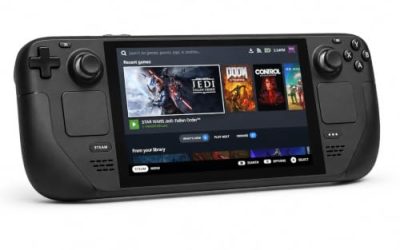
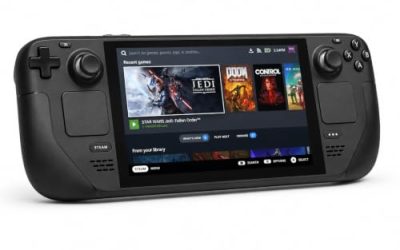
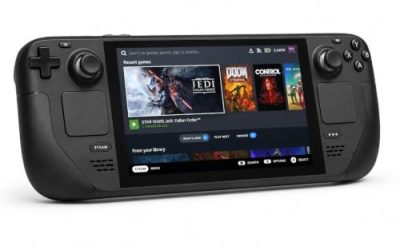
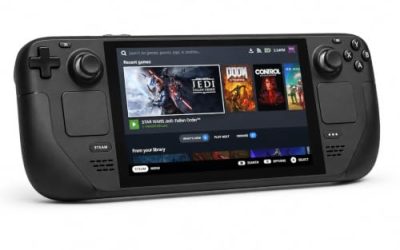
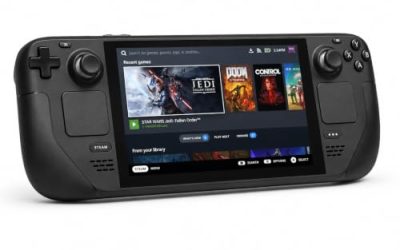
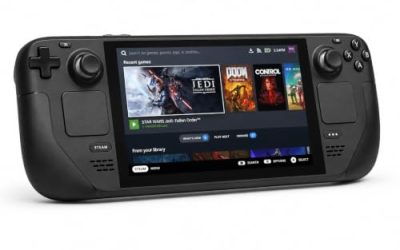
Valve Steam Deck OLED 512GB

The handheld the Verified badge was written for. The game’s published requirements are a rounding error next to the Deck’s APU, and Valve’s test sheet gives the Windows build a clean pass under proton-stable.
Specs
- Display: 7.4-inch HDR OLED, 1280 by 800, up to 90 Hz
- Processor: AMD Zen 2 and RDNA 2 custom APU
- Memory: 16 GB LPDDR5
- Storage: 512 GB NVMe, plus a microSD slot
- Wireless: Wi-Fi 6E and Bluetooth
- Channel note: Valve sells the Deck mainly through its own store, so Amazon listings are third-party sellers
8BitDo Ultimate 2 Bluetooth Controller

The desktop pad pick. Steam lists partial controller support, so this pad works through Steam Input mapping, and its modern sticks, triggers and back buttons cover the hack and slash combos and the BeatTik rhythm inputs alike.
Specs
- Connectivity: Bluetooth wireless and USB-C wired
- Joysticks: TMR electromagnetic, anti-drift design
- Triggers: Hall effect, with mode switching
- Extras: two remappable back buttons, motion control
- In the box: charging dock included
Xbox Wireless Controller, Carbon Black

The safest guest pad in PC gaming: Steam Input support is universal, the glyphs match what most games display, and it pairs over Bluetooth or its own wireless standard. On the handheld the Deck sheet’s note applies — an external pad is not supported for the primary player, so this one is a desktop pick.
- Connectivity: Xbox Wireless and Bluetooth
- Port: USB-C for wired play
- Controls: hybrid D-pad, dedicated Share button
- Power: AA batteries or optional rechargeable pack
Logitech G502 HERO

At a desk, a precise wired mouse turns menu navigation, shop trips and the BeatTik setup into single clicks, and eleven programmable buttons cover the confirm, cancel and camera inputs a long session repeats.
Specs
- HERO optical sensor, up to 25,600 DPI
- 11 programmable buttons
- Adjustable weight system
- Wired USB connection
- On-board memory profiles
Samsung T9 Portable SSD 2TB

For moving a Linux game library between machines, or keeping an offline backup of installers, a fast USB-C drive is the simple answer — though the headline figure needs a Gen 2×2 host port, and on a lesser port the drive runs at that ceiling instead.
Specs
- Capacity: 2 TB portable SSD
- Interface: USB 3.2 Gen 2×2, USB-C connector
- Maker-rated speeds: up to 2,000 MB per second read, 1,950 MB per second write
- Features: Dynamic Thermal Guard, maker-rated drop resistance
How to choose
Start with the Deck if you own one. The Verified badge, the light 20 GB install and the rhythm side mode all suit handheld play, and the four passing checks mean the default controls hold up. On the desktop, Proton is the route and the standard build is the sensible default — the ProtonDB file is small, so there is no evidence in it for reaching for a custom build first. If the game stumbles, read the ProtonDB reports before changing anything else, since the friction in a Gold file is usually specific rather than general.
For GOG, the answer is simple: the DRM-free edition is Windows only, so it buys no native route. Get the Steam copy; the 43 add-ons are all Windows-only extras that ride along under Proton with the base game.
Who should skip
Skip the native-Linux hope entirely — there is no build to wait for, and no DLC in the family changes that. If you only play on a Linux desktop and need full controller support, the partial support here is a real caveat: pads work through Steam Input mapping rather than as natively recognised devices, so expect a minute in the mapping screen. If you buy games mainly for the soundtrack, note there is no album app for this game — the music lives inside the game and its BeatTik packs, not on a separate store listing.
FAQ
Is Neptunia Virtual Stars native on Linux?
No. Steam’s record flags Windows only, with an empty Linux requirements block, and all 43 attached DLC apps are Windows only. The game runs under Proton.
How well does Neptunia Virtual Stars run under Proton?
ProtonDB reports a Gold headline with a Platinum best on 8 reports at moderate confidence. The tier is encouraging, but the pool is small, so treat it as a good sign, not a settled verdict.
Is Neptunia Virtual Stars Steam Deck Verified?
Yes. Valve’s compatibility record embedded in the store page resolves to Verified, with all four checks passing. One note applies: external controllers are not supported for the primary player, so use the Deck’s own controls.
Can I buy Neptunia Virtual Stars on GOG instead?
Yes, but the GOG edition is Windows only, confirmed from GOG’s own catalogue record. The DRM-free copy is not a native route, so the Steam copy is the buy for Linux players.
Final verdict
Neptunia Virtual Stars is a straightforward Proton game. Steam’s record is unambiguous, the 43-app family carries zero Linux flags, and the soundtrack trap cannot fire because there is no album app anywhere in the family. The Proton file is thin at eight reports, but the Gold headline with a Platinum best is a good sign, and the Verified Deck badge with a clean four-check sheet is the strongest evidence in the file. Buy the Steam copy, play it on the Deck or under Proton, and leave the GOG edition to Windows players.
Product and ASIN Reference
| Product | ASIN |
|---|---|
| Valve Steam Deck OLED 512GB | B0CQ3RWQQZ |
| 8BitDo Ultimate 2 Bluetooth Controller | B0F194QFT2 |
| Xbox Wireless Controller, Carbon Black | B08DF248LD |
| Logitech G502 HERO | B07GBZ4Q68 |
| Samsung T9 Portable SSD 2TB | B0CHFS9K14 |