Cossacks: Art of War arrived in 2002 as the first expansion for GSC Game World’s real-time strategy hit, adding five campaigns and two nations to a game already famous for fielding thousands of soldiers at once. Its Steam record, though, does not file it as an expansion at all. The app is typed as a standalone game, sold on its own listing since 2011, and that bookkeeping fact shapes how its Linux status has to be read: on its own record, not inherited from European Wars.
Read that way, the answer is short. Every layer of the record points the same direction, and none of them points at Linux. What remains is the Proton question — how the one Windows build behaves under Proton, what the community file says it takes to run it well, and what Valve has said about the Steam Deck.
As an Amazon Associate, we earn from qualifying purchases.
Quick answer
Cossacks: Art of War is not native on Linux. Steam’s record flags it Windows only, both purchase packages repeat that mask, and no Linux depot exists. The route is Proton: ProtonDB rates the Windows build Gold, Platinum on its best-reported tier, across 11 reports. Valve has published no Steam Deck verdict.
The record, layer by layer
Start with the decisive layer, the purchase packages, because they are what a buyer actually receives. Steam sells this app two ways, and packagedetails reads both the same way. The standalone package grants the base app alone and reads Windows true, Mac false, Linux false. The second route, the eight-app Cossacks and American Conquest Pack, repeats the identical mask. No package on the record delivers anything but the Windows build.
The app-level fields agree. The platform flags repeat Windows true, Mac false, Linux false. The Windows requirements field is genuinely populated with a period specification — Windows 7, Vista or XP, a 1.6 GHz processor, 1 GB of memory and a 128 MB DirectX 9.0c-class graphics card — while the Mac and Linux requirements fields are empty lists outright. Nothing was ever filled in for either platform.
The depot layer closes the question. SteamDB lists exactly one content depot for this app, 351.71 MiB, with no operating-system split of any kind. There is no Linux depot, no macOS depot, nothing emptied and nothing stranded, and the icon set registers no LinuxClientIcon. The public branch has stood on a single build since May 2012. One further configuration note matters: SteamDB flags the app NoServers, so the original multiplayer server infrastructure is gone, and the living product is the single-player campaigns — all the store categories claim, Single-player and Family Sharing.
An expansion the record treats as a game
The type framing deserves a paragraph of its own, because it defeats the obvious shortcut. In content terms Art of War is an expansion: GSC’s own store text presents it as continuing the history of the original game, with five new campaigns, two new nations and new units. But the Steam record types app 4870 as a game, with no fullgame pointer and no must-own requirement tying it to European Wars. A verdict borrowed from the base game would therefore be a category error, and this article reads the app on its own flags, packages and depots throughout. The app is self-contained: nothing about its status depends on owning anything else.
Its family, in the add-on sense, is empty. The base record exposes no DLC field at all, and the family recovered from SteamDB’s association listing attaches no add-on apps — no expansion, no demo, no soundtrack — so the familiar all-true soundtrack trap cannot form here. The one true DLC app in the wider cluster, the Campaign Expansion, declares Back to War as its parent game, not this one. The sibling articles in this folder make two claims about this app, and both check out: the European Wars article types it as a full game reading Windows true, Mac false, Linux false, and places it inside GOG’s Anthology, confirmed below.
What the Proton file actually asks of you
ProtonDB’s summary for this app reads Gold on the headline tier, Platinum on the best-reported tier and Platinum trending, across 11 reports with moderate confidence. A respectable file for a 2002 engine, but a tinkering file. One correction first: the game’s ProtonDB page heads its requirements block with a native-support label that Steam’s record contradicts at every layer. The article follows Steam; the heading is a stray tag, not evidence of a port.
The reports converge on a recognisable pattern. The recurring fix is a WineD3D launch option paired with a fixed 1024 by 768 resolution, and several filings add a community DirectDraw wrapper dropped into the game directory after removing or renaming the bundled video folder — the period cinematics are the usual breaking point. Older filings add a virtual desktop set through protontricks; the newest run on current Proton and community GE-Proton builds with the wrapper in place. Two filings cover the GOG copy rather than the Steam one, run as a non-Steam game, which matters for the storefront choice below. The failure modes are equally consistent: crackling audio in the oldest filings, game-speed quirks, and one Steam Deck filing that reaches a black screen on an experimental Proton build. None of that is an anti-cheat story — Steam names no anti-cheat and no DRM or account notice on this record, SteamDB’s detection surfaces none, and the AreWeAntiCheatYet catalogue carries no entry for this app at all. Silence on all three, reported as silence.
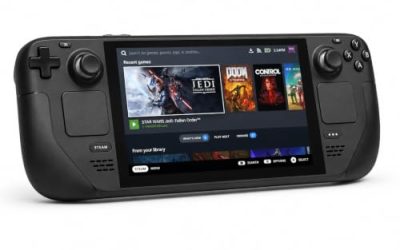
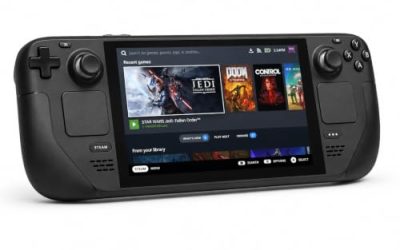
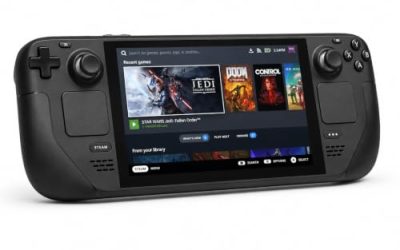
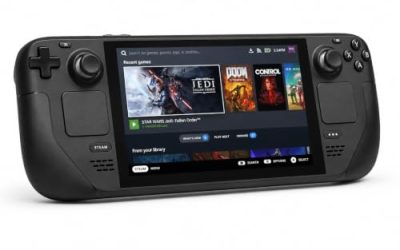
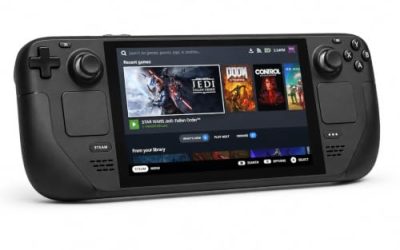
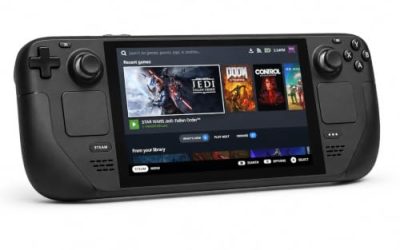
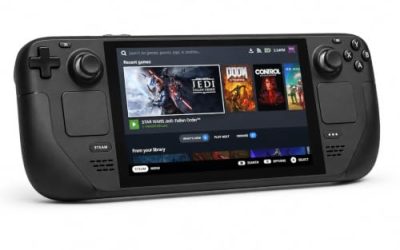
On the Deck itself there is no official word to report. Valve’s compatibility endpoint returned empty and garbled responses on repeated reads, SteamDB’s record carries no Deck rating for this app, and the Deck status republished on the game’s ProtonDB page reads Unknown. No verdict exists, so none is claimed here; the single community Deck filing stands at report weight only. Treat this as a desktop game.
Gear for a desktop-only game
The record lists no controller support at all — the field is absent and both packages read full gamepad false — so the honest setup is a keyboard and mouse, with any pad bought for the wider library and driven through Steam Input.
Keychron V3
The keyboard pick for long campaign sessions: a tenkeyless board with QMK and VIA support lets you remap keys at the keyboard level, which keeps working across every Linux install you plug it into.
Specs
- Tenkeyless layout with rotary knob
- QMK and VIA remapping support
- Hot-swappable K Pro Brown switches
- Wired USB-C connection
- Maker-rated 1,000 Hz polling
Logitech G502 HERO
The primary input for this game: a 2002 RTS lives on selection boxes, control groups and edge scrolling, and a precise wired mouse with spare buttons for grouping commands is the upgrade that changes how it feels.
Specs
- HERO optical sensor, up to 25,600 DPI
- 11 programmable buttons
- Adjustable weight system
- Wired USB connection
- On-board memory profiles
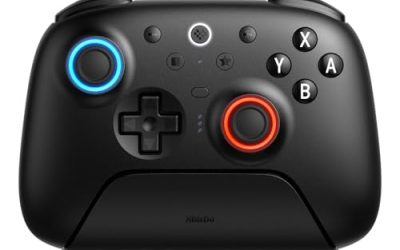
8BitDo Ultimate 2 Bluetooth Controller

The pad pick for the rest of the library rather than for this title: modern sticks and triggers, back buttons for shortcuts, and a dock that keeps it charged. With Art of War it would work only as a Steam Input translation layer, so buy it for games that list controller support.
Specs
- Connectivity: Bluetooth wireless and USB-C wired
- Joysticks: TMR electromagnetic, anti-drift design
- Triggers: Hall effect, with mode switching
- Extras: two remappable back buttons, motion control
- In the box: charging dock included
Xbox Wireless Controller, Carbon Black
The safest guest pad in PC gaming: Steam Input support is universal, the glyphs match what most games display, and it pairs over Bluetooth or its own wireless standard. Its role here is the wider library, not this keyboard-and-mouse game.
- Connectivity: Xbox Wireless and Bluetooth
- Port: USB-C for wired play
- Controls: hybrid D-pad, dedicated Share button
- Power: AA batteries or optional rechargeable pack
Samsung T9 Portable SSD 2TB
For moving a Linux game library between a desktop and a laptop, or keeping an offline backup of installers, a fast USB-C drive is the simple answer. The headline figure needs a Gen 2×2 host port; on a lesser port the drive runs at that ceiling.
Specs
- Capacity: 2 TB portable SSD
- Interface: USB 3.2 Gen 2×2, USB-C connector
- Maker-rated speeds: up to 2,000 MB per second read, 1,950 MB per second write
- Features: Dynamic Thermal Guard, maker-rated drop resistance
How to choose
Three storefront routes sell this game, and all three deliver the same Windows build. The standalone Steam package is the cleanest purchase: one app, one record, and the copy the largest share of the ProtonDB file describes. The eight-app Cossacks and American Conquest Pack makes sense only if the rest of the bundle is genuinely wanted, since every app in it carries the same Windows-only mask. The third route is GOG, ruled from its product records rather than search: the natural standalone address redirects to the general catalogue, and the identity-checked product record for the Cossacks Anthology, a pack containing the original Cossacks and its two expansions, reads Windows true, Mac false, Linux false. It is a DRM-free copy of the same build, and the ProtonDB filings show it running as a non-Steam game with the same wrapper fix. Choose on storefront preference, not platform.
Whichever copy you buy, budget the tinkering time the file describes. Set the WineD3D launch option and the fixed resolution before the first launch, expect to deal with the video folder and the DirectDraw wrapper if the cinematics misbehave, and keep a current Proton build as the first try, with a community GE-Proton build as the fallback.
Who should skip
Skip this app if you want a native Linux strategy game — there is no Linux build on any storefront. Skip it if the tinkering puts you off: the Gold file is real, but it is earned with launch options and a wrapper, not a double-click. Skip it for the Steam Deck, where no verdict exists and the one community filing reports a black screen. And skip it for multiplayer: the record flags the original servers as gone, so anyone buying for the online battles of 2002 is buying a product that no longer exists. The single-player campaigns are the game on sale.
FAQ
Is Cossacks: Art of War native on Linux?
No. The app flags read Windows true, Mac false, Linux false; both purchase packages repeat that mask; the Linux requirements field is an empty list; and SteamDB lists a single content depot with no Linux configuration. There is no native build anywhere.
Is Art of War DLC for European Wars?
In content, it is the first expansion. On the record, no: Steam types app 4870 as a standalone game with no fullgame pointer and no must-own requirement, sold on its own listing. The cluster’s one true DLC app, the Campaign Expansion, belongs to Back to War instead.
How well does it run under Proton?
ProtonDB rates the Windows build Gold on the headline tier and Platinum on its best-reported tier across 11 reports, with moderate confidence. Expect tinkering: the recurring recipe is a WineD3D launch option at a fixed resolution plus a community DirectDraw wrapper, mainly for the period cinematics.
Does GOG sell a Linux version?
No. GOG sells the game only inside the Cossacks Anthology pack, alongside European Wars and Back to War, and that product record reads Windows true, Mac false, Linux false. It is a DRM-free copy of the same Windows build.
Final verdict
Cossacks: Art of War is the plainest shape in this cluster: a standalone-typed expansion whose flags, packages, fields and depots all say Windows only, with no Linux artefact hiding in the record. The Proton route is genuinely workable — a Gold headline with Platinum best-reported filings — provided the wrapper-and-launch-option recipe is treated as part of the purchase. There is no Deck verdict to lean on and no second storefront selling anything different. Buy the standalone Steam copy for a desktop, set the launch options first, and play the campaigns.
Product and ASIN Reference
| Product | ASIN |
|---|---|
| Keychron V3 | B0B2DMMMG2 |
| Logitech G502 HERO | B07GBZ4Q68 |
| 8BitDo Ultimate 2 Bluetooth Controller | B0F194QFT2 |
| Xbox Wireless Controller, Carbon Black | B08DF248LD |
| Samsung T9 Portable SSD 2TB | B0CHFS9K14 |